GLM-5.2 is Z.ai’s open-weights coding model, and it plugs into the three coding harnesses most developers already use: Claude Code, Cline, and Cursor. The catch is that each one wires up differently. Claude Code speaks the Anthropic API format, while Cline and Cursor want an OpenAI-compatible endpoint. This guide walks through all three, end to end, using the GLM Coding Plan as the backbone.
If you just want the model facts first, start with our GLM-5.2 overview and the GLM-5.2 API reference. This post is the wiring guide.
What you need before you start
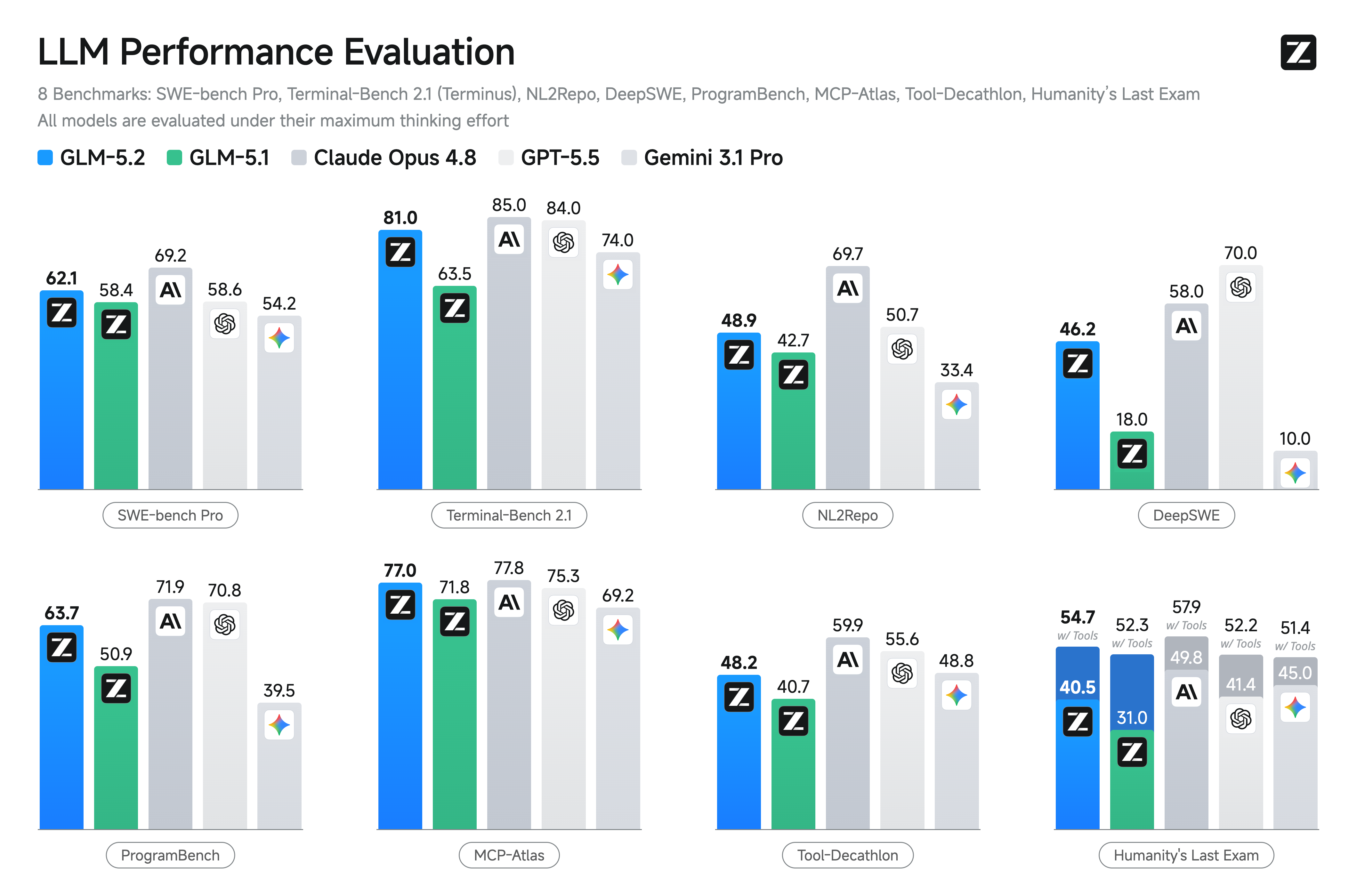
GLM-5.2 is a Mixture-of-Experts model around 753B parameters, served with a 1M token context window (1,048,576 tokens to be exact). It’s coding-first, with strong reasoning and agentic tool use. The headline benchmark, per Z.ai’s published results, is Terminal-Bench 2.1 at 81.0, up from GLM-5.1’s 62.0. VentureBeat described it as beating GPT-5.5 on long-horizon coding benchmarks for roughly one-sixth the cost.
To follow this guide you need:
- A Z.ai account and an API key. For Claude Code and the agentic harnesses, you want a GLM Coding Plan key rather than a raw pay-as-you-go key, since the coding endpoint is what those keys are scoped to.
- One of the three harnesses installed: Claude Code, Cline (a VS Code extension), or Cursor.
- The model id, which is
glm-5.2everywhere except inside Claude Code, where you use the 1M-context variantglm-5.2[1m].
A quick word on cost. The standard API runs $1.40 per 1M input tokens and $4.40 per 1M output tokens (confirmed by OpenRouter), with cached input around $0.26 per 1M (attributed to VentureBeat). The GLM Coding Plan is a separate subscription with Lite, Pro, Max, and Team tiers. Public tier prices have moved around, so treat any number you see as approximate (as of June 2026, verify current pricing at z.ai before you commit).
Set up GLM-5.2 in Claude Code
Claude Code talks to an Anthropic-compatible endpoint, and Z.ai exposes one specifically for coding tools. You point Claude Code at that endpoint with environment variables, then run it as normal.
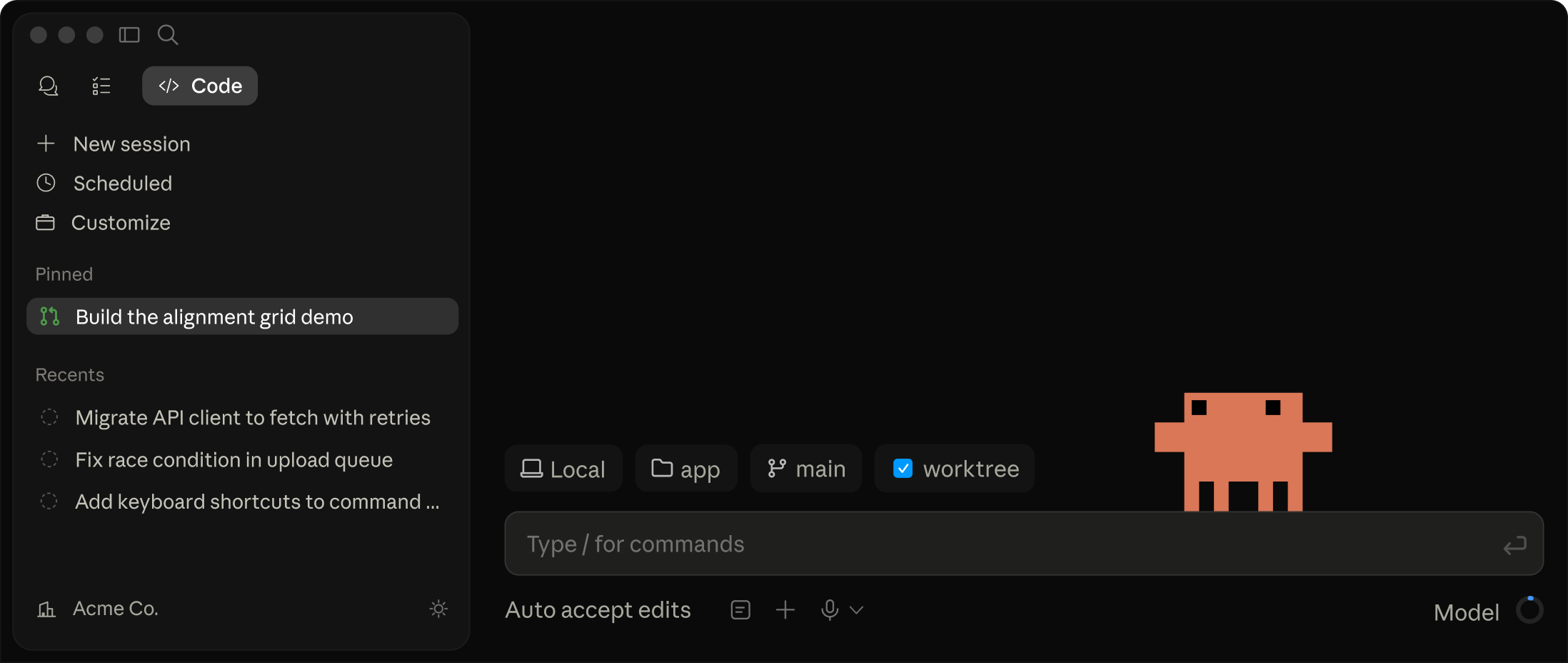
Here’s the full block. Drop it in your shell profile (~/.zshrc or ~/.bashrc), or set it inline before launching.
export ANTHROPIC_BASE_URL="https://api.z.ai/api/coding/paas/v4"
export ANTHROPIC_API_KEY="your-glm-coding-plan-key"
export ANTHROPIC_DEFAULT_SONNET_MODEL="glm-5.2[1m]"
export ANTHROPIC_DEFAULT_OPUS_MODEL="glm-5.2[1m]"
export CLAUDE_CODE_AUTO_COMPACT_WINDOW=1000000
export API_TIMEOUT_MS=3000000
Then launch Claude Code the usual way:
claude
A few of those variables deserve an explanation, because skipping them is where most setups break.
The base URL. https://api.z.ai/api/coding/paas/v4 is the Anthropic-compatible coding endpoint. Some older write-ups show https://open.z.ai/api/paas/v4 instead. Both have circulated, so if requests 404 or auth fails, try the other host and check the current value in the Z.ai GLM-5.2 docs (verify live).
The [1m] suffix. Setting both the Sonnet and Opus model variables to glm-5.2[1m] tells Claude Code to route every model tier to GLM-5.2’s 1M-context variant. Without the suffix you get the default context; with it you get the full million tokens. Mapping both Sonnet and Opus to the same model means whichever tier Claude Code reaches for, you land on GLM-5.2.
CLAUDE_CODE_AUTO_COMPACT_WINDOW=1000000. Claude Code auto-compacts the conversation when it nears the context limit. The default window assumes a smaller context budget. Raising it to 1,000,000 lets Claude Code use GLM-5.2’s full window before it starts summarizing, so you keep more of your codebase in context.
API_TIMEOUT_MS=3000000. This one is not optional for large-context work. That’s a 3,000-second (50-minute) timeout. When you feed a long-horizon agentic task into a 1M-token window, the model can think for a long time before the first token arrives, especially at Max thinking effort. The default timeout is far shorter, so Claude Code kills the request mid-flight and you see a confusing connection error. Bump the timeout and the long calls complete.
On thinking effort: GLM-5.2 has two levels, High and Max, and Z.ai recommends Max for coding. The coding endpoint applies a sensible default, but if your harness lets you pass reasoning_effort, set it to max for the hardest tasks. Thinking can also be disabled entirely when you want fast, cheap completions.
If you came from an earlier model, the migration path is the same one we covered for GLM-5.1 in Claude Code and GLM-4.5 with Claude Code. Swap the model id and base URL, keep the structure.
Set up GLM-5.2 in Cline
Cline is a VS Code extension that runs an autonomous coding agent inside your editor. Unlike Claude Code, Cline reads from an OpenAI-compatible endpoint, so the wiring is different.
- Install the Cline extension from the VS Code marketplace and open its settings (the gear icon in the Cline panel).
- For API Provider, choose OpenAI Compatible.
- Set Base URL to
https://api.z.ai/api/paas/v4/. Note the trailing slash and that this is the general API base, not the coding path. - Paste your Z.ai API key into API Key.
- For Model ID, enter
glm-5.2(no[1m]suffix here, that’s a Claude-Code-only convention). - Find the context window setting and set it to 1000000. Cline uses this to decide when to truncate history, so leaving it at a default value wastes most of GLM-5.2’s window.
That’s the whole GLM-5.2 Cline setup. Save, start a task, and watch Cline plan, edit files, and run commands against the model.
One Cline-specific note: because Cline can fire many tool calls per task, an undersized context window forces it to drop earlier steps. Setting the window to a full million keeps the plan, the diffs, and the test output all in scope, which is exactly where GLM-5.2’s long context earns its keep.
Set up GLM-5.2 in Cursor
Cursor is a standalone AI-first editor. It also speaks the OpenAI-compatible format, so the configuration mirrors Cline closely.
- Open Cursor settings, go to Models, and scroll to the OpenAI API key section.
- Enable the custom base URL (sometimes labeled “Override OpenAI Base URL”).
- Set the base URL to
https://api.z.ai/api/paas/v4/. - Enter your Z.ai API key.
- Add a custom model with the id
glm-5.2, then make sure it’s the active model. - Verify the connection with Cursor’s built-in API key test, then send a prompt.
That covers GLM-5.2 Cursor. Once it verifies, GLM-5.2 powers Cursor’s chat and inline edits.
If you’ve previously juggled Cursor with other GLM versions, the trade-offs we wrote up in Claude Code vs Cursor with GLM-4.7 still apply: Cursor’s UI is the smoothest for inline edits, while Claude Code and Cline lean harder into autonomous, multi-step agent runs.
Side-by-side configuration
Here’s every value in one place so you can copy the right one per harness.
| Setting | Claude Code | Cline | Cursor |
|---|---|---|---|
| API format | Anthropic-compatible | OpenAI-compatible | OpenAI-compatible |
| Base URL | https://api.z.ai/api/coding/paas/v4 (verify live) |
https://api.z.ai/api/paas/v4/ |
https://api.z.ai/api/paas/v4/ |
| Model id | glm-5.2[1m] |
glm-5.2 |
glm-5.2 |
| Key type | GLM Coding Plan key | API key | API key |
| Context window | CLAUDE_CODE_AUTO_COMPACT_WINDOW=1000000 |
set to 1000000 |
model default |
| Timeout | API_TIMEOUT_MS=3000000 |
n/a | n/a |
| Thinking effort | Max (recommended for coding) | via provider default | via provider default |
The two things that trip people up most: using the wrong base URL for the harness type, and forgetting the [1m] suffix and timeout in Claude Code.
Test your setup with a real API call
Before you trust any harness, confirm the key and model work with a raw request. This call hits the general API directly and isolates harness config from credential problems.
curl https://api.z.ai/api/paas/v4/chat/completions \
  -H "Authorization: Bearer $ZAI_API_KEY" \
  -H "Content-Type: application/json" \
  -d '{
    "model": "glm-5.2",
    "messages": [
      {"role": "user", "content": "Write a Python function that reverses a linked list."}
    ],
    "thinking": {"type": "enabled"},
    "reasoning_effort": "max",
    "stream": false
  }'
If that returns a completion, your key and model id are good, and any remaining issue is harness-side config. This is also a handy spot to bring an API client into the loop. If you’re already testing GLM-5.2 alongside your own backend endpoints, Apidog lets you save the request, manage the ANTHROPIC_API_KEY or Authorization header as an environment variable, and replay it without retyping the curl. You can download Apidog and import the request straight from the curl above.
Which harness should you use
There’s no single winner. It depends on how you like to work.
- Claude Code is the strongest fit for terminal-native, long-horizon agent runs, and it’s the only one of the three that gets the full 1M context via
glm-5.2[1m]. Best for big refactors and repo-wide changes. - Cline brings the agent inside VS Code without leaving your editor, with clear visibility into every tool call. Good middle ground.
- Cursor is the most polished for fast inline edits and autocomplete-style work, with the lightest config.
For a deeper feature comparison across plans, see Claude Code vs Codex vs Cursor vs MiniMax vs GLM Plan. For how GLM-5.2 stacks up against the frontier, check GLM-5.2 vs GPT-5.5, Claude Opus, and Gemini and the standalone benchmarks breakdown. And if you’re weighing the upgrade, GLM-5.2 vs GLM-5.1 lays out what changed.
FAQ
Why do I use glm-5.2[1m] in Claude Code but glm-5.2 in Cline and Cursor?
The [1m] suffix is a Claude Code convention that selects the 1M-context variant through the coding endpoint. Cline and Cursor pass the plain model id glm-5.2 to the general OpenAI-compatible endpoint, where the context window is set in the harness UI instead of in the id.
What if Claude Code times out on long tasks?
That’s almost always the timeout. Set API_TIMEOUT_MS=3000000 so Claude Code waits long enough for big-context, Max-effort responses to finish. Without it, the harness aborts the request before the model returns.
Do I need the GLM Coding Plan, or can I use pay-as-you-go?
Both work, but the GLM Coding Plan key is what the coding endpoint expects for Claude Code, and the plan’s flat monthly tiers (Lite, Pro, Max, Team) usually beat per-token billing for heavy daily coding. Confirm current tier prices at z.ai, since published figures have shifted (verify as of June 2026).
Which base URL is correct for Claude Code?
Use https://api.z.ai/api/coding/paas/v4. Some sources list https://open.z.ai/api/paas/v4. If one fails with auth or 404 errors, try the other and check the live Z.ai docs. The general API base (https://api.z.ai/api/paas/v4/) is for Cline and Cursor, not Claude Code.
Can GLM-5.2 handle images?
No confirmed vision variant exists for GLM-5.2. It’s a text-in, text-out coding and reasoning model. Don’t expect a “GLM-5.2V” until Z.ai ships one.
Closing
Three harnesses, one model, two endpoint formats. Get the base URL and model id right for the harness you’re in, remember the [1m] suffix and timeout for Claude Code, and set the context window to a full million in Cline. From there GLM-5.2 behaves like any other coding backend, just open-weights and cheaper to run. If you want to run it without a harness at all, see how to use GLM-5.2 for free and the GLM-5.2 pricing breakdown. Grab the weights from Hugging Face or pull the model with Ollama when you want a local copy.