





 本文档介绍了如何在AWS上搭建ElastiCache for Redis集群,包括设置节点类型、版本和端口,并通过AWS SDK进行连接验证。同时,详细阐述了Springboot应用如何集成Amazon ElastiCachefor Redis,提供了相关教程链接和测试代码示例,帮助开发者实现高效的数据缓存管理。
目录
2. 搭建AWS ElastiCache for Redis
1. ElastiCache for Redis概述
1) 以下主要是分享如何在AWS搭建Redis以及Springboot集成Amazon ElastiCache for Redis。
2) 关于Redis的学习笔记。
3) 关于Redis的视频网课。
4) 搭建Amazon ElastiCache for Redis的官网教程。
5) 操作 ElastiCache for Redis可以通过aws-cli, request actions和AWS-SDK三种方式。
2. 搭建AWS ElastiCache for Redis
1) 登录AWS控制台。
2) 设置Redis的节点类型、版本和端口等信息。
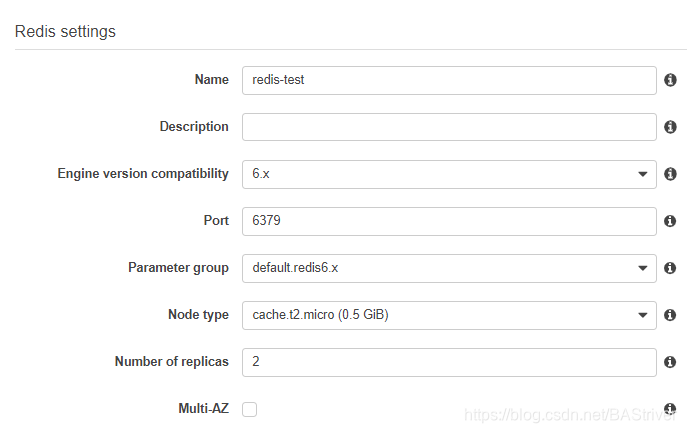
3) 假设目前创建的Cluster ID(Cluster Name)是redis-test,并且有两个节点。
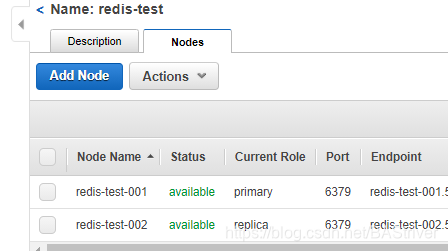
4) 更详细的aws-cli检验是否连接成功步骤可以参考:AWS 管理控制台创建 Redis。
> aws elasticache describe-cache-clusters --cache-cluster-id redis-test-001
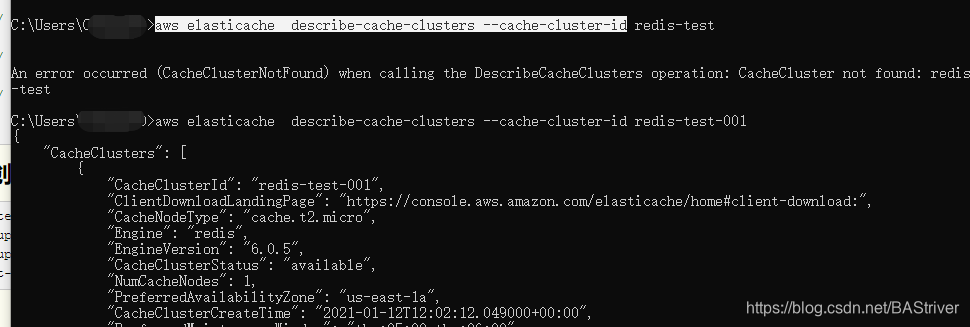
3. AWS-SDK连接ElasticCache
1) 这个是官网的demo git。
2) 下载下来之后,新建一个Test。
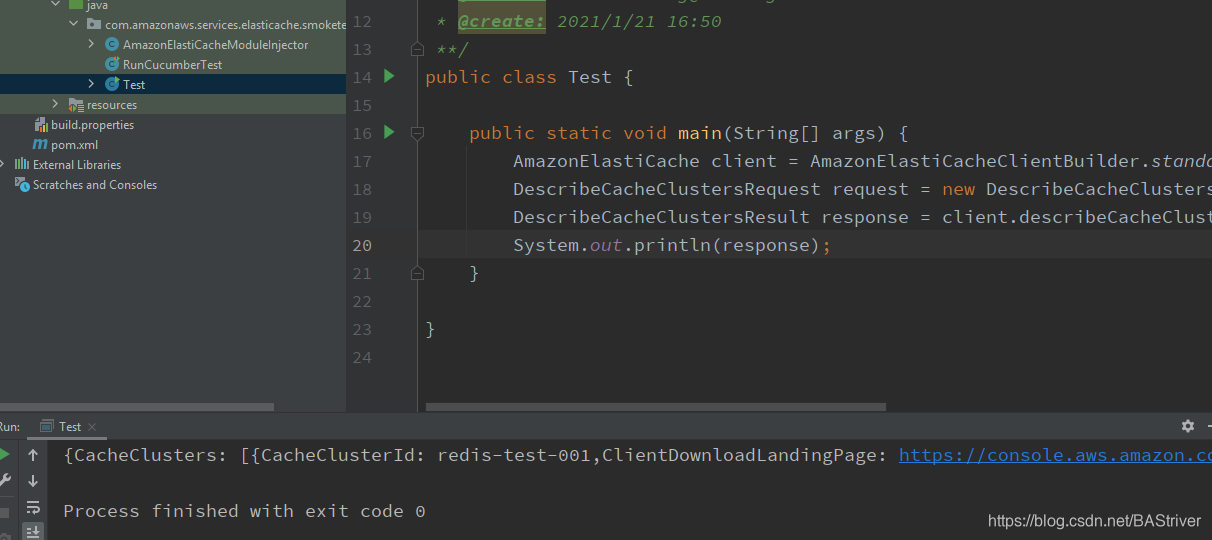
3) 测试代码。
public class Test {

    public static void main(String[] args) {
        AmazonElastiCache client = AmazonElastiCacheClientBuilder.standard().build();
        DescribeCacheClustersRequest request = new DescribeCacheClustersRequest().withCacheClusterId("redis-test-001");
        DescribeCacheClustersResult response = client.describeCacheClusters(request);
        System.out.println(response);
    }

}
附:
1) Using the ElastiCache Cluster Client for Java。
2) Using Amazon ElastiCache for Redis To Optimize Your Spring Boot Application。
3) aws-java-sdk-elasticache API文档。
4) spring-boot-elasticache-redis-tutorial。
5) 分享两篇Springboot集成Redis的文章:springboot集成redis (Lettuce),SpringBoot集成redis。





 扫一扫
扫一扫


 1649
1649

 被折叠的 条评论
为什么被折叠?
被折叠的 条评论
为什么被折叠?
 到【灌水乐园】发言





