


Windows Server 2016 Datacenter 完整部署 Nginx 教程
前置注意事项
- 目录不能含中文、空格,推荐路径:
C:\nginx - Windows 版 Nginx 仅用于反向代理 / 静态资源,不适合高并发生产集群
- 服务器需放行防火墙端口(默认 80/443)
- 全程建议管理员身份操作
一、下载并解压 Nginx Windows 版
1. 官方下载地址
https://nginx.org/en/download.html 拉到页面底部,下载 Windows 稳定版 ZIP(如 nginx-1.26.2.zip)
2. 解压
将压缩包全部解压到 C:\nginx(不要嵌套多层文件夹) 目录结构:
plaintext
C:\nginx
├─ nginx.exe
├─ conf/nginx.conf
├─ html
├─ logs
└─ temp
3. 测试手动启动(验证基础可用)
- 以管理员打开 CMD / PowerShell,进入目录
cmd
cd C:\nginx
# 启动
start nginx
# 查看进程
tasklist | findstr nginx
- 浏览器访问
http://服务器IP,出现 Welcome to nginx 即正常 - 常用手动控制命令
cmd
nginx -s stop    # 快速停止
nginx -s quit    # 优雅停止
nginx -s reload  # 重载配置(改conf后用)
nginx -t         # 校验配置文件语法
二、放行 Windows Server 2016 防火墙(关键)
PowerShell 管理员执行(放行 80、443 端口)
powershell
# 放行HTTP 80
New-NetFirewallRule -DisplayName "Nginx-HTTP-80" -Direction Inbound -LocalPort 80 -Protocol TCP -Action Allow -Program "C:\nginx\nginx.exe"
# 放行HTTPS 443
New-NetFirewallRule -DisplayName "Nginx-HTTPS-443" -Direction Inbound -LocalPort 443 -Protocol TCP -Action Allow -Program "C:\nginx\nginx.exe"
若云服务器,还需在云厂商安全组开放对应端口。
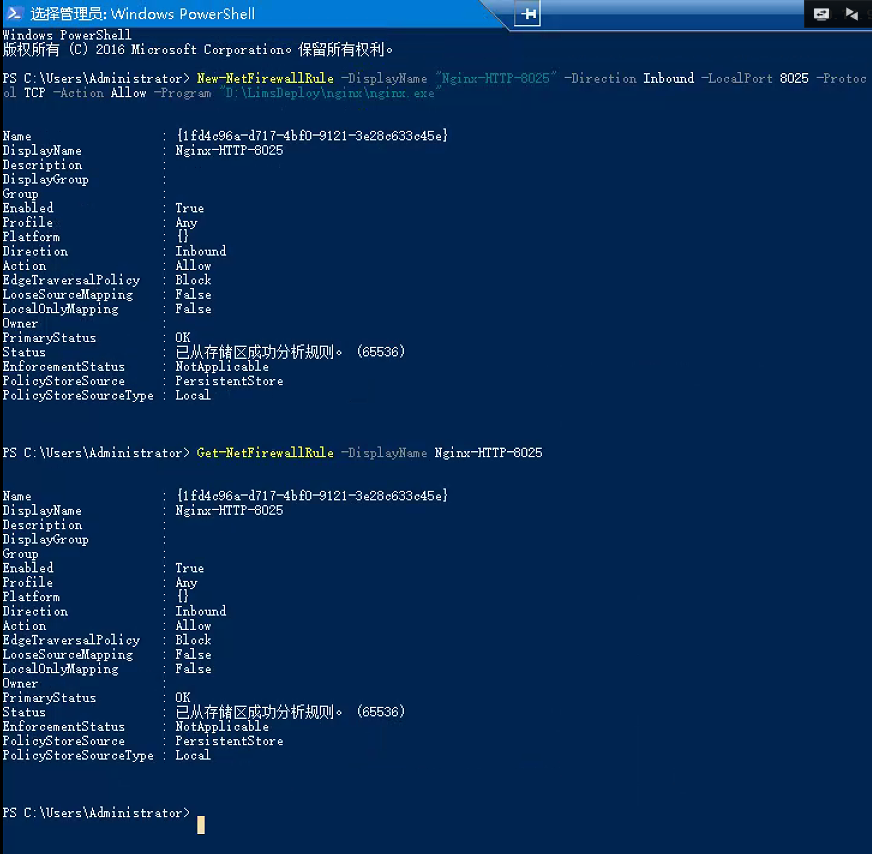
放行 Windows Server 2016 防火墙 8025 端口:
New-NetFirewallRule -DisplayName "Nginx-HTTP-8025" -Direction Inbound -LocalPort 8025 -Protocol TCP -Action Allow -Program "D:\LimsDeploy\nginx\nginx.exe"
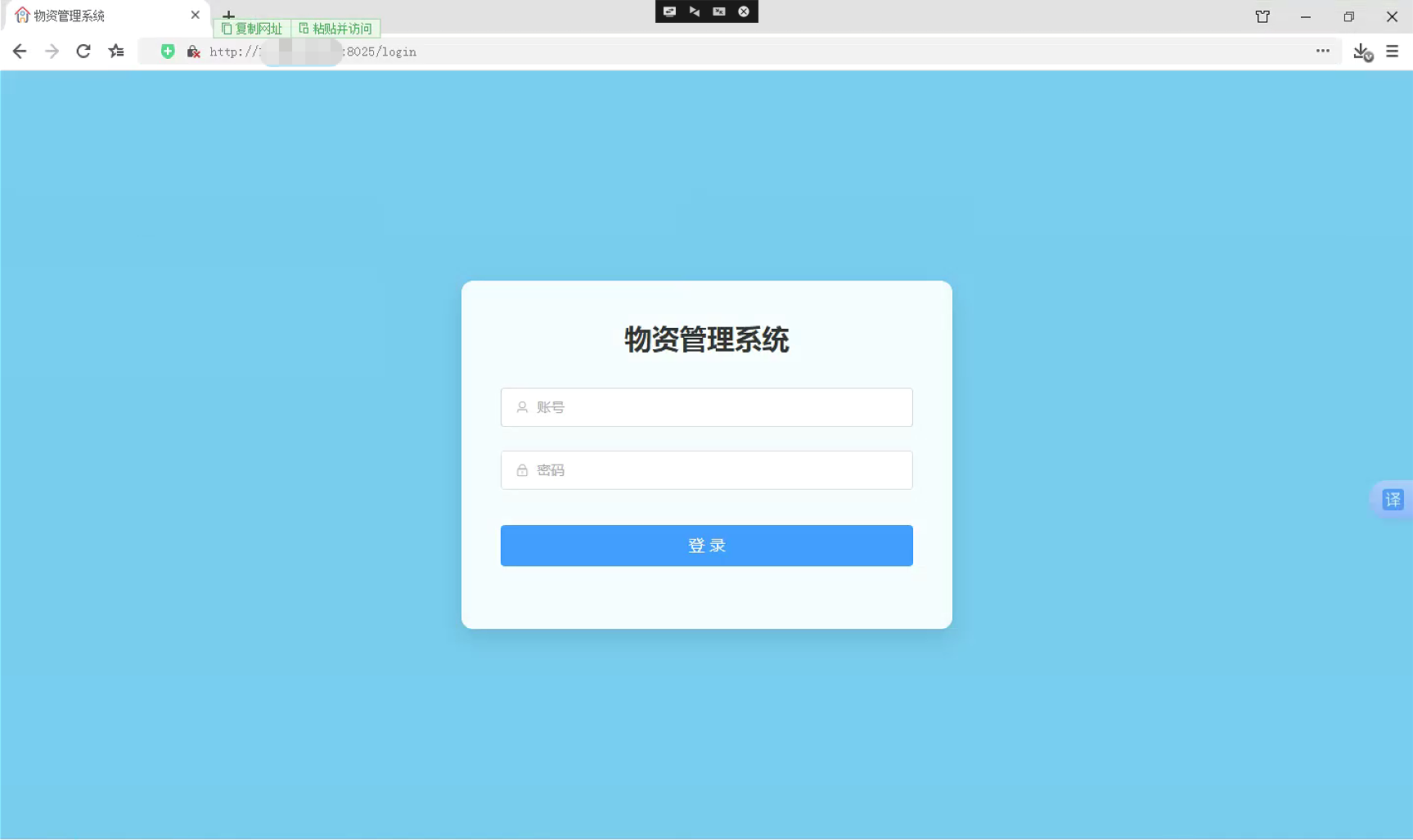
客户端访问:http://xxx.xxx.xxx.xxx:8025/login
注册为 Windows 系统服务(开机自启,无黑窗口)
Nginx 原生不支持 Windows 服务,推荐两种方案:WinSW(轻量) / NSSM(可视化稳定)
方案 A:WinSW(推荐,体积小)
1. 下载 WinSW
发布页:https://github.com/winsw/winsw/releases 下载 WinSW-x64.exe(64 位系统)
2. 放入目录并重命名
- 将
WinSW-x64.exe复制到C:\nginx - 重命名为
nginx-service.exe - 在同目录新建配置文件
nginx-service.xml
3. nginx-service.xml 完整配置(复制即用)
xml
<?xml version="1.0" encoding="UTF-8"?>
<service>
  <!-- 服务唯一ID,不能重复 -->
  <id>nginx</id>
  <!-- 服务显示名称 -->
  <name>Nginx Web Server</name>
  <!-- 服务描述 -->
  <description>高性能Nginx反向代理、静态文件服务</description>
  <!-- Nginx根目录绝对路径 -->
  <workingdirectory>C:\nginx</workingdirectory>
  <!-- 主程序 -->
  <executable>C:\nginx\nginx.exe</executable>
  <startarguments>-p C:\nginx</startarguments>
  <!-- 停止命令 -->
  <stopexecutable>C:\nginx\nginx.exe</stopexecutable>
  <stoparguments>-p C:\nginx -s stop</stoparguments>
  <!-- 日志存放目录 -->
  <logpath>C:\nginx\logs</logpath>
  <log mode="roll-by-size">
    <sizeThreshold>10240</sizeThreshold>
    <keepFiles>8</keepFiles>
  </log>
  <!-- 服务崩溃自动重启 -->
  <onfailure action="restart" delay="10 sec"/>
  <!-- 开机自动启动 -->
  <startmode>Automatic</startmode>
</service>
4. 管理员 CMD 安装 / 启停服务
cmd
cd C:\nginx
# 注册服务
nginx-service.exe install

# 启动服务
net start nginx
# 停止服务
net stop nginx
# 卸载服务(如需重装)
nginx-service.exe uninstall
打开 services.msc 可看到 Nginx Web Server 服务。
方案 B:NSSM(可视化、排错友好)
- 下载 NSSM:https://nssm.cc/download
- 解压对应 64 位,
nssm.exe放入C:\nginx - 管理员 CMD 执行安装:
cmd
cd C:\nginx
nssm install Nginx
弹出窗口:
- Path:选择
C:\nginx\nginx.exe - Service name:Nginx
- Details 填写描述
- Startup type:Automatic 点击 OK 完成注册,
net start nginx启动。
四、基础 nginx.conf 配置示例(反向代理场景)
路径:C:\nginx\conf\nginx.conf
示例 1:反向代理后端 127.0.0.1:8080
nginx
worker_processes  auto;
events {
    worker_connections  1024;
}
http {
    include       mime.types;
    default_type  application/octet-stream;
    log_format  main  '$remote_addr - $remote_user [$time_local] "$request" '
                      '$status $body_bytes_sent "$http_referer" '
                      '"$http_user_agent" "$http_x_forwarded_for"';
    access_log  logs/access.log  main;
    sendfile        on;
    keepalive_timeout  65;

    server {
        listen       80;
        server_name  localhost;

        location / {
            proxy_pass http://127.0.0.1:8080;
            proxy_set_header Host $host;
            proxy_set_header X-Real-IP $remote_addr;
            proxy_set_header X-Forwarded-For $proxy_add_x_forwarded_for;
        }

        error_page   500 502 503 504  /50x.html;
        location = /50x.html {
            root   html;
        }
    }
}
修改配置后重载:net stop nginx && net start nginx 或 nginx -s reload
五、常见问题排错
- 端口被占用
cmd
# 查找占用80端口进程
netstat -ano | findstr ":80"
taskkill /F /PID 进程号
- 服务启动失败 查看日志:
C:\nginx\logs\nginx-service.wrapper.log、error.log - 修改配置 reload 不生效 Windows Nginx reload 兼容性差,推荐直接重启服务:
net stop nginx && net start nginx - 访问超时 检查防火墙入站规则、服务器本地防火墙、云平台安全组。
- 目录含中文 / 空格导致启动失败 必须迁移到纯英文无空格路径。
六、日常运维命令汇总
cmd
# 校验配置
cd C:\nginx
nginx -t

# 手动启停(未注册服务时)
start nginx
nginx -s stop

# 系统服务启停
net start nginx
net stop nginx

# 强制杀掉所有nginx进程(卡死时)
taskkill /f /t /im nginx.exe





 扫一扫
扫一扫


 3258
3258

 被折叠的 条评论
为什么被折叠?
被折叠的 条评论
为什么被折叠?
 到【灌水乐园】发言





