


前提条件:opencode 已经成功安装了
自动安装 OMO Slim:
Install and configure oh-my-opencode-slim: https://raw.githubusercontent.com/alvinunreal/oh-my-opencode-slim/refs/heads/master/README.md如果你已经安装了 bun,可以手动安装 OMO Slim:
bunx oh-my-opencode-slim@latest install然后可选安装:cc-switch(如果你有多平台和多模型配置需求的话,强烈推荐)
opencode.json 文件:远程版
-
context7(时效性强,编程时更快获取技术框架的最新文档以更新大模型的知识库)
-
mem0(记忆的持久化)
// 第一个忘了做什么来着了
"plugin": [".opencode/plugins/graphify.js", "oh-my-opencode-slim@latest"],
    "$schema": "https://opencode.ai/config.json",
    "mcp": {
        "context7": {
            "enabled": true,
            "headers": {
                "CONTEXT7_API_KEY": "???"
            },
            "type": "remote",
            "url": "https://mcp.context7.com/mcp"
        },
        "mem0": {
            "enabled": true,
            "headers": {
                "Authorization": "Token ???"
            },
            "oauth": false,
            "type": "remote",
            "url": "https://mcp.mem0.ai/mcp/"
        }
    },
    "plugin": [".opencode/plugins/graphify.js", "oh-my-opencode-slim@latest"],
opencode.jsonc 文件:本地版




{
    "$schema": "https://opencode.ai/config.json",
    "permission": {
        "task": "allow",
    },
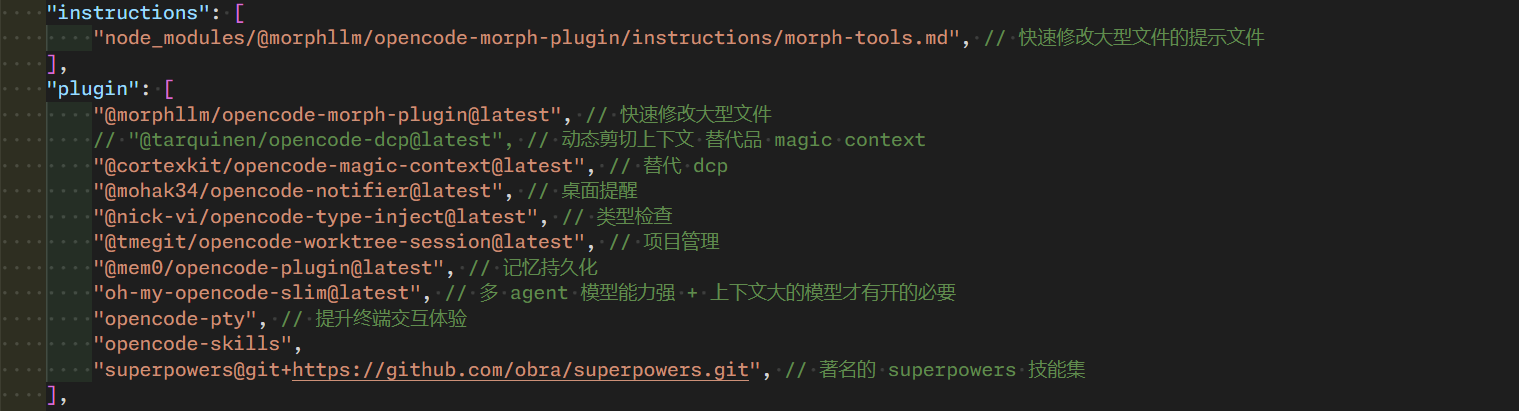
    "instructions": [
        "node_modules/@morphllm/opencode-morph-plugin/instructions/morph-tools.md",
    ],
    "plugin": [
        "@morphllm/opencode-morph-plugin@latest", // 快速修改大型文件
        // "@tarquinen/opencode-dcp@latest", // 动态剪切上下文 替代品 magic context
        "@cortexkit/opencode-magic-context@latest", // 替代 dcp
        "@mohak34/opencode-notifier@latest", // 桌面提醒
        "@nick-vi/opencode-type-inject@latest", // 类型检查
        "@tmegit/opencode-worktree-session@latest", // 项目管理
        "@mem0/opencode-plugin@latest", // 记忆持久化
        "oh-my-opencode-slim@latest", // 多 agent 模型能力强 + 上下文大的模型才有开的必要
        "opencode-pty", // 提升终端交互体验
        "opencode-skills",
        "superpowers@git+https://github.com/obra/superpowers.git", // 著名的 superpowers 技能集
    ],
    "command": {
        "superpower:brainstorming": {
            "description": "Explore user intent, requirements, and design before creative work",
            "template": "Load the `brainstorming` skill using the `skill` tool, then follow it exactly.",
        },
        "superpower:dispatching-parallel-agents": {
            "description": "Execute 2+ independent tasks in parallel using subagents",
            "template": "Load the `dispatching-parallel-agents` skill using the `skill` tool, then follow it exactly.",
        },
        "superpower:executing-plans": {
            "description": "Execute an implementation plan in a separate session with review checkpoints",
            "template": "Load the `executing-plans` skill using the `skill` tool, then follow it exactly.",
        },
        "superpower:finishing-a-development-branch": {
            "description": "Guide completion of development work - merge, PR, or cleanup",
            "template": "Load the `finishing-a-development-branch` skill using the `skill` tool, then follow it exactly.",
        },
        "superpower:receiving-code-review": {
            "description": "Process code review feedback with technical rigor before implementing suggestions",
            "template": "Load the `receiving-code-review` skill using the `skill` tool, then follow it exactly.",
        },
        "superpower:requesting-code-review": {
            "description": "Verify work meets requirements before committing or merging",
            "template": "Load the `requesting-code-review` skill using the `skill` tool, then follow it exactly.",
        },
        "superpower:subagent-driven-development": {
            "description": "Execute independent implementation tasks using subagents in the current session",
            "template": "Load the `subagent-driven-development` skill using the `skill` tool, then follow it exactly.",
        },
        "superpower:systematic-debugging": {
            "description": "Debug bugs, test failures, and unexpected behavior systematically",
            "template": "Load the `systematic-debugging` skill using the `skill` tool, then follow it exactly.",
        },
        "superpower:test-driven-development": {
            "description": "Write tests before implementation code (TDD workflow)",
            "template": "Load the `test-driven-development` skill using the `skill` tool, then follow it exactly.",
        },
        "superpower:using-git-worktrees": {
            "description": "Create isolated workspaces for feature work via git worktrees",
            "template": "Load the `using-git-worktrees` skill using the `skill` tool, then follow it exactly.",
        },
        "superpower:verification-before-completion": {
            "description": "Verify work (lint, tests, build) before claiming completion",
            "template": "Load the `verification-before-completion` skill using the `skill` tool, then follow it exactly.",
        },
        "superpower:writing-plans": {
            "description": "Create detailed implementation plans from specs or requirements",
            "template": "Load the `writing-plans` skill using the `skill` tool, then follow it exactly.",
        },
        "superpower:writing-skills": {
            "description": "Create, edit, and verify skills",
            "template": "Load the `writing-skills` skill using the `skill` tool, then follow it exactly.",
        },
    },
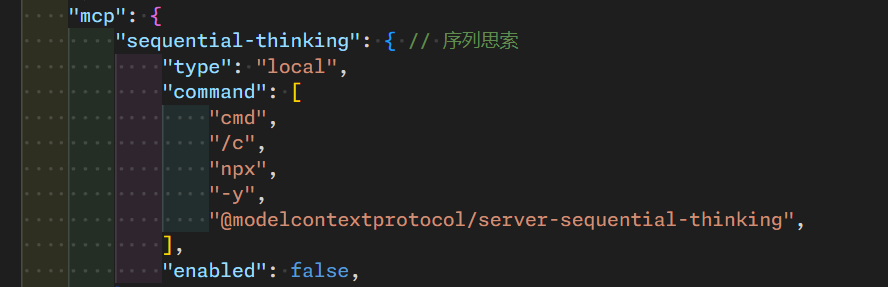
    "mcp": {
        "sequential-thinking": {
            "type": "local",
            "command": [
                "cmd",
                "/c",
                "npx",
                "-y",
                "@modelcontextprotocol/server-sequential-thinking",
            ],
            "enabled": false,
        },
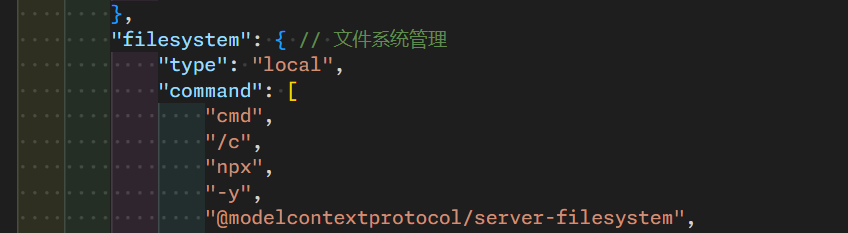
        "filesystem": {
            "type": "local",
            "command": [
                "cmd",
                "/c",
                "npx",
                "-y",
                "@modelcontextprotocol/server-filesystem",
                // "C:\\Users\\admin\\.opencode",
                // "C:\\Users\\admin\\.cache\\opencode",
                // "C:\\Users\\admin\\.config\\opencode",
                // "C:\\Users\\admin\\.local\\share\\opencode",
                // "C:\\Users\\admin\\.local\\state\\opencode",
                // "C:\\Users\\admin\\AppData\\Local\\Temp",
                "C:\\Users\\admin",
                // "D:\\program\\coder\\utils\\bun-windows-x64\\.opencode",
                "D:\\program\\coder\\",
                "D:\\data\\admin",
                "D:\\data\\download",
                "D:\\data\\desktop",
                "D:\\data\\studio",
            ],
            "enabled": true,
        },
        "morph-mcp": {
            "type": "local",
            "command": ["npx", "--prefer-offline", "-y", "@morphllm/morphmcp"],
            "environment": {
                "MORPH_API_KEY": "???",
            },
            "enabled": true,
        },
        "firecrawl-mcp": {
            "type": "local",
            "command": ["npx", "-y", "firecrawl-mcp"],
            "environment": {
                "FIRECRAWL_API_KEY": "???",
            },
            "enabled": false,
        },
        "markitdown": {
            "type": "local",
            "command": ["markitdown-mcp"],
            "enabled": false,
        },
        "chrome-devtools": {
            "type": "local",
            "command": ["npx", "-y", "chrome-devtools-mcp@latest"],
            "enabled": false,
        },
    },
    "compaction": {
        "auto": false,
        "prune": false,
    },
}
magic context 安装
安装 opencode 的前提下执行:
npx @cortexkit/magic-context@latest setup随后有英文的引导界面,翻译搞完即可。
然后用此命令检查一下:
npx @cortexkit/magic-context@latest doctor如果有报错或感叹号,多执行几次下面这个命令(直到无报错为止):
npx @cortexkit/magic-context@latest doctor --force节省 token 的可选安装:rtk
安装网址如下:
对于 windows 系统支持有限,建议用 mac 或 linux 或 wsl2 安装 rtk
作用是 cli 代理程序,对命令输出进行过滤和压缩,节省常用的 token 上下文。
浏览器操作能力
出名的有 Playwright(MCP)、Playwright-cli、opencode-browser(plugin)、Agent Reach(工作流)、chrome-devtools(MCP)、Agent Browser(cli)
- 首推的是 cli 版本的 Playwright-cli 或 Agent Browser(cli)
- 其次是 plugin 版本的 opencode-browser
- MCP 版本 token 占用多,但是调用显式,按自己情况来实时开启(比如用 chrome-devtools(MCP) 临时开启进行调试)
- Agent Reach(工作流)按需选用
我的 cc 的 oh my opencode slim 截图:
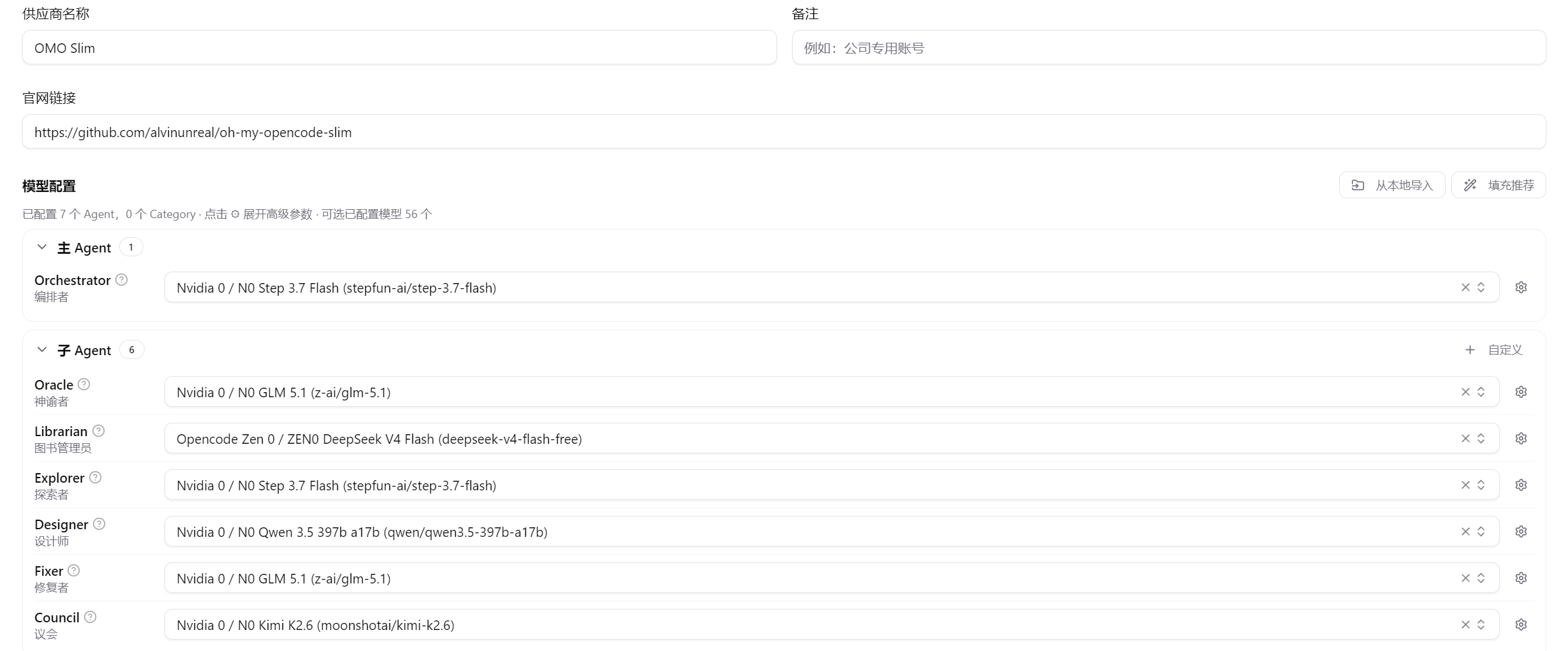
大家也可以将自己的 ai agent 配置 或者 经验心得 分享在评论区!






 扫一扫
扫一扫


 3万+
3万+

 被折叠的 条评论
为什么被折叠?
被折叠的 条评论
为什么被折叠?
 到【灌水乐园】发言





