






 本文主要介绍了在VR漫游项目中如何进行数据存储,包括将数据整理并保存为本地二进制文件。同时,详细梳理了Unity引擎中WWW类的使用方法,帮助理解在VR场景中加载和交互数据的过程。
1.点击打开链接
将数据存储为本地二进制文件整理

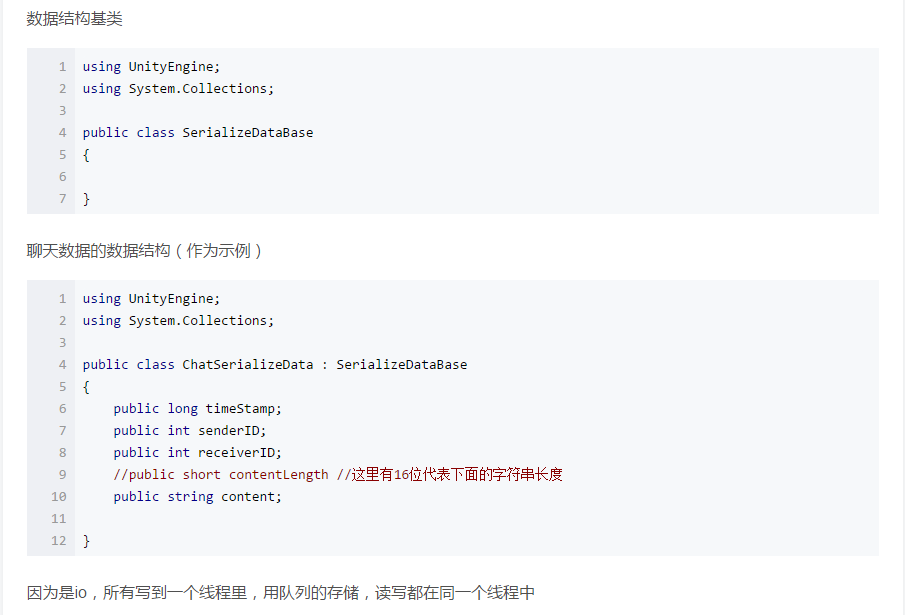
using UnityEngine;
using System.Collections;
using System.Collections.Generic;
using System.Threading;

public class SerializeClassBase<T, S> where T : SerializeDataBase where S : new()
{
    public delegate void LocalDataReadDelegate(List<T> dataList);
    Queue<LocalDataReadDelegate> m_onReadDoneDelegateQueue = new Queue<LocalDataReadDelegate>();

    Thread m_thread;
    bool m_threadStart = true;

    Queue<T> m_writeThreadQueue = new Queue<T>();
    Queue<string> m_readThreadQueue = new Queue<string>();


    private static S m_instance;
    public static S Instance
    {
        get
        {
            if (m_instance == null)
                m_instance = new S();
            return m_instance;
        }
    }

    public SerializeClassBase()
    {
        m_thread = new Thread(ThreadAsync);
        m_thread.Start();
    }

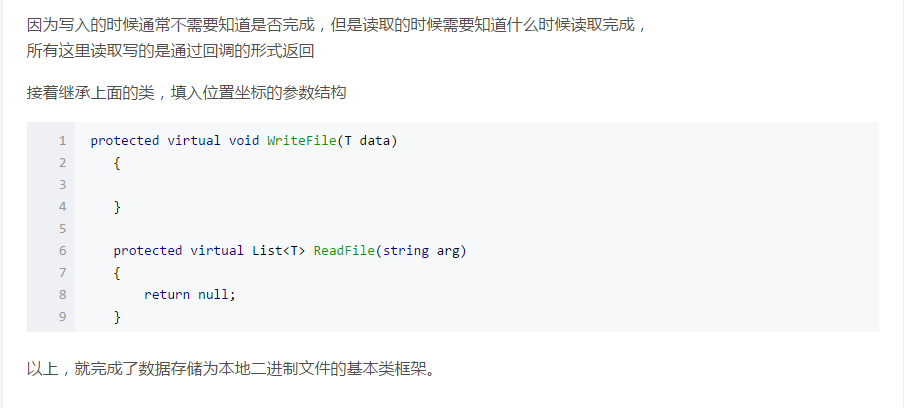
    protected virtual void WriteFile(T data)
    {

    }

    protected virtual List<T> ReadFile(string arg)
    {
        return null;
    }

    public void SaveData(T data)
    {
        m_writeThreadQueue.Enqueue(data);
    }

    public void GetData(string arg,LocalDataReadDelegate del)
    {
        m_readThreadQueue.Enqueue(arg);
        m_onReadDoneDelegateQueue.Enqueue(del);
    }

    void ThreadAsync()
    {
        while (m_threadStart)
        {

            while(m_readThreadQueue.Count > 0)
            {
                m_onReadDoneDelegateQueue.Dequeue()(ReadFile(m_readThreadQueue.Dequeue()));
            }


            while (m_writeThreadQueue.Count > 0)
            {
                WriteFile(m_writeThreadQueue.Dequeue());
            }


            Thread.Sleep(1000);
        }
    }

    public void StopThread()
    {
        m_threadStart = false;
    }
}
————————————————————————————————————————————————————
2.点击打开链接
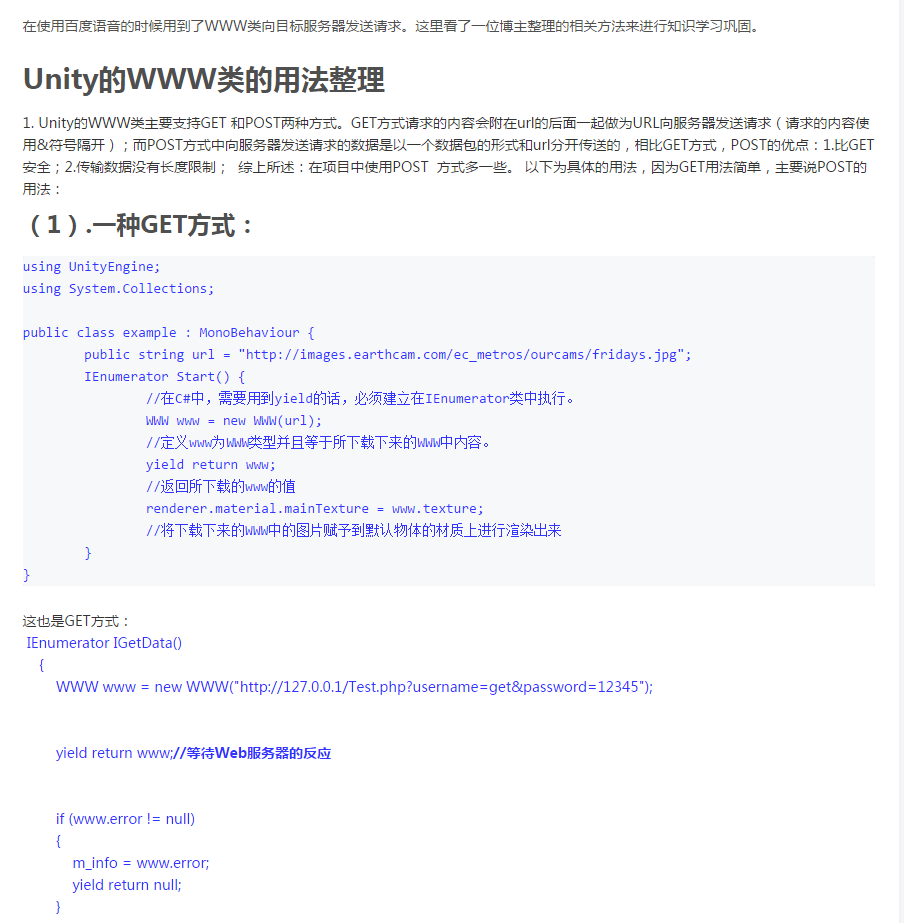
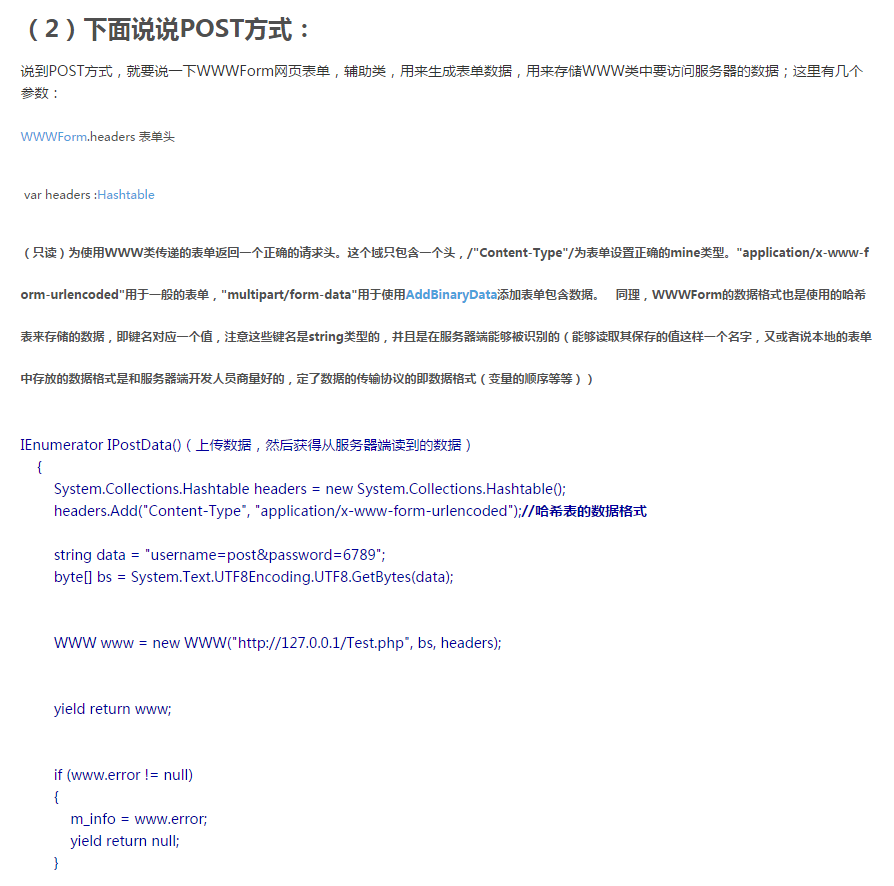
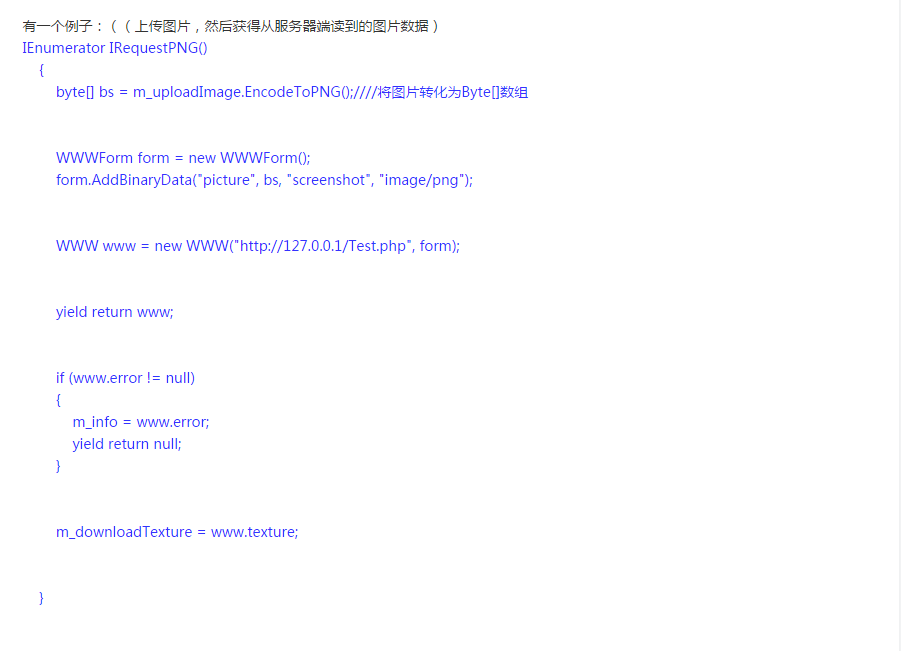
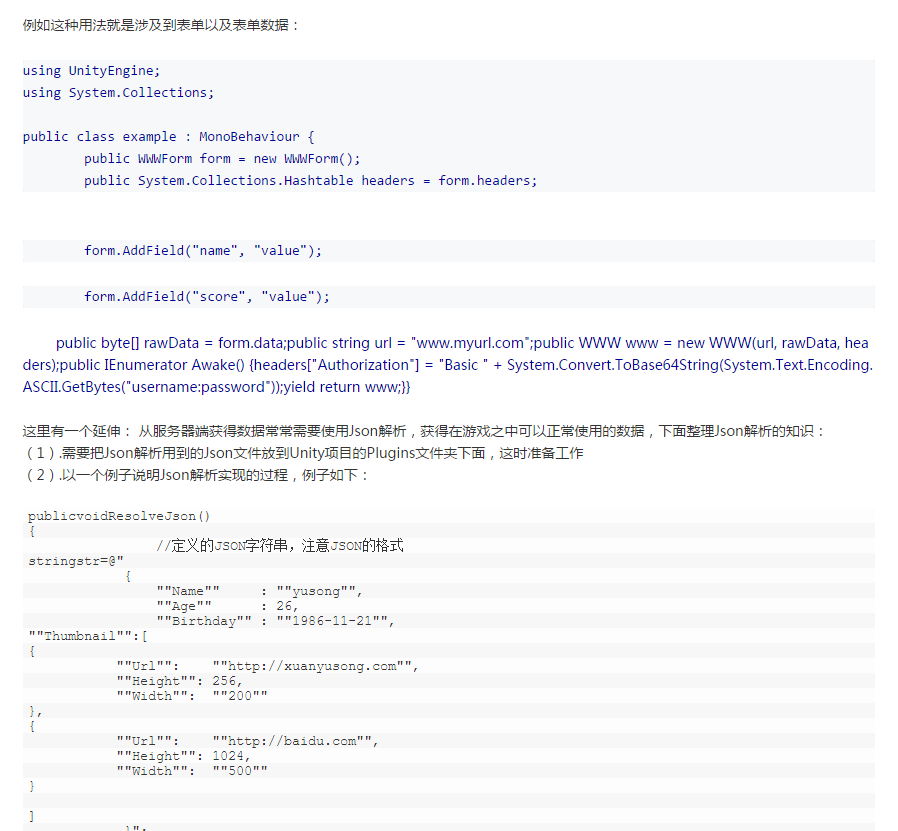
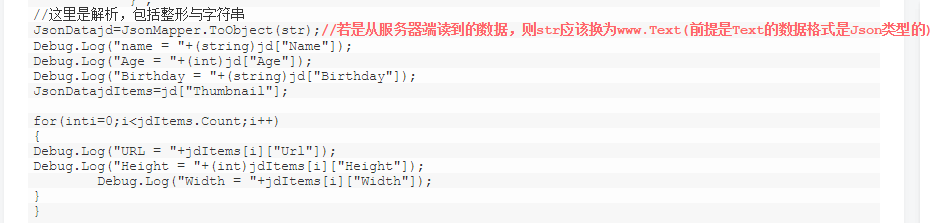
Unity的WWW类的用法整理





 扫一扫
扫一扫


 322
322

 被折叠的 条评论
为什么被折叠?
被折叠的 条评论
为什么被折叠?
 到【灌水乐园】发言





