drools 6 安装教程,本人亲测成功

本文介绍如何从官方网站下载Drools规则引擎及其Eclipse插件,并提供了详细的安装步骤。通过解压指定版本的文件包并将其整合进Eclipse环境中,可以快速搭建起Drools开发环境。

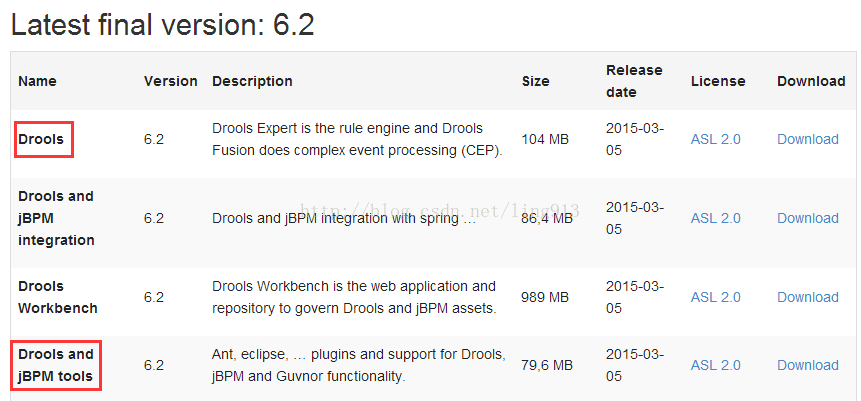
1. 从官网下载以下两个zip包 . http://www.drools.org/download/download.html

drools-distribution-6.2.0.Final.zip

droolsjbpm-tools-distribution-6.2.0.Final.zip
 技术分享

2、安装eclipse插件

1. 解压droolsjbpm-tools-distribution-6.2.0.Final.zip

2. 在eclipse的安装目录的dropins包下面创建文件夹drools, 将droolsjbpm-tools-distribution-6.2.0.Final.zip 解压出来的features和plugins复制 到刚刚新建立的drools包中,

重启eclipse ,在Window->Preferences,就能看到有Drools这个目录了


3、配置运行环境

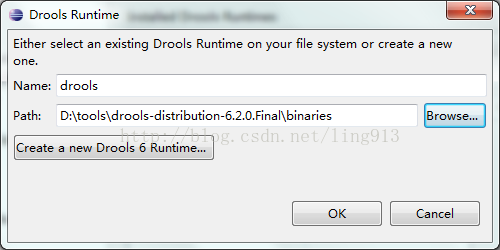
解压drools-distribution-6.2.0.Final.zip
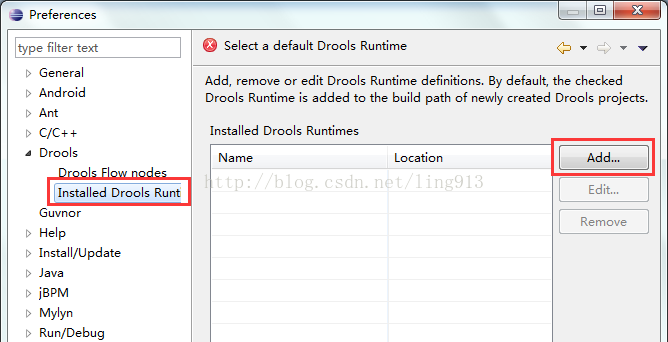
技术分享

选择binaries目录

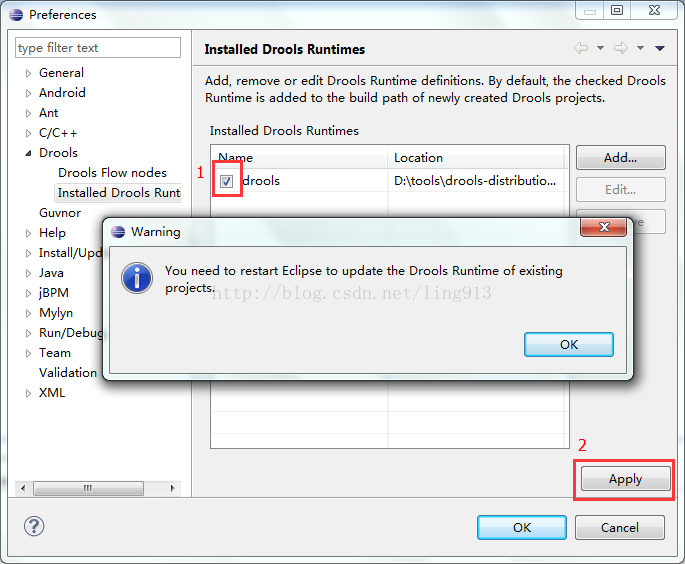
技术分享

技术分享

4、重启eclipse

5、新建drools工程,会自动添加一个测试例子
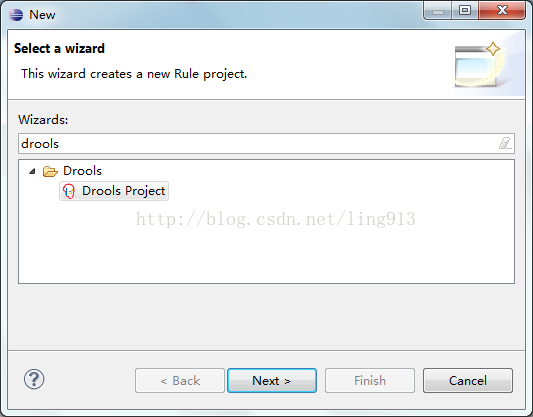
技术分享

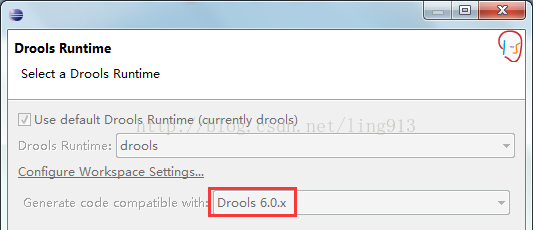
根据对应的drools版本选择

技术分享

6、运行自带的例子,控制台将输出

Hello World
Goodbye cruel world
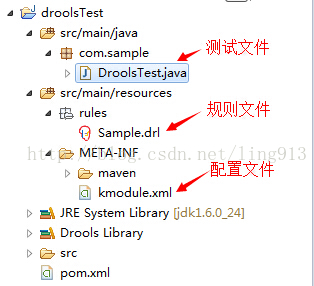
技术分享


Welcome to Drools ================= Third party jars ---------------- Following third party jars are optional and are not included in Drools distribution: 1.Quartz: Quartz is an optional jar only needed if you wish to adapt existing quartz calendars. It can be downloaded from http://www.quartz-scheduler.org/. Run the examples ---------------- It's easy to run the examples: On Linux, Mac or Cygwin: examples/runExamples.sh On Windows: examples\runExamples.bat Run the examples in Eclipse --------------------------- Open Eclipse, install the Drools plugin, as described in the introduction reference manual. Open menu Window, menu item Preferences, tree item Drools, tree item Installed Drools Runtime environments Add the dir "binaries/" from the zip as a new Drools Runtime Environment. Activate the checkbox of that newly created runtime environment. Restart eclipse. Open menu File, menu item Import..., tree item General, tree item Existing Projects into Workspace, button Next and select root directory "examples/sources/" from the zip, button Finish. Alternatively, if you have the m2eclipse plugin installed: Open menu File, menu item Import, tree item Maven, tree item Existing Maven Projects, button Next and select "examples/sources/" from the zip, button Finish. Open menu Run, menu item Run configurations, add new Java Application with main class "org.drools.examples.DroolsExamplesApp" and VM arguments "-Xms256m -Xmx512m -server", click button Run. Run the examples in IntelliJ ---------------------------- Open menu File, menu item Open project, select "examples/sources/pom.xml". Open menu Run, menu item Edit Configurations, add a new Application with main class "org.drools.examples.DroolsExamplesApp" and VM parameters "-Xms256m -Xmx512m -server" and run that. Read the reference manual ------------------------- To see the reference_manual, just open: reference_manual/html_single/index.html It contains information how to use it on your project (wi
评论
添加红包

请填写红包祝福语或标题

红包个数最小为10个

红包金额最低5元

当前余额3.43前往充值 >
需支付:10.00
成就一亿技术人!
领取后你会自动成为博主和红包主的粉丝 规则
hope_wisdom
发出的红包
实付
使用余额支付
点击重新获取
扫码支付
钱包余额 0

抵扣说明:

1.余额是钱包充值的虚拟货币,按照1:1的比例进行支付金额的抵扣。
2.余额无法直接购买下载,可以购买VIP、付费专栏及课程。

余额充值