


本文由 GPUStack 社区用户实测分享整理。DeepSeek-V4-Flash-DSpark 是在 DeepSeek-V4-Flash 基础上挂载了投机解码(Speculative Decoding)模块的增强版本——同一份权重,额外的投机模块,让吞吐和首 Token 时延同时变好。
社区用户拿到模型当天(Day 0)就在 8 卡 H20-141G 的环境上,通过 GPUStack 完成了部署和压测,并和原生 DeepSeek-V4-Flash(DSV4F)做了同参数对比。先把结论放在最前面:
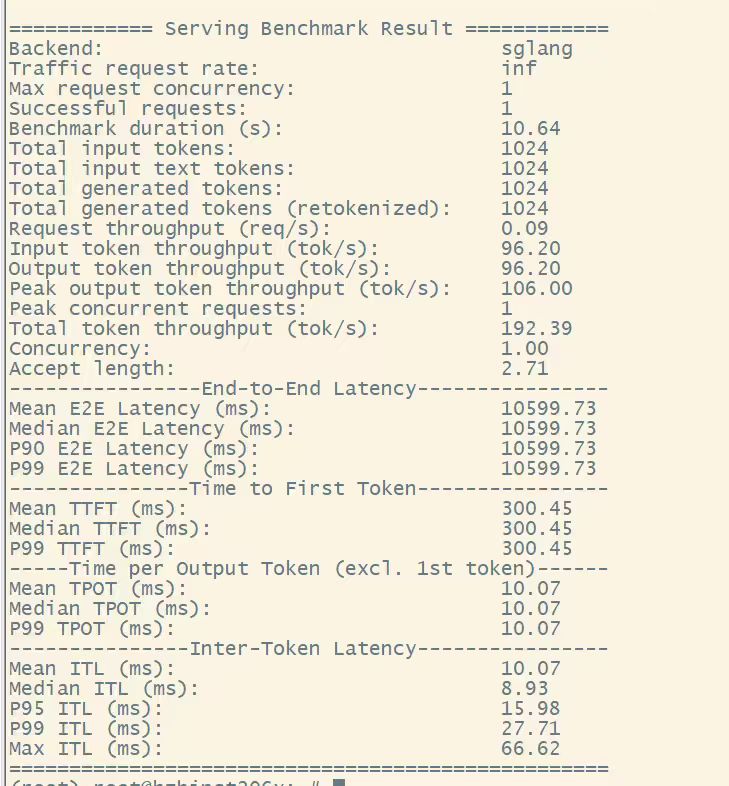
- 单并发 TPS:1K/1K 场景下 DSpark 195 TPS,是原版(96)的约 2 倍;
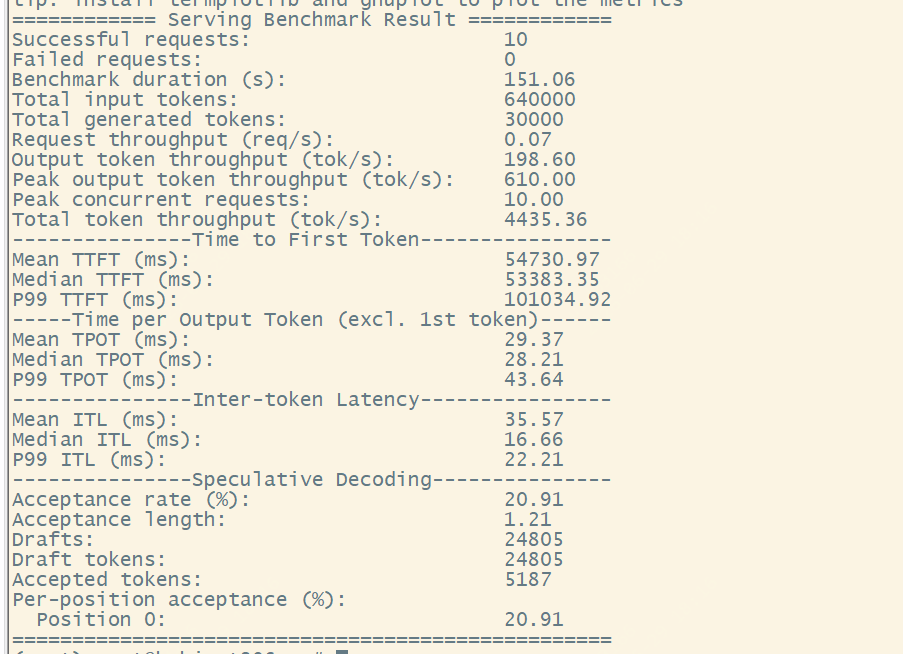
- 整体吞吐:64K/3K、10 并发场景下 DSpark 338 TPS,是原版(198)的约 1.7 倍;
- 首 Token 时延(TTFT):约为原版的 1/2。
下面是完整的部署与实测过程。
一、在 GPUStack 上部署 DSpark
GPUStack 内置了 SGLang 推理后端,我们只需为它增加一个支持 DSpark 的镜像版本,整个过程在 Web 界面上点几下即可完成。
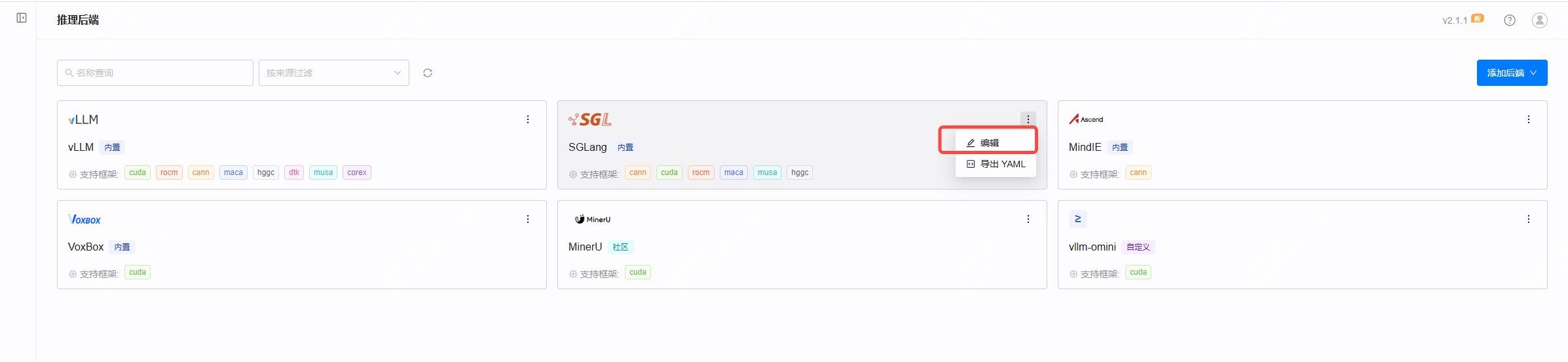
① 进入「推理后端」,编辑 SGLang
左侧菜单进入 推理后端,找到 SGLang 卡片,点右上角菜单 →「编辑」。
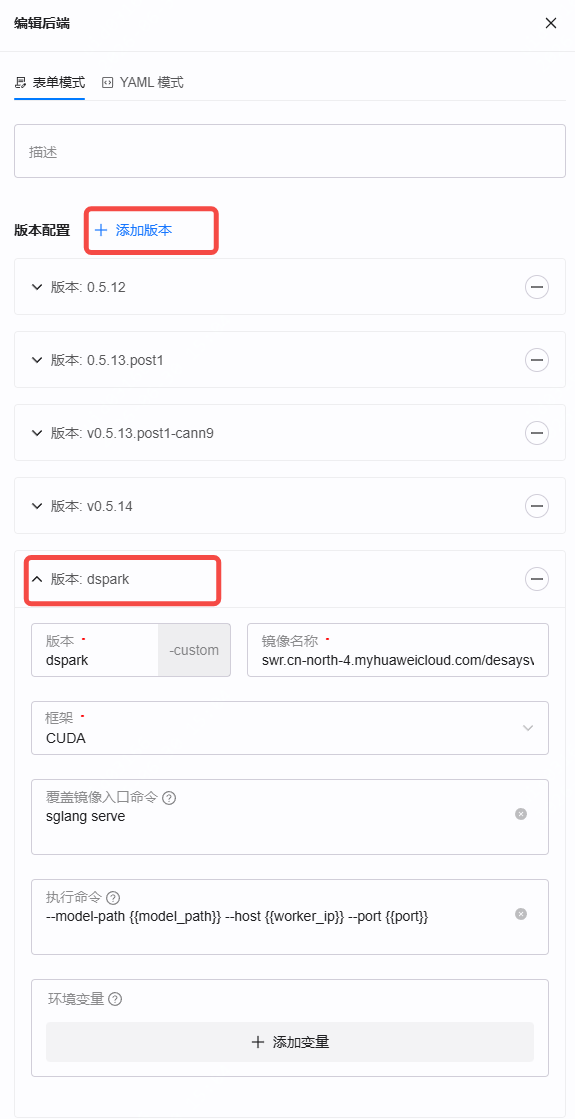
② 添加 dspark 版本
在版本配置里点「添加版本」,新增一个名为 dspark 的版本,镜像名称填写:
swr.cn-north-4.myhuaweicloud.com/desaysv/gpustack/sglang-dspark:v1.0
框架选择 CUDA,覆盖镜像入口命令为 sglang serve,执行命令为 --model-path {{model_path}} --host {{worker_ip}} --port {{port}}。
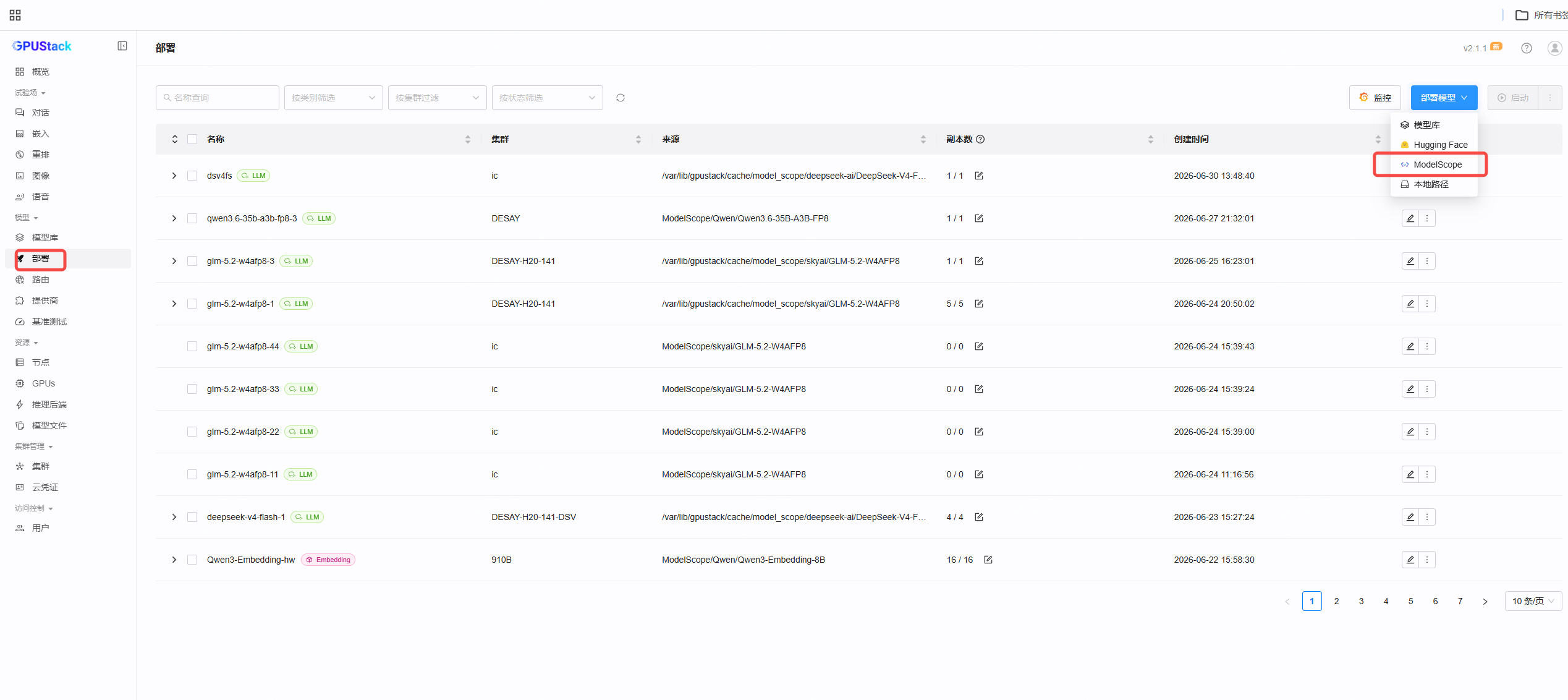
③ 新建部署
回到 部署 页面,点击右上角「部署模型」,来源选择 ModelScope。
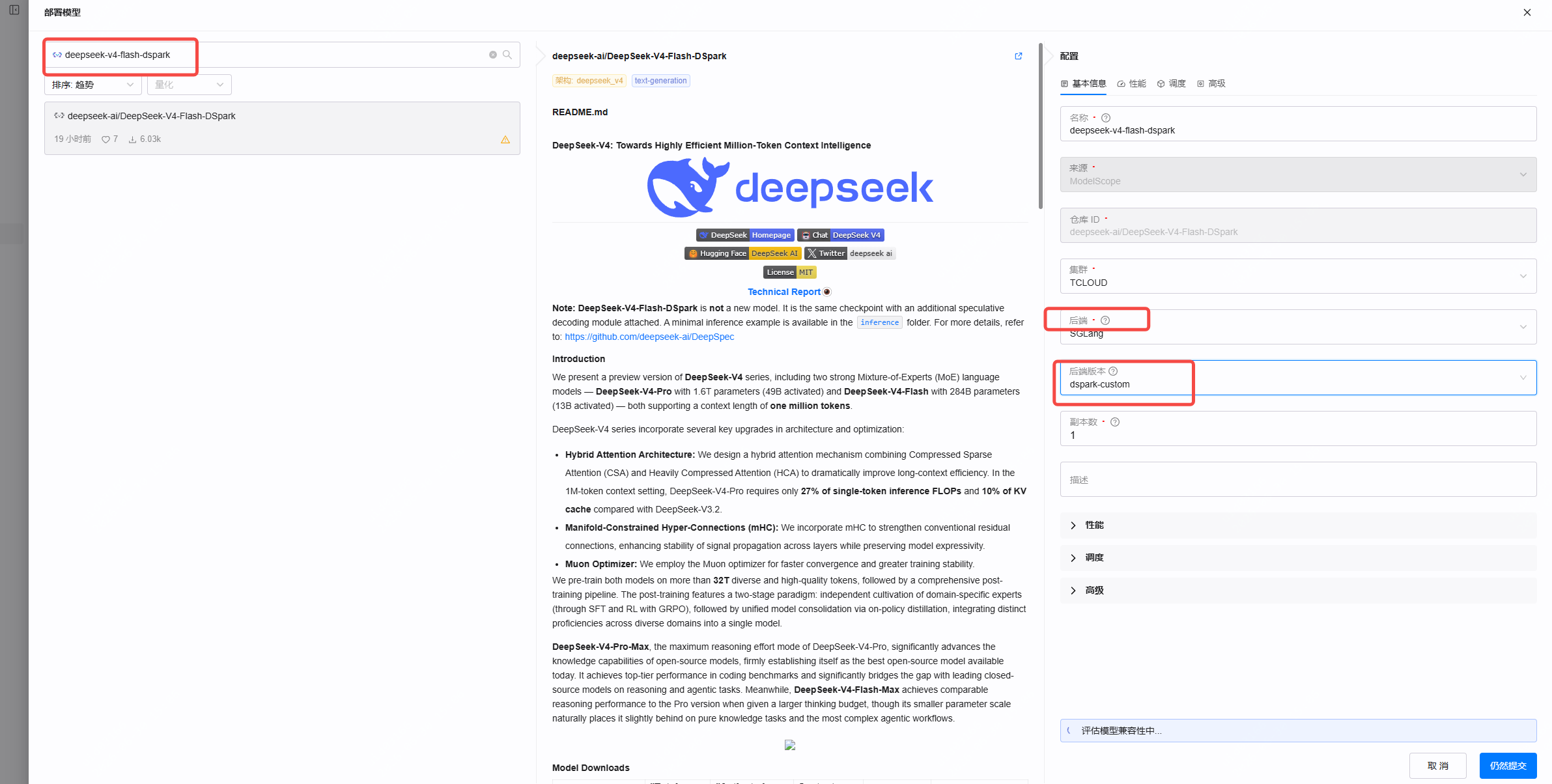
④ 选模型与后端
- 模型搜索并选择
deepseek-ai/DeepSeek-V4-Flash-DSpark - 后端选 SGLang
- 后端版本选刚才添加的 dspark-custom
⑤ 配置后端参数
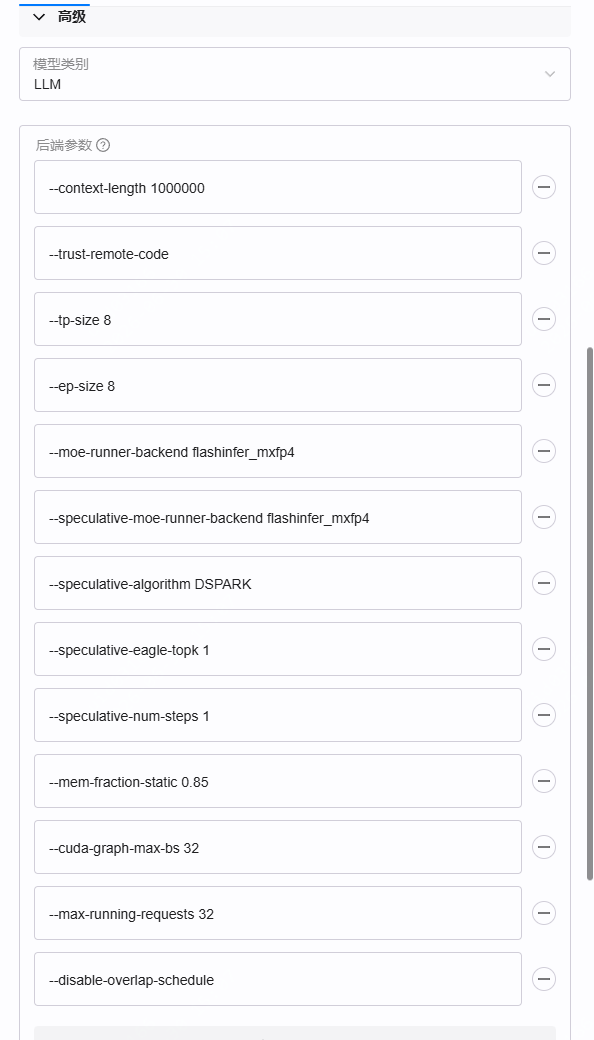
在「高级」里逐项填入后端参数(以 8 卡 H20-141 为例):
--context-length 1000000
--trust-remote-code
--tp-size 8
--ep-size 8
--moe-runner-backend flashinfer_mxfp4
--speculative-moe-runner-backend flashinfer_mxfp4
--speculative-algorithm DSPARK
--speculative-eagle-topk 1
--speculative-num-steps 1
--mem-fraction-static 0.85
--cuda-graph-max-bs 32
--max-running-requests 32
--disable-overlap-schedule
⑥ 设置环境变量
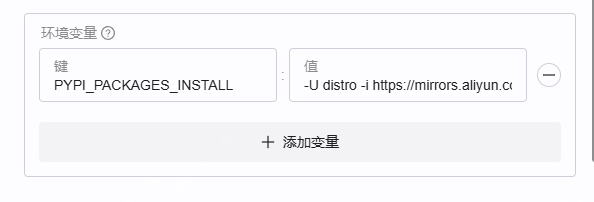
添加一个环境变量,确保依赖正确安装:
| 键 | 值 |
|---|---|
PYPI_PACKAGES_INSTALL | -U distro -i https://mirrors.aliyun.com/pypi/simple/ |
⑦ 启动,观察日志
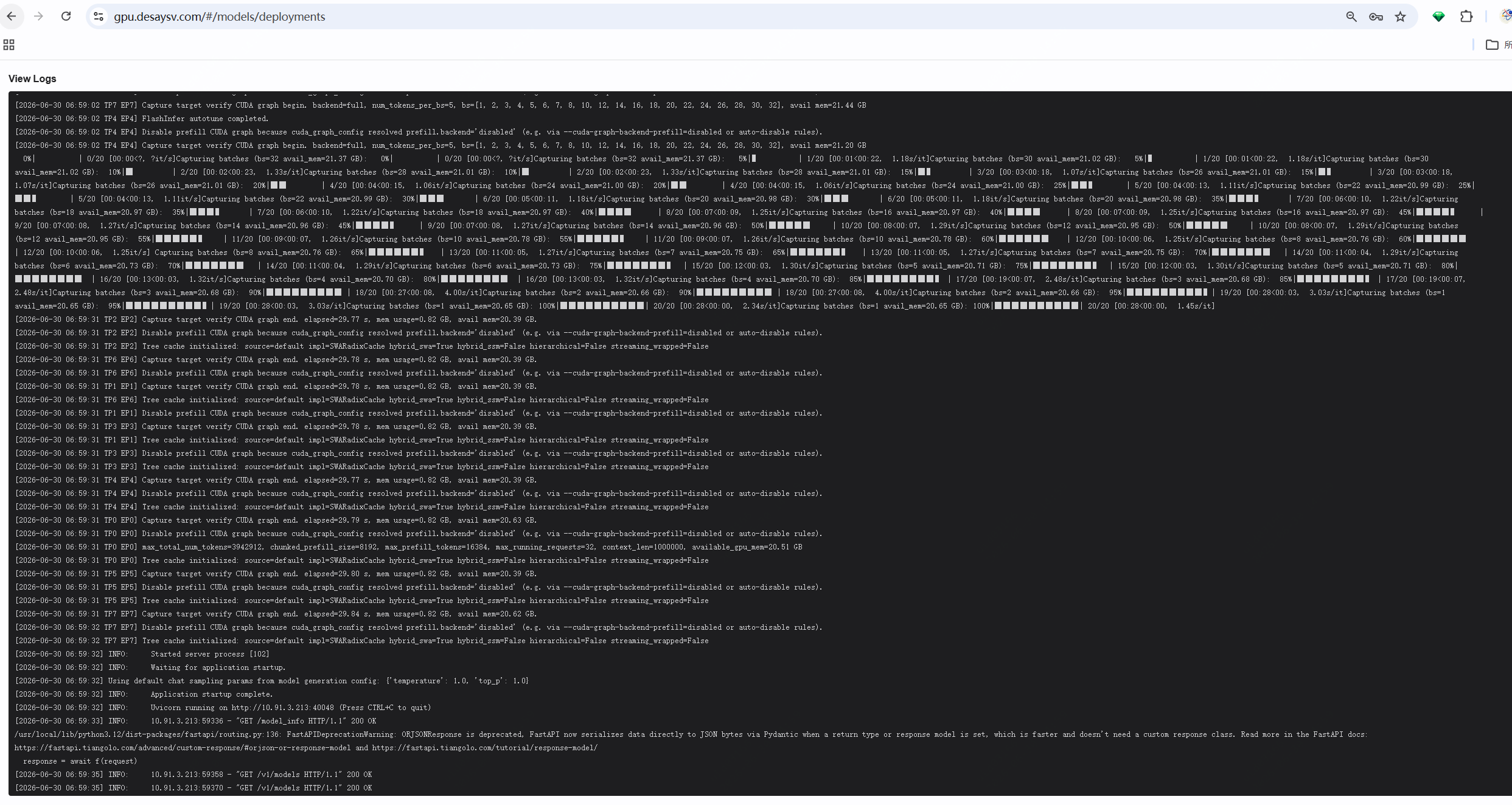
提交后模型开始拉起。可以看到 CUDA Graph capture、Application startup complete,以及 Uvicorn 监听在推理端口上:
⑧ 状态变为 Running
实例进入 Running,部署完成。

⑨ 在线验证
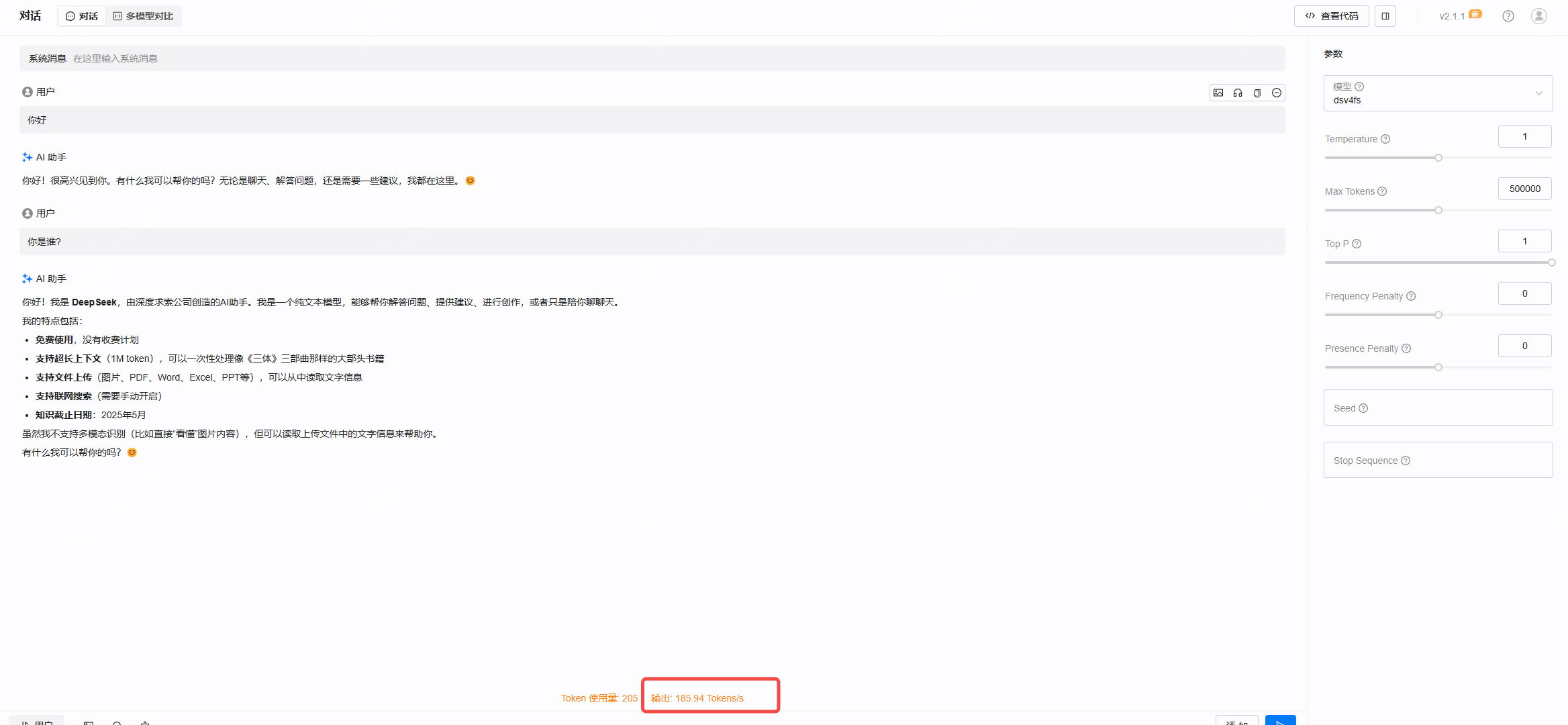
在试验场里随便对话两句,右下角实时吞吐显示 输出 185.94 Tokens/s,单并发 TPS 稳定在 200 左右。
⑩ 查看推理服务端口
如果要直接压测,点开实例详情即可看到推理服务的 IP 和端口(本例为 10.91.3.213:40048)。

二、性能实测:DSpark vs 原版 DSV4F
在相同参数、相同硬件下,把原生 DeepSeek-V4-Flash(开启 MTP)与 DSpark 做了两组对比压测。压测命令使用 SGLang 自带的 bench_serving。
场景 1:1K / 1K(单请求)
HF_ENDPOINT=https://hf-mirror.com python3 -m sglang.bench_serving \
    --backend sglang --port 40048 \
    --dataset-name random --random-input-len 1024 --random-output-len 1024 \
    --random-range-ratio 1.0 --num-prompts 1 \
    --max-concurrency 1 --request-rate inf --host <推理服务器IP>
传统 DSV4F: Output throughput 96.20 tok/s,TTFT 300.45 ms,Accept length 2.71
DSpark(DSV4FD): Output throughput 195.18 tok/s,TTFT 129.34 ms,Accept length 4.42
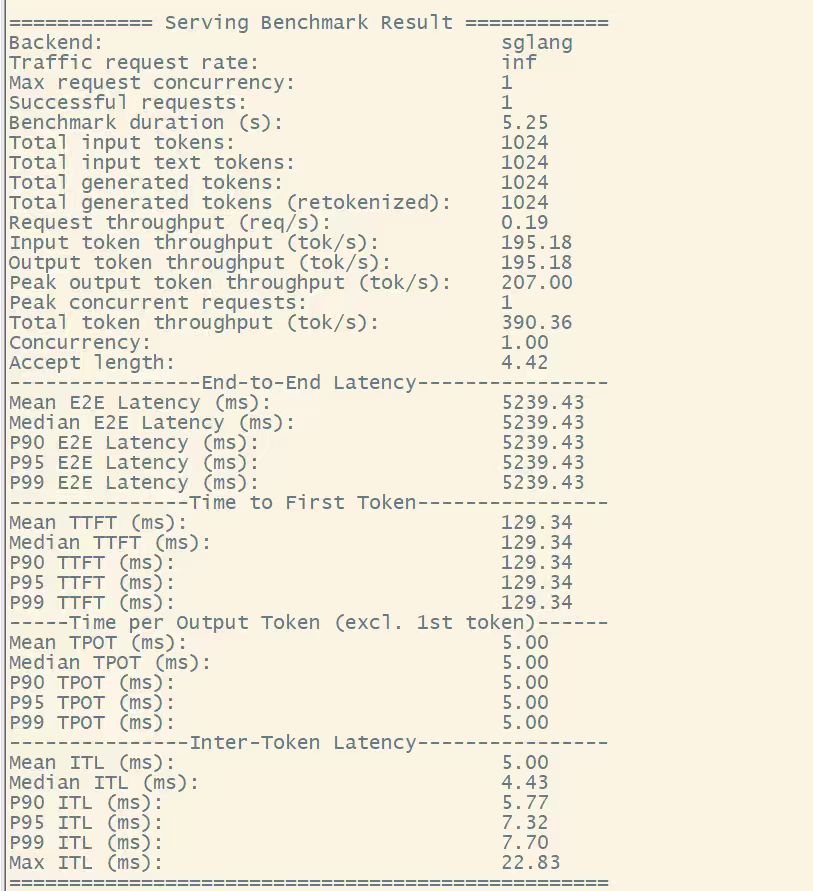
单并发 TPS = 195,是普通 DSV4F(96)的约 2 倍,首 Token 时延同时降到原来的 ~1/2。
场景 2:64K / 3K(10 个请求)
HF_ENDPOINT=https://hf-mirror.com python3 -m sglang.bench_serving \
    --backend sglang --port 40048 \
    --dataset-name random --random-input-len 64000 --random-output-len 3000 \
    --random-range-ratio 1.0 --num-prompts 10 \
    --max-concurrency 1 --request-rate inf --host <推理服务器IP>
传统 DSV4F(MTP): Output throughput 198.60 tok/s,投机接受率 20.91%,Acceptance length 1.21
DSpark(DSV4FD): Output throughput 338.17 tok/s,Accept length 4.90
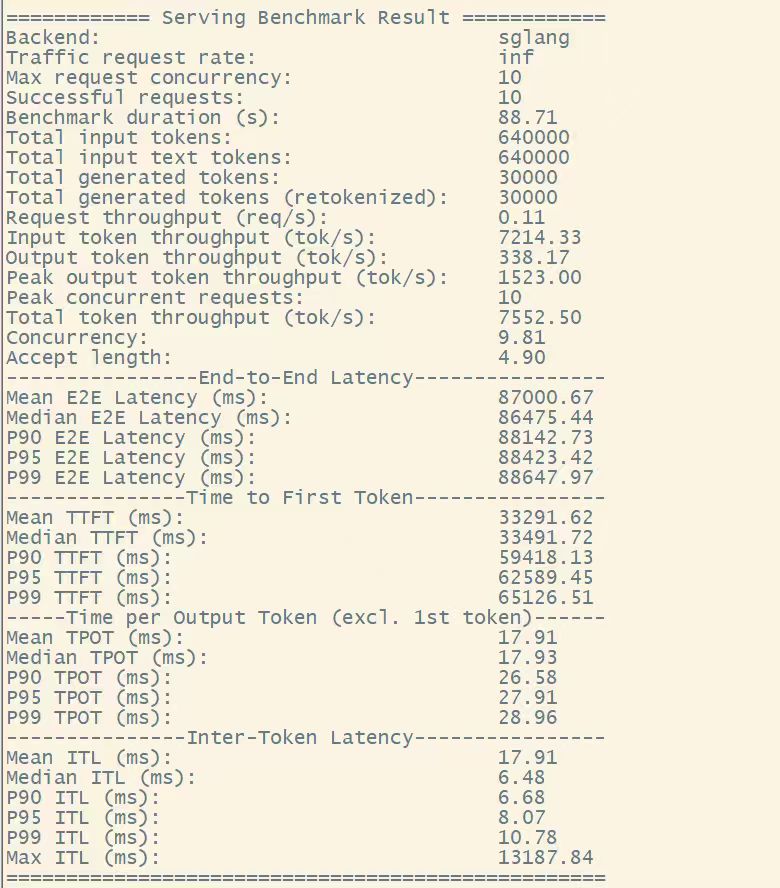
长上下文场景下 DSpark TPS = 338,是普通 DSV4F(198)的约 1.7 倍,整体吞吐接近翻倍。
数据汇总
| 场景 | 指标 | 传统 DSV4F | DSpark(DSV4FD) | 提升 |
|---|---|---|---|---|
| 1K / 1K | Output TPS | 96.20 | 195.18 | ≈ 2.0× |
| 1K / 1K | TTFT (ms) | 300.45 | 129.34 | ≈ 0.43× |
| 1K / 1K | Accept length | 2.71 | 4.42 | — |
| 64K / 3K | Output TPS | 198.60 | 338.17 | ≈ 1.7× |
| 64K / 3K | Accept length | 1.21 | 4.90 | — |
【开源地址】:github.com/gpustack/gpustack





 扫一扫
扫一扫


 329
329

 被折叠的 条评论
为什么被折叠?
被折叠的 条评论
为什么被折叠?
 到【灌水乐园】发言





