





 本文介绍了如何在Spring Boot中利用Maven的profile标签动态引入环境变量。详细讲述了项目结构、pom.xml的依赖配置、application.properties文件的设置,以及ProfiletestApplication和TestController的代码实现。通过选择不同的profile id,实现了不同环境的配置切换。在实际项目打包时,可以通过mvn命令指定激活的profile。
使用profile标签动态引入环境变量
1.项目结构
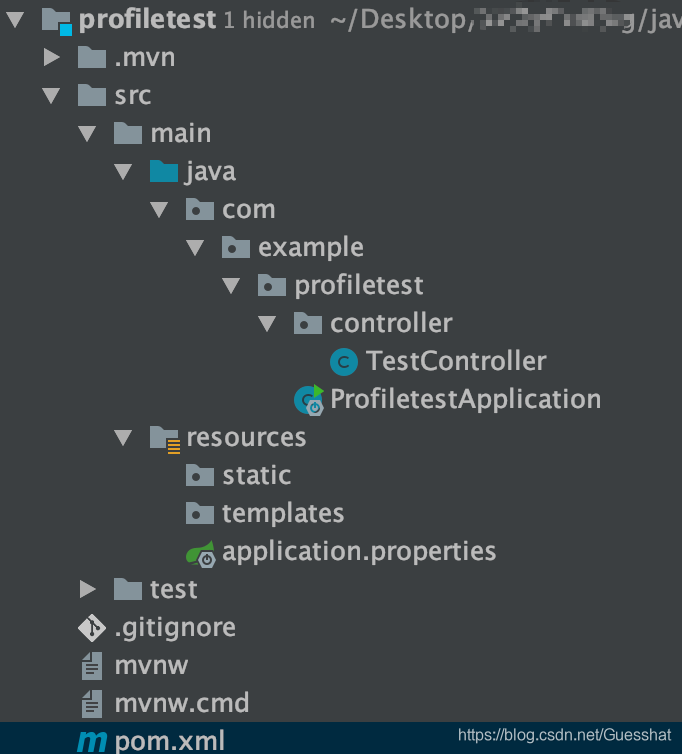
2.具体代码
对应关系简图
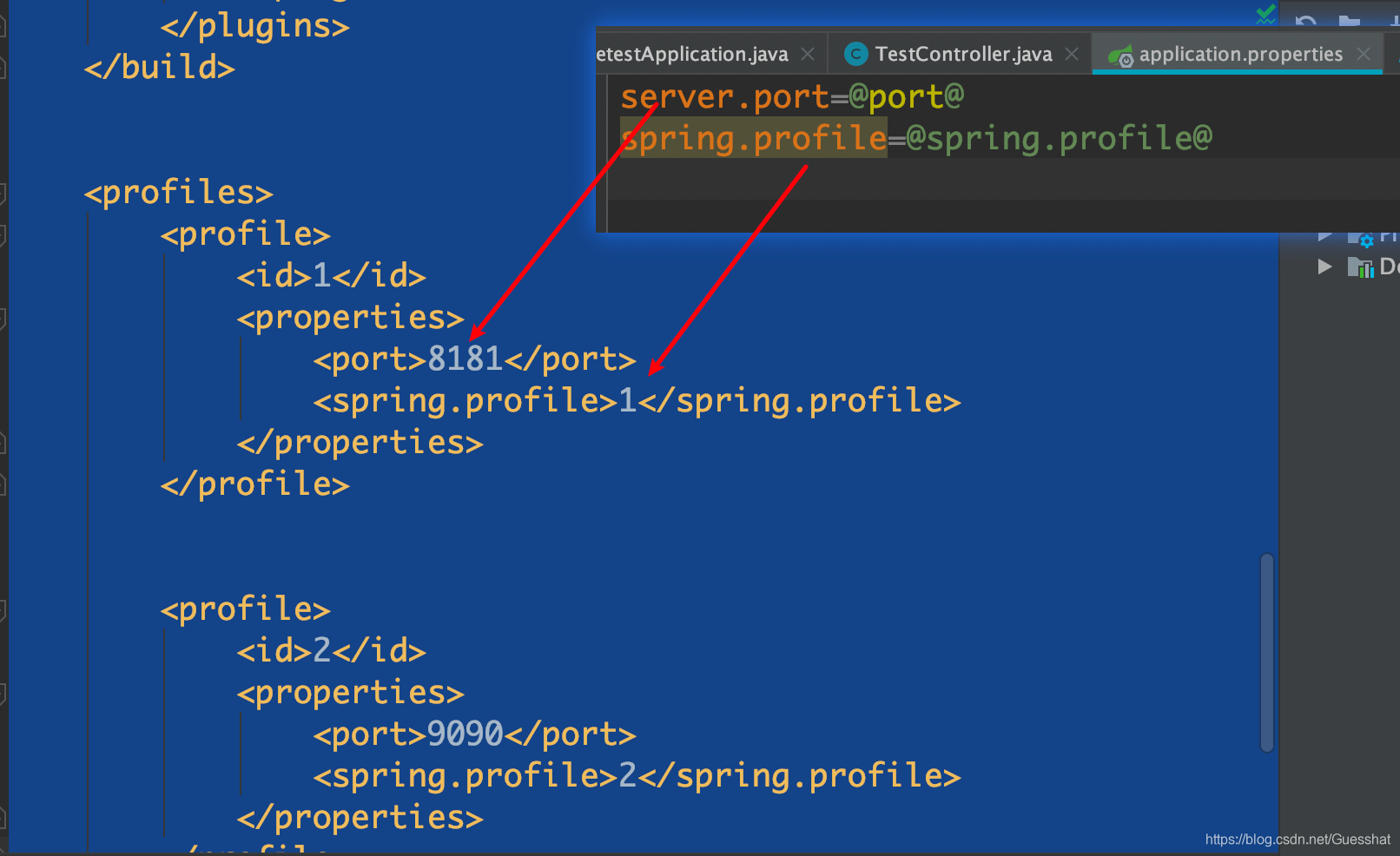
2.1pom依赖
<?xml version="1.0" encoding="UTF-8"?>
<project xmlns="http://maven.apache.org/POM/4.0.0" xmlns:xsi="http://www.w3.org/2001/XMLSchema-instance"
         xsi:schemaLocation="http://maven.apache.org/POM/4.0.0 https://maven.apache.org/xsd/maven-4.0.0.xsd">
    <modelVersion>4.0.0</modelVersion>
    <parent>
        <groupId>org.springframework.boot</groupId>
        <artifactId>spring-boot-starter-parent</artifactId>
        <version>2.5.3</version>
        <relativePath/> <!-- lookup parent from repository -->
    </parent>
    <groupId>com.example</groupId>
    <artifactId>profiletest</artifactId>
    <version>0.0.1-SNAPSHOT</version>
    <name>profiletest</name>
    <description>Demo project for Spring Boot</description>
    <properties>
        <java.version>1.8</java.version>

    </properties>
    <dependencies>
        <dependency>
            <groupId>org.springframework.boot</groupId>
            <artifactId>spring-boot-starter-web</artifactId>
        </dependency>

        <dependency>
            <groupId>org.projectlombok</groupId>
            <artifactId>lombok</artifactId>
            <optional>true</optional>
        </dependency>
        <dependency>
            <groupId>org.springframework.boot</groupId>
            <artifactId>spring-boot-starter-test</artifactId>
            <scope>test</scope>
        </dependency>
    </dependencies>

    <build>
        <plugins>
            <plugin>
                <groupId>org.springframework.boot</groupId>
                <artifactId>spring-boot-maven-plugin</artifactId>
                <configuration>

                    <excludes>
                        <exclude>
                            <groupId>org.projectlombok</groupId>
                            <artifactId>lombok</artifactId>
                        </exclude>
                    </excludes>
                </configuration>
            </plugin>
        </plugins>
    </build>


    <profiles>
        <profile>
            <id>1</id>
            <properties>
                <port>8181</port>
                <spring.profile>1</spring.profile>
            </properties>
        </profile>


        <profile>
            <id>2</id>
            <properties>
                <port>9090</port>
                <spring.profile>2</spring.profile>
            </properties>
        </profile>
    </profiles>

</project>
2.2 application.properties
server.port=@port@
spring.profile=@spring.profile@
2.3 ProfiletestApplication
package com.example.profiletest;

import org.springframework.boot.SpringApplication;
import org.springframework.boot.autoconfigure.SpringBootApplication;

@SpringBootApplication
public class ProfiletestApplication {

    public static void main(String[] args) {
        SpringApplication.run(ProfiletestApplication.class, args);
    }

}
2.4 TestController
package com.example.profiletest.controller;


import org.springframework.beans.factory.annotation.Value;
import org.springframework.web.bind.annotation.GetMapping;
import org.springframework.web.bind.annotation.RequestMapping;
import org.springframework.web.bind.annotation.RestController;

@RestController()
@RequestMapping("/test")
public class TestController {


    @Value("${spring.profile}")
    private String profileString;


    @GetMapping("/1")
    private String get1(){
        return profileString;
    }
}
3.实际验证结果
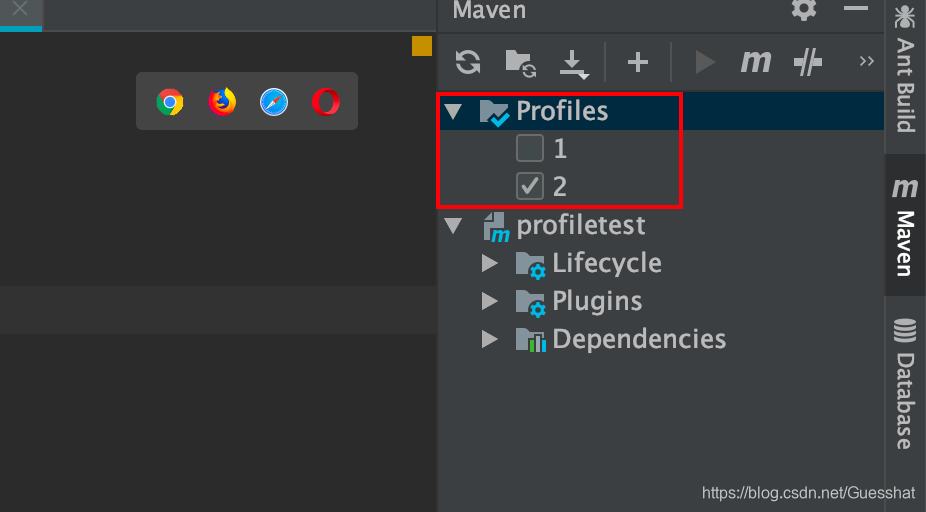
运行时选择
3.1 选择id为1时
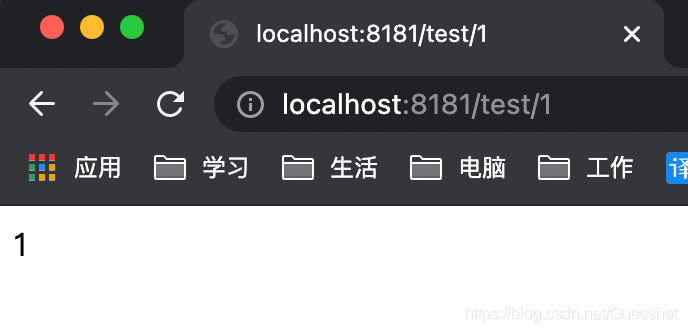
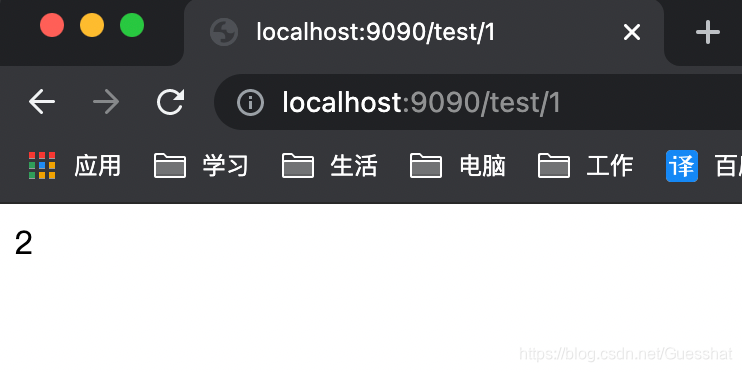
3.2 选择id为2时
4.profile标签的其余作用(待补充)
还可以指定要加载的dependencies,在idea右边mvn栏选择运行要激活的profile标签的id值即可
5.项目具体打包时mvn命令指定profile
mvn clean package -D maven.test.skip=true -P product其中-P指定的就是要激活的profile标签的id值





 扫一扫
扫一扫


 219
219

 被折叠的 条评论
为什么被折叠?
被折叠的 条评论
为什么被折叠?
 到【灌水乐园】发言





