



 本文指导如何利用Node.js搭建一个服务器,并通过下载socket.io插件,创建静态文件夹存放index.html,最后启动服务器,用户可以通过浏览器访问http://localhost:10010/index.html体验实时聊天功能。
搭建一个服务器
//引入fs
var fs = require('fs')
//引入http
var http = require('http')
var date = new Date()
/**
 * @FormDate 格式化时间
 * @param {*} date 当前时间
 */
function FormDate(date) {
  return `${date.getFullYear()}-${date.getMonth() + 1}-${date.getDate()} ${date.getHours()}:${date.getMinutes()}`
}
/**
 * 搭建一个服务器
 */
var server = http.createServer(function (res, res) {
  if (res.url !== '/favicon.ico') {
    res.writeHead(200, { "Content-type": "text/html" })
    const myreadstream = fs.createReadStream(__dirname + '/static/index.html', 'utf-8')
    myreadstream.pipe(res)
  }
})
//引入socket.io 这里是两步,第一步是io = require('socket.io') 第二步是一个新的变量.server 合成一步就是下面的代码
var io = require('socket.io')(server);
io.on("connection", function (socket) {
  //这里获取到对方的ip地址,可以展示,也可以不展示,也可以进行ip的过滤
  var clientIp = socket.request.connection.remoteAddress
  console.info("一个socket连接成功了")
  socket.on("link_to_server", function (msg, nick) {
    //这里使用io发送
    io.emit('link_to_client', `${nick} : ${msg} ${FormDate(date)}`)
  })
})
server.listen(10010, '0.0.0.0');
console.info("server is running...")
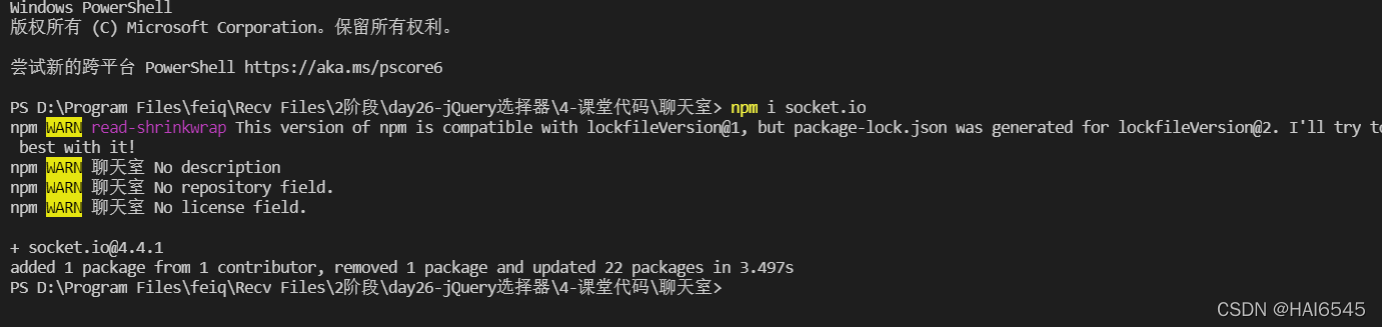
下载socket.io 插件
新建一个static文件夹并创建一个index.html文件
<!DOCTYPE html>
<html>
<head>
  <meta charset="utf-8">
  <title></title>
  <script src="/socket.io/socket.io.js"></script>
</head>
<body>
  <p>聊天室</p>
  <div id="infos">
  </div>
  <input style="margin-top: 5vh;
  width: 100px;
  height: 40px;
  border: 1px solid #ffffff;
  border-radius: 4px;
  color: #000000;
  padding-left: 10px" type="text" id="nick" value="" placeholder="昵称" />
  <input type="text" id="send_info" value="" placeholder="请输入您想说的话" />
  <button type="button" id="btn">发送</button>
</body>
<script>
  //创建一个io对象
  var socket = io();
  //用户点击发送的时候直接将昵称和信息内容发送过去,如果没有昵称,显示匿名,判断是不是有值
  document.getElementById("btn").onclick = function () {
    if(document.getElementById("send_info").value){
      socket.emit("link_to_server", document.getElementById("send_info").value, document.getElementById("nick").value ? document.getElementById("nick").value : '匿名')
    }else{
      alert(`发送内容不可以为空`)
    }
  }
  // 收到的信息展示出来,新建一个元素,append到div中
  socket.on('link_to_client', function (msg) {
    var h6 = document.createElement('h6');
    h6.innerText = `${msg}`;
    document.getElementById('infos').append(h6)
  })
</script>
<style>
  body {
    background: darkslateblue;
    text-align: center;
    color: aliceblue;
    margin: 0% 10%
  }
  p {
    font-size: 2rem
  }
  input {
    margin-top: 5vh;
    width: 200px;
    height: 40px;
    border: 1px solid #ffffff;
    border-radius: 4px;
    color: #000000;
    padding-left: 10px;
  }
  button {
    border: none;
    background: #ffffff;
    border-radius: 4px;
    width: 90px;
    height: 42px;
    color: #000000;
  }
  #infos {
    margin-left: 25vw;
    width: 400px;
    height: 500px;
    overflow: scroll;
    border: none;
    background: #ffffff;
    color: #000000;
  }
</style>
</html>
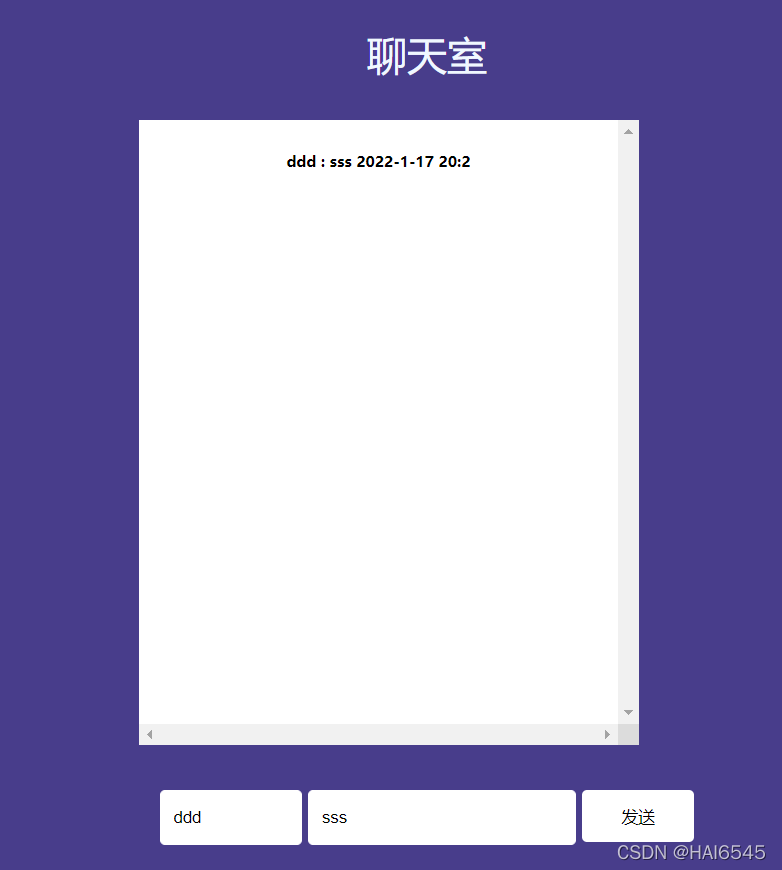
启动服务器

使用浏览器打开http://localhost:10010/index/html





 扫一扫
扫一扫


 855
855

 被折叠的 条评论
为什么被折叠?
被折叠的 条评论
为什么被折叠?
 到【灌水乐园】发言





