



1.环境要求
- Ubuntu 16.04 64-bit OS running Linux kernel 4.x
- 4 GB of memory with swap enabled (8 GB of memory is better)
- 4 CPU cores (8 is better)
- TCP ports 80 and 443 are accessible
- UDP ports 16384 - 32768 are accessible
- Port 80 is not in use by another application
- 域名一个 二级也可
2.安装前配置
First, check that the locale of the server is en_US.UTF-8.
$ cat /etc/default/locale
LANG="en_US.UTF-8"
If you don’t see LANG="en_US.UTF-8", enter the following commands to set the local to en_US.UTF-8.
$ sudo apt-get install language-pack-en
$ sudo update-locale LANG=en_US.UTF-8
内存和系统检测
free -h
              total        used        free      shared  buff/cache   available
Mem:            31G        5.9G        314M        1.8G         25G         21G
Swap:           31G        360M         31G
$ cat /etc/lsb-release
DISTRIB_ID=Ubuntu
DISTRIB_RELEASE=16.04
DISTRIB_CODENAME=xenial
DISTRIB_DESCRIPTION="Ubuntu 16.04.x LTS"Next, check that your server is running the 64-bit version of Ubuntu 16.04.
$ uname -m
x86_64
Next, check that your server supports IPV6.
$ ip addr | grep inet6
inet6 ::1/128 scope host
...
If you do not see the line inet6 ::1/128 scope host then after you install BigBlueButton you will need to modify the configuration for FreeSWITCH to disable support for IPV6.
Next, check that your server is running Linux kernel 4.x.
$ uname -r
4.15.0-38-generic
Next, check that your server has (at least) 4 CPU cores
$ cat /proc/cpuinfo | awk '/^processor/{print $3}' | wc -l
4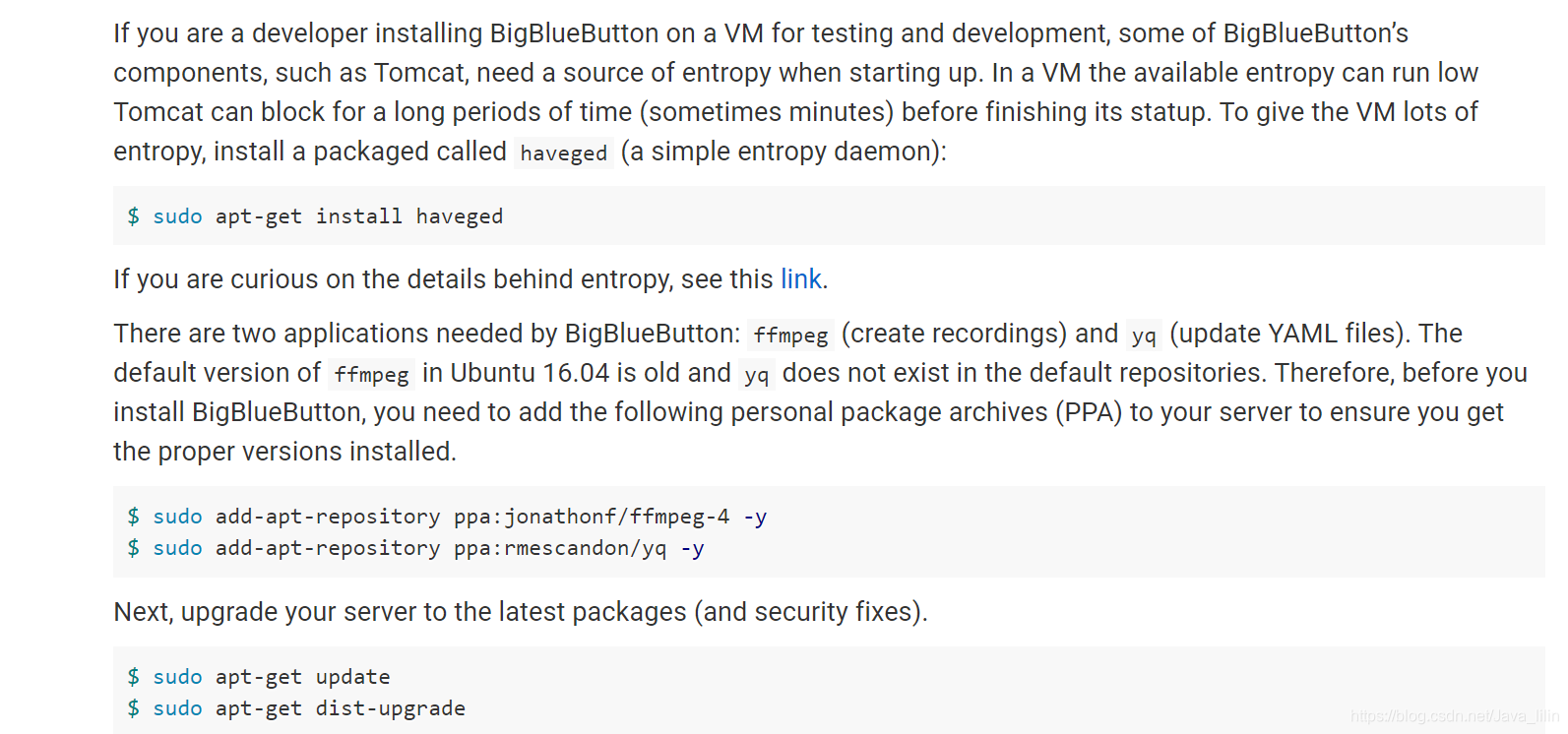
html5环境安装
If you haven’t updated in a while, apt-get may recommend you reboot your server after dist-upgrade finishes. Do the reboot now before proceeding to the next step.
BigBlueButton HTML5 client uses MongoDB, a very efficent database used to synchronize state of the clients. To install MongoDB, do the following
$ sudo apt-key adv --keyserver hkp://keyserver.ubuntu.com:80 --recv 0C49F3730359A14518585931BC711F9BA15703C6
$ echo "deb [ arch=amd64,arm64 ] http://repo.mongodb.org/apt/ubuntu xenial/mongodb-org/3.4 multiverse" | sudo tee /etc/apt/sources.list.d/mongodb-org-3.4.list
$ sudo apt-get update
$ sudo apt-get install -y mongodb-org curl
The BigBlueButton HTML5 client requires a nodejs server. To install nodejs, do the following
curl -sL https://deb.nodesource.com/setup_8.x | sudo -E bash -
sudo apt-get install -y nodejs
开始安装
All packages for BigBlueButton are digitally signed with the project’s public key. Before installing BigBlueButton, you need to add the project’s public key to your server’s key chain. To do this, enter the following command:
$ wget https://ubuntu.bigbluebutton.org/repo/bigbluebutton.asc -O- | sudo apt-key add -
If you are updating your server from BigBlueButton 2.0 (or earlier version), you need to first remove the bbb-client package.
$ sudo bbb-conf --stop
$ sudo apt-get purge -y bbb-client
This is because some files owned by bbb-client have moved to be owned by bbb-web. Deleting the bbb-client package before the upgrade to BigBlueButton 2.2-beta will allow bbb-web to create these files without conflict from the older version of bbb-client.
Next, your server needs to know where to download the BigBlueButton 2.2-beta packages. To configure the package repository, enter the following command:
$ echo "deb https://ubuntu.bigbluebutton.org/xenial-220-beta/ bigbluebutton-xenial main" | sudo tee /etc/apt/sources.list.d/bigbluebutton.list
Next, run apt-get to pull down the links to the latest BigBlueButton packages.
$ sudo apt-get update执行后
We’re now ready to install BigBlueButton. Enter the following two commands
$ sudo apt-get install bigbluebutton
$ sudo apt-get install bbb-html5
安装后检测
sudo bbb-conf --check

BigBlueButton Server 2.2.0-beta (344)
                    Kernel version: 4.4.0-142-generic
                      Distribution: Ubuntu 16.04.6 LTS (64-bit)
                            Memory: 16432 MB

/usr/share/bbb-web/WEB-INF/classes/bigbluebutton.properties (bbb-web)
       bigbluebutton.web.serverURL: http://178.128.233.105
                defaultGuestPolicy: ALWAYS_ACCEPT

/etc/nginx/sites-available/bigbluebutton (nginx)
                       server name: 178.128.233.105
                              port: 80, [::]:80
                    bbb-client dir: /var/www/bigbluebutton

/var/www/bigbluebutton/client/conf/config.xml (bbb-client)
                Port test (tunnel): rtmp://178.128.233.105
                              red5: 178.128.233.105
              useWebrtcIfAvailable: true

/opt/freeswitch/etc/freeswitch/vars.xml (FreeSWITCH)
                       local_ip_v4: 178.128.233.105
                   external_rtp_ip: stun:stun.freeswitch.org
                   external_sip_ip: stun:stun.freeswitch.org

/opt/freeswitch/etc/freeswitch/sip_profiles/external.xml (FreeSWITCH)
                        ext-rtp-ip: $${local_ip_v4}
                        ext-sip-ip: $${local_ip_v4}
                        ws-binding: :5066
                       wss-binding: :7443

/usr/local/bigbluebutton/core/scripts/bigbluebutton.yml (record and playback)
                     playback_host: 178.128.233.105
                 playback_protocol: http
                            ffmpeg: 4.1.1-0york1~16.04

/etc/bigbluebutton/nginx/sip.nginx (sip.nginx)
                        proxy_pass: http://178.128.233.105:5066


** Potential problems described below **
Any output that followed Potential problems may indicate configuration errors or installation errors. In many cases, the messages will give you recommendations on how to resolve the issue.
You can also use sudo bbb-conf --status to check that all the BigBlueButto processes have started and are running.
$ sudo bbb-conf --status
red5 ——————————————————► [✔ - active]
nginx —————————————————► [✔ - active]
freeswitch ————————————► [✔ - active]
redis-server ——————————► [✔ - active]
bbb-apps-akka —————————► [✔ - active]
bbb-transcode-akka ————► [✔ - active]
bbb-fsesl-akka ————————► [✔ - active]
tomcat7 ———————————————► [✔ - active]
mongod ————————————————► [✔ - active]
bbb-html5 —————————————► [✔ - active]
bbb-webrtc-sfu ————————► [✔ - active]
kurento-media-server ——► [✔ - active]
etherpad ——————————————► [✔ - active]
bbb-web ———————————————► [✔ - active]
bbb-lti ———————————————► [✔ - active]
部分配置参考官方以下是效果图 flash 版本和html5 版本
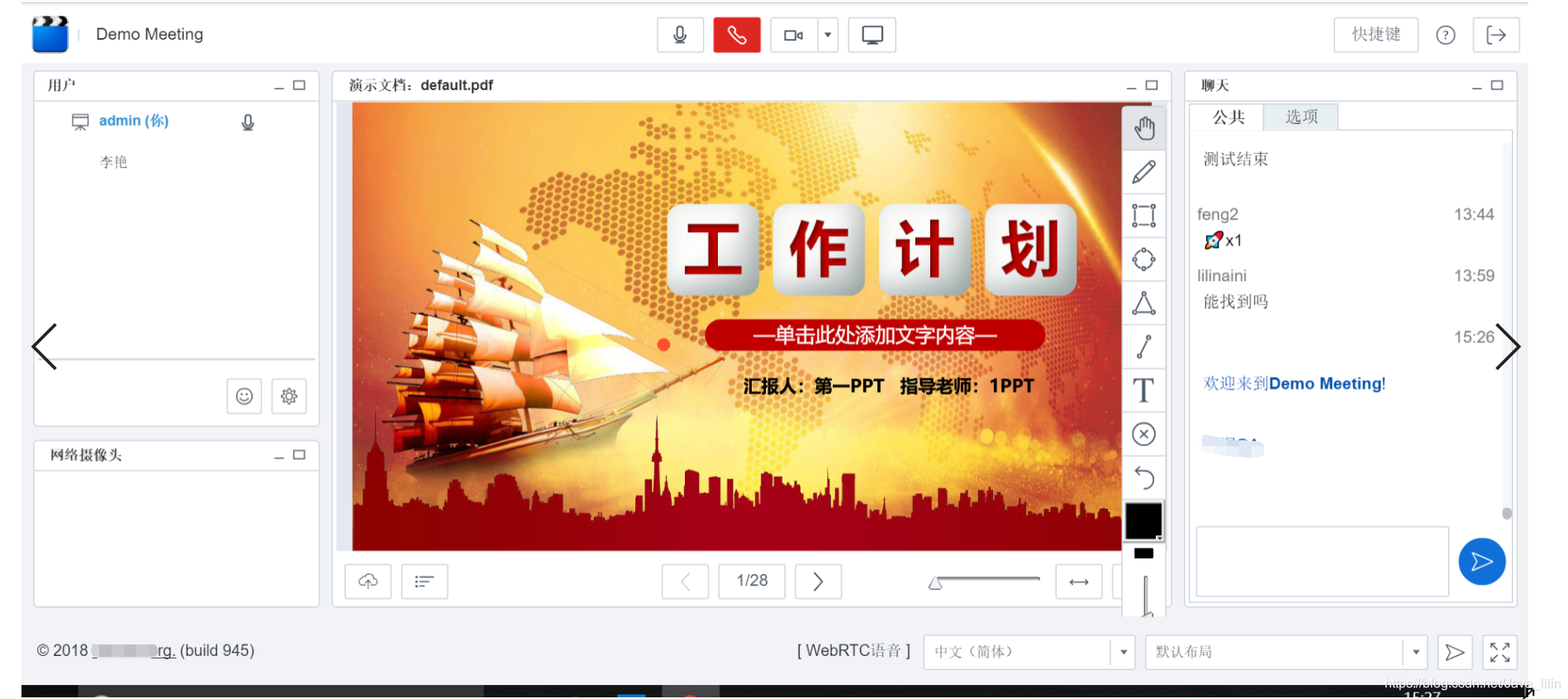
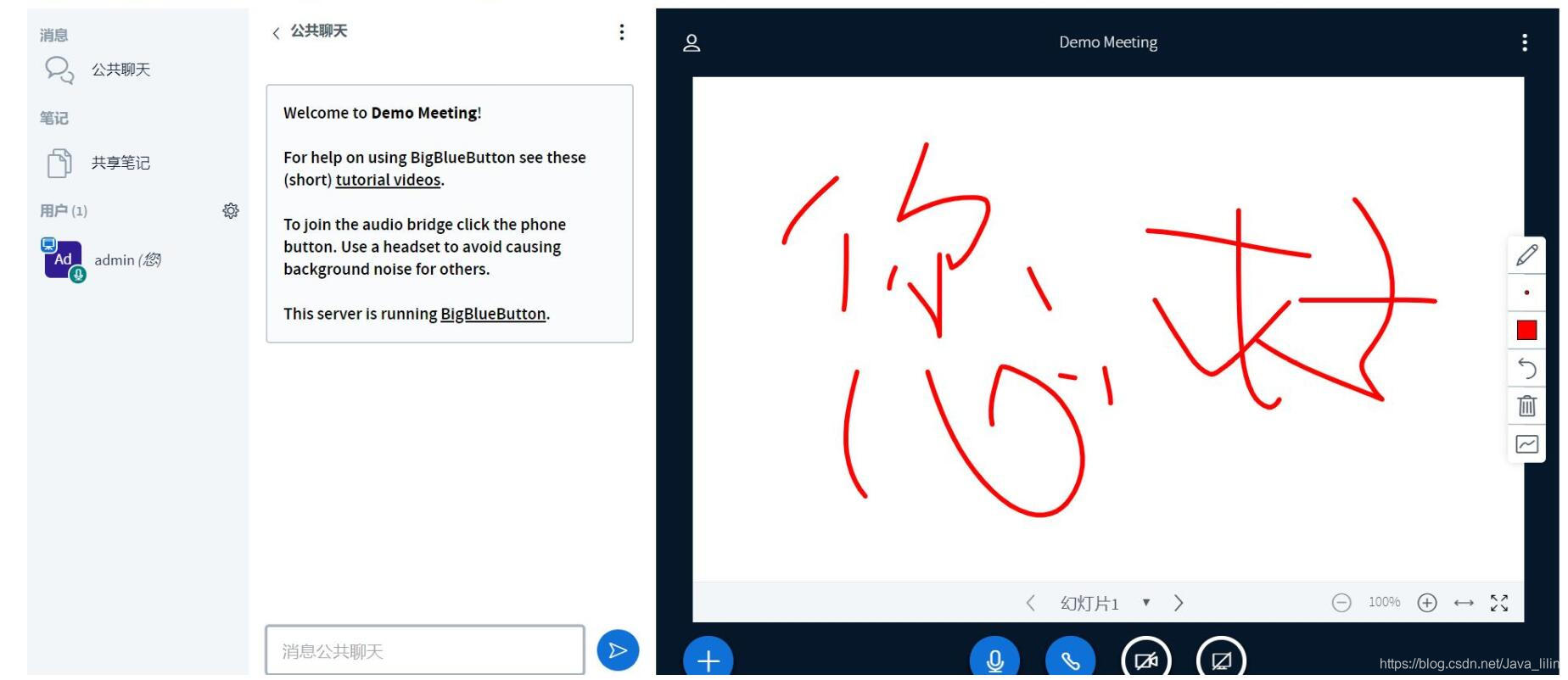
(如果觉得安装麻烦可以申请一个安装https://item.taobao.com/item.htm?id=585198017319)
交流q群 261074724





 扫一扫
扫一扫


 207
207

 被折叠的 条评论
为什么被折叠?
被折叠的 条评论
为什么被折叠?
 到【灌水乐园】发言





