



 本文档详细介绍了如何配置Eclipse以使用Lombok,包括Eclipse.ini的原始配置、Lombok的安装步骤以及遇到的常见问题如'找不到JavaBuildPath'、'doesnotmatchtheexpectedpackage'错误的解决方法。此外,还提供了处理Eclipse崩溃时的Snap文件和因workbench.xmi导致的闪退问题的建议。对于JDK16不支持Lombok的情况,给出了相应解决方案。
目录
does not match the expected package
class lombok.javac.apt.LombokProcessor
Eclipse ini原始文件
-startup
plugins/org.eclipse.equinox.launcher_1.6.200.v20210416-2027.jar
--launcher.library
C:/Users/Michael/.p2/pool/plugins/org.eclipse.equinox.launcher.win32.win32.x86_64_1.2.200.v20210429-1609
-product
org.eclipse.epp.package.jee.product
-showsplash
C:\Users\Michael\.p2\pool\plugins\org.eclipse.epp.package.common_4.20.0.20210612-1200
--launcher.defaultAction
openFile
--launcher.appendVmargs
-vm
C:/Users/Michael/.p2/pool/plugins/org.eclipse.justj.openjdk.hotspot.jre.full.win32.x86_64_16.0.2.v20210721-1149/jre/bin
-vmargs
-Dosgi.requiredJavaVersion=11
-Dosgi.instance.area.default=@user.home/eclipse-workspace
-Dsun.java.command=Eclipse
-XX:+UseG1GC
-XX:+UseStringDeduplication
--add-modules=ALL-SYSTEM
-Dosgi.requiredJavaVersion=11
-Dosgi.dataAreaRequiresExplicitInit=true
-Dorg.eclipse.swt.graphics.Resource.reportNonDisposed=true
-Xms256m
-Xmx2048m
--add-modules=ALL-SYSTEM
-Declipse.p2.max.threads=10
-Doomph.update.url=http://download.eclipse.org/oomph/updates/milestone/latest
-Doomph.redirection.index.redirection=index:/->http://git.eclipse.org/c/oomph/org.eclipse.oomph.git/plain/setups/
--illegal-access=permit
安装lombok
You not only have to add lombok.jar to the libraries, but also install it by either double-clicking the lombok jar, or from the command line run
java -jar lombok.jar. That will show you a nice installer screen. Select your Eclipse installation and install.Afterwards, you can check if the installer has correctly modified your eclipse.ini:
1. 双击,或者java -jar lombok.jar,参考
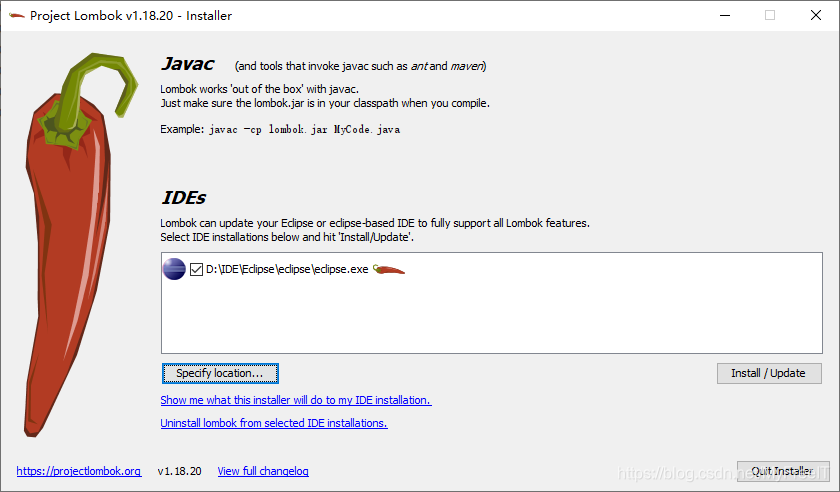
2. 查询eclipse.ini验证是否安装成功
-vmargs
...
-javaagent:lombok.jar
-Xbootclasspath/a:lombok.jar
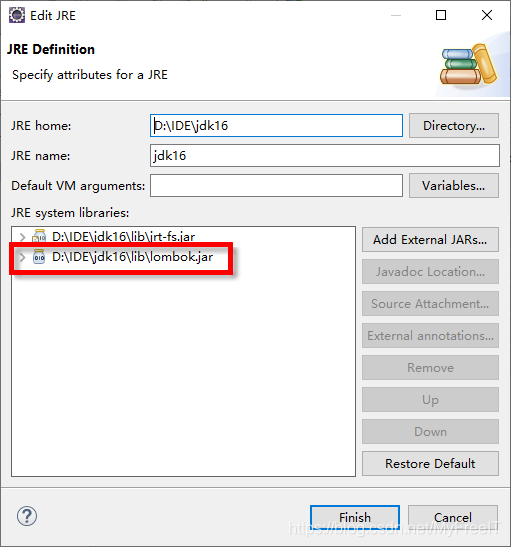
3.把lombok加入JDK lib下
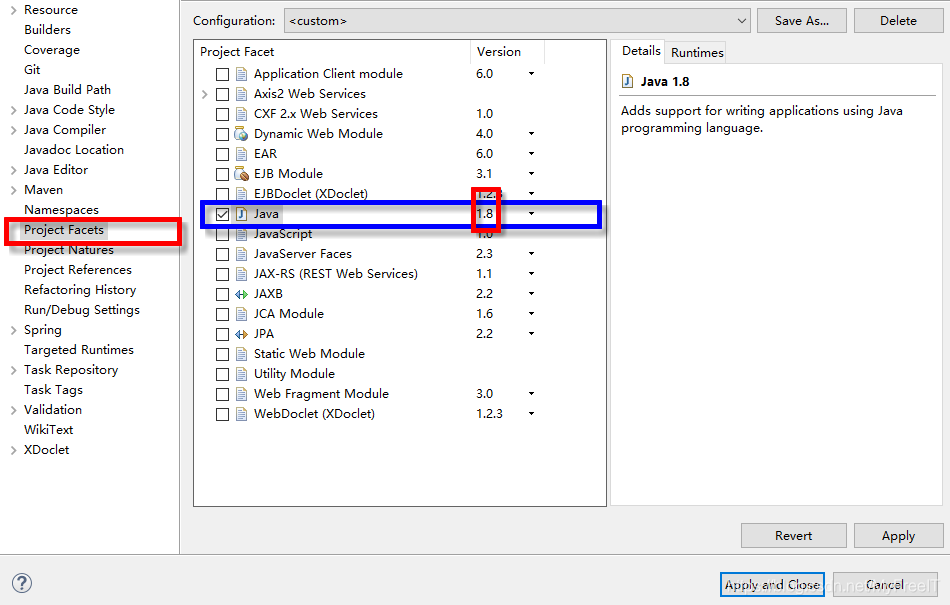
没有找到Java Build Path
Project 右键Properties,修改project facets 工程支持的领域,并选择对应的版本号。
does not match the expected package
方法1.通常是管用的It's worked for me on a number of occasions,前提是Source选择的路径正确,并且package的路径也正确。这是Eclipse的Bug,需要升级。
It is possible to get this error in eclipse when there is absolutely nothing wrong with the file location or package declaration. Try that before spending a lot of time trying these other solutions. Sometimes eclipse just gets confused. It's worked for me on a number of occasions. I credit the idea to Joshua Goldberg.
方法2.close the project, then open this project again.
方法3.clean 重新编译
eclipse崩溃时记录Snap文件
在.metadata\.plugins\org.eclipse.core.resources目录下删除.snap
workbench.xmi造成闪退、无法启动
.删除文件:[workspace]/.metadata/.plugins/org.eclipse.e4.workbench/workbench.xmi
class lombok.javac.apt.LombokProcessor
JDK16 不支持lombok
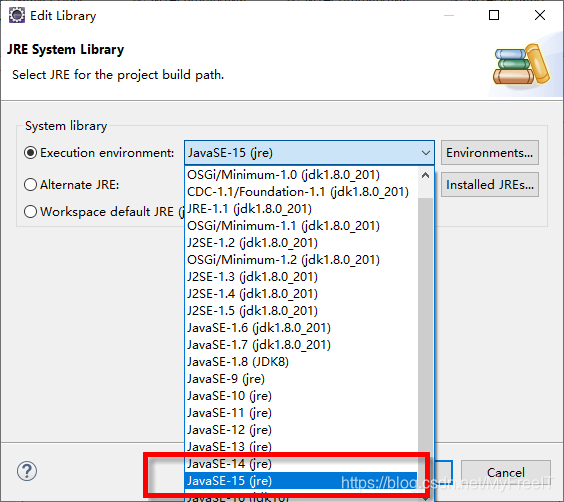
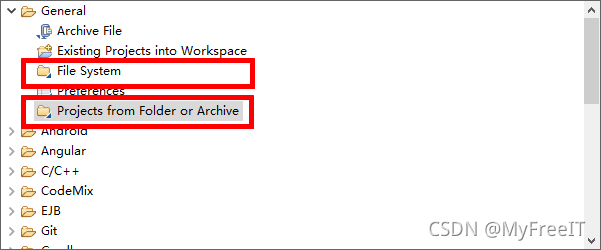
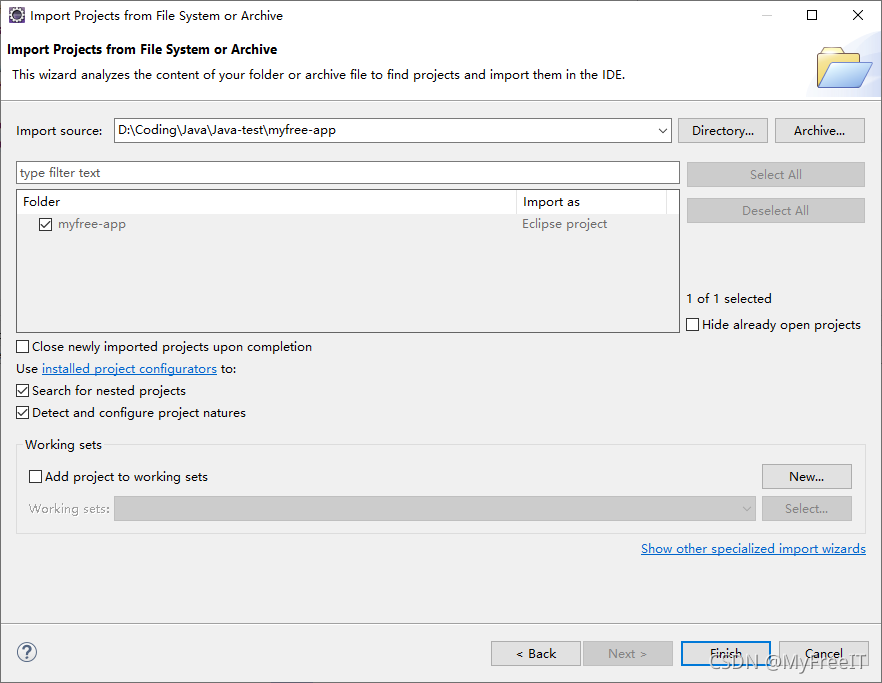
添加一个非Java的Project





 扫一扫
扫一扫


 632
632

 被折叠的 条评论
为什么被折叠?
被折叠的 条评论
为什么被折叠?
 到【灌水乐园】发言





