


jQuery 写轮播图
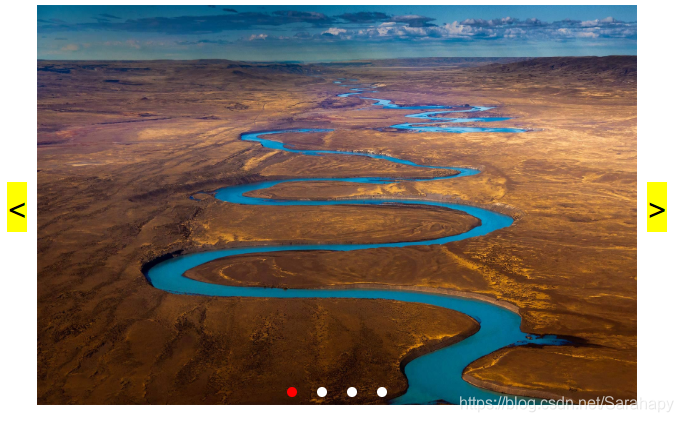
效果:
HTML 部分:
<div class="container">
    <div class="box">
        <img src="img/1.jpg" alt="">
        <img src="img/2.jpg" alt="">
        <img src="img/3.jpg" alt="">
        <img src="img/4.jpg" alt="">
    </div>
    <div class="dots">
        <span class="active"></span>
        <span></span>
        <span></span>
        <span></span>
    </div>
    <div class="arrow arrow-left"><</div>
    <div class="arrow arrow-right">></div>
</div>
css 部分:
    .container{
        width: 600px;
        height: 400px;
        margin: 0 auto;
        position: relative;
        display: flex;
        justify-content: center;
        align-items: center;
    }
    .container img{
        width: 600px;
        height: 400px;
        display: none;
    }
    .dots{
        width: 200px;
        height: 10px;
        position: absolute;
        bottom: 10px;
        display: flex;
        justify-content: center;
        flex: 1;
    }
    .dots span{
        width: 10px;
        height: 10px;
        border-radius: 50%;
        margin: 0 10px;
        background-color: #fff;
    }
    .dots span.active{
        background-color: red;
    }
    .arrow{
        width: 20px;
        height: 50px;
        position: absolute;
        background-color: #FFFF00;
        color: black;
        text-align: center;
        line-height: 50px;
        font-size: 30px;
        font-weight: bold;
        cursor: pointer;
    }
    .arrow.arrow-left{
        left: -30px;
    }
    .arrow.arrow-right{
        right: -30px;
    }
JS 部分:
$(function () {
    let i = 0;
    let timer;

    function runStyle(i) {   // 图片切换效果
        $('.box img').eq(i).show().siblings().hide();
        $('.dots span').eq(i).addClass('active').siblings('.active').removeClass('active');
    }

    function run(){  // 自动切换
        timer = setInterval(function () {
            if (++i === 4){i = 0}
            runStyle(i);
        }, 1000);
    }
    run();
    $('.arrow-left').click(function () {  // 左箭头
        clearInterval(timer);
        i--;
        if (i<0){i = 3}
        runStyle(i);
        run();
    });

    $('.arrow-right').click(function () {  // 右箭头
        clearInterval(timer);
        i++;
        if (i > 3){i = 0}
        runStyle(i);
        run();
    });

    $('.dots span').mouseenter(function () {  // 鼠标移动切换
        clearInterval(timer);
        i = $(this).index();
        runStyle(i);
        run();
    })

})





 扫一扫
扫一扫


 256
256

 被折叠的 条评论
为什么被折叠?
被折叠的 条评论
为什么被折叠?
 到【灌水乐园】发言





