


 文章详细介绍了如何在Linux系统中安装hostapd和dnsmasq,配置无线网卡为静态IP,创建无线热点,设置DHCP服务,以及开启IP转发以实现共享上网。过程中涉及到内核配置、iptables规则和驱动更新。
思路:

1. 下载必要工具(hostapt、dnsmasq)

2. 配置网络(无线网卡配置静态IP)

3. 配置hostapt配置文件

4. 配置DHCP服务

5. 启动服务(hostapd/dnsmasq/network)

6. IP转发(这一步决定了是否可以上网)
一、 下载必要工具 :
# apt-get update
# apt-get install hostapd dnsmasq
二、配置网络:
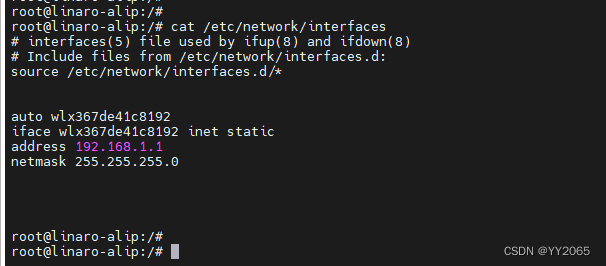
# vi /etc/network/interfaces
//Add the following to the file
auto wlx367de41c8192
iface wlx367de41c8192 inet static
address 192.168.1.1
netmask 255.255.255.0
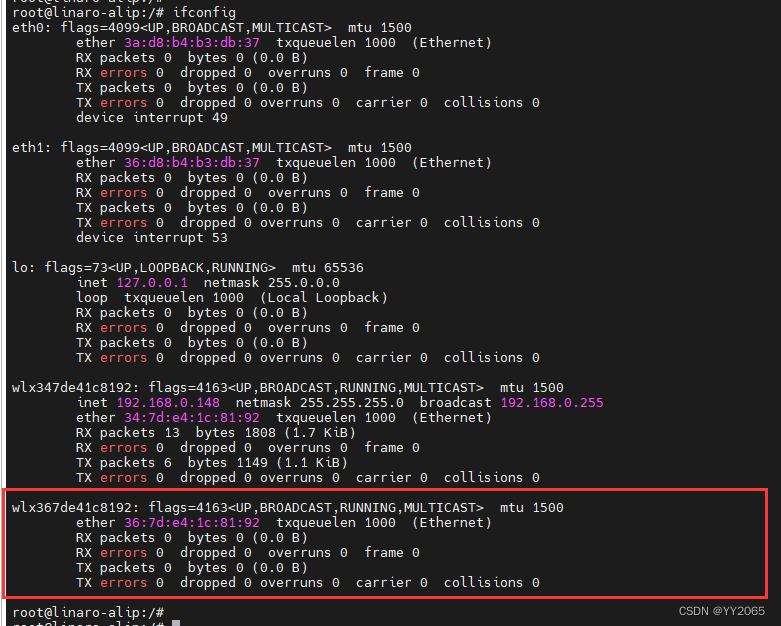
无线网卡设备名称为什么使用的是 wlx367de41c8192 ?
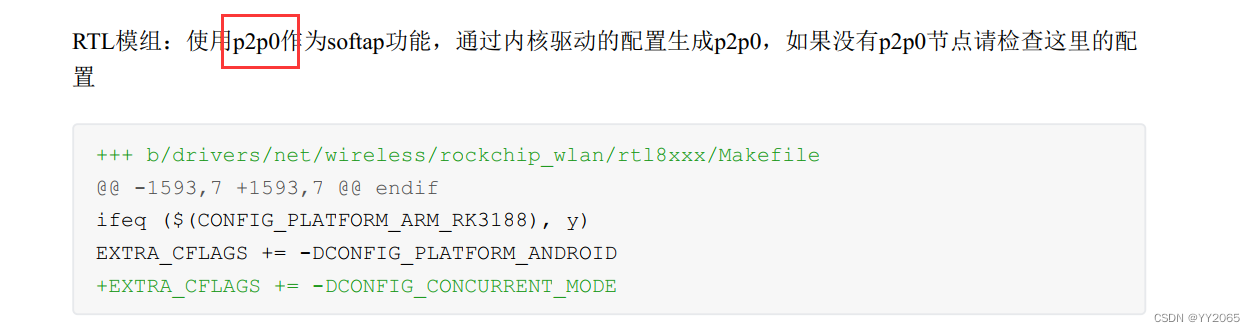
我看的手册,我使用的无线模块为:RTL8723DU

三、配置hostapt配置文件 (关于具体配置说明网上有很多资源介绍)

# touch /etc/hostapd/hostapd.conf
# chmod 777 /etc/hostapd/hostapd.conf

# vi /etc/hostapd/hostapd






 扫一扫
扫一扫


 2346
2346

 被折叠的 条评论
为什么被折叠?
被折叠的 条评论
为什么被折叠?
 到【灌水乐园】发言





