



拖动文件到python脚本中作为输入参数
windows默认情况下,拖动文件到一个python脚本上面,会把这个python脚本挤走,而不会执行python脚本。因为windows认为python脚本不是一个合法的可拖放的目的对象(drop target)
修改注册表实现拖放文件给python脚本当作输入参数
1.reg
Windows Registry Editor Version 5.00

[HKEY_CLASSES_ROOT\Python.File]
@="Python File"

[HKEY_CLASSES_ROOT\Python.File\DefaultIcon]
@="\"E:\\miniconda3\\python.exe\",1"

[HKEY_CLASSES_ROOT\Python.File\Shell]

[HKEY_CLASSES_ROOT\Python.File\Shell\editwithidle]
"MUIVerb"="&Edit with IDLE"
"Subcommands"=""

[HKEY_CLASSES_ROOT\Python.File\Shell\editwithidle\shell]

[HKEY_CLASSES_ROOT\Python.File\Shell\editwithidle\shell\edit39]
"MUIVerb"="Edit with IDLE 3.9 (64-bit)"

[HKEY_CLASSES_ROOT\Python.File\Shell\editwithidle\shell\edit39\command]
@="\"E:\\miniconda3\\pythonw.exe\" -m idlelib \"%L\" %*"

[HKEY_CLASSES_ROOT\Python.File\Shell\open]

[HKEY_CLASSES_ROOT\Python.File\Shell\open\command]
@="\"E:\\miniconda3\\python.exe\" \"%L\" %*"

[HKEY_CLASSES_ROOT\Python.File\shellex]

[HKEY_CLASSES_ROOT\Python.File\shellex\DropHandler]
@="{86C86720-42A0-1069-A2E8-08002B30309D}"

[HKEY_CURRENT_USER\Software\Microsoft\Windows\CurrentVersion\Explorer\FileExts\.py]

[HKEY_CURRENT_USER\Software\Microsoft\Windows\CurrentVersion\Explorer\FileExts\.py\OpenWithList]
"a"="E:\\miniconda3\\python.exe"
"MRUList"="a"

[HKEY_CURRENT_USER\Software\Microsoft\Windows\CurrentVersion\Explorer\FileExts\.py\OpenWithProgids]
"Python.File"=hex(0):

[HKEY_CLASSES_ROOT\.py]
@="Python.File"
修改python的相关路径,保存以上内容到1.reg,双击运行,注销即可
注释:
注册表修改的内容:
在HKEY_CLASSES_ROOT下添加了Python.File项
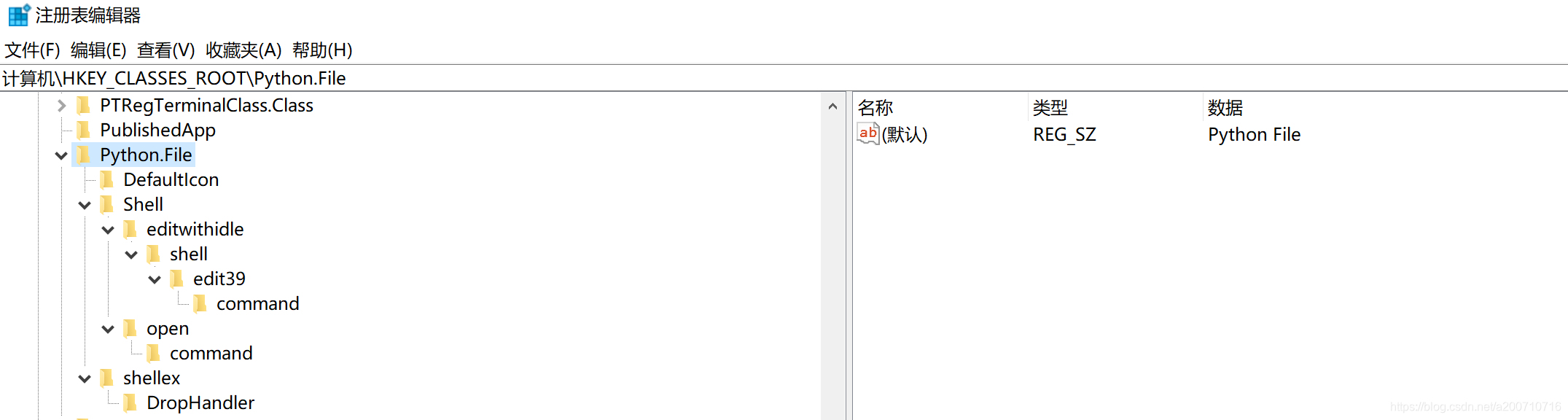
其中,关键的一项是HKEY_CLASSES_ROOT\Python.File\shellex\DropHandler
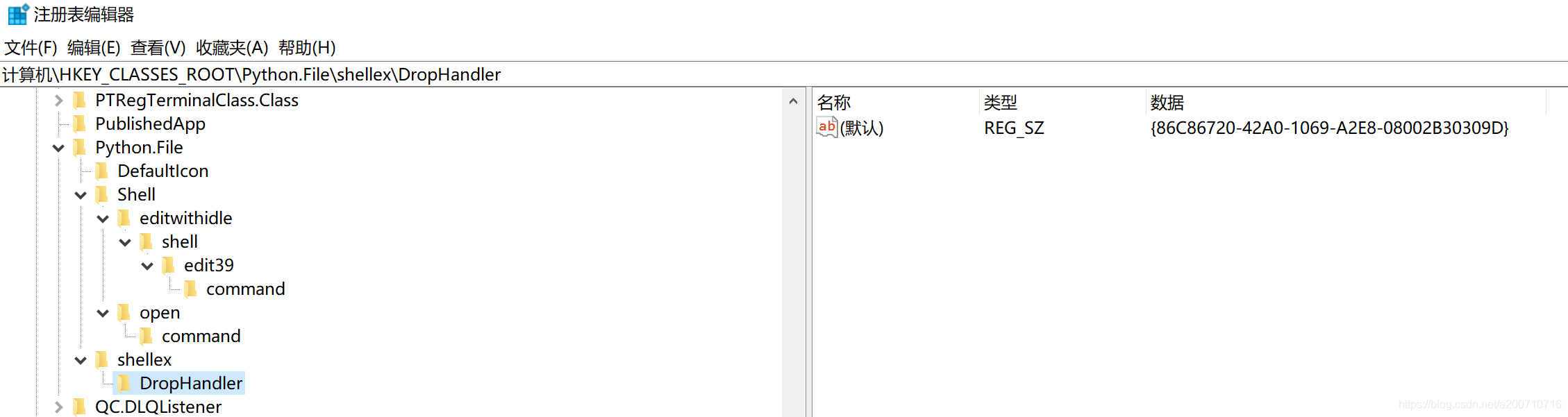
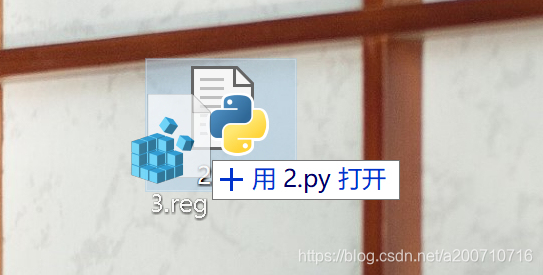
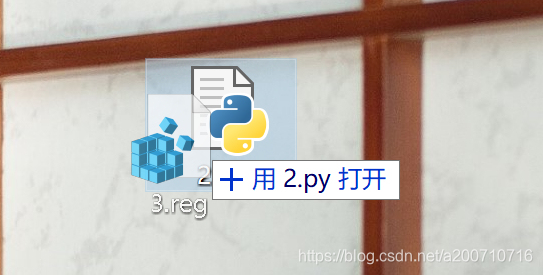
要使拖放文件到python脚本上面时显示"用xxx打开"的字样,把该值设置为86C86720-42A0-1069-A2E8-08002B30309D
显示效果如下:
HKEY_CLASSES_ROOT\Python.File\DefaultIcon是设置py文件要显示的图标,把自定义的图标的路径填上去即可
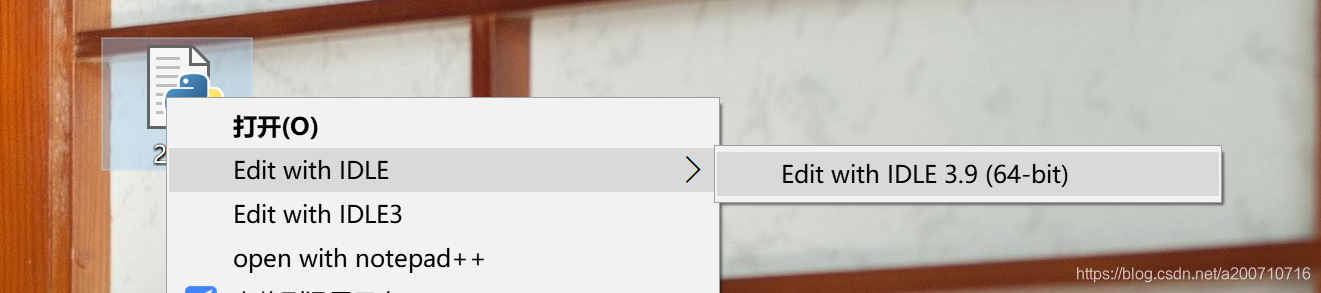
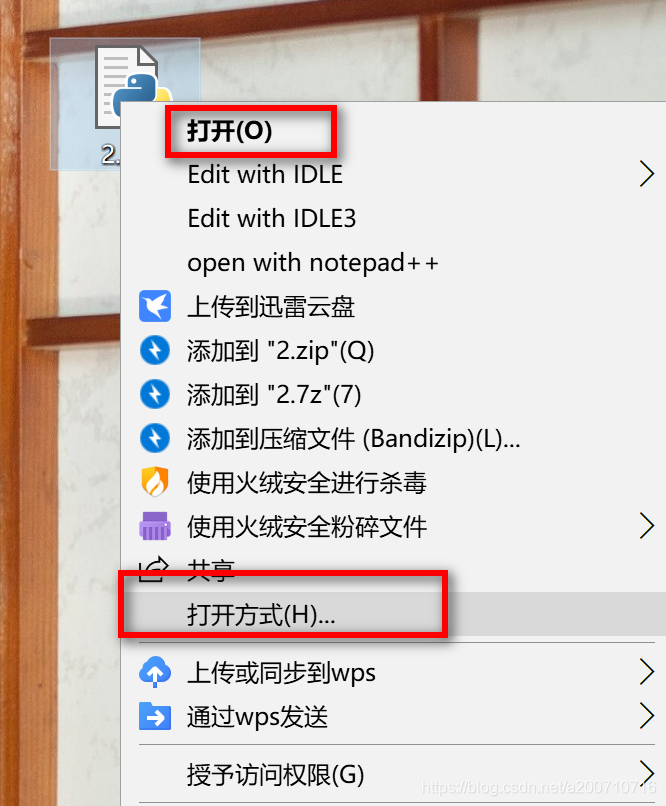
HKEY_CLASSES_ROOT\Python.File\Shell\editwithidle\shell\edit39\command是在右键菜单中添加了一个edit with idle的菜单选项,如图所示
HKEY_CLASSES_ROOT\Python.File\Shell\open\command设置的是双击运行时、右键菜单打开时使用的程序,这里填写python的安装路径
HKEY_CURRENT_USER\Software\Microsoft\Windows\CurrentVersion\Explorer\FileExts\.py
设置的是右键菜单中的打开方式
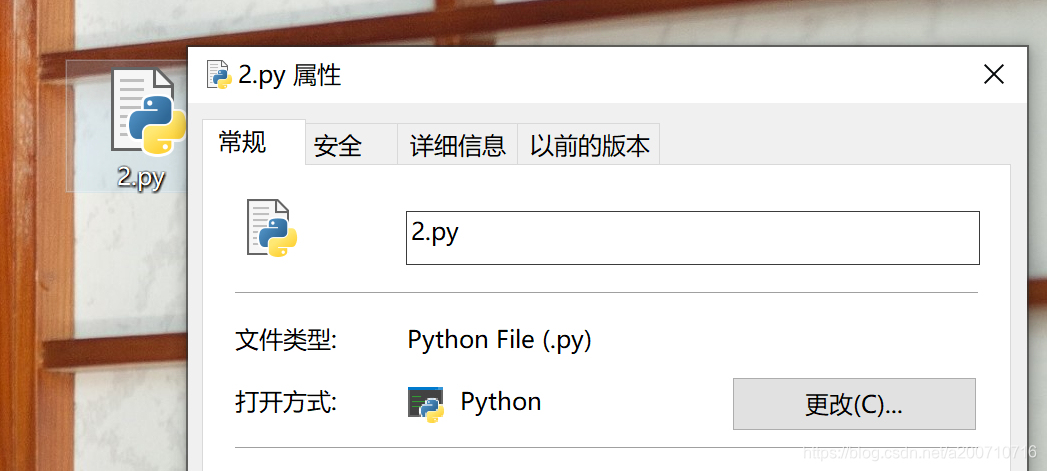
HKEY_CLASSES_ROOT\.py将.py文件关联到Python.File项
最终实现的效果:





 扫一扫
扫一扫


 被折叠的 条评论
为什么被折叠?
被折叠的 条评论
为什么被折叠?
 到【灌水乐园】发言





