


一、下载安装过程
openssl下载安装过程
二、使用介绍
1-使用指令实现
/*******************************************************************************************
**1.openssl genrsa -out test.key 1024 —>生成一个密钥
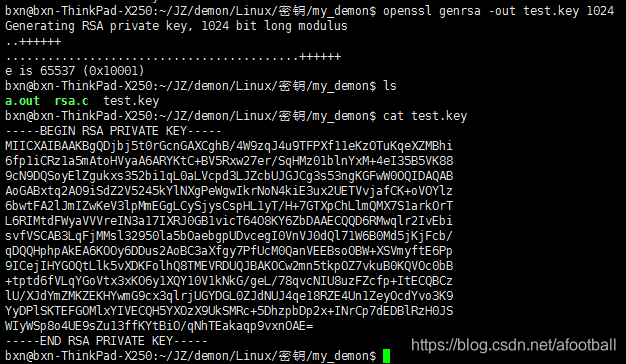
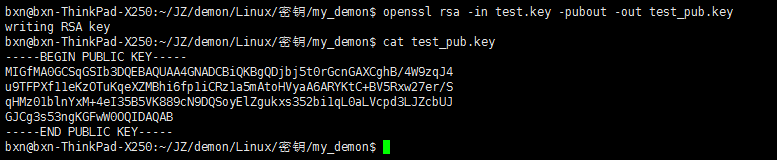
**2.openssl rsa -in test.key -pubout -out test_pub.key —>提取密钥中的公钥
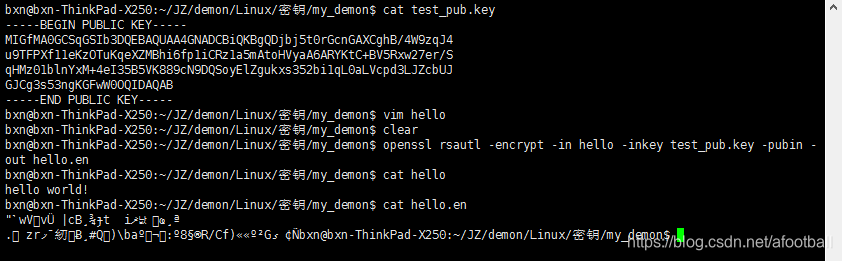
**3.openssl rsautl -encrypt -in hello -inkey test_pub.key -pubin -out hello.en
** —>-in指定要加密的文件,-inkey指定密钥,-pubin表明是用纯公钥文件加密,-out为加密后的文件。
**4.openssl rsautl -decrypt -in hello.en -inkey test.key -out hello.de
** —>-in指定被加密的文件,-inkey指定私钥文件,-out为解密后的文件。

********************************************************************************************/
2.c代码实现
#include<stdio.h>
#include<stdlib.h>
#include<string.h>

#include<openssl/rsa.h>
#include<openssl/pem.h>
#include<openssl/err.h>
#include<openssl/bio.h>
#include<openssl/evp.h>


#define PUB_KEY  "./public_key.txt"
#define PRI_KEY  "./prive_key.txt"


/*************************
**1---------------创建密钥
**************************/
void creat_key()
{


	RSA *r = RSA_new();//初始化RSA结构体
	int bits=1024;
	BIGNUM *e = BN_new();//新生成一个BIGNUM结构
	BN_set_word(e,65537);//设置e为65537

/***
**RSA_generate_key_ex:生成一对钥匙
**参数1:RSA结构         参数2:大小
**参数3:BIGNUM结构 参数4:一般置空
******/
	RSA_generate_key_ex(r, bits, e, NULL);

/****
**int RSA_print_fp(FILE *fp, const RSA *r,int offset);
**							-----将生成的密钥输出到文件
**参数1:文件fp指针              参数2:RSA结构体
**参数3:打印偏移量offset是为了调整输出格式
******/
	//RSA_print_fp(stdout,r,0);

	BIO *out;

/****
**BIO *BIO_new_file(const char *filename, const char *mode);
*****/
	out = BIO_new_file






 扫一扫
扫一扫


&spm=1001.2101.3001.5002&articleId=108125391&d=1&t=3&u=92258148b6eb41bea559b79f352e6e94)
 1422
1422

 被折叠的 条评论
为什么被折叠?
被折叠的 条评论
为什么被折叠?
 到【灌水乐园】发言





