



 本文介绍如何安装和配置Apache Solr 6.3.0,并演示如何上传不同格式的数据(如XML、JSON和CSV),进行基本的搜索操作及利用Solr进行数据分类统计。
参考:http://lucene.apache.org/solr/
推荐博客:http://iamyida.iteye.com/category/338597
Solr Quick Start
requirement
- requirement
Java 8+ - download
solr6.3.0
Getting Started
- 将安装目录的bin目录D:\solr-6.3.0\bin添加到系统环境变量Path
- bin/solr start -e cloud -noprompt
- 在浏览器输入http://localhost:8983/solr/#/即可进入solr的管理界面
- 在浏览器输入可以看到默认的节点http://localhost:8983/solr/#/~cloud
- solr stop -all (集群)
- solr stop -p 89893 (单节点)
Indexing Data
win:
使用post.jar工具上传数据
- 查看帮助 java -jar example/exampledocs/post.jar -h
- 上传xml文件测试:java -Dc=gettingstarted -jar post.jar e:/manufacturers.xml(当前目录是example/exampledocs,manufacturers.xml从example/exampledocs目录下拷贝)
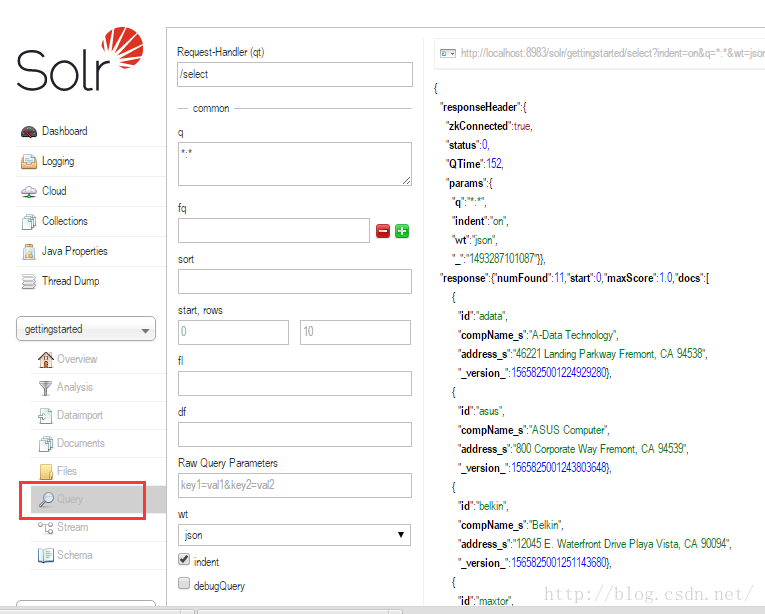
- 进入solr-admin,点击query,测试索引结果
- 也可进入http://localhost:8983/solr/gettingstarted/browse.查看索引结果
- 上传全部的xml文件
java -Dc=gettingstarted -jar post.jar *.xml(当前目录是example/exampledocs)
Indexing JSON
win:
java -Dc=gettingstarted -jar post.jar books.json
Indexing CSV (Comma/Column Separated Values)
win:
java -Dc=gettingstarted -jar post.jar books.csv
Other indexing techniques
- 从数据库中导入记录
- 使用SolrJ以编程的方式将文档发送给Solr
- 使用图形界面http://localhost:8983/solr/#/gettingstarted/documents,将文档上传到Solr
Updating Data
- 每个solr文档通过id来区分是否重复,id在solr的配置文件schema.xml中定义,指定uniqueKey为id,当重复上传id相同时,会覆盖。在重复上传时可观察图形界面中的core-specific Overview选项中,numDocs和maxDoc
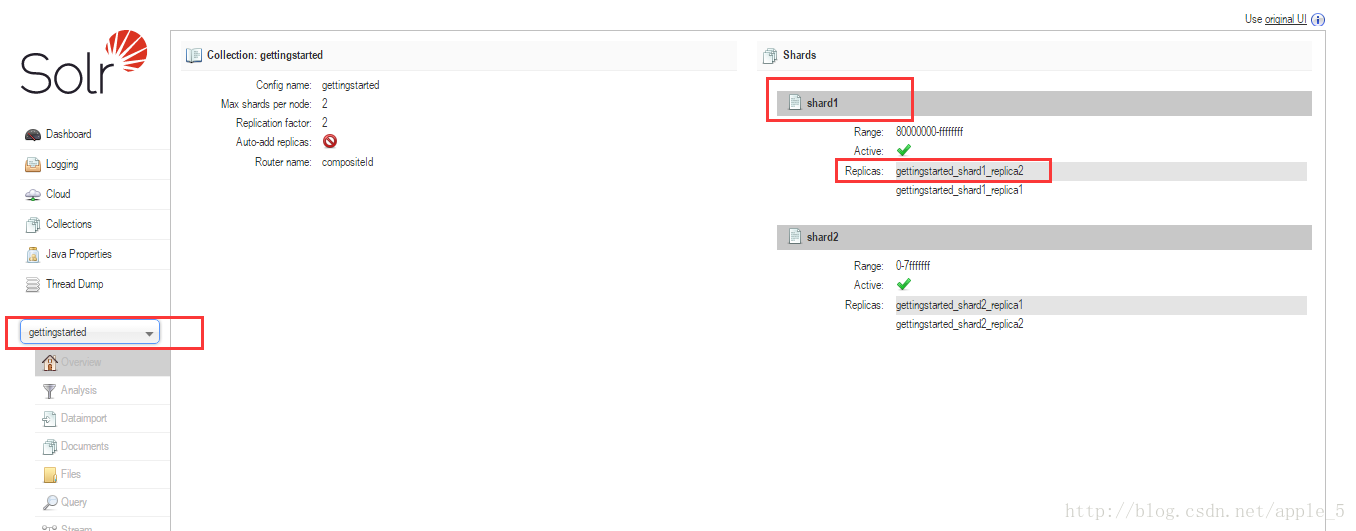
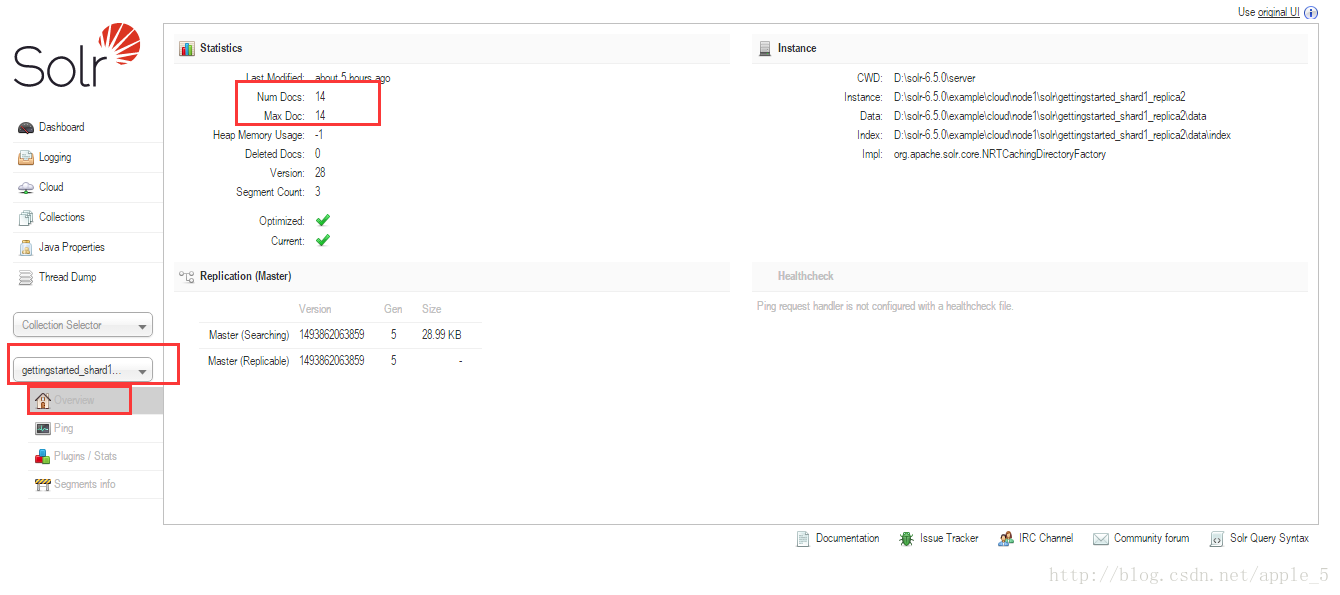
2. numDocs代表索引中可被搜索的文档数(可能会大于xml,csv等文件的总数,因为可能一个文件包含多个文档),maxDoc的数量可能大于numDocs的数量,因为某些文档可能逻辑删除了,但物理上没有删除,也被统计在macDoc的数量中
Deleting Data
可以通过指定文档的uniquekey来删除,也可以通过搜索多个匹配的文档后删除(这种操作要小心点)。
windows下,命令行:
java -Ddata=args -Dc=gettingstarted -jar post.jar "<delete><id>GB18030TEST</id></delete>"Searching
Solr can be queried via REST clients, cURL, wget, Chrome POSTMAN, etc., as well as via the native clients available for many programming languages.也可以通过Solr Admin UI点击Query按钮
To use cURL, give the same URL in quotes on the curl command line:
curl "http://localhost:8983/solr/gettingstarted/select?indent=on&q=*:*&wt=json"Basics
- Search for a single term
搜索包含某个term的文档,例如term为“software”,那么可以在ui界面,把q中的表达式替换为“software”(solr在检索的时候会忽略大小写)
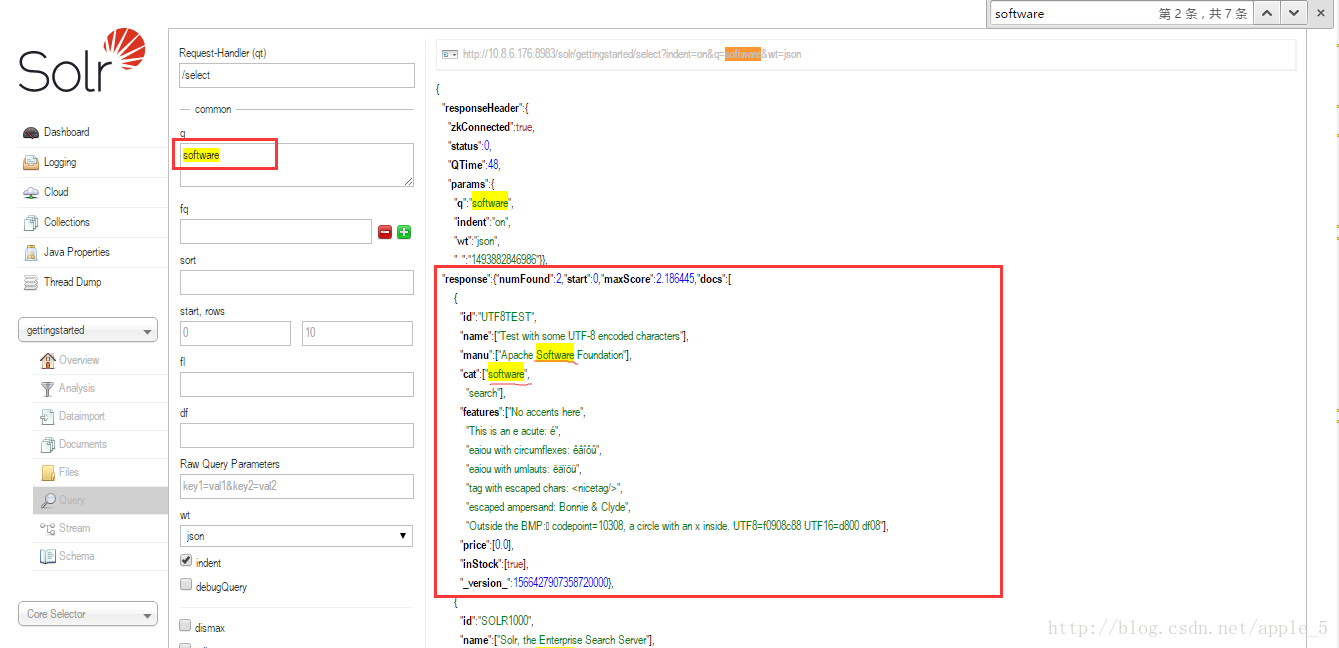
如果想限制返回指定的列,那么可以使用fl表达式
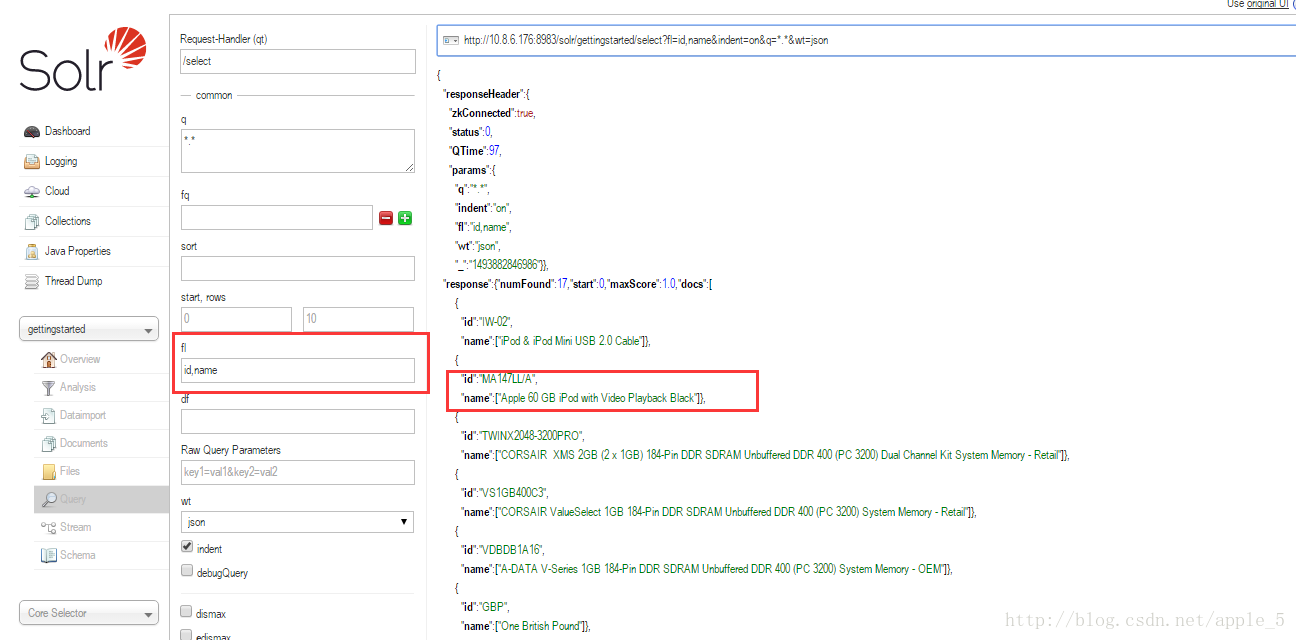
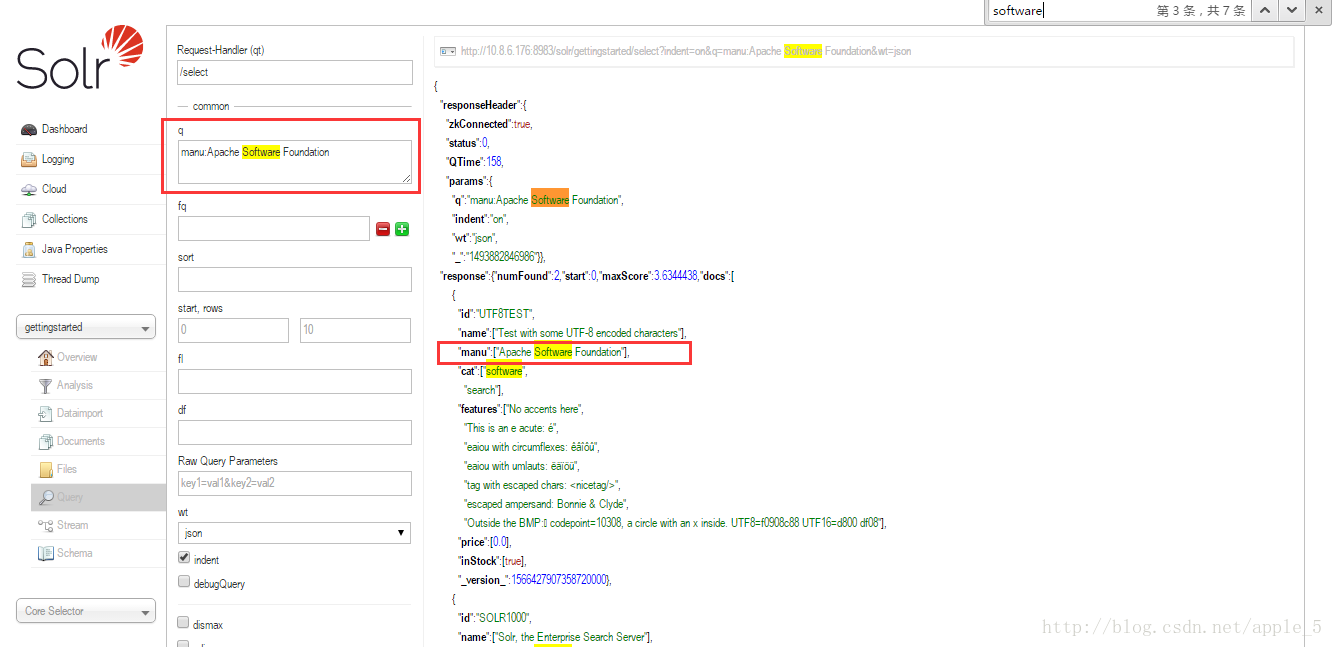
如果想搜索指定field的关键字,那么可以在q表达式中写 “q=field:value”
- Phrase search(短语搜索)
To search for a multi-term phrase, enclose it in double quotes: q=”multiple terms here”. E.g. to search for “CAS latency” - note that the space between terms must be converted to “+” in a URL (the Admin UI will handle URL encoding for you automatically):
curl "http://localhost:8983/solr/gettingstarted/select?wt=json&indent=true&q=\"CAS+latency\""
用来检索含有短语(是一个整体)"CAS latency"的文档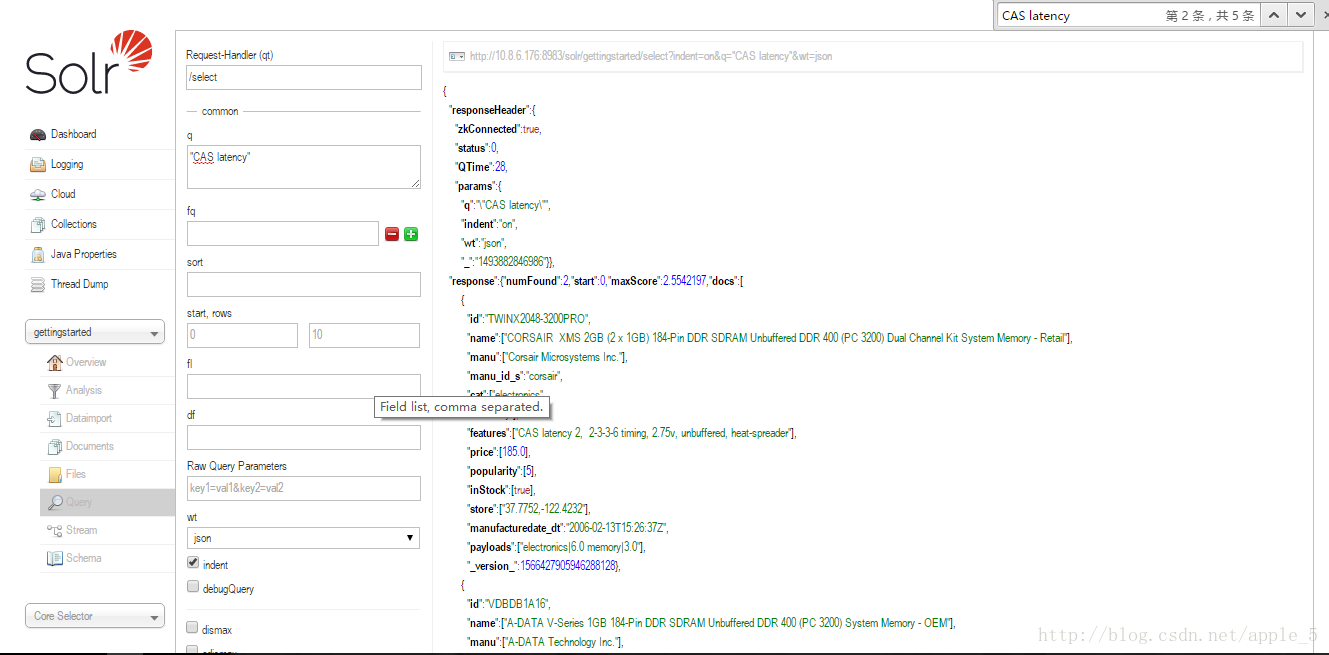
* Combining searches(组合搜索)
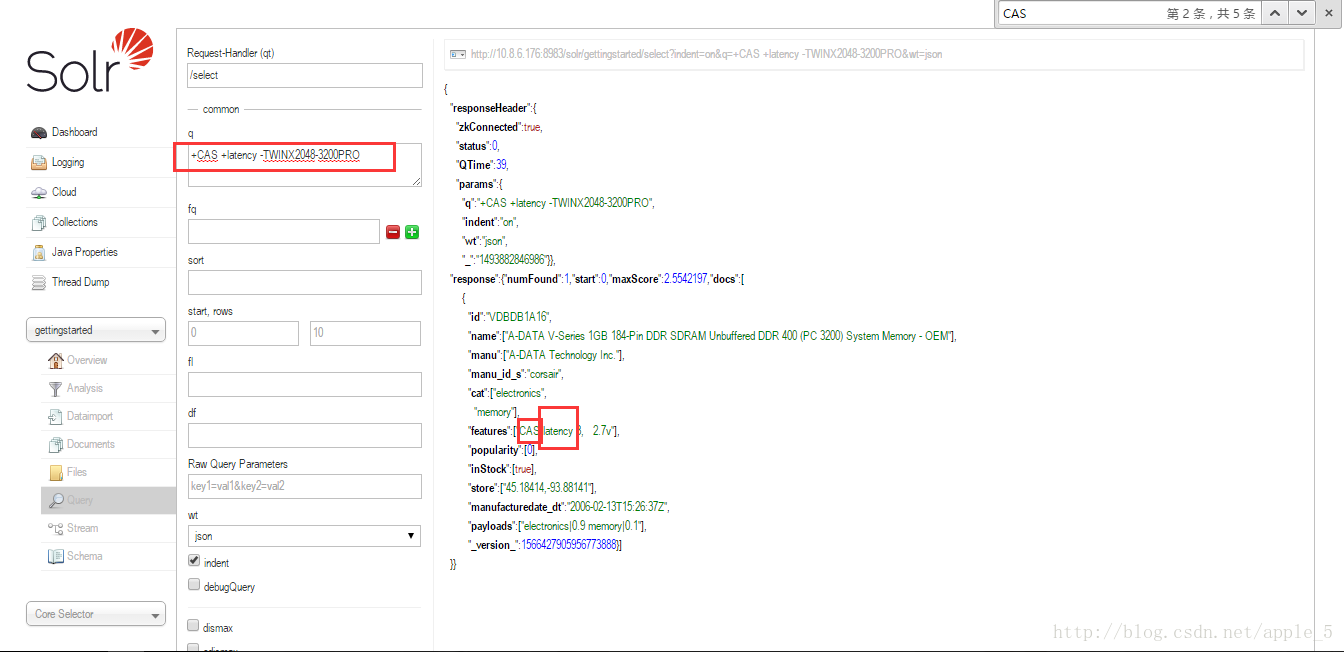
E.g.包含A且包含B且不包含C,在AdminUI中“q=+A +B -C”(注意有空格)
* In depth
更深入的操作,需查看参考文档
Faceting
分类统计是Solr的常用功能,faceting有几种:There are several types of faceting: field values, numeric and date ranges, pivots (decision tree), and arbitrary query faceting
- Field facets
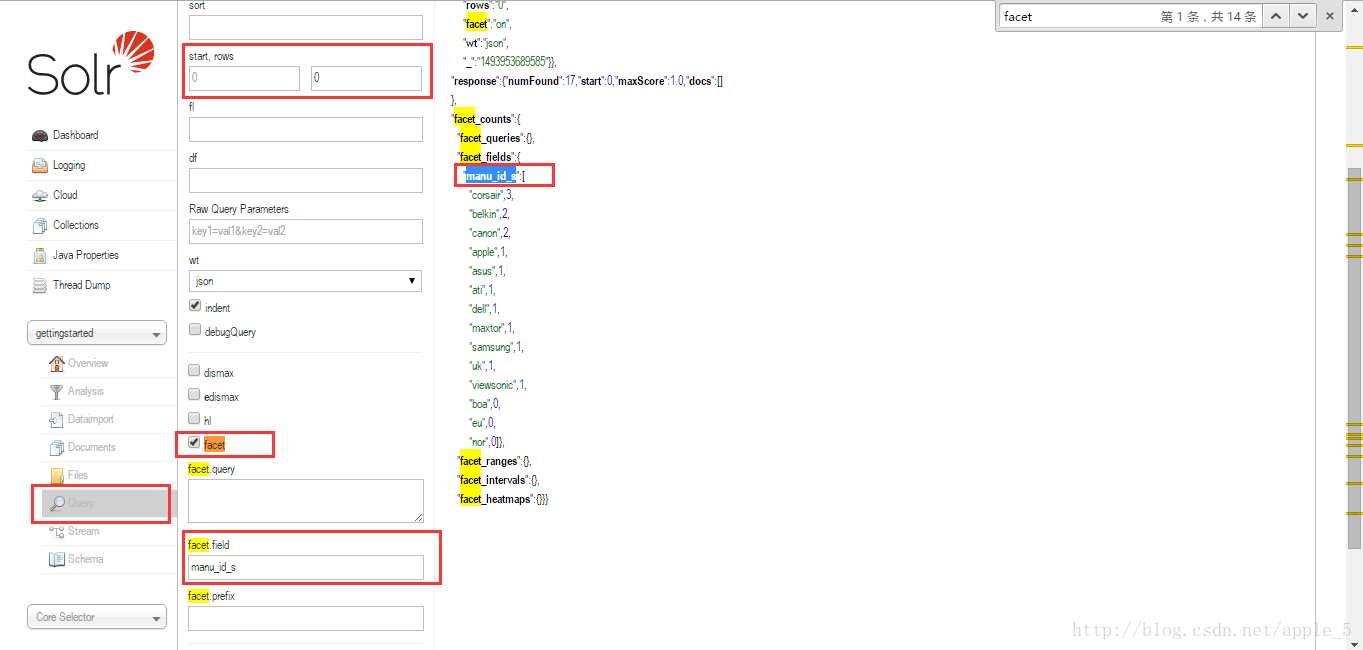
在AdminUI的query页,选中facet复选框,可以设置相关参数。
下面的结果相当于在名称为“manu_id_s”的field中,solr统计了该field的各种取值,以及每种取值包含的文档数量;rows设置为(0,0)是为了不看solr文档的查询结果,只关注统计的结果。
- Range facets
solr可统计某数值范围或日期范围间的数据量,但adminUI中只能配3个参数,没有range facets,需要通过url来访问看结果 - Pivot facets(decision tree)
两个或两个以上的field组合来统计,例如输入url
//  cat字段中,inStock(在售的有多少,不在售的有多少)
curl 'http://localhost:8983/solr/gettingstarted/select?q=*:*&rows=0&wt=json&indent=on'\
'&facet=on&facet.pivot=cat,inStock'
获得返回值
...
"facet_pivot":{
  "cat,inStock":[{
      "field":"cat",
      "value":"book",
      "count":14,
      "pivot":[{
          "field":"inStock",
          "value":true,
          "count":12},
        {
          "field":"inStock",
          "value":false,
          "count":2}]},
...- More faceting options
更多的维度(分类)操作请见参考指南
Spatial
使用solr内置的collection感受这个功能,先停掉服务solr stop -all
然后使用solr start -e techproducts,原始的数据在techproducts的collection中,再访问 http://localhost:8983/solr/techproducts/browse?q=ipod&pt=37.7752%2C-122.4232&d=10&sfield=store&fq=%7B%21bbox%7D&queryOpts=spatial&queryOpts=spatial
可参考1:官方文档
可参考2:http://www.cnblogs.com/hanhuibing/articles/5680616.html
Cleanup
bin/solr stop -all ; rm -Rf example/cloud/(清除了gettingstarted节点中的数据)





 扫一扫
扫一扫


 2526
2526

 被折叠的 条评论
为什么被折叠?
被折叠的 条评论
为什么被折叠?
 到【灌水乐园】发言





