


 本文详细介绍了CFileDialog类在MFC中如何使用,包括构造函数的参数解析、通用文件对话框的自定义及DoModal函数的运用。通过示例展示了如何设置对话框的标题、初始目录、文件类型过滤,并演示了打开、保存文件对话框的实现。同时,文章指出在给m_ofn.lpstrFile赋值前必须先设置m_ofn.nMaxFile,以避免错误。
CFileDialog 类 封装了Windows通用文件对话框,Windows通用文件对话框提供了轻松实现与Windows标准一致的打开文件、保存文件、另存文件对话框的方法。
当我们用CFileDialog类的构造函数生成一个对象后就修改m_ofn 结构体对象里的值,m_ofn的类型为OPENFILENAME。CFileDialog类构造函数的格式如下:
CFileDialog( BOOL bOpenFileDialog, LPCTSTR lpszDefExt = NULL, LPCTSTR lpszFileName = NULL, DWORD dwFlags = OFN_HIDEREADONLY | OFN_OVERWRITEPROMPT, LPCTSTR lpszFilter = NULL, CWnd* pParentWnd = NULL );
bOpenFileDialog 如果为值TRUE,构造打开对话框,反之为保存对话框。
lpszDefExt 用于确定文件的默认扩展名,如果为NULL,没有扩展名被插入到文件名中。
lpszFileName 确定通用文件对话框中的文件名编辑框控件的初值,如果为NULL,编辑框为空,没有文件名。
dwFlags 用于自定义通用文件对话框。有以下选项:
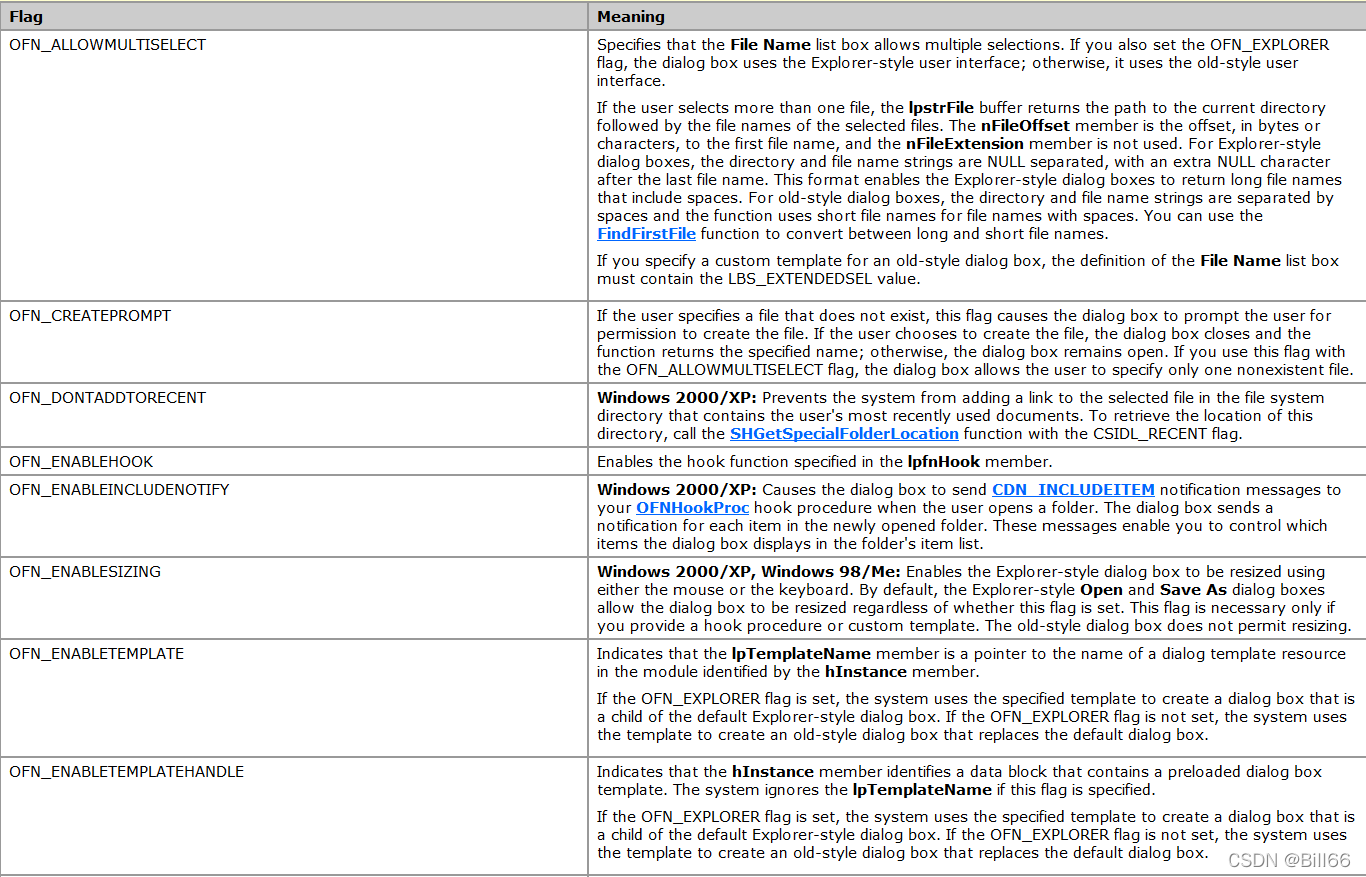
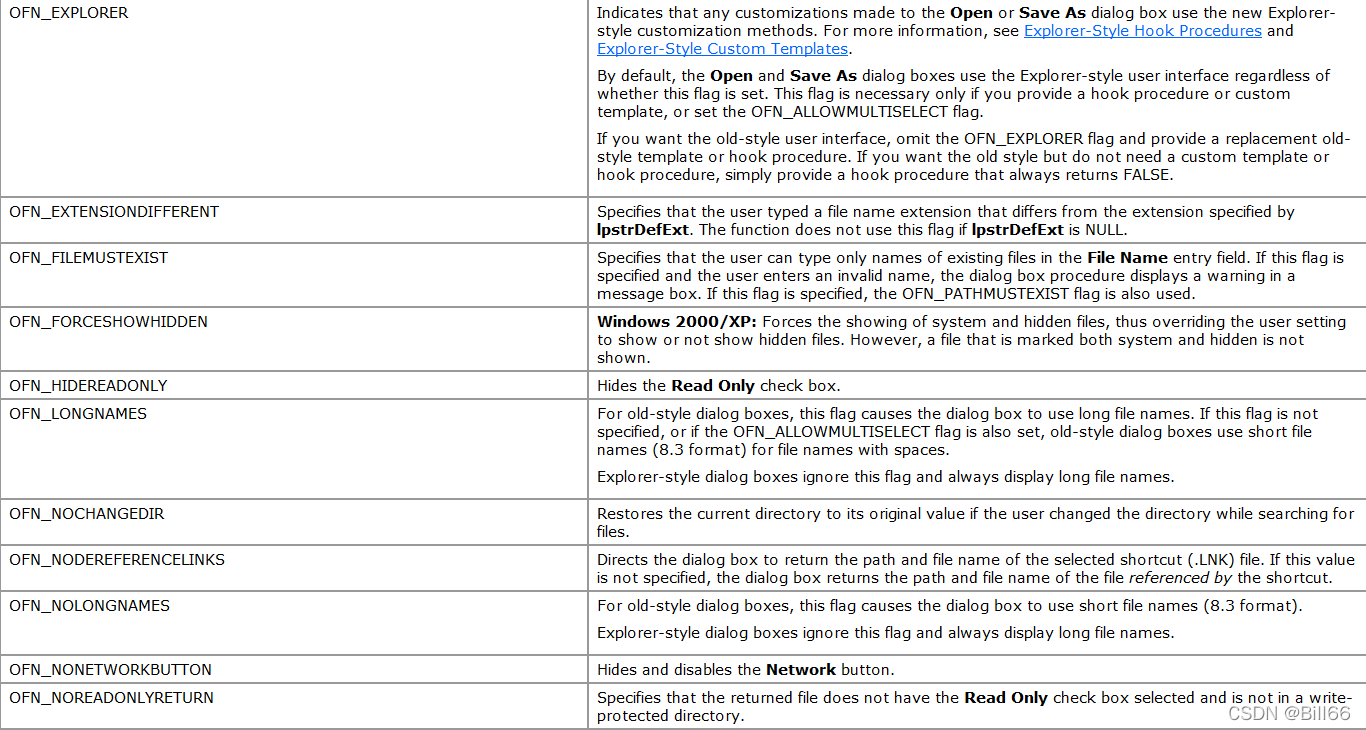
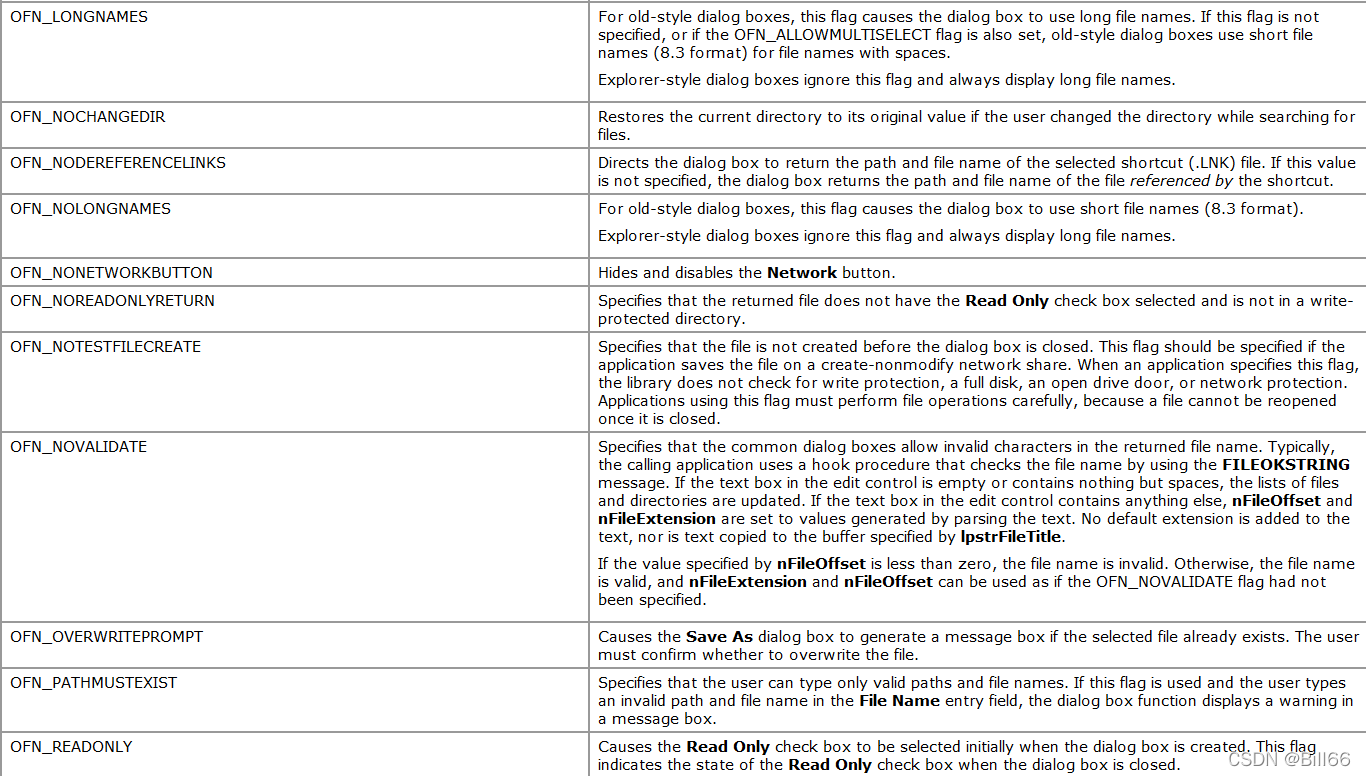
 一般情况下,使用缺省值即可。
lpszFilter 用于指定过滤文件的类型。
pParentWnd 标识通用文件对话框的父窗口的指针。
OPENFILENAME 结构体原型如下:
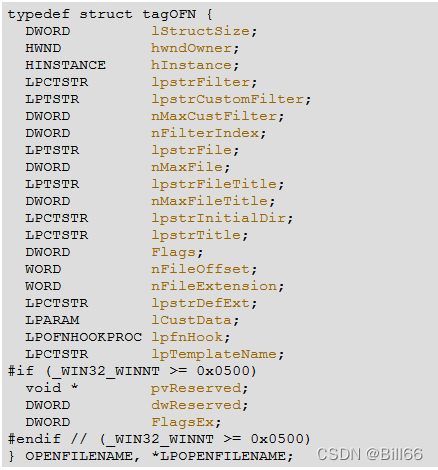
lpstrFilter
Pointer to a buffer containing pairs of null-terminated filter strings. The last string in the buffer must be terminated by two NULL characters.The first string in each pair is a display string that describes the filter (for example, "Text Files"), and the second string specifies the filter pattern (for example, "*.TXT"). To specify multiple filter patterns for a single display string, use a semicolon to separate the patterns (for example, "*.TXT;*.DOC;*.BAK"). A pattern string can be a combination of valid file name characters and the asterisk (*) wildcard character







 扫一扫
扫一扫


 370
370

 被折叠的 条评论
为什么被折叠?
被折叠的 条评论
为什么被折叠?
 到【灌水乐园】发言





