



 本文介绍了一种使用Element UI实现单选表格的方法,通过监听选择事件并控制选中状态,确保每次仅能选中一行数据。同时,通过SCSS隐藏了全选复选框。
最终效果
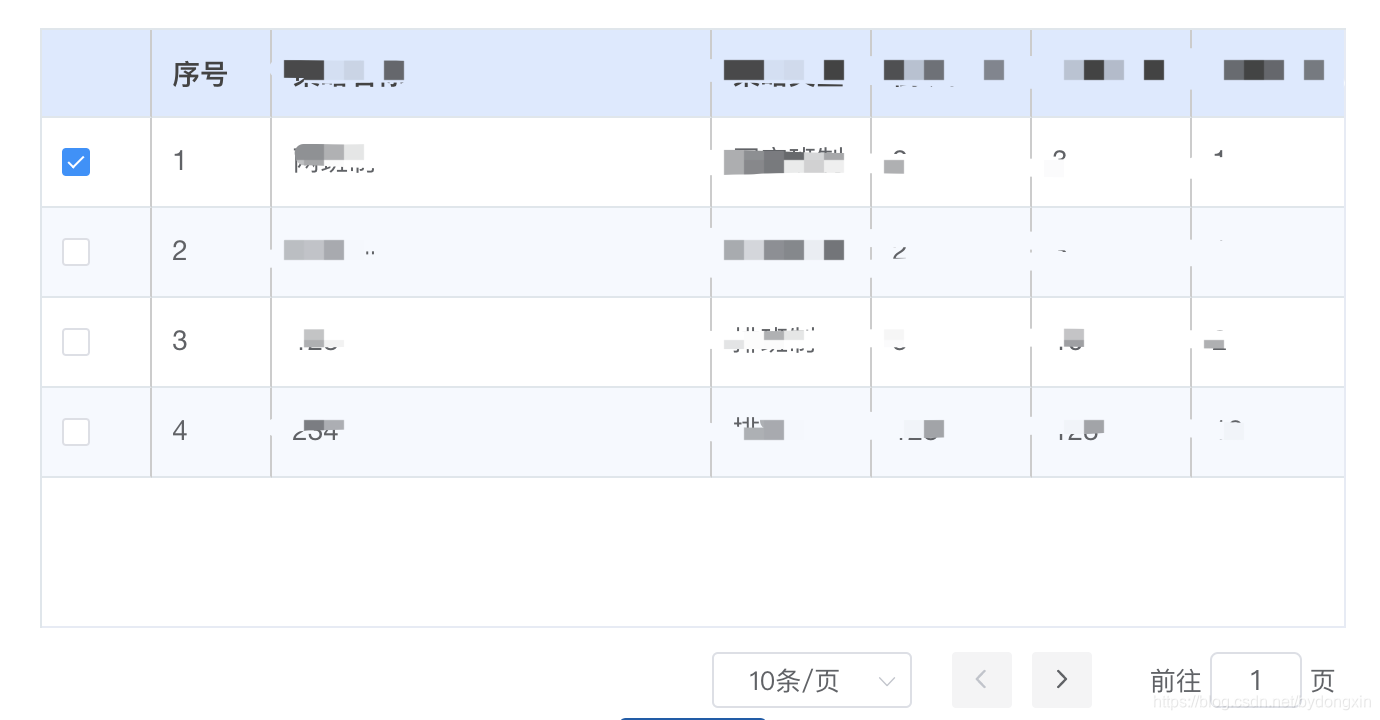
*================================ 代码 ===============================*
 <el-table
          ref="multipleTable_select"
          :data="selectMemberDataList"
          :stripe="true"
          class="el-ov-single-checkbox-table"
          @select="handleSelect_select"
        >
          <el-table-column
            type="selection"
            width="55"
          />
          <el-table-column
            label="序号"
            type="index"
            width="60"
          >
          </el-table-column>
          <el-table-column
            label="策略名称"
            prop="name"
            width="220"
          />
 </el-table>
  handleSelect_select(selection, row) {
 	  //清空所有选中
      this.$refs.multipleTable_select.clearSelection();
      //选中当前checkbox
      this.$refs.multipleTable_select.toggleRowSelection(row, true);
      //保存当前选中的对象
      this.multipleSelection_selectMember = row;
    },
/*
scss语法,不懂请百度
隐藏全选Checkbox
*/
.el-ov-single-checkbox-table {
  thead {
    th:first-child {
      span:first-child {
        display: none;
      }
    }
  }
}
如果帮到你了,请点个赞吧~





 扫一扫
扫一扫


 7217
7217

 被折叠的 条评论
为什么被折叠?
被折叠的 条评论
为什么被折叠?
 到【灌水乐园】发言





