



 本文介绍了如何使用MATLAB进行直方图和阶梯形图的绘制,通过bar函数详细讲解了相关步骤,帮助读者掌握这两种数据可视化方法。
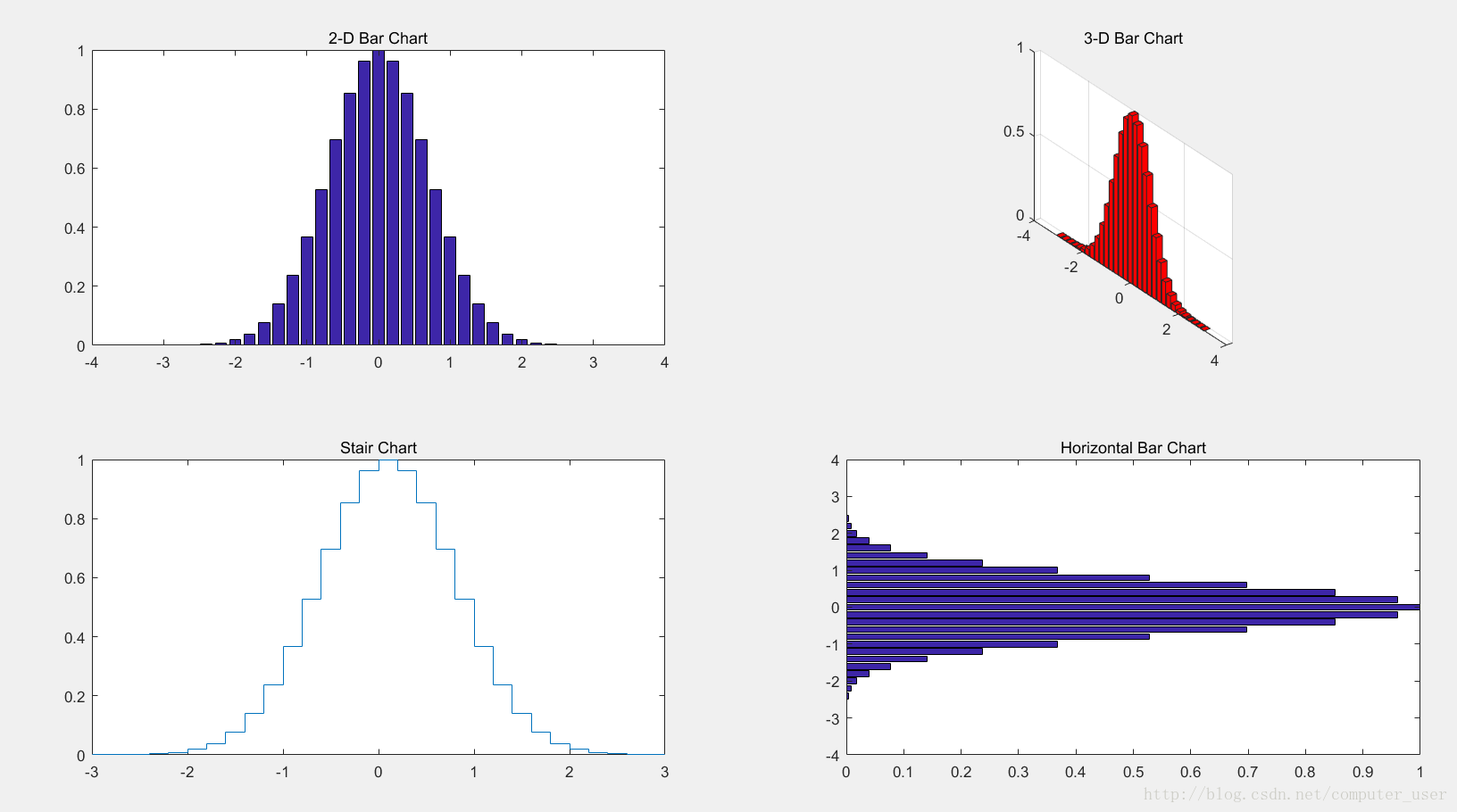
function shili18
h0=figure('toolbar','none',...
          'position',[200 150 450 250],...
          'name','实例18');
subplot(2,2,1)
x=-3:0.2:3;
y=exp(-x.*x);
bar(x,y)
title('2-D Bar Chart')
subplot(2,2,2)
x=-3:0.2:3;
y=exp(-x.*x);
bar3(x,y,'r')
title('3-D Bar Chart')
subplot(2,2,3)
x=-3:0.2:3;
y=exp(-x.*x);
stairs(x,y)
title('Stair Chart')
subplot(2,2,4)
x=-3:0.2:3;
y=exp(-x.*x);
barh(x,y)
title('Horizontal Bar Chart')
对bar函数不了解点击此链接:
https://zhidao.baidu.com/question/647137000753281205.html





 扫一扫
扫一扫


 3017
3017

 被折叠的 条评论
为什么被折叠?
被折叠的 条评论
为什么被折叠?
 到【灌水乐园】发言





