



1 :android:layout_weight 属性理解
在Linerlayout中有 android:layout_weight这个属性,是给子view分配权重,现在我们来设置三个TextView,权重分别设为1,2,2:
<?xml version="1.0" encoding="utf-8"?>
<LinearLayout
    xmlns:android="http://schemas.android.com/apk/res/android"
    xmlns:app="http://schemas.android.com/apk/res-auto"
    xmlns:tools="http://schemas.android.com/tools"
    android:layout_width="match_parent"
    android:layout_height="match_parent"
    android:orientation="horizontal"
    android:baselineAligned="false"
    >
    <TextView
        android:layout_width="match_parent"
        android:layout_height="50dp"
        android:layout_weight="1"
        android:gravity="center"
        android:textColor="#ffffffff"
        android:background="@color/colorPrimaryDark"
        android:text="Hello World 1 "
        />
    <TextView
        android:layout_width="match_parent"
        android:layout_height="50dp"
        android:layout_weight="2"
        android:background="@color/colorAccent"
        android:gravity="center"
        android:text="Hello World 2"
        />
    <TextView
        android:layout_width="match_parent"
        android:layout_height="50dp"
        android:background="#ff7a61"
        android:layout_weight="2"
        android:text="Hello World 3"
        android:gravity="center"
        />
</LinearLayout>
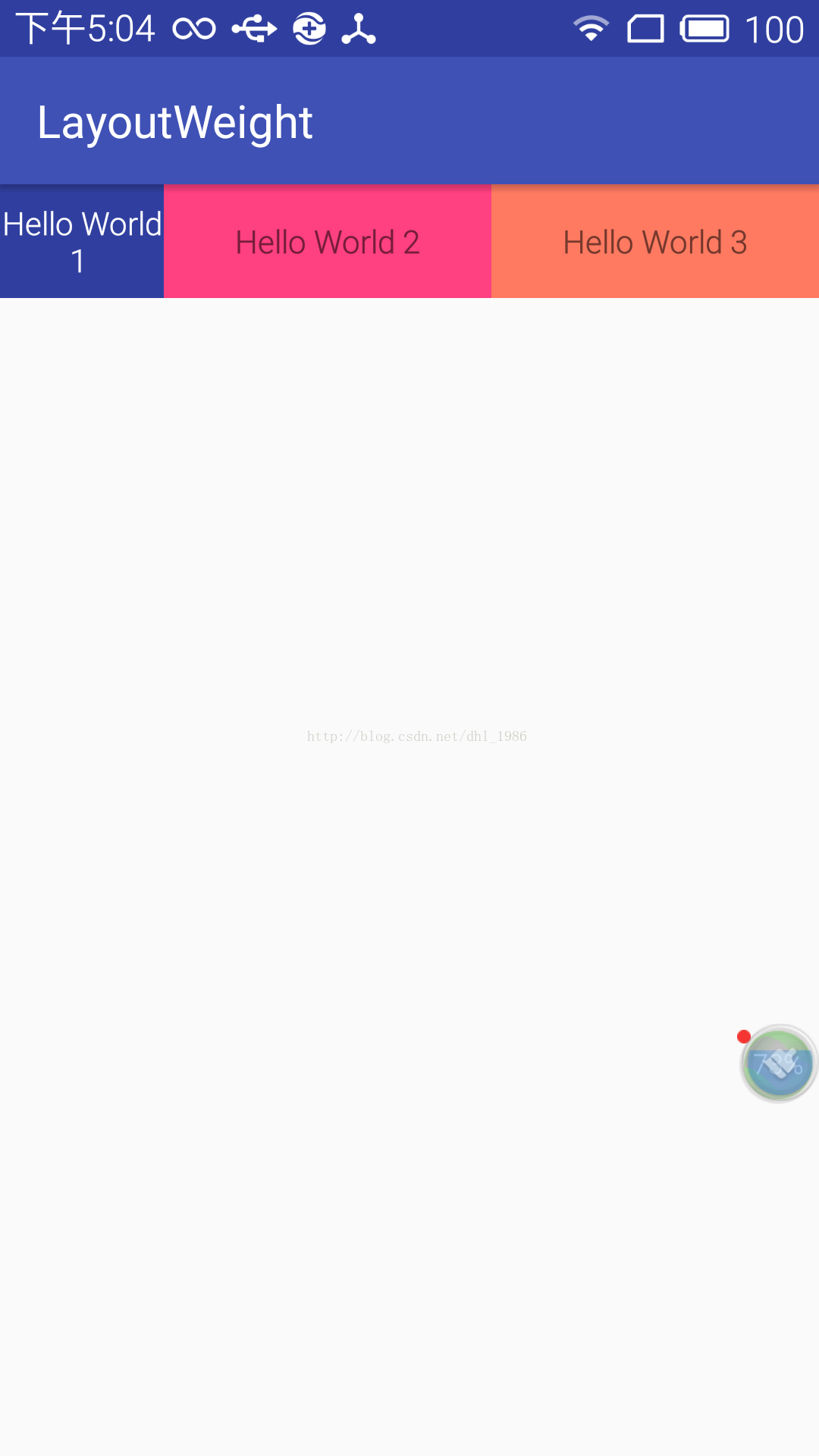
1:2:2按比例分配,按照我们的理解应该是这样的: 图1
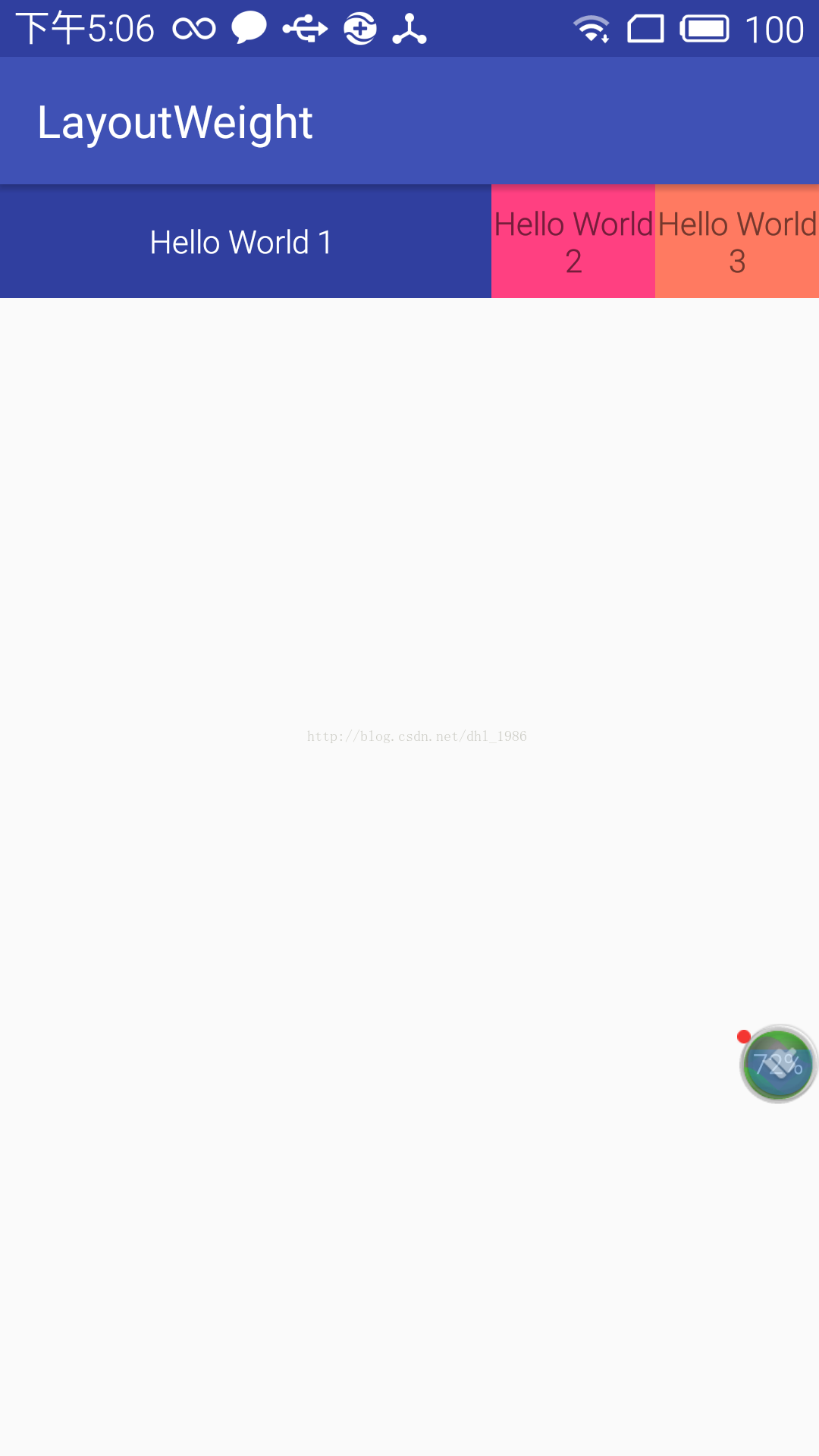
可是实际上却是这样的:图2
纳尼?这是怎么回事?
请看这句话: Specifies how much of the extra space in the layout to be allocated to a view.
android:layout_weigh 首先按照控件声明的尺寸进行分配,然后再将剩下的尺寸按weight分配,最终分配的大小就是 view控件宽度+剩余父控件宽度*weight
这里我们match_parent ,假设屏幕宽度500dp,那么Hello world 1 分配的宽度= 500(控件宽度) + (500-3*500)/5 = 3*500/5 就是如图2所示。占了整个屏幕的3/5(这里500-3*500 是剩余父控件宽度,他等于屏幕宽度-子view宽度之和),同理Hello world2,3 ,就分别占总屏幕的1/5:
所以正确的布局写法应该是:
<?xml version="1.0" encoding="utf-8"?>
<LinearLayout
    xmlns:android="http://schemas.android.com/apk/res/android"
    xmlns:app="http://schemas.android.com/apk/res-auto"
    xmlns:tools="http://schemas.android.com/tools"
    android:layout_width="match_parent"
    android:layout_height="match_parent"
    android:orientation="horizontal"
    android:baselineAligned="false"
    >
    <TextView
        android:layout_width="0dp"
        android:layout_height="50dp"
        android:layout_weight="1"
        android:gravity="center"
        android:textColor="#ffffffff"
        android:background="@color/colorPrimaryDark"
        android:text="Hello World 1 "
        />
    <TextView
        android:layout_width="0dp"
        android:layout_height="50dp"
        android:layout_weight="2"
        android:background="@color/colorAccent"
        android:gravity="center"
        android:text="Hello World 2"
        />
    <TextView
        android:layout_width="0dp"
        android:layout_height="50dp"
        android:background="#ff7a61"
        android:layout_weight="2"
        android:text="Hello World 3"
        android:gravity="center"
        />
</LinearLayout>
2 :android:layout_weight 属性妙用
在之前写过一篇 高仿QQ主界面,主界面是Framlayout+底部栏:<?xml version="1.0" encoding="utf-8"?>
<LinearLayout xmlns:android="http://schemas.android.com/apk/res/android"
xmlns:tools="http://schemas.android.com/tools" android:id="@+id/activity_main"
android:layout_width="match_parent" android:layout_height="match_parent"
android:orientation="vertical"
>
<FrameLayout
android:id="@+id/content"
android:layout_width="match_parent"
android:layout_weight="1"
android:layout_height="0dp">
</FrameLayout>
<include
layout="@layout/bottom"/>
</LinearLayout> 对FrameLayout 设置weight属性,对底部不设置。那么最终add到Framelayout 的Fragment将被分配除底部栏以外的所有空间,这种带底部栏的布局,以后都可以这样写,不需要用Relativelayout 布局,消耗更多的性能。





 扫一扫
扫一扫


 被折叠的 条评论
为什么被折叠?
被折叠的 条评论
为什么被折叠?
 到【灌水乐园】发言





