



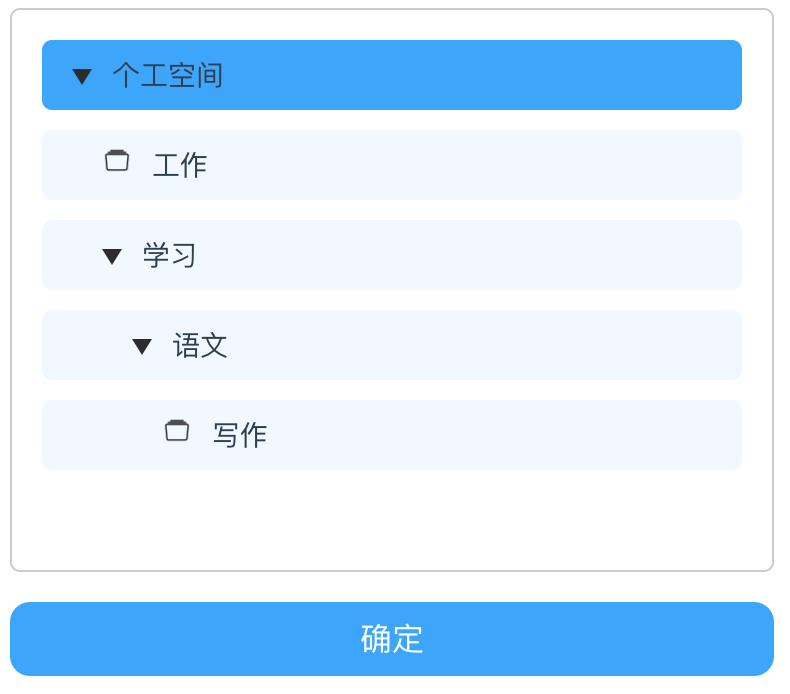
实现效果
涉及技术点
自定义组件,父子组件通讯,子组件属性设置,动态设置class,style,阻止冒泡等
菜单数据
        treeData : [
          {
            "id":1,
            "name": "个工空间",
            "level": 1,
            children: [
              { "id":2,
                "name": "工作",
                "level": 2,
              },
              {
                "id":3,
                "name": "学习",
                "level": 2,
                children: [{"id":4, "name": "语文", "level": 3, children: [{"id":5, "name": "写作", "level": 4 }] }]
              }
            ]
          }
        ]
定义一个子组件
<template>
    <div class="flex flex-col cannotselect ">
        <div style="min-height:35px;margin-bottom: 10px;"
             class="border-radius-ms flex flex-row flex-center-cz padding-left-l pointer"
             :style="{paddingLeft: data.level * 15 + 'px'}"
             :class="{'bk-color-hb':!select, 'bk-color-blue':select}"
             :data-level="data.level"
             :data-id="data.id"
             :data-name="data.name"
             @click="selectClick">
             <div @click="expand"><img :src="open ? require('@/assets/images/yizhankai.png') :  hasChild ?
                           require('@/assets/images/weizhankai.png') : require('@/assets/images/wjj.png')"
                       :class="{'yizhankai': open && hasChild, 'weizhankai':!open && hasChild, 'wjj': !hasChild}"
                       :data-index="data.name"/></div>
             <div  class="font-s ">{{data.name}}</div>
        </div>
        <div style="min-height:35px;margin-bottom: 10px;" v-show="open" v-if="hasChild">
            <my-tree v-for="(item, index) in data.children" :data="item" :key="index" :root="root"  ></my-tree>
        </div>
    </div>
</template>
<script>

export default {
    name: 'MyTree’,//组件名,父组件引用时 <my-tree></my-tree>,注意转换关系,初学者留意一下
    props: {
        data: {},
        root: {}
    },
    data() {
        return {
            select: false,
            open: false
        }
    },
    computed: {
        hasChild() {
            return this.data.children && this.data.children.length //判断当前子组件有没有数据
        }
    },

    methods: {
        expand(event) {
            if(this.hasChild) {
                this.open = !this.open
            }
            event.stopPropagation();
        },
        selectClick(event) {
            let id = event.target.getAttribute("data-id")
            let name = event.target.getAttribute("data-name")
            this.root.selectClick(id,name);
            this.select = !this.select;
            event.stopPropagation();
        }
    }
}
</script>
要点说明
1.阻止冒泡事点,点击子元素,不让父元素的点击事件响应
event.stopPropagation();
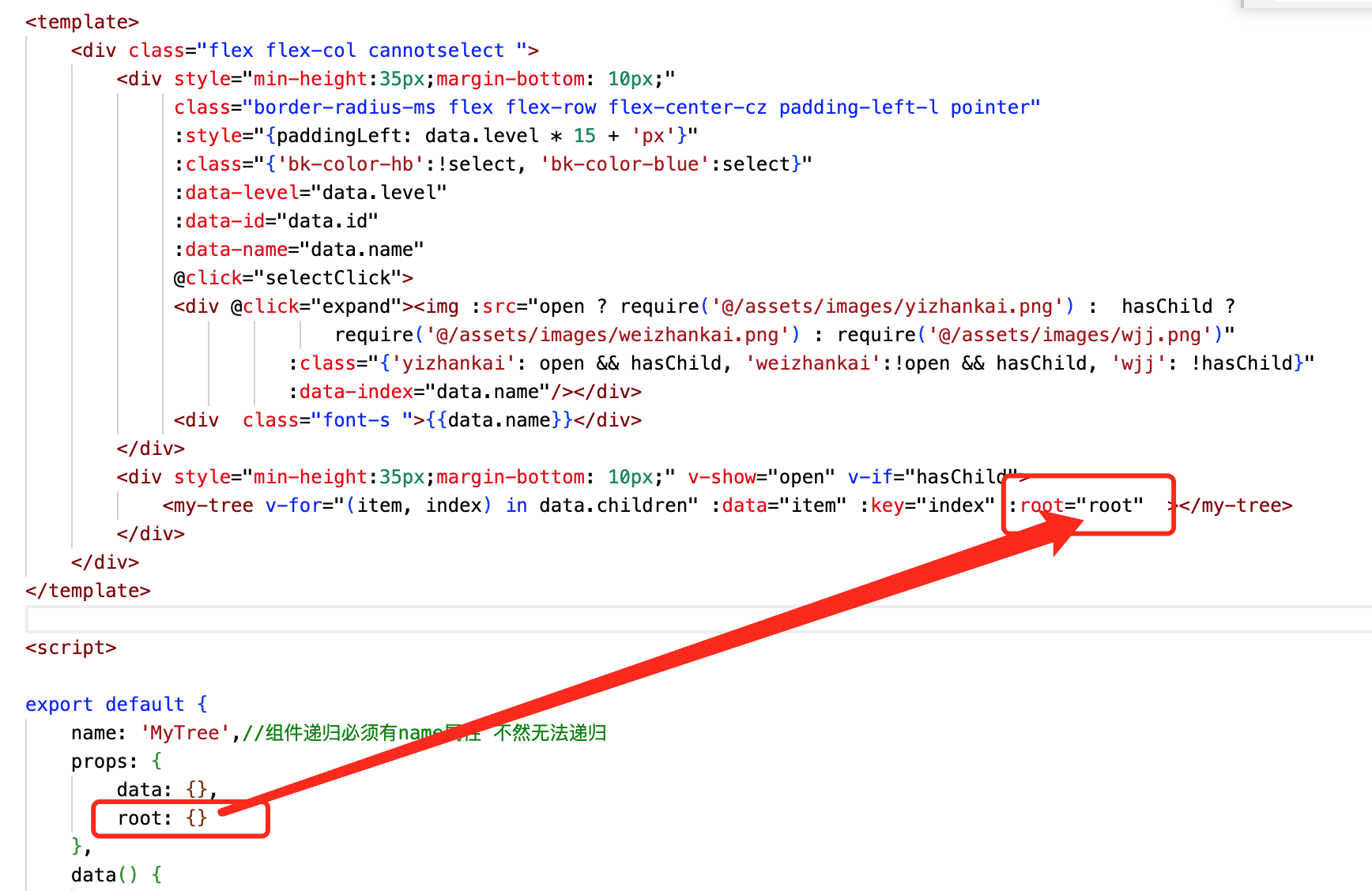
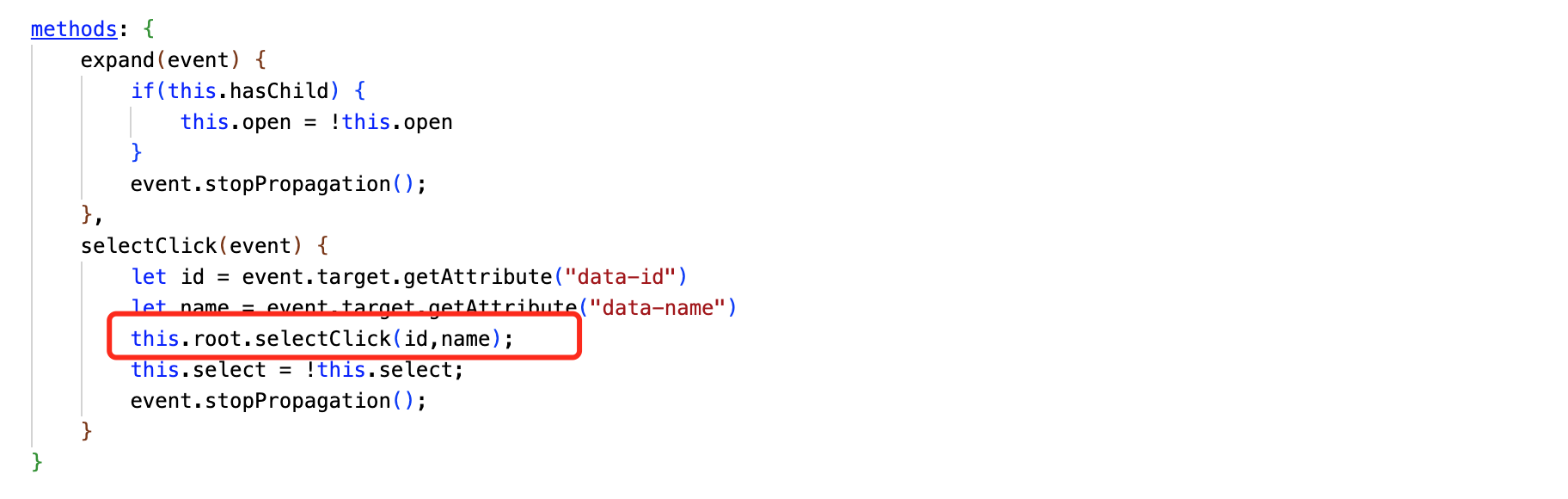
2、将父组件存入到递归组件中,当子节点,孙节点调用父组件的方法的,直接root.方法(),如下:
父组件代码:
<template>
    <div class="body">
      <div class="table">
        <div class="filter font-bold">纯VUE递归实现树形菜单且单选变色</div>
        <div class="flex flex-col border border-radius-ms scroll padding-l margin-top-l margin-left-l" style="height:250px;width:350px;">
            <div v-for="item in treeData" ref="mytree"  >
                <my-tree key:="key" :data="item" :root="root"></my-tree>
            </div>
        </div>
        <div class="margin-top-l margin-left-l btn-blue-auto pointer" style="width:380px;" @click="confirm">确定</div>
      </div>
    </div>
</template>

<script>
/*
       名称:纯VUE递归实现树形菜单且单选变色
       功能:vue树形结构,不限层次,单选变色,返回选中id,name, 涉及到自定义组件,子组件调用父组件方法,DOM操作
       作者:唐赢
       时间:2023-1-14
*/

  import MyTree from '@/components/Tree' //引入我们写好的递归组件
  export default {
    name: 'Main',
    components: {
      MyTree
    },
    data () {
      return {

        treeData : [
          {
            "id":1,
            "name": "个工空间",
            "level": 1,
            children: [
              { "id":2,
                "name": "工作",
                "level": 2,
              },
              {
                "id":3,
                "name": "学习",
                "level": 2,
                children: [{"id":4, "name": "语文", "level": 3, children: [{"id":5, "name": "写作", "level": 4 }] }]
              }
            ]
          }
        ],
        root: this,
        selectId: "",
        selectName:""

      }
    },
    methods: {
      clearSelect(node) {
        console.log(node)
        node.select = false;
        if (node.$children && node.$children.length >0 && node.$children[0].$children && node.$children[0].$children.length > 0) {
          node.$children[0].select = false;
          let children = node.$children[0].$children;
          children.forEach((i,index) => {
            i.select = false;
            this.clearSelect(i);
          })
        }
      },
      selectClick(id,name){
        this.clearSelect(this);
        this.selectId = id;
        this.selectName = name;
      },
      confirm() {
        alert(this.selectName);
      }

    }
  }
</script>

  <!-- Add "scoped" attribute to limit CSS to this component only -->
  <style scoped>
  .body {
    display: flex;
    justify-content: center;
    margin-top: 73px;
    width: 100%;
  }
  .table {
    background-color: #fff;
    width: 1080px;
    min-height: 800px;
    box-shadow: 0px 3px 6px rgba(0, 0, 0, .1);
    margin-bottom: 10px;
  }
  .filter {
    display: flex;
    height: 60px;
    align-items:center;
    background-color: #fff;
    font-size: 18px;
    justify-content: center;
    border-bottom: 1px solid rgba(0, 0, 0, .2);;
  }


  </style>
该组件的难点是,单选时要让当前的菜单项底色变成激活色,其他菜单项变成非激活色,因为有递归组件,修改数据不能将组件渲染,只能直接操作DOM,核心代码如下:
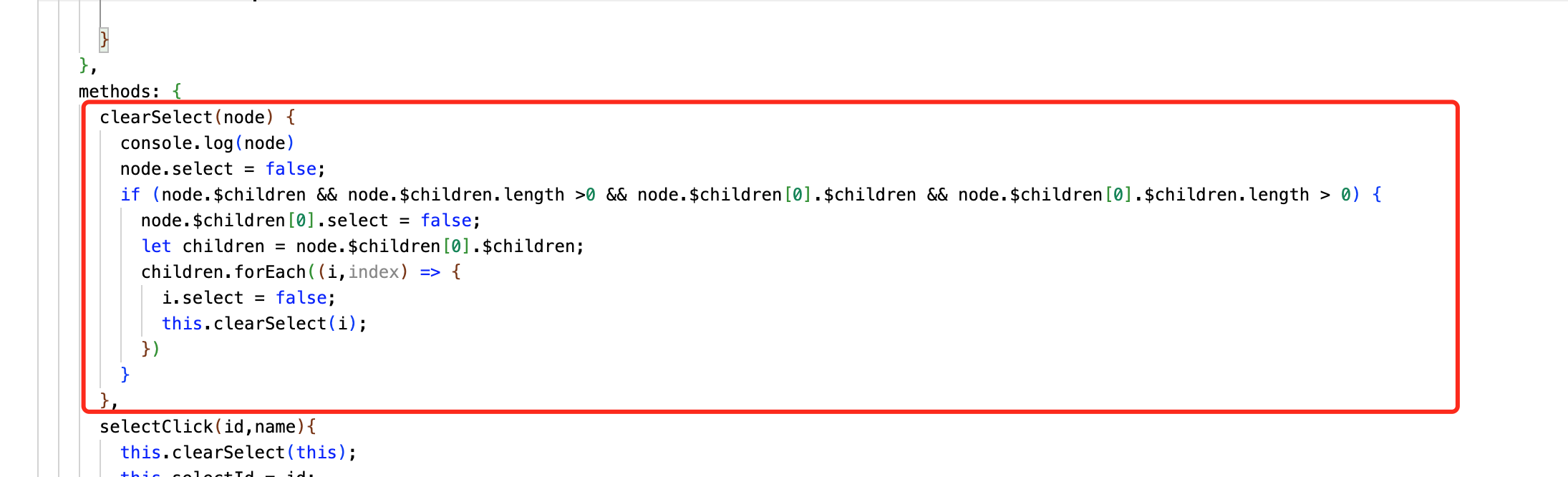
使用该方法将遍历所有组件,将选中改为false,再将当前选中项改为true。
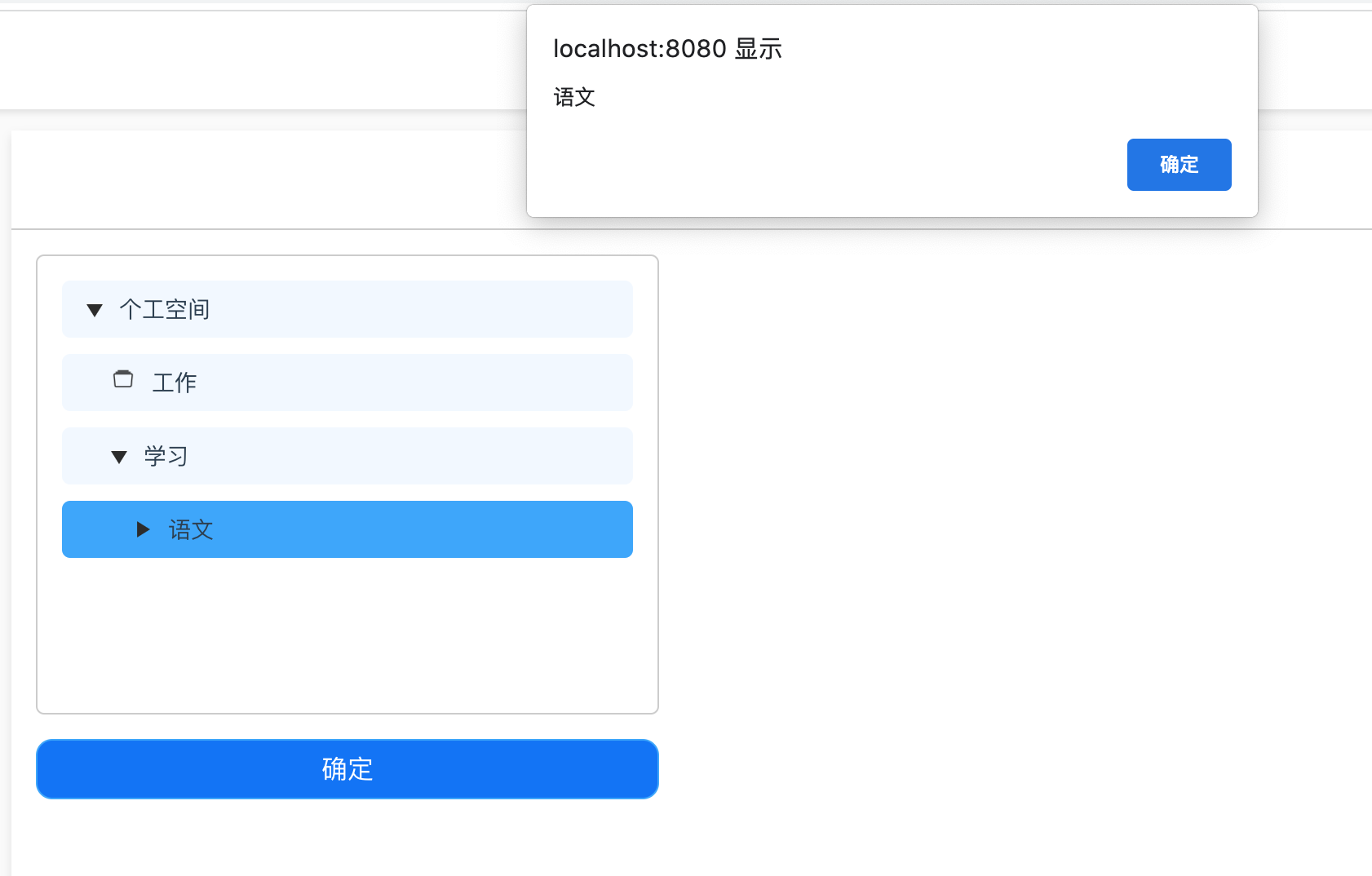
选中后的效果如下:





 扫一扫
扫一扫


 3924
3924

 被折叠的 条评论
为什么被折叠?
被折叠的 条评论
为什么被折叠?
 到【灌水乐园】发言





