


首先先介绍一下protobuf。
Protocol Buffer(简称Protobuf)是Google于2001年起开发的独立于语言和平台的数据交换格式,采用二进制编码实现高效序列化,具有体积小、传输快的特点。其通过.proto文件定义数据结构,支持Java、C++、Python等主流编程语言,适用于分布式系统通信、微服务架构及网络传输等场景,例如 微服务间通信(RPC框架) 移动端和客户端-服务器通信 配置文件与数据持久化 高性能实时系统 跨语言数据交换 数据库存储与日志序列化 协议与API版本化
解压好下载的压缩包,在protobuf-3.21文件夹内创建 visualstudio文件夹
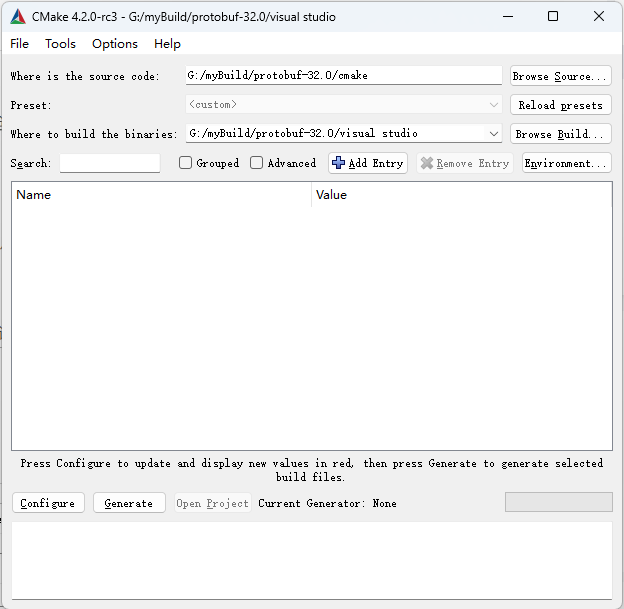
打开cmakegui
source code选择protobuf的cmake文件夹
build the binaries选择刚刚创建的visualstudio文件夹
单击左下角的configure
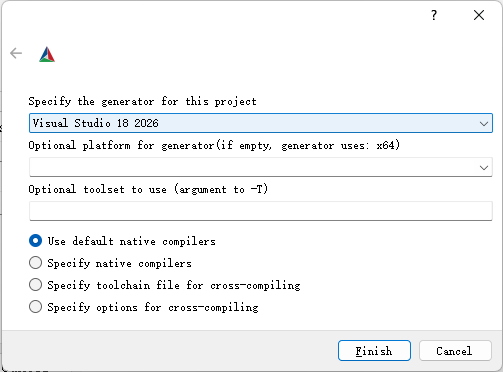
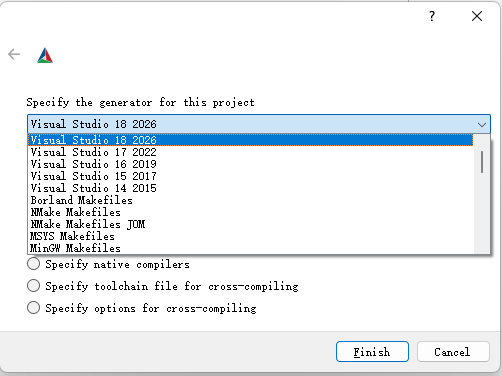
第一个下拉框选择自己想要编译的平台,其他默认,点击finish
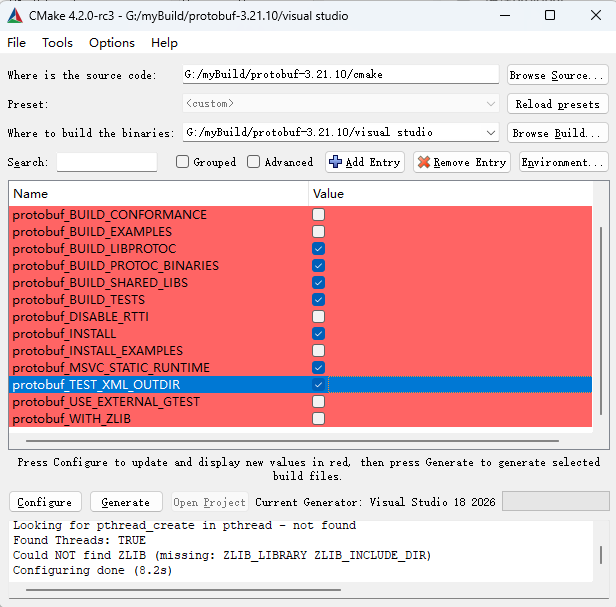
勾选想要的配置点击generate
在visual studio 中打开项目
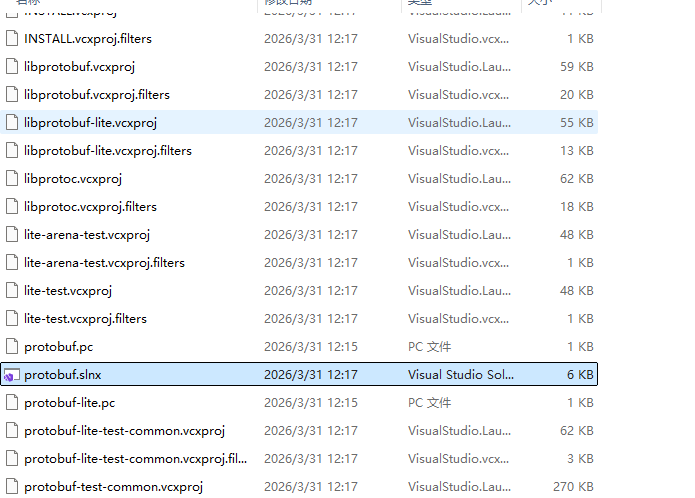
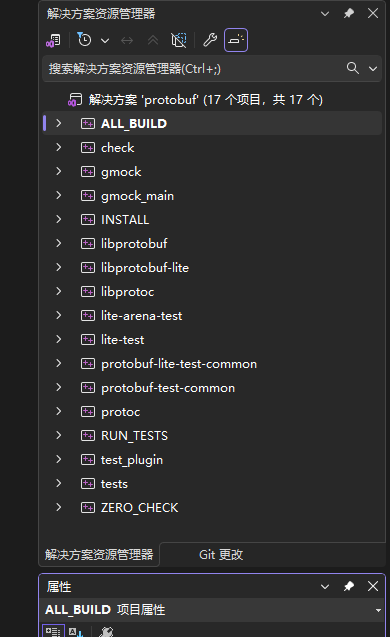
可选择Debug或者Release编译看自己需求即可。
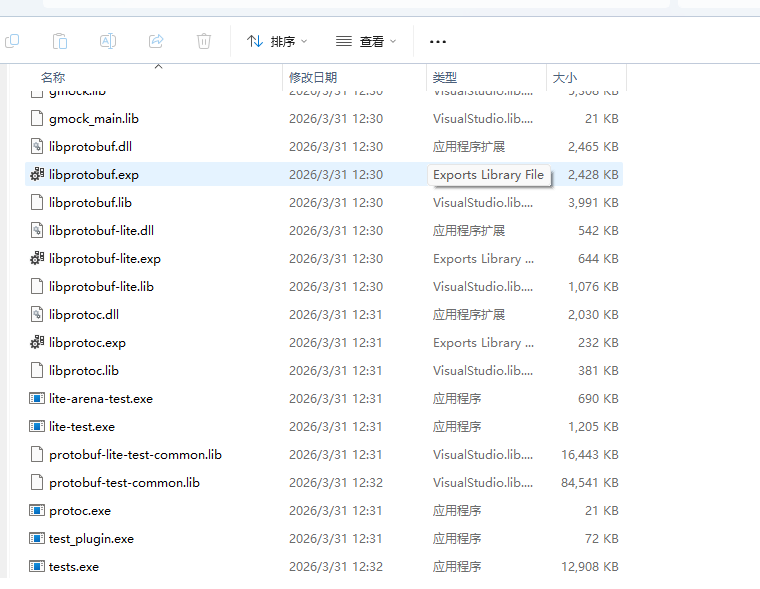
如此我们就编译成功了。
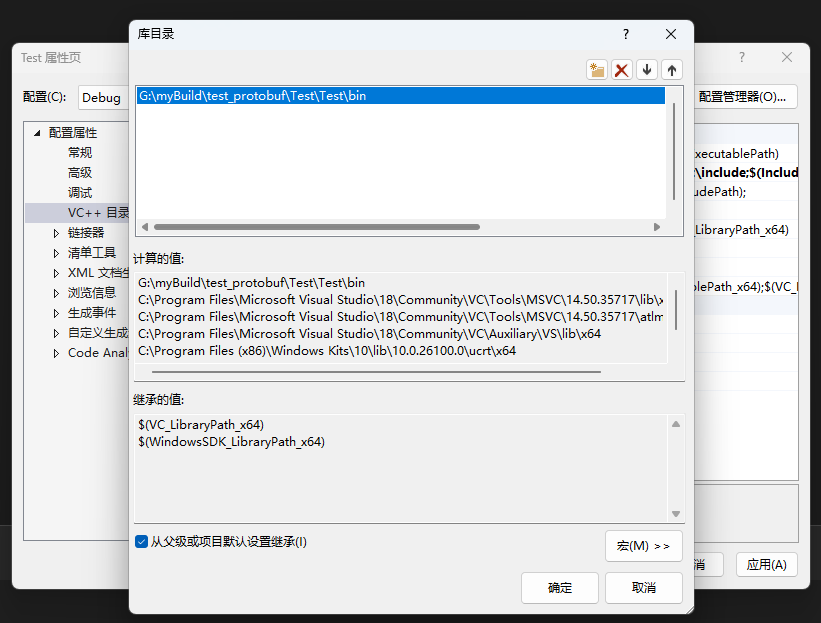
现在我们创建一个文件夹bin将生成的lib以及dll文件给拷贝到文件夹中,在将src中的google文件夹中所有文件给拷贝到一个include文件夹下(include文件夹自己创建),接下来我们来测试一下,首先在项目包含目录中添加include路径。
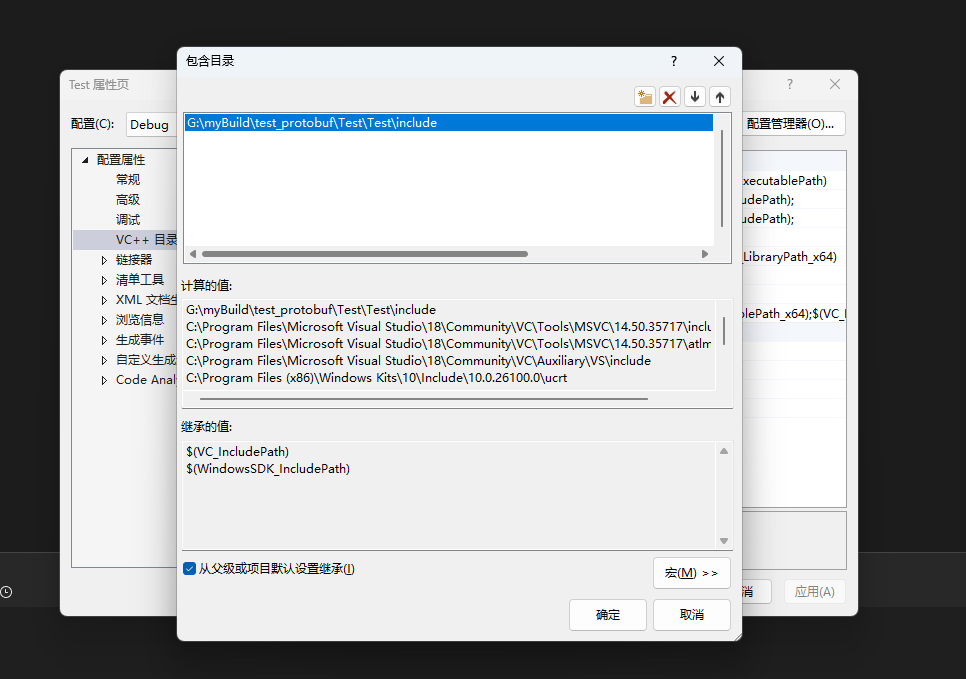
在库目录中包含bin路径
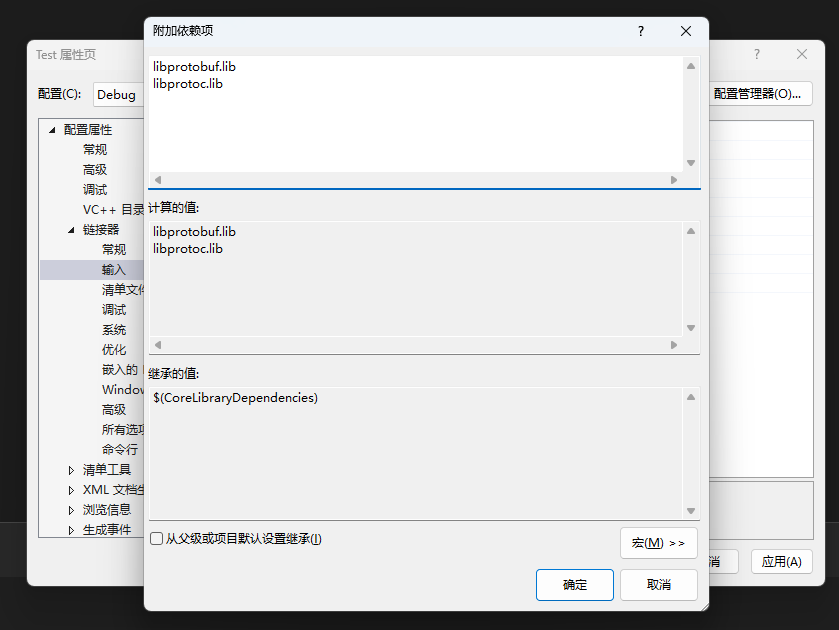
然后在链接器中包含一下所需的lib库
Debug:
libprotobufd.lib
libprotocd.lib

Release:
libprotobuf.lib
libprotoc.lib
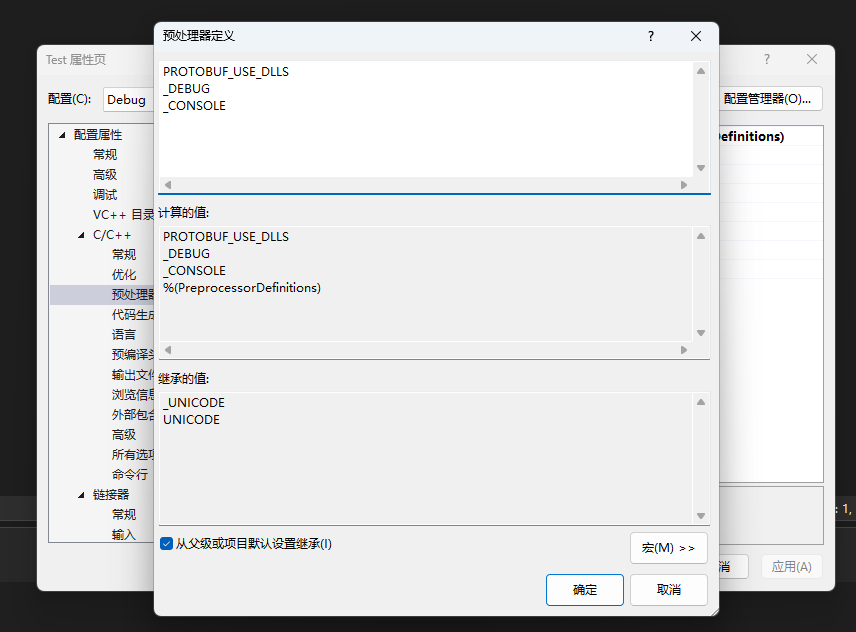
我们在预处理器中添加PROTOBUF_USE_DLLS
然后我们将bin目录添加到系统变量中
我们来写一个测试的person.proto
syntax = "proto3";

package test;

message Person {
  string name = 1;
  int32 id = 2;
  string email = 3;

  enum PhoneType {
    MOBILE = 0;
    HOME = 1;
    WORK = 2;
  }

  message PhoneNumber {
    string number = 1;
    PhoneType type = 2;
  }

  repeated PhoneNumber phones = 4;
  map<string, string> attributes = 5;
}

message AddressBook {
  repeated Person people = 1;
}
使用命令行
protoc --cpp_out=. person.proto
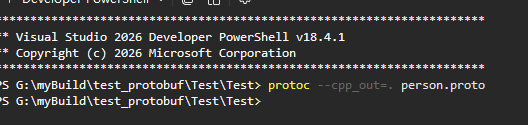
我们会得到person.pb.cc以及person.pb.h两个文件

我们来弄一个测试代码test.cpp
#include "person.pb.h"
#include <iostream>
#include <fstream>
#include <codecvt>
#include <locale>

void writeToFile(const std::string& filename) {
    test::Person person;

    person.set_name("John Doe");
    person.set_id(1001);
    person.set_email("john@example.com");

    // 添加电话号码
    test::Person::PhoneNumber* phone1 = person.add_phones();
    phone1->set_number("13800138000");
    phone1->set_type(test::Person::MOBILE);

    test::Person::PhoneNumber* phone2 = person.add_phones();
    phone2->set_number("010-12345678");
    phone2->set_type(test::Person::WORK);

    // 添加属性
    (*person.mutable_attributes())["department"] = "Engineering";
    (*person.mutable_attributes())["title"] = "Senior Developer";

    // 序列化到文件
    std::fstream output(filename, std::ios::out | std::ios::binary);
    if (!person.SerializeToOstream(&output)) {
        std::cerr << "未找到文件" << std::endl;
    }
    else {
        std::cout << "成功读取:" << filename << std::endl;
    }
}

void readFromFile(const std::string& filename) {
    test::Person person;

    // 从文件反序列化
    std::fstream input(filename, std::ios::in | std::ios::binary);
    if (!person.ParseFromIstream(&input)) {
        std::cerr << "未找到文件" << std::endl;
        return;
    }

    std::cout << "姓名: " << person.name() << std::endl;
    std::cout << "ID: " << person.id() << std::endl;
    std::cout << "邮箱: " << person.email() << std::endl;

    std::cout << "电话:" << std::endl;
    for (int i = 0; i < person.phones_size(); i++) {
        const test::Person::PhoneNumber& phone = person.phones(i);
        std::cout << "  " << phone.number()
            << " (Type: " << test::Person::PhoneType_Name(phone.type())
            << ")" << std::endl;
    }

    std::cout << "属性:" << std::endl;
    for (const auto& pair : person.attributes()) {
        std::cout << "  " << pair.first << ": " << pair.second << std::endl;
    }
}

int main() {
    const std::string filename = "person.dat";

    // 写入数据
    writeToFile(filename);

    // 读取并验证
    readFromFile(filename);

    return 0;
}
运行成功
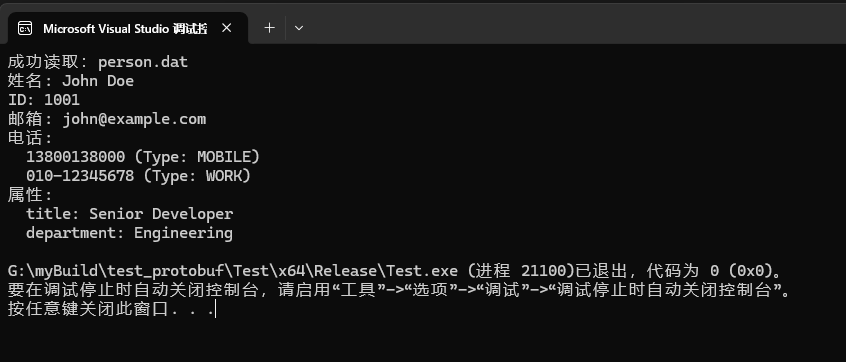
成功,到此我们的protobuf就编译完成了






 扫一扫
扫一扫


 1万+
1万+

 被折叠的 条评论
为什么被折叠?
被折叠的 条评论
为什么被折叠?
 到【灌水乐园】发言





