



如何为 Windows、Linux 和 macOS 构建 .NET 6 条形码和二维码 SDK
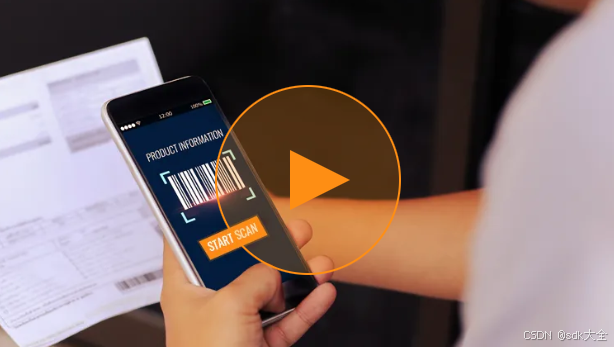
Microsoft .NET 6 SDK 使 C# 开发人员能够从一个代码库为 Windows、Linux 和 macOS 构建跨平台 DotNet 应用程序。本文介绍了基于Dynamsoft C/C++ Barcode SDK构建 .NET 6 条形码和二维码解码库的步骤,以及如何将该库打包到 NuGet 包中。
本文是4 部分系列文章的第 1 部分。
第 1 部分 - 如何为 Windows、Linux 和 macOS 构建 .NET 6 条形码和二维码 SDK
第 2 部分 - Windows 条形码和二维码阅读器:将 .NET Framework 移植到 .NET 6
第 3 部分 - 使用 HTML5 和 ASP.NET 的移动条形码和二维码阅读器
第 4 部分 - 如何在 .NET 6 中构建 Windows 桌面条形码和二维码扫描器
.NET 6 SDK 安装
视窗
Linux
苹果
Dynamsoft 条形码阅读器
下载 C/C++ SDK v9.0。
获取有效的许可证密钥以激活 SDK。
开发和构建 .NET 6 条形码和二维码 SDK 的步骤
创建一个新的库项目:
dotnet new classlib -o BarcodeQRCodeSDK
将共享库文件从 C/C++ SDK 包复制到项目根目录。对于不同的平台,所需的最小共享库文件为:
Windows DynamsoftBarcodeReader.dll:,vcomp110.dll
Linux:libDynamsoftBarcodeReader.so
macOS:libDynamsoftBarcodeReader.dylib
重命名Class1.cs为BarcodeQRCodeReader.cs。
P/Invoke是用于桥接 C/C++ 和 .NET 的技术。在文件中BarcodeQRCodeReader.cs,我们用来DllImport加载非托管共享库(例如*.dll,,)并定义一些托管方法与本机组件进行通信。*.so*.dylib
[DllImport("DynamsoftBarcodeReader")]
static extern IntPtr DBR_CreateInstance();
[DllImport("DynamsoftBarcodeReader")]
static extern void DBR_DestroyInstance(IntPtr hBarcode);
[DllImport("DynamsoftBarcodeReader")]
static extern int DBR_InitLicense(string license, [Out] byte[] errorMsg, int errorMsgSize);
[DllImport("DynamsoftBarcodeReader")]
static extern int DBR_DecodeFile(IntPtr hBarcode, string filename, string template);
[DllImport("DynamsoftBarcodeReader")]
static extern int DBR_FreeTextResults(ref IntPtr pTextResultArray);
[DllImport("DynamsoftBarcodeReader")]
static extern void DBR_GetAllTextResults(IntPtr hBarcode, ref IntPtr pTextResultArray);
[DllImport("DynamsoftBarcodeReader")]
static extern int DBR_DecodeBuffer(IntPtr hBarcode, IntPtr pBufferBytes, int width, int height, int stride, ImagePixelFormat format, string template);
[DllImport("DynamsoftBarcodeReader")]
static extern int DBR_DecodeBase64String(IntPtr hBarcode, string base64string, string template);
此外,我们需要在 C# 中定义一些本机结构:
[StructLayout(LayoutKind.Sequential, Pack = 1)]
internal struct PTextResult
{
BarcodeFormat emBarcodeFormat;
public string barcodeFormatString;
BarcodeFormat_2 barcodeFormat_2;
string barcodeFormatString_2;
public string barcodeText;
IntPtr barcodeBytes;
int barcodeBytesLength;
IntPtr localizationResult;
IntPtr detailedResult;
int resultsCount;
IntPtr results;
[MarshalAs(UnmanagedType.ByValArray, SizeConst = 56)]
char[] reserved;
}
[StructLayout(LayoutKind.Sequential, Pack = 1)]
internal struct TextResultArray
{
public int resultsCount;
public IntPtr results;
}
托管结构体和非托管指针之间的内存操作稍微有点棘手,我们需要使用Marshal来进行数据转换:
IntPtr pTextResultArray = IntPtr.Zero;
DBR_GetAllTextResults(hBarcode, ref pTextResultArray);
if (pTextResultArray != IntPtr.Zero)
{
string[]? resultArray = null;
TextResultArray? results = (TextResultArray?)Marshal.PtrToStructure(pTextResultArray, typeof(TextResultArray));
if (results != null)
{
int count = results.Value.resultsCount;
if (count > 0)
{
IntPtr[] barcodes = new IntPtr[count];
Marshal.Copy(results.Value.results, barcodes, 0, count);
resultArray = new string[count];
for (int i = 0; i < count; i++)
{
PTextResult? result = (PTextResult?)Marshal.PtrToStructure(barcodes[i], typeof(PTextResult));
if (result != null)
{
resultArray[i] = result.Value.barcodeText;
}
}
}
}
DBR_FreeTextResults(ref pTextResultArray);
return resultArray;
}
一旦解决了托管代码和非托管代码之间的通信问题,我们就可以定义一些高级 C# 方法:
public class BarcodeQRCodeReader
{
private IntPtr hBarcode;
private static string? licenseKey;
public static void InitLicense(string license) {
byte[] errorMsg = new byte[512];
licenseKey = license;
DBR_InitLicense(license, errorMsg, 512);
Console.WriteLine(Encoding.ASCII.GetString(errorMsg) + "\n");
}
private BarcodeQRCodeReader()
{
hBarcode = DBR_CreateInstance();
}
public static BarcodeQRCodeReader Create()
{
if (licenseKey == null)
{
throw new Exception("Please call InitLicense first.");
}
return new BarcodeQRCodeReader();
}
~BarcodeQRCodeReader()
{
if (hBarcode != IntPtr.Zero)
{
DBR_DestroyInstance(hBarcode);
hBarcode = IntPtr.Zero;
}
}
public void Destroy()
{
if (hBarcode != IntPtr.Zero)
{
DBR_DestroyInstance(hBarcode);
hBarcode = IntPtr.Zero;
}
}
public string[]? DecodeFile(string filename)
{
if (hBarcode == IntPtr.Zero) return null;
int ret = DBR_DecodeFile(hBarcode, filename, "");
return OutputResults();
}
}
构建源代码以生成*.dll文件。
dotnet build --configuration Release
如何生成和发布 NuGet 包
要生成该文件,最简单的方法是向文件中*.nupkg添加:<GeneratePackageOnBuild>true</GeneratePackageOnBuild>*.csproj
<PropertyGroup>
...
<GeneratePackageOnBuild>true</GeneratePackageOnBuild>
...
</PropertyGroup>
然后*.nupkg当你构建项目时该文件会自动生成。
我们的包中包含了一些原生库文件,为了正确地将它们打包到文件中,我们根据Runtime Identifier*.nupkg设置相应的PackagePath文件:*.csproj
<ItemGroup>
<None CopyToOutputDirectory="Always" Include="DynamsoftBarcodeReader.dll" Pack="true" PackagePath="runtimes/win-x64/native/DynamsoftBarcodeReader.dll" />
<None CopyToOutputDirectory="Always" Include="vcomp110.dll" Pack="true" PackagePath="runtimes/win-x64/native/vcomp110.dll" />
<None CopyToOutputDirectory="Always" Include="libDynamsoftBarcodeReader.dylib" Pack="true" PackagePath="runtimes/osx-x64/native/libDynamsoftBarcodeReader.dylib" />
<None CopyToOutputDirectory="Always" Include="libDynamsoftBarcodeReader.so" Pack="true" PackagePath="runtimes/linux-x64/native/libDynamsoftBarcodeReader.so" />
</ItemGroup>
文件准备好后,我们可以通过dotnet 命令*.nupkg将其发布到 NuGet 库:
dotnet nuget push *.nupkg -k <api-key> -s https://api.nuget.org/v3/index.json
或NuGet 在线页面。
nuget 包上传
这是BarcodeQRCodeSDK的最终页面: https://www.nuget.org/packages/BarcodeQRCodeSDK/
如何在本地添加 .NET 库项目作为引用
对于源代码,在文件<ProjectReference>中添加*.csproj:
<ItemGroup>
<ProjectReference Include="..\..\BarcodeQRCodeSDK.csproj" />
</ItemGroup>
对于生成的*.nupkg文件,将包目录添加到 NuGet 源列表,然后通过以下方式安装包dotnet add package:
dotnet nuget add source <package directory>
dotnet add package <package name>
一个简单的 .NET 6 命令行示例
创建一个新的 .NET 控制台应用程序:
dotnet new console -o Test
安装 .NET 条形码和二维码 SDK:
dotnet add package BarcodeQRCodeSDK
使用以下代码从图像文件中解码条形码和二维码:
using System;
using System.Runtime.InteropServices;
using Dynamsoft;
namespace Test
{
class Program
{
static void Main(string[] args)
{
BarcodeQRCodeReader.InitLicense("DLS2eyJoYW5kc2hha2VDb2RlIjoiMjAwMDAxLTE2NDk4Mjk3OTI2MzUiLCJvcmdhbml6YXRpb25JRCI6IjIwMDAwMSIsInNlc3Npb25QYXNzd29yZCI6IndTcGR6Vm05WDJrcEQ5YUoifQ==");
BarcodeQRCodeReader? reader = null;
try {
reader = BarcodeQRCodeReader.Create();
Console.WriteLine("Please enter an image file: ");
string? filename = Console.ReadLine();
if (filename != null) {
string[]? results = reader.DecodeFile(filename);
if (results != null) {
foreach (string result in results) {
Console.WriteLine(result);
}
}
else {
Console.WriteLine("No barcode found.");
}
}
}
catch (Exception e)
{
Console.WriteLine(e.Message);
}
finally
{
if (reader != null)
{
reader.Destroy();
}
}
}
}
}
在 Windows、Linux 或 macOS 中运行该应用程序:
dotnet run
命令行 .NET 条形码和二维码阅读器
源代码
https://github.com/yushulx/dotnet-barcode-qr-code-sdk





 扫一扫
扫一扫


 3229
3229

 被折叠的 条评论
为什么被折叠?
被折叠的 条评论
为什么被折叠?
 到【灌水乐园】发言





