


 本文介绍了一种使用VBA进行数据库查询并显示查询结果的方法。重点在于如何编写正确的SQL语句来确保查询到的数据与期望一致,并展示了如何处理空值和格式化表格中的数据。
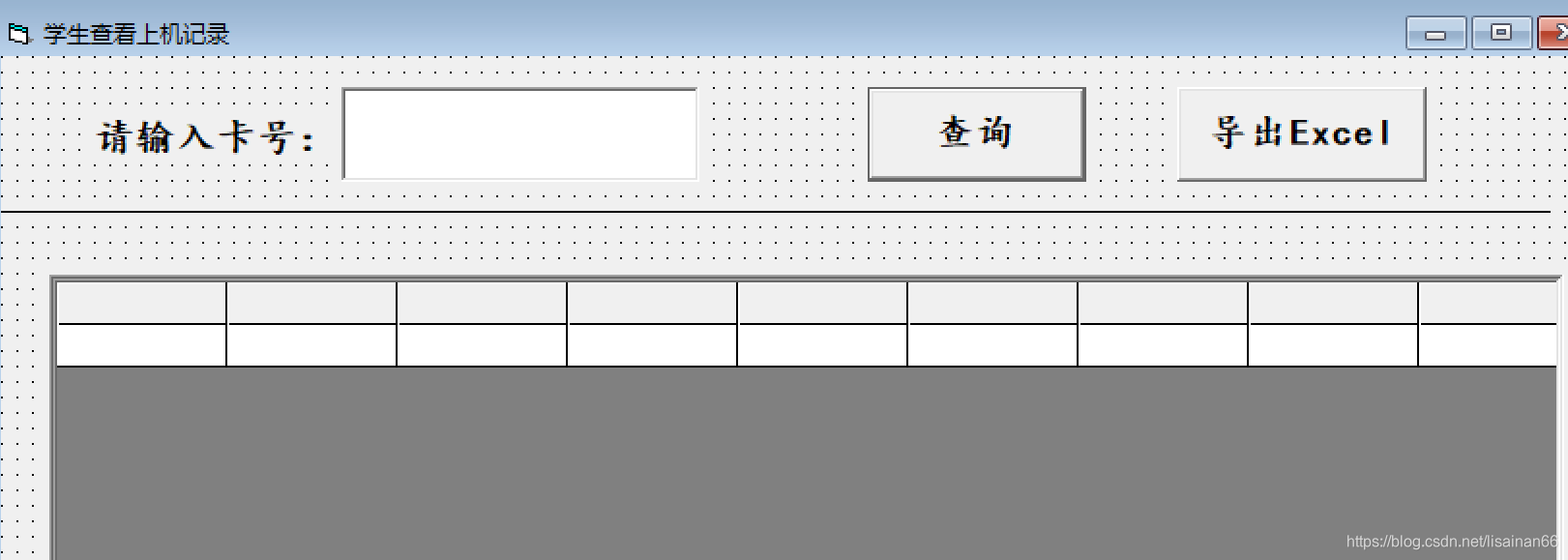
先放上代码
Private Sub cmdInquiry_Click()
'判空
If txtCardNo = "" Then
MsgBox "卡号不能为空", vbOKOnly + vbExclamation, "警告"
txtCardNo.SetFocus
Exit Sub
Else
'链接学生表
txtSQL = "select cardno,studentName,ondate,ontime,offdate,offtime,consume,cash,status from Line_Info where offdate is not null and cardno='" & txtCardNo.Text & "'"
Set mrc = ExecuteSQL(txtSQL, MsgText)
If mrc.EOF Then
MsgBox " 没有记录", vbOKOnly + vbExclamation, "警告"
Else
With MSFlexGrid1
.Rows = 1
.TextMatrix(0, 0) = "卡号"
.TextMatrix(0, 1) = "姓名"
.TextMatrix(0, 2) = "上机日期"
.TextMatrix(0, 3) = "上机时间"
.TextMatrix(0, 4) = "下机日期"
.TextMatrix(0, 5) = "下机时间"
.TextMatrix(0, 6) = "消费金额"
.TextMatrix(0, 7) = "余额"
.TextMatrix(0, 8) = "备注"
CellAlignment = 4 '单元格的内容居中、居中对齐
Do While Not mrc.EOF
.Rows = .Rows + 1
.TextMatrix(.Rows - 1, 0) = Trim(mrc.Fields(0))
.TextMatrix(.Rows - 1, 1) = Trim(mrc.Fields(1))
.TextMatrix(.Rows - 1, 2) = mrc.Fields(2)
.TextMatrix(.Rows - 1, 3) = mrc.Fields(3)
.TextMatrix(.Rows - 1, 4) = mrc.Fields(4)
.TextMatrix(.Rows - 1, 5) = mrc.Fields(5)
.TextMatrix(.Rows - 1, 6) = mrc.Fields(6)
.TextMatrix(.Rows - 1, 7) = mrc.Fields(7)
.TextMatrix(.Rows - 1, 8) = mrc.Fields(8)
mrc.MoveNext
Loop
End With
End If
End If
End Sub
在写MSFlexGrid表格上的列名的时候,和数据库里的字段要一致,开始使用的方法是是贴图一个个的对,然而还是出错了,其实应该使用SQL语句查询的时候就按照列名去对着查询,那么就是从mrc.Fields(0)字段开始顺着往下面写。
开始查询时候使用*查询所有字段,所以跟想显示的字段位置并不是相对应的。如下面的代码段和显示的结果图
select * from Line_Info where offdate is not null and studentno=11

后面select后面直接跟想查找的字段,方便了很多。
select cardno,studentName,ondate,ontime,offdate,offtime,consume,cash,status from Line_Info
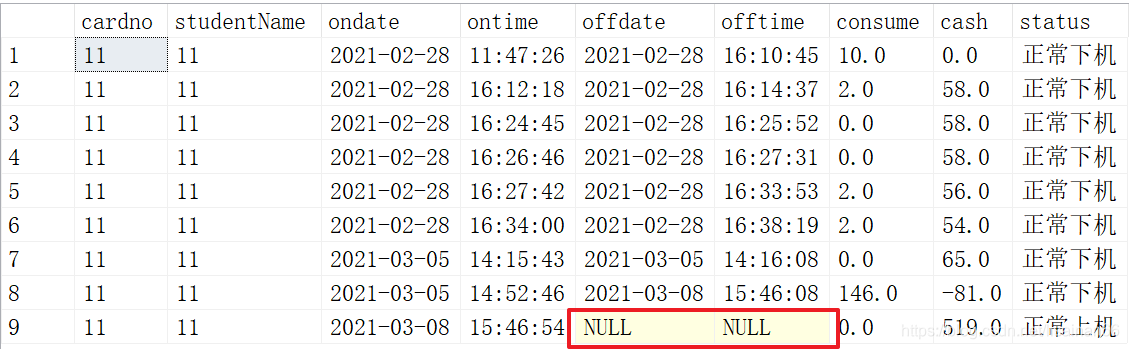
但是如上图所示,用户11是管理员,我所使用的就是管理员身份,所以今天登录的状态里并没有下机时间和日期,出现了null.运行的时候也出现了错误。
txtSQL = "select cardno,studentName,ondate,ontime,offdate,offtime,consume,cash,status from Line_Info where  cardno='" & txtCardNo.Text & "'"
    Set mrc = ExecuteSQL(txtSQL, MsgText)
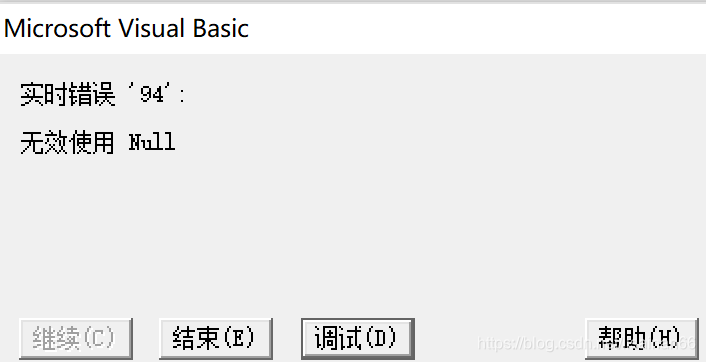
调试,下机日期提示出错。如下图
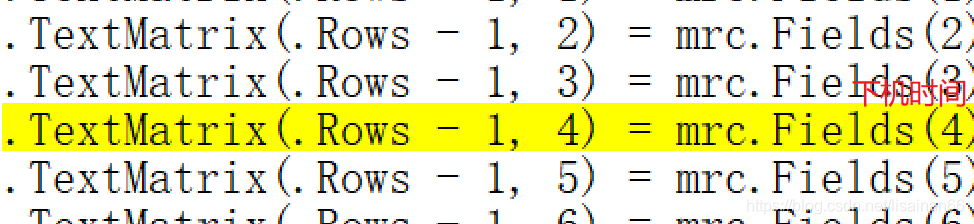
后面改了sql语句,在where后面加了条件,offdate不允许为空,offdate is not null。运行正常。但是这样的话不能显示现在正在上机的用户信息,不知道这样的逻辑是否存在问题。
txtSQL = "select cardno,studentName,ondate,ontime,offdate,offtime,consume,cash,status from Line_Info where offdate is not null and cardno='" & txtCardNo.Text & "'"
    Set mrc = ExecuteSQL(txtSQL, MsgText)
后面运行又出了新的问题,卡号和姓名不显示,因此做了trim去除空格。
 .TextMatrix(.Rows - 1, 0) = Trim(mrc.Fields(0))
 .TextMatrix(.Rows - 1, 1) = Trim(mrc.Fields(1))





 扫一扫
扫一扫


&spm=1001.2101.3001.5002&articleId=114831345&d=1&t=3&u=e1e5d4d015e047a396a70031824f462b)
 926
926

 被折叠的 条评论
为什么被折叠?
被折叠的 条评论
为什么被折叠?
 到【灌水乐园】发言





