



 本文档详细介绍了如何在Linux RHEL7上安装WebSphere 8.5集群。首先,通过IBM Installation Manager进行安装前的准备,接着在DM和APP服务器上配置并安装WebSphere,包括IBM HTTP Server、WebSphere Application Server Network Deployment、Web Server Plug-ins和WebSphere Customization Toolbox等组件。整个过程涵盖了从启动Installation Manager、添加资源库、选择安装组件到设置安装目录、默认端口等步骤。
一.安装WebSphere 之前需要先安装IBM installation Manager
安装部署环境:一台DM+APP 另一台 APP
installation Manager 的安装比较简单基本上都是一步一步往下走。
1.start to install IM 找到文件解压的目录执行下面的命令.
sudo ./consoleinst.sh
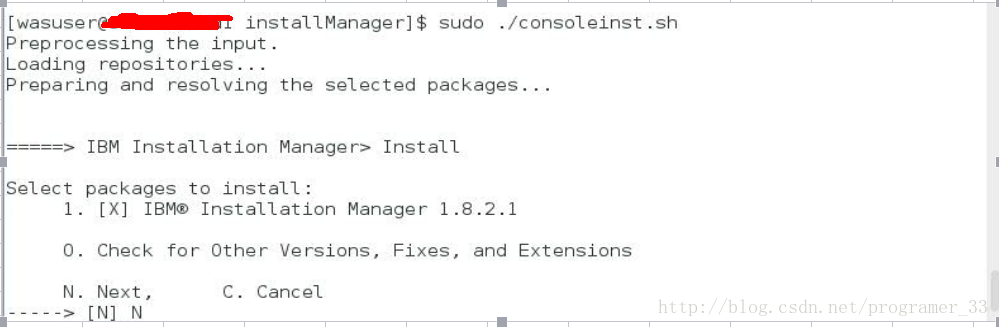
1.1 choose N and press enter
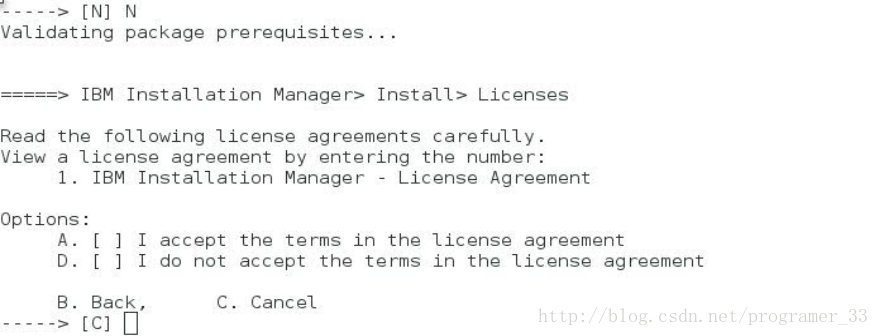
1.2 choose A and press Enter
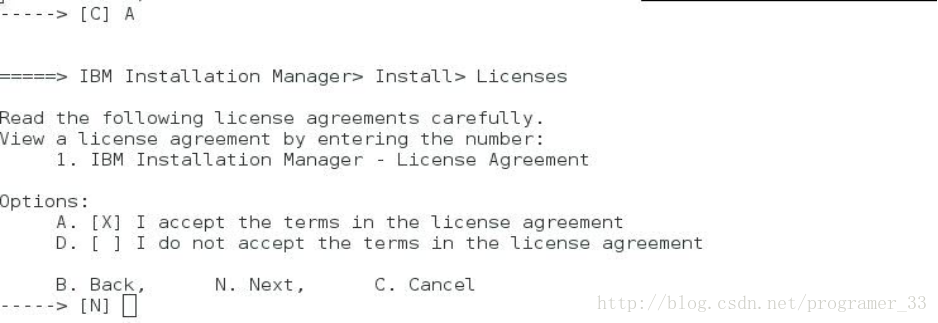
1.3 choose N and press Enter
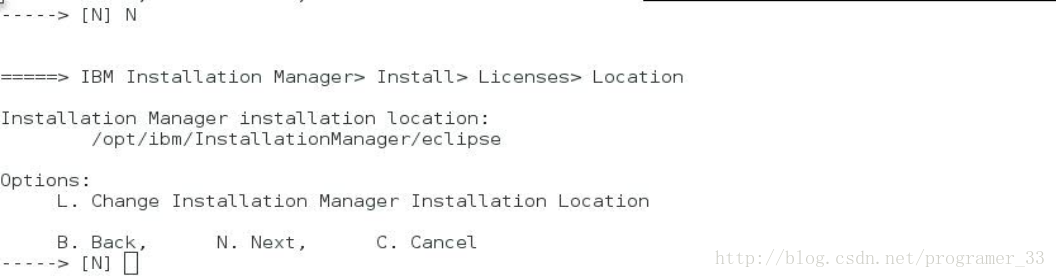
1.4 choose N and press Enter
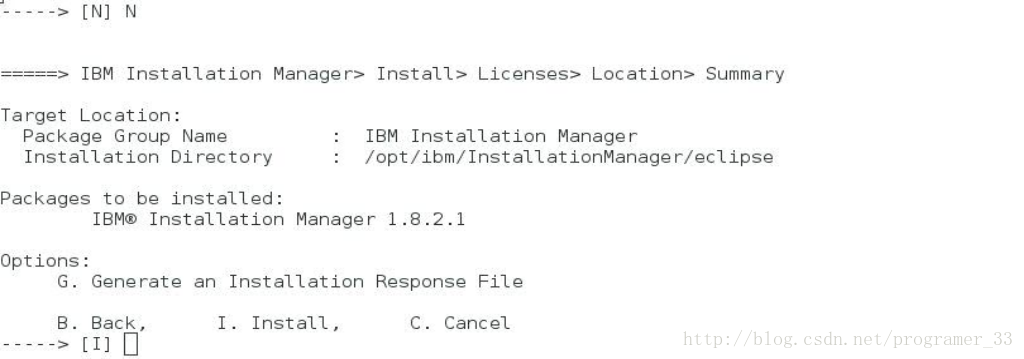
1.5 Install Manager will install in /opt/IBM/InstallationManager/eclipse this folder, choose I and press Enter and start install.

1.6 choose R restart Installation Manager

1.7 choose X exit Installation Manager

二. 安装WebSphere
2.1 go to the folder /opt/InstallationManager/eclipse, open the terminal console./
sudo ./IBMIM

2.2 open the IM

2.3 file ->preferences and then press "Add Respository "

2.4 添加 respository.config 文件 ,主服务器需要的配置文件和从服务器需要的配置文件

2.5 添加从服务器的安装配置文件


2.7 press install

2.8 choose IBM HTTP Server for WebSphere Application Server ,IBM WebSphere Application Server Network Deployment ,Web Server Plug-ins for IBM WebSphere Application Server ,WebSphere Customization Toolbox .This four will be installed

2.9 choose IBM HTTP Server for WebSphere Application Server ,IBM WebSphere Application Server Network Deployment ,Web Server Plug-ins for IBM WebSphere Application Server ,WebSphere Customization Toolbox .This four will be installed

2.10 click next just ignore warning

2.11 choose accept and press next

2.12 then use the default Directory just press next

2.13 chose Installation Directory 1./opt/IBM/HTTPServer for IBM HTTPServer V8.5

2.14 chose /opt/IBM/WebSphere/AppServer for IBM WebSphere AppServer V8.5

2.15 chose /opt/IBM/WebSphere/Plugins for Web Server Plug-ins for IBM WebSphere Plugins Server V8.5

2.16 chose /opt/IBM/WebSphere/Toolbox for WebSphere Customization Toolbox V8.5

2.17 press next choose the language .also add the "Sample applications "and wrap out the useless tools (Profile Management Tool ,z/OS Migration Management Tool )

2.18 press next and then use the default HTTP port and then press next

2.19 insure the Install Packages and press Install

2.20 click finish





 扫一扫
扫一扫


 1313
1313

 被折叠的 条评论
为什么被折叠?
被折叠的 条评论
为什么被折叠?
 到【灌水乐园】发言





