



 本文介绍了SpringMVC基于注解的使用方式,避免了传统XML配置的繁琐。通过@Controller和@RequestMapping注解,可以实现一个控制器处理多个请求。配置前端控制器DispatcherServlet,创建注解扫描的控制器类,并在配置文件中启用注解驱动,使得请求能够正确映射到控制器方法,简化了项目配置和代码结构。
四 SpringMVC基于注解的使用方式
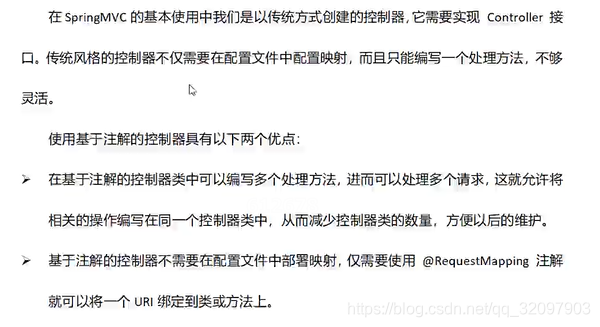
回顾:上次用的是实现web.servlet那个包下面的Controller接口,做控制器。一个实现类(控制器)只能实现一个handlerRequest方法。然后在springmvc的配置文件中配置bean标签,属性id或者name写uri,属性class写控制器路径。然后通过url访问。注意!这里面tmd只有一个请求!就用了一个控制器,因为一个实现类只能实现一个handlerRequest方法。这种要处理多个请求,就要写对应数量的多个controller,实现handlerRequest方法。
所以,就用注解。
注解方式,不用实现接口。一个控制器含有多个可处理的请求。不用在springmvc中配置uri和类路径。
1 注解介绍
1.1@Controller
spring框架注解中提到过。就是指定Bean对象为控制器。
1.2@RequestMapping
将一个uri绑定到类上或类的方法中。
2 注解使用
2.1 创建项目
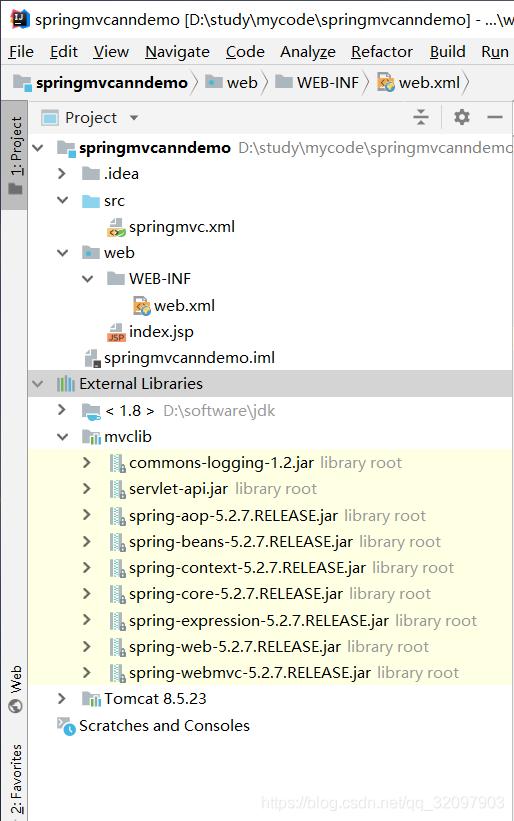
2.2 配置前端控制器
<?xml version="1.0" encoding="UTF-8"?>
<web-app xmlns="http://xmlns.jcp.org/xml/ns/javaee"
         xmlns:xsi="http://www.w3.org/2001/XMLSchema-instance"
         xsi:schemaLocation="http://xmlns.jcp.org/xml/ns/javaee http://xmlns.jcp.org/xml/ns/javaee/web-app_4_0.xsd"
         version="4.0">
    <!--配置前端控制器-->
    <servlet>
        <servlet-name>springmvc</servlet-name>
        <servlet-class>org.springframework.web.servlet.DispatcherServlet</servlet-class>
        <init-param>
            <param-name>contextConfigLocation</param-name>
            <param-value>classpath:springmvc.xml</param-value>
        </init-param>
        <load-on-startup>1</load-on-startup>
    </servlet>
    <servlet-mapping>
        <servlet-name>springmvc</servlet-name>
        <url-pattern>/</url-pattern>
    </servlet-mapping>
</web-app>
2.3 创建控制器
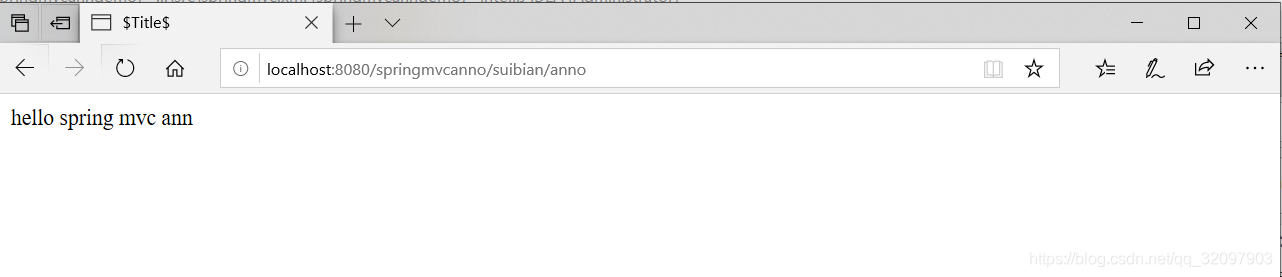
所有请求前面都要加个suibian,如果在类前面写RequestMapping的话!
package com.bjsxt.web.controller;

import org.springframework.stereotype.Controller;
import org.springframework.web.bind.annotation.RequestMapping;
import org.springframework.web.servlet.ModelAndView;
@Controller
@RequestMapping("/suibian")
public class AnnoController {
    @RequestMapping("/anno")
    public ModelAndView anno(){
        ModelAndView modelAndView = new ModelAndView();
        modelAndView.setViewName("/index.jsp");
        modelAndView.addObject("msg","hello spring mvc  ann");
        return modelAndView;
    }
}
index.jsp修改
${msg}
<%--
  Created by IntelliJ IDEA.
  User: HP
  Date: 2020/11/16
  Time: 8:25
  To change this template use File | Settings | File Templates.
--%>
<%@ page contentType="text/html;charset=UTF-8" language="java" %>
<html>
  <head>
    <title>$Title$</title>
  </head>
  <body>
  ${msg}
  </body>
</html>
2.4配置注解扫描
<context:component-scan base-package=“com.bjsxt.web.controller”></context:component-scan>
<?xml version="1.0" encoding="UTF-8"?>
<beans xmlns="http://www.springframework.org/schema/beans"
       xmlns:xsi="http://www.w3.org/2001/XMLSchema-instance"
       xmlns:context="http://www.springframework.org/schema/context"
       xsi:schemaLocation="http://www.springframework.org/schema/beans
       http://www.springframework.org/schema/beans/spring-beans.xsd
       http://www.springframework.org/schema/context
       http://www.springframework.org/schema/context/spring-context.xsd">
    <!--配置注解扫描-->
    <context:component-scan base-package="com.bjsxt.web.controller"></context:component-scan>
</beans>
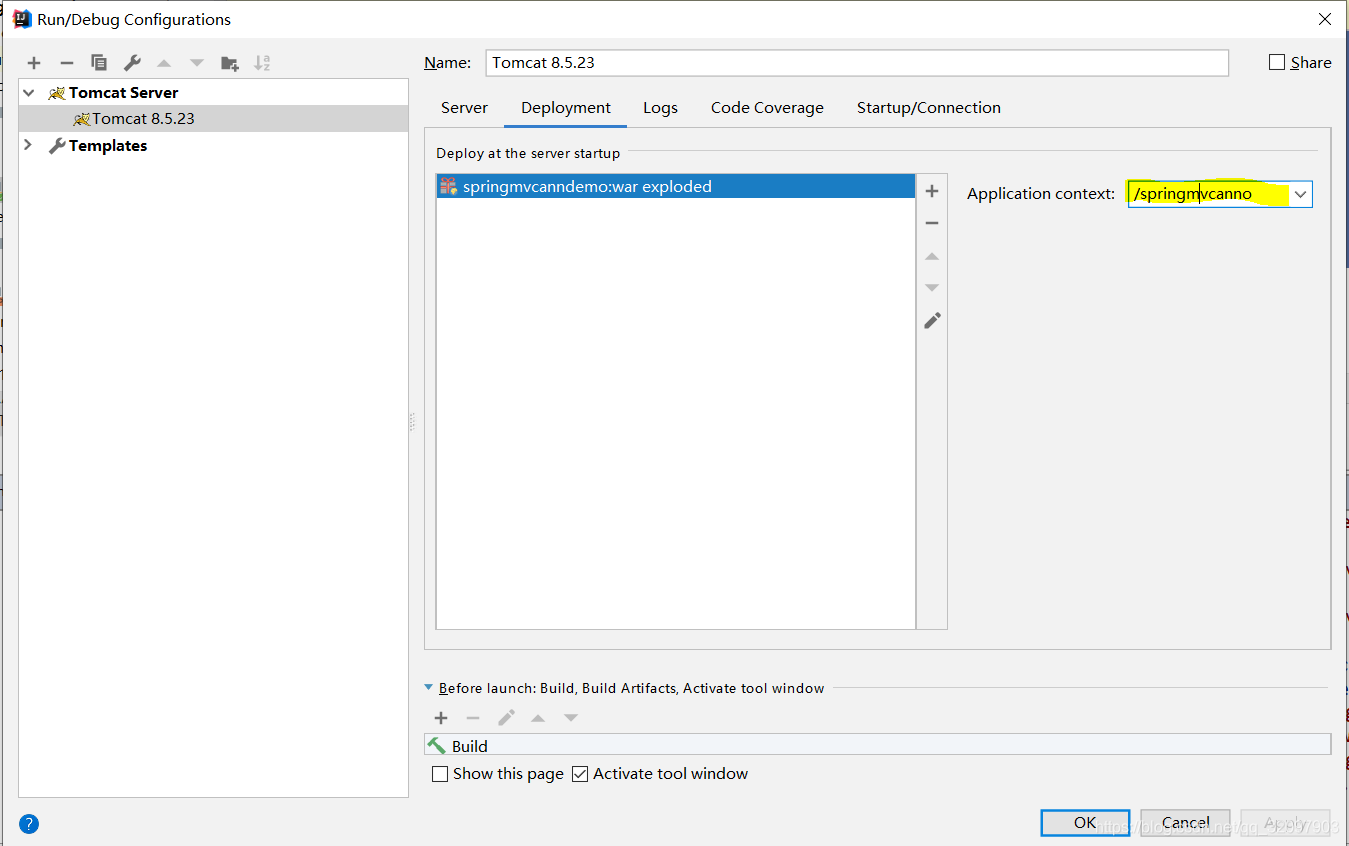
配置tomcat所有请求之前加上什么内容
运行结果
3 配置注解驱动
命名空间要加上mvc的…
<context:component-scan base-package=“com.bjsxt.web.controller”></context:component-scan> @RequestMapping,@Controller可以用。
mvc:annotation-driven 加载到这句时,对应的处理类AnnotationDrivenBeanDefinitionParser会将解析注解相关的一些bean对象创建,并使用spring ioc管理起来。这是框架将多个解析的bean整合了。
<?xml version="1.0" encoding="UTF-8"?>
<beans xmlns="http://www.springframework.org/schema/beans"
       xmlns:xsi="http://www.w3.org/2001/XMLSchema-instance"
       xmlns:context="http://www.springframework.org/schema/context"
       xmlns:mvc="http://www.springframework.org/schema/mvc"
       xsi:schemaLocation="http://www.springframework.org/schema/beans
       http://www.springframework.org/schema/beans/spring-beans.xsd
       http://www.springframework.org/schema/context
       http://www.springframework.org/schema/context/spring-context.xsd
       http://www.springframework.org/schema/mvc
       http://www.springframework.org/schema/mvc/spring-mvc.xsd">
    <!--配置注解扫描-->
    <context:component-scan base-package="com.bjsxt.web.controller"></context:component-scan>
    <!-- 配置注解驱动-->
    <mvc:annotation-driven/>
</beans>





 扫一扫
扫一扫


 被折叠的 条评论
为什么被折叠?
被折叠的 条评论
为什么被折叠?
 到【灌水乐园】发言





