


用了这么长时间的vulkan渲染,我们本次主要来尝试使用vulkan相对于其他图形api的一个优势:多线程渲染。
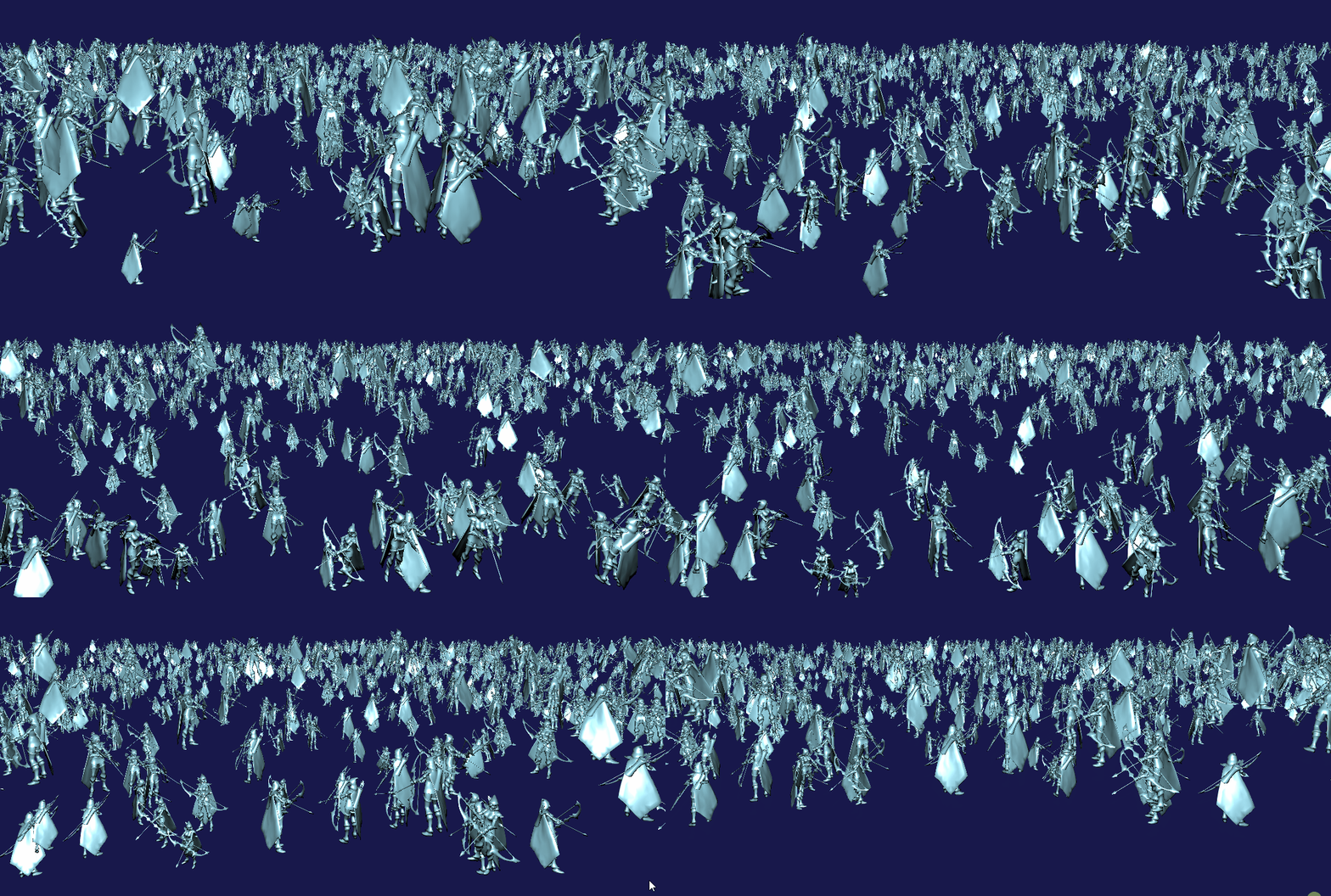
本次我们主要来实现:在多个线程中平分渲染1024个模型并且在cpu中根据模型位置实现一个简单的视锥体剔除。
一、理论基础
文章开始之前,我们先来介绍两个vulkan常用功能:Fence及副命令缓冲区。
栅栏(fence):当主机需要等待设备完成某次提交中的大量工作时使用,通常需要操作系统的协助。是中等级量的同步语句。
副命令缓冲区:是可以由主命令缓冲区调用的命令缓冲区,副命令缓冲区可以从主命令缓冲区中继承部分状态从而减少重置管线整个状态导致的巨大开销。
二、数据准备
2.1 数据定义
2.1.1 多线程类
自定义一个线程管理类来实现多线程处理
#include <vector>
#include <thread>
#include <queue>
#include <mutex>
#include <condition_variable>
#include <functional>

template<typename T, typename ...Args>
std::unique_ptr<T> make_unique(Args&& ...args)
{


	return std::unique_ptr<T>(new T(std::forward<Args>(args)...));
}

namespace vks
{


	class Thread
	{


	private:
		bool destroying = false;
		std::thread worker;
		std::queue<std::function<void()>> jobQueue;
		std::mutex queueMutex;
		std::condition_variable condition;

		// Loop through all remaining jobs 循环所有剩余的作业
		void queueLoop()
		{


			while (true)
			{


				std::function<void()> job;
				{


					std::unique_lock<std::mutex> lock(queueMutex);
					condition.wait(lock, [this] {

    return !jobQueue.empty() || destroying; });
					if (destroying)
					{


						break;
					}
					job = jobQueue.front();
				}

				job();

				{


					std::lock_guard<std::mutex> lock(queueMutex);
					jobQueue.pop();
					condition.notify_one();
				}
			}
		}

	public:
		Thread()
		{


			worker = std::thread(&Thread::queueLoop, this);
		}

		~Thread()
		{


			if (worker.joinable())
			{


				wait();
				queueMutex.lock();
				destroying = true;
				condition.notify_one();
				queueMutex.unlock();
				worker.join();
			}
		}

		// 在线程队列中添加一个新作业
		void addJob(std::function<void()> function)
		{


			std::lock_guard<std::mutex> lock(queueMutex);
			jobQueue.push(std::move(function));
			condition.notify_one();
		}

		// 等待直到所有工作项都完成
		void wait()
		{


			std::unique_lock<std::mutex> lock(queueMutex);
			condition.wait(lock, [this]() {

    return jobQueue.empty(); });
		}
	};

	class ThreadPool
	{


	public:
		std::vector<std::unique_ptr<Thread>> threads;

		// 设置要在此池中分配的线程数
		void setThreadCount(uint32_t count)
		{


			threads.clear();
			for (auto i = 0; i < count; i++)
			{


				threads.push_back(make_unique<Thread>());
			}
		}

		// 等待,直到所有线程都完成了它们的工作项
		void wait()
		{


			for (auto &thread : threads)
			{


				thread->wait();
			}
		}
	};
}
这里将每个Thread需要执行的任务放在了一个jobQueue中,在jobQueue中没有任何任务时,将当前线程睡眠,而当有新的任务加入进来以后,唤醒该线程执行任务。
ThreadPool负责创建Thread,在每一帧中通过Wait函数,来等待每个线程中的所有任务都结束。
2.1.2 视锥体类
我们实现一个视锥体类来实现判断模型是否在视锥体之中:
#include <array>
#include <math.h>
#include <glm/glm.hpp>

namesp






 扫一扫
扫一扫


 2366
2366

 被折叠的 条评论
为什么被折叠?
被折叠的 条评论
为什么被折叠?
 到【灌水乐园】发言





