



前言
在我们开发完成部署运维项目的时候,难免会用到nginx来做负载均衡或者反向代理,针对nginx的安装启动和停止,相信对大家来说不是难事,但是面对复杂的nginx配置文件,难免有时候会摸不到头脑,很多时候都得找大神求救!,本篇文章就着重就nginx的配置文件来做一下详解。
简单的nginx下载部署
1.下载链接
https://nginx.org/en/download.html
2.选择喜欢的一个版本来下载
3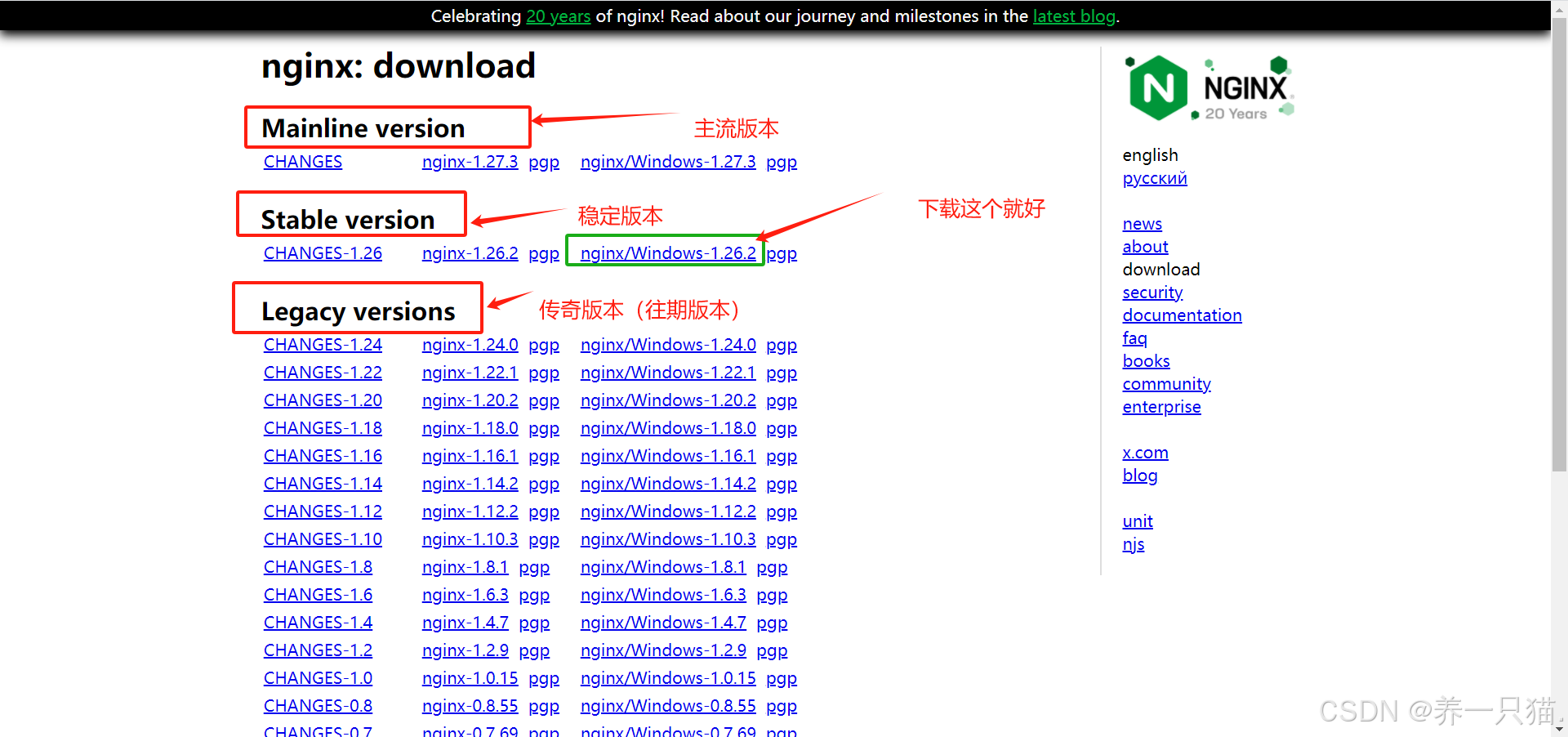
3.解压启动
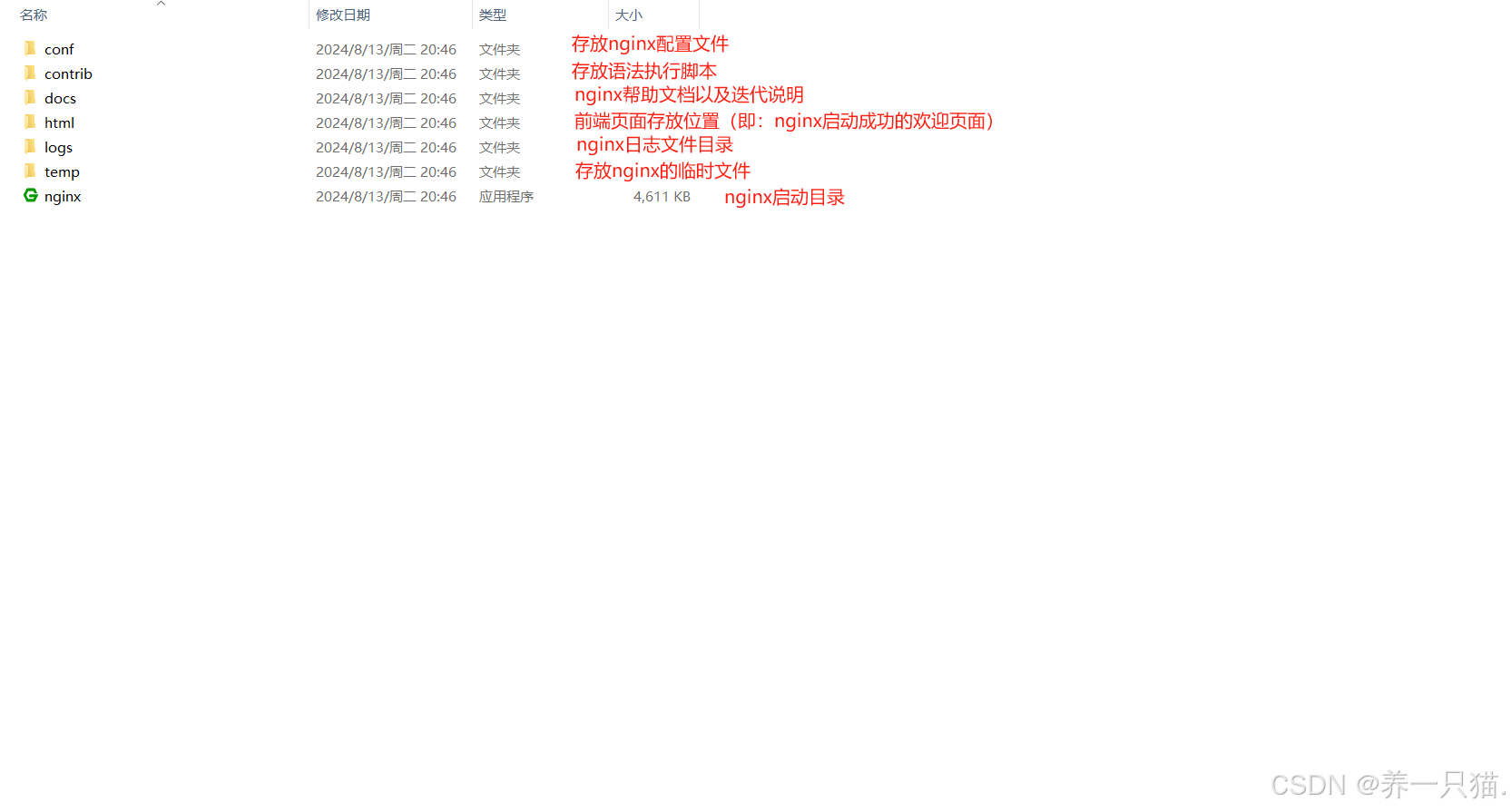
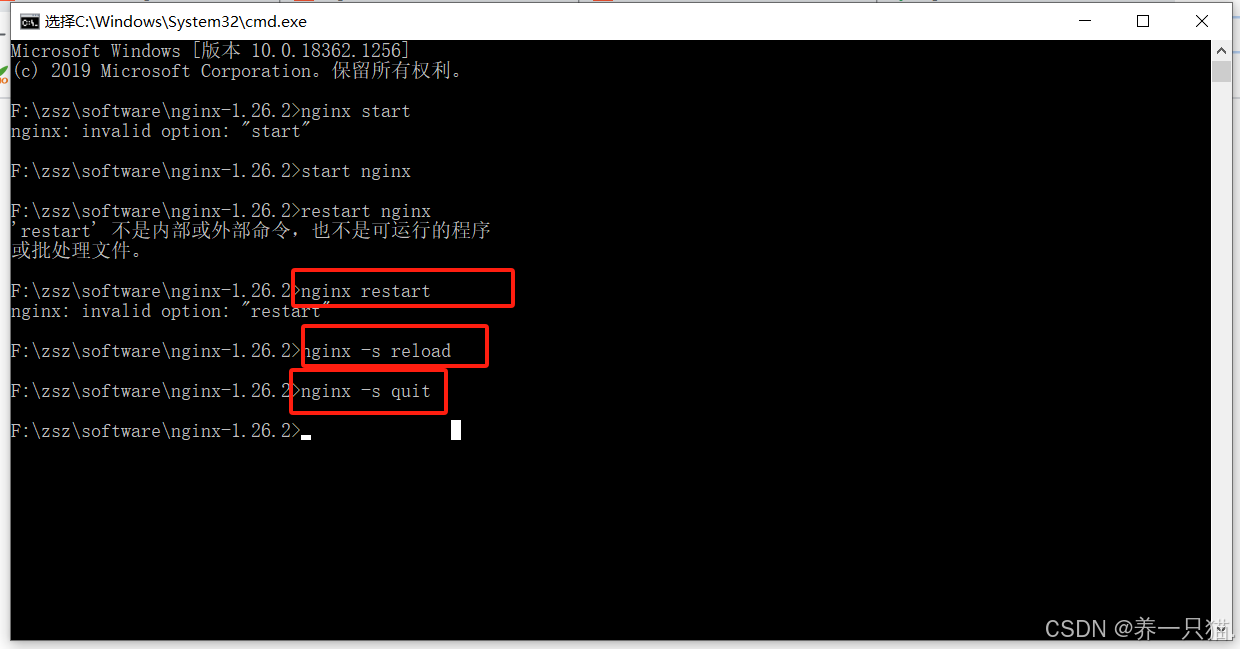
nginx常用命令:
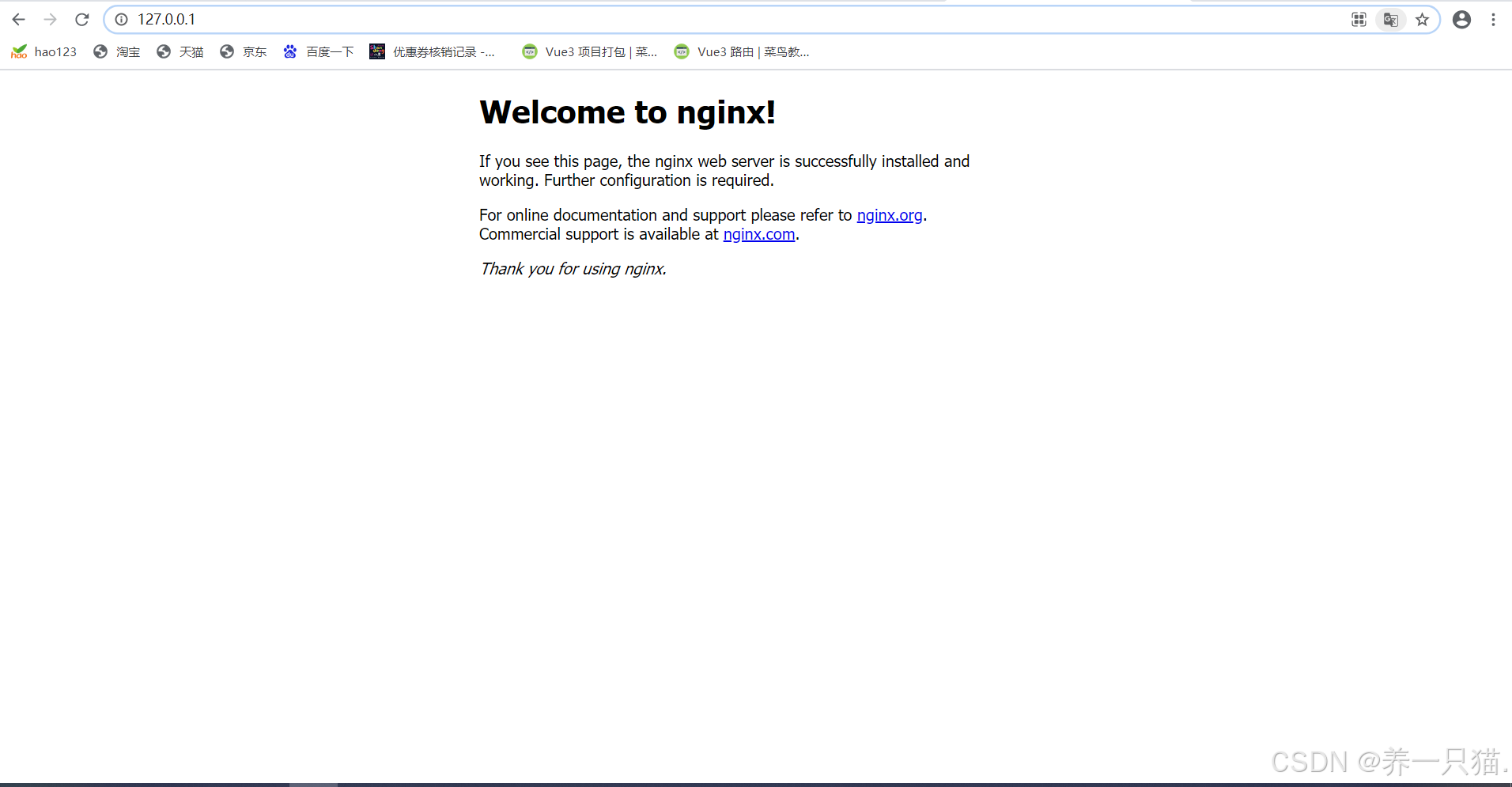
启动:双击 文件夹下的nginx,或者在当前目录的cmd页面执行
start nginx
重启:nginx -s reload
停止:nginx -s qiut
ps: 也可执行taskkill taskkill /f /t /im nginx.exe 来杀掉nginx进程,简单粗暴
配置文件详解
配置文件所在位置
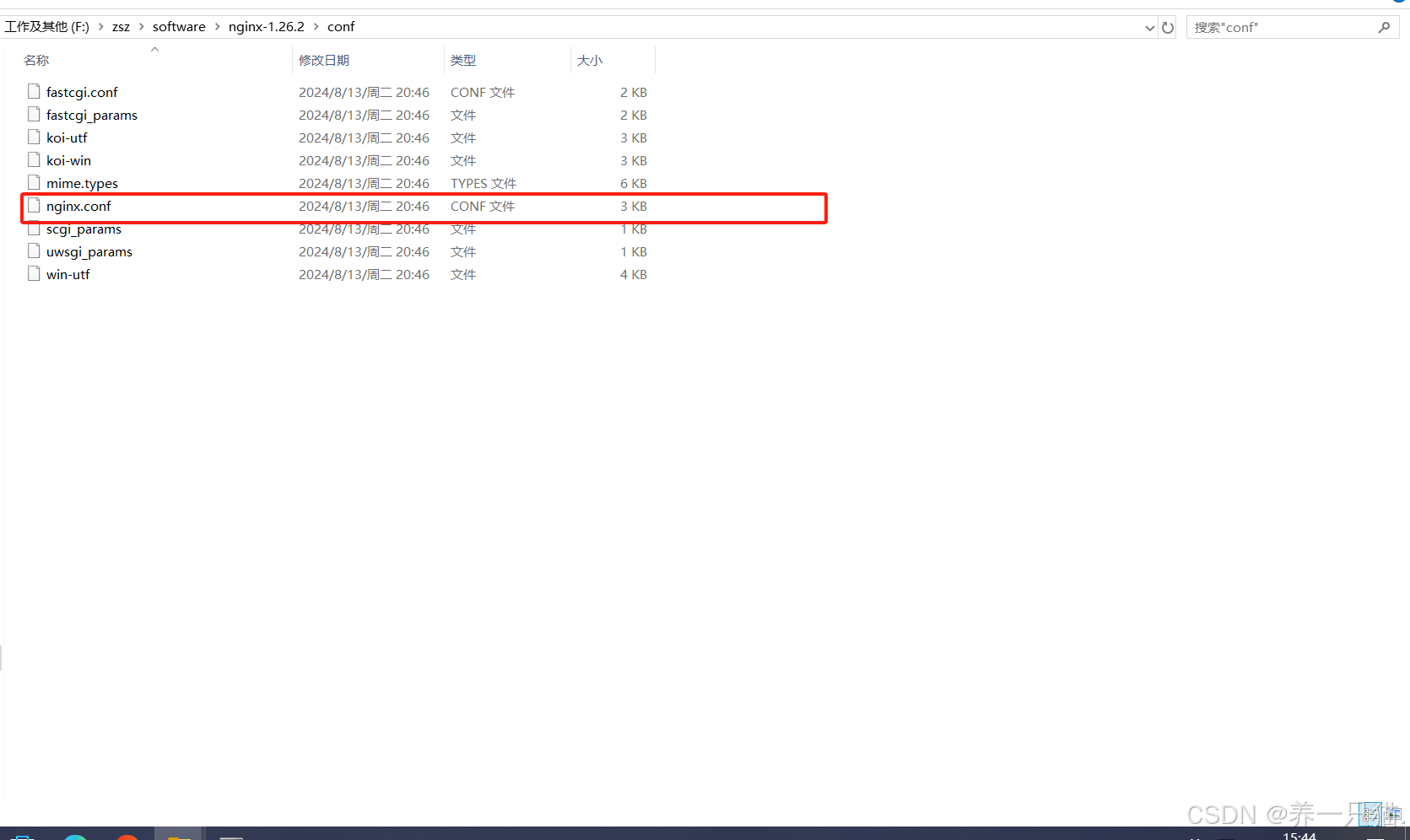
配置文件如图所示
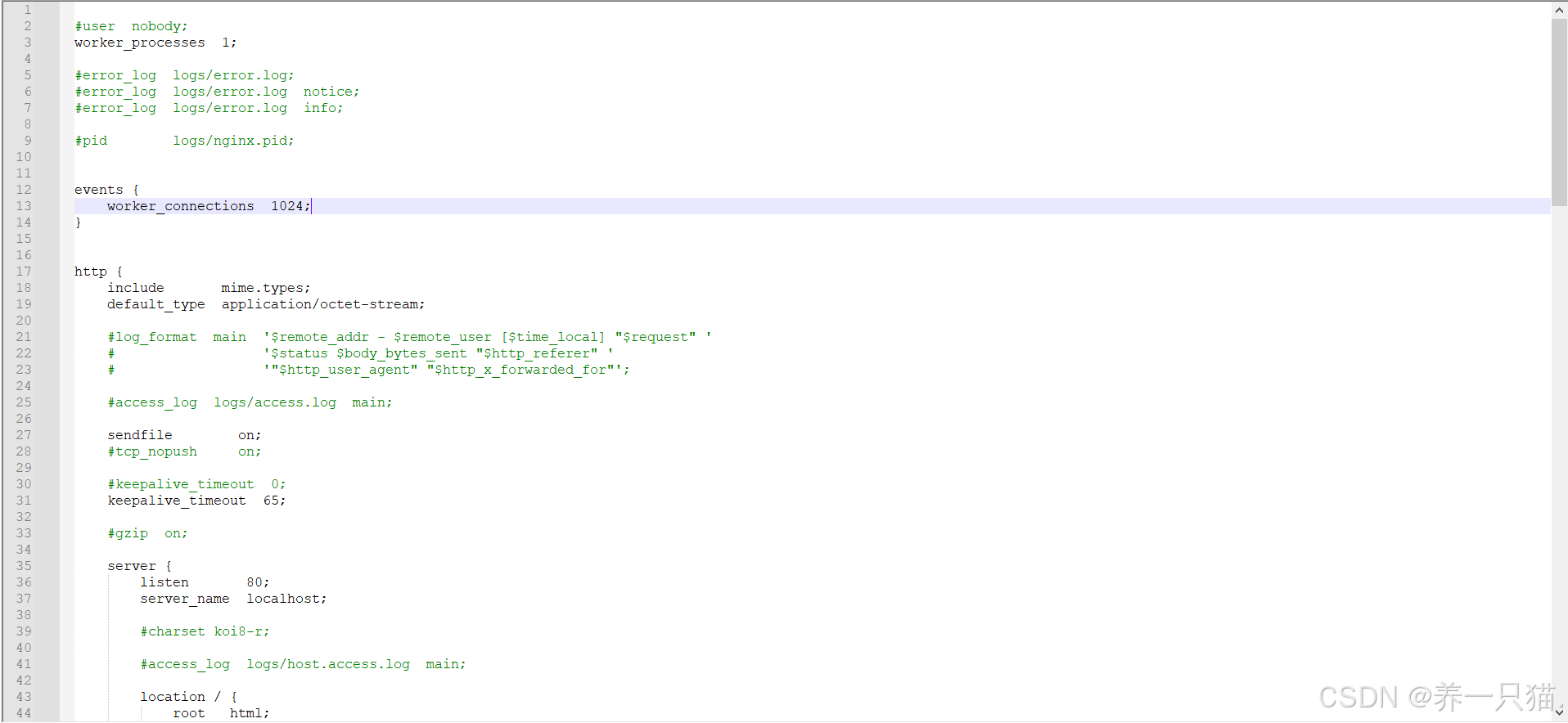
配置文件详解
在这里插入代码片

#工作进程数,通常等于CPU核心数量或两倍于CPU核心数量
worker_processes  1;

#日志存放路径,放开即可打印nginx日志
#error_log  logs/error.log;
#error_log  logs/error.log  notice;
#error_log  logs/error.log  info;
#进程表示符存放路径
#pid        logs/nginx.pid;

#每个工作进程的最大连接数,工作进程即前面的worker_processes,改nginx的最大链接数
#worker_processes*worker_connections  常用于性能调优
events {
    worker_connections  1024;
}
#http块(重点)

http {
	#用于表示所支持的文件格式,具体类型可查看/config/mime.type
    include       mime.types;
	#默认的类型,一般不需要调整
    default_type  application/octet-stream;

    #log_format  main  '$remote_addr - $remote_user [$time_local] "$request" '
    #                  '$status $body_bytes_sent "$http_referer" '
    #                  '"$http_user_agent" "$http_x_forwarded_for"';

	#连接日志的路径,放开即可输出nginx连接日志,方便排查问题
    #access_log  logs/access.log  main;
	#是否开启发送文件,当nginx作为文件服务器时,打开该配置,会减少一次拷贝次数,提升效率
	#如果当作反向代理服务器时,则无需理会,默认开启即可
    sendfile        on;
	#开启tcp推送 与sendfile配合使用,开启后,nginx会将多个小包合并成一个大包发送出去,减少网络中小包的数量,提高传输效率
    #tcp_nopush     on;
	#请求等待时间根据自己项目的情况设置,如果存在大数据量的请求,可以延长该时间
    #keepalive_timeout  0;
    keepalive_timeout  65;
	#是否启用压缩,当开启时,nginx会将指定的文件压缩后再传输给客户端,提高传输效率,降低带宽压力,同时会损耗cpu资源
	#该配置可与gzip_types配合使用,文件类型具体类型可查看/config/mime.type
    #gzip  on;
	#gzip_types text/plain text/css application/json application/javascript text/xml application/xml application/xml+rss text/javascript;
    ##重中之重!
	#server配置模块
	server {
		#监听端口号
        listen       80;
        #提供的域名或者主机名
		server_name  localhost;

        #charset koi8-r;
		#该端口访问的日志记录以及位置
        #access_log  logs/host.access.log  main;
		#location支持正则表达式,具体如下
		#location [=|~|~*|^~] /uri/ { … }
		#= 开头表示精确匹配
		#举例:location = /test/{....} 请求若为 http://www.baidu.com/test/ 则会匹配到该location中
		#^~ 开头表示uri以某个常规字符串开头
		#举例:location ^~/test/{....} 请求若为http://www.baidu.com/test/ 则会匹配到该location中,如test存在=开头的精确匹配,则=开头的精确匹配优先级最高
		#~ 开头表示区分大小写的正则匹配
		#举例:location ~* \.(jpg|jpeg|png)$ {...}  表示区分大小写的情况下,所有以jpg|jpeg|png结尾的请求都会被转发到这个location中
		#~* 开头表示不区分大小写的正则匹配
		#与上述举例相同,只是不再区分大小写
		#!~和!~*分别为区分大小写不匹配及不区分大小写不匹配 的正则
		#/ 通用匹配,任何请求都会匹配到
        location / {
			#服务启动目录,默认是nginx的安装目录下的html目录,也可指定存放目录,如vue项目的dist目录
            root   html;
            #首页名称,如index.html
			index  index.html index.htm;
        }

        #error_page  404              /404.html;

        # redirect server error pages to the static page /50x.html
        #
        error_page   500 502 503 504  /50x.html;
        location = /50x.html {
            root   html;
        }

        # proxy the PHP scripts to Apache listening on 127.0.0.1:80
        #
        #location ~ \.php$ {
        #    proxy_pass   http://127.0.0.1;
        #}

        # pass the PHP scripts to FastCGI server listening on 127.0.0.1:9000
        #
        #location ~ \.php$ {
        #    root           html;
        #    fastcgi_pass   127.0.0.1:9000;
        #    fastcgi_index  index.php;
        #    fastcgi_param  SCRIPT_FILENAME  /scripts$fastcgi_script_name;
        #    include        fastcgi_params;
        #}

        # deny access to .htaccess files, if Apache's document root
        # concurs with nginx's one
        #
        #location ~ /\.ht {
        #    deny  all;
        #}
    }


    # another virtual host using mix of IP-, name-, and port-based configuration
    #
    #server {
    #    listen       8000;
    #    listen       somename:8080;
    #    server_name  somename  alias  another.alias;

    #    location / {
    #        root   html;
    #        index  index.html index.htm;
    #    }
    #}


    # HTTPS server
    #
    #server {
    #    listen       443 ssl;
    #    server_name  localhost;

    #    ssl_certificate      cert.pem;
    #    ssl_certificate_key  cert.key;

    #    ssl_session_cache    shared:SSL:1m;
    #    ssl_session_timeout  5m;

    #    ssl_ciphers  HIGH:!aNULL:!MD5;
    #    ssl_prefer_server_ciphers  on;

    #    location / {
    #        root   html;
    #        index  index.html index.htm;
    #    }
    #}

}
以上就是我针对nginx配置文件的一些详解,该文章是在windows系统下操作的,nginx同理,针对location相关的位置需要一定的正则表达式知识,如果对你的工作和学习有一定的帮助,麻烦一键三连,制作不易,感谢支持!!!





 扫一扫
扫一扫


 2159
2159

 被折叠的 条评论
为什么被折叠?
被折叠的 条评论
为什么被折叠?
 到【灌水乐园】发言





