


环境:Ubuntu 16.04,GeForce RTX 3080
安装NVIDIA 显卡驱动
- 如何检查系统的显卡型号
lspci -vnn | grep VGA -A 12- 得到结果中
NVIDIA Corporation Device后的 ‘[]’ 里的十六进制码。 - 在 http://pci-ids.ucw.cz/mods/PC/10de?action=help?help=pci 中输入,点击 Jump。
- 网站会返回查询结果。
- 如何判断系统是否安装有 NVIDIA 版本的显卡驱动
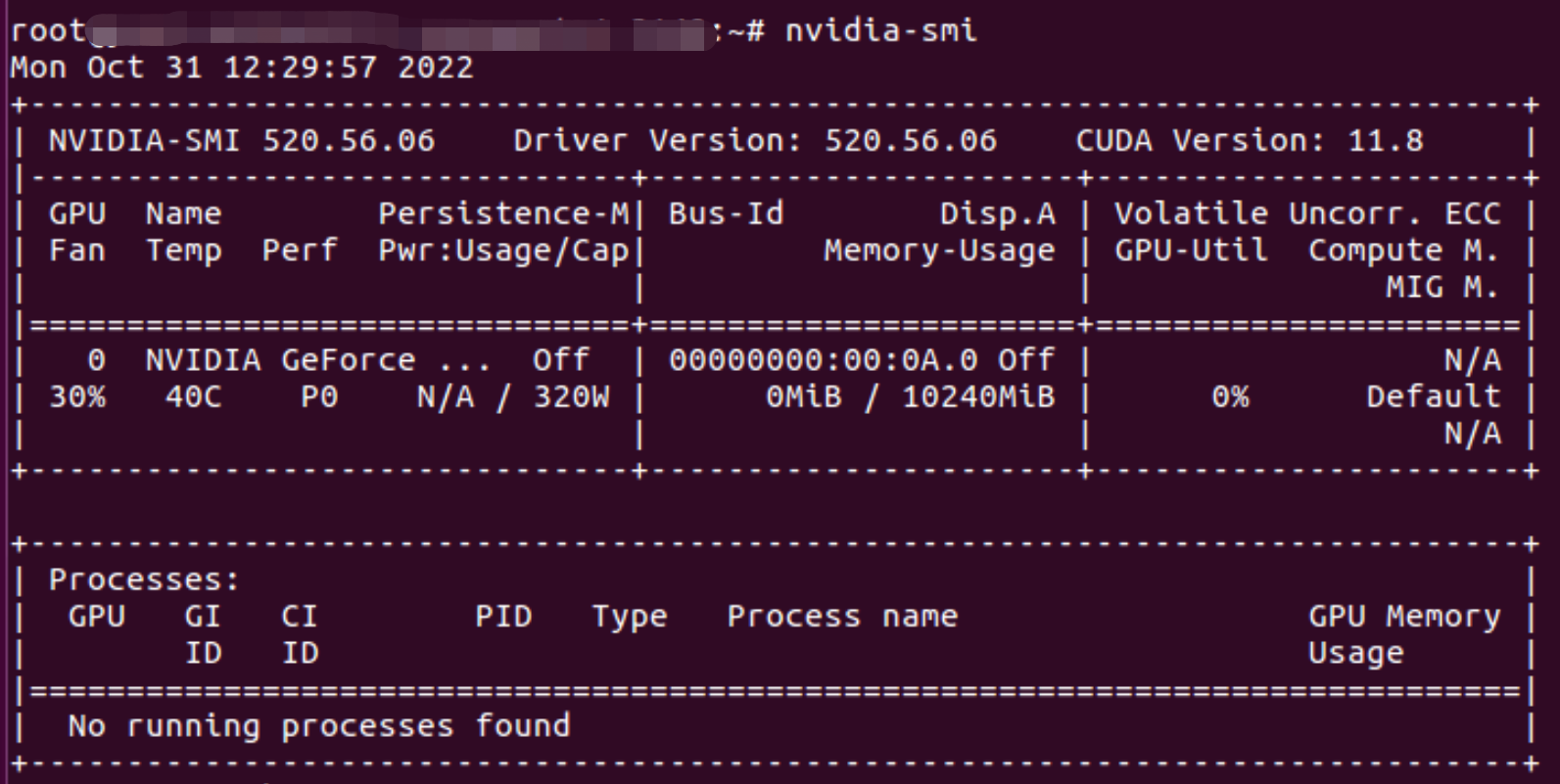
nvidia-smi- 如果没有输出,则未安装显卡驱动。
下载驱动安装包
在 https://www.nvidia.com/Download/index.aspx?lang=en-us 中根据自己的显卡下载对应的安装文件
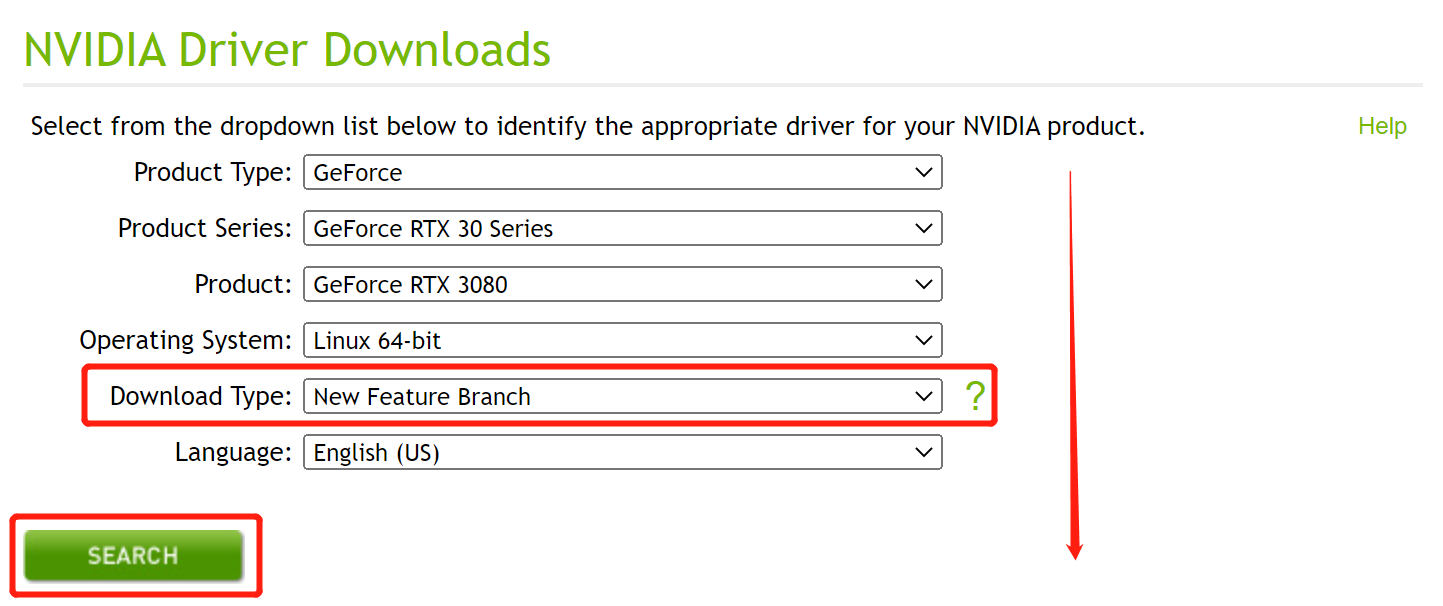
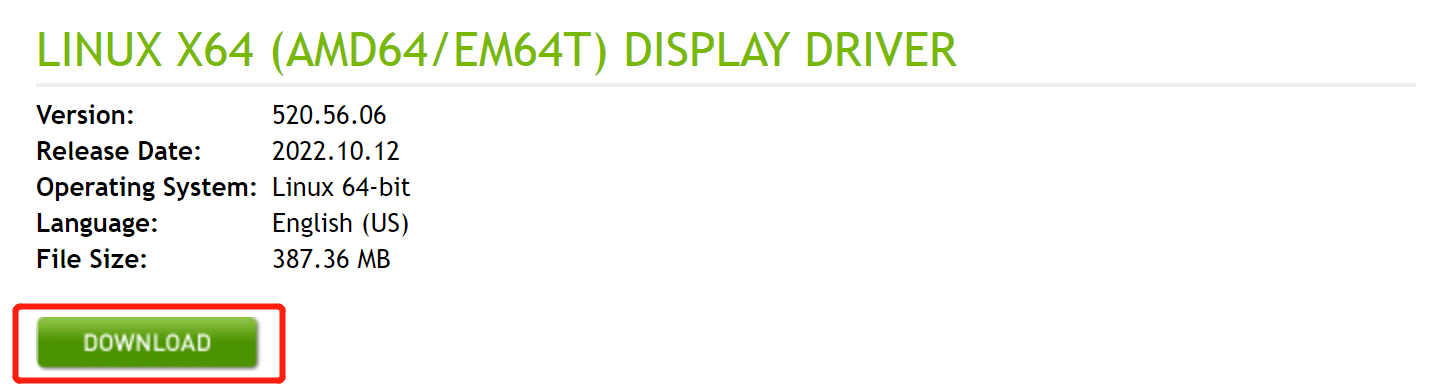
对 Production Branch 与 New Feature Branch 两者任选其一应该均可。
- Production Branch 侧重于长期稳定与可靠性。
- New Feature Branch 是最新的优化与增强版本。
安装驱动
禁用 nouveau
- 打开终端,输入
sudo gedit /etc/modprobe.d/blacklist.conf
- 在 blacklist.conf 文件末尾添加下述代码,并保存:
blacklist nouveau
options nouveau modeset=0
- 执行命令
sudo update-initramfs -u //应用更改
- 重启系统
sudo reboot
- 验证是否禁用 nouveau 成功
lsmod | grep nouveau
若没有输出,则禁用成功。
安装
- Alt+Ctrl+F1 进入命令行界面
- 关闭图形界面
sudo service lightdm stop - 卸载旧版本的 NVIDIA 驱动(如果有的话):
sudo apt-get remove --purge nvidia* - 给驱动 .run 文件赋予执行权限:
sudo chmod a+x NVIDIA-Linux-x86_64-xxx.xxx.run //对应自己下载的驱动名称
- 运行 .run 文件
sudo ./NVIDIA-Linux-x86_64-xxx.xxx.run -no-x-check -no-nouveau-check -no-opengl-files
- -no-x-check:安装驱动时关闭 X 服务。
- -no-nouveau-check:安装驱动时禁用 nouveau。
- -no-opengl-files:只安装驱动文件,不安装 OpenGL 文件。避免安装后出现循环登陆的问题。
- 安装过程中遇到的问题及回答
The distribution-provided pre-install script failed!  Are you sure you want to continue?
        Continue installation      Abort installation
----> Continue installation

Would you like to register the kernel module sources with DKMS? This will allow DKMS to automatically build a new module, if you install a different kernel later.
        Yes                       No
---->No

The CC version check failed:
  The kernel was built with gcc version 7.4.0 (Ubuntu 7.4.0-1ubuntu1~18.04.1), but the current compiler version is cc (Ubuntu 7.5.0-3ubuntu1~18.04) 7.5.0.
  This may lead to subtle problems; if you are not certain whether the mismatched compiler will be compatible with your kernel, you may wish to abort installation, set the CC environment variable to the name of the compiler used to compile your kernel, and restart installation.
        Ignore CC version check     Abort installation
----> select ignore

WARNING: Ignoring CC version mismatch:
  The kernel was built with gcc version 7.4.0 (Ubuntu 7.4.0-1ubuntu1~18.04.1), but the current compiler version is cc (Ubuntu 7.5.0-3ubuntu1~18.04) 7.5.0.
        OK
----> OK

Install NVIDIA's 32-bit compatibility libraries?
        Yes                       No
----> No

An incomplete installation of libglvnd was found. All of the essential libglvnd libraries are present, but one or more optional components are missing. Do you want to install a full copy of libglvnd? This will overwrite any existing libglvnd libraries.
        Don't install  Install and overw          Abort installation.
---->Install and overw

Would you like to run the nvidia-xconfig utility to automatically update your X configuration file so that the NVIDIA X driver will be used when you restart X?  Any pre-existing X configuration file will be backed up.
        Yes                       No
---->Yes

Your X configuration file has been successfully updated. Installation of the NVIDIA Accelerated Graphics Driver for Linux-x86_64 (version: 440.100) is now complete.
        OK
----> OK
- 打开图形界面:
sudo service lightdm start nvidia-smi有显示则安装成功






 扫一扫
扫一扫


&spm=1001.2101.3001.5002&articleId=127620843&d=1&t=3&u=127bd3ca2059443f9c86b6b504590abe)
 3250
3250

 被折叠的 条评论
为什么被折叠?
被折叠的 条评论
为什么被折叠?
 到【灌水乐园】发言





