



 本文详细介绍了Activiti工作流引擎5.22.0版本的官方demo学习,包括其使用Vaadin作为前端框架,展示了如何解压和理解demo的文件结构,如modeler.html、属性配置文件、Spring配置文件等。还探讨了关键类的作用,如用于初始化数据、配置对象以及模型的编辑和保存。文章涵盖了新建、编辑、部署、导出模型等操作的后台逻辑和事件监听设置。
Activiti 工作流引擎 官方demo学习
本文使用的Activiti版本为5.22.0
Vaadin Web应用开发教程(3):Vaadin应用程序框架介绍
Activiti 官方demo中使用Vaadin作为前端框架进行页面展示
Activiti 官方下载的文件目录如下,在wars文件夹中提供了两个demo

解压activiti-explorer.war,文件结构如下

modeler.html是Activiti Modeler的编辑界面,如图:

属性配置文件
日志属性:log4j.properties
引擎属性:engine.properties
数据库属性:db.properties
ui.properties
spring配置文件
activiti-custom-context.xml
activiti-login-context.xml
activiti-ui-context.xml
org.activiti.explorer.conf java配置文件

org.activiti.explorer.servlet servlet文件

对应的java文件可以在源码中找到

web.xml
<listener>
    <listener-class>org.activiti.explorer.servlet.WebConfigurer</listener-class>
</listener>
WebConfigurer.java
public class WebConfigurer implements ServletContextListener {

  private final Logger log = LoggerFactory.getLogger(WebConfigurer.class);

  public AnnotationConfigWebApplicationContext context;

  public void setContext(AnnotationConfigWebApplicationContext context) {
    this.context = context;
  }

  @Override
  public void contextInitialized(ServletContextEvent sce) {
    ServletContext servletContext = sce.getServletContext();

    log.debug("Configuring Spring root application context");

    AnnotationConfigWebApplicationContext rootContext = null;

    if (context == null) {
        rootContext = new AnnotationConfigWebApplicationContext();
        rootContext.register(ApplicationConfiguration.class);
        rootContext.refresh();
    } else {
        rootContext = context;
    }

    servletContext.setAttribute(WebApplicationContext.ROOT_WEB_APPLICATION_CONTEXT_ATTRIBUTE, rootContext);

    initSpring(servletContext, rootContext);

    log.debug("Web application fully configured");
  }

  /**
   * Initializes Spring and Spring MVC.
   */
  private ServletRegistration.Dynamic initSpring(ServletContext servletContext, AnnotationConfigWebApplicationContext rootContext) {
    log.debug("Configuring Spring Web application context");
    AnnotationConfigWebApplicationContext dispatcherServletConfiguration = new AnnotationConfigWebApplicationContext();
    dispatcherServletConfiguration.setParent(rootContext);
    dispatcherServletConfiguration.register(DispatcherServletConfiguration.class);

    log.debug("Registering Spring MVC Servlet");
    ServletRegistration.Dynamic dispatcherServlet = servletContext.addServlet("dispatcher", new DispatcherServlet(dispatcherServletConfiguration));
    dispatcherServlet.addMapping("/service/*");
    dispatcherServlet.setLoadOnStartup(1);
    dispatcherServlet.setAsyncSupported(true);

    return dispatcherServlet;
  }

  @Override
  public void contextDestroyed(ServletContextEvent sce) {
    log.info("Destroying Web application");
    WebApplicationContext ac = WebApplicationContextUtils.getRequiredWebApplicationContext(sce.getServletContext());
    AnnotationConfigWebApplicationContext gwac = (AnnotationConfigWebApplicationContext) ac;
    gwac.close();
    log.debug("Web application destroyed");
  }
}
contextInitialized()
rootContext.register(ApplicationConfiguration.class);initSpring()
AnnotationConfigWebApplicationContext dispatcherServletConfiguration = new AnnotationConfigWebApplicationContext();
dispatcherServletConfiguration.setParent(rootContext);
dispatcherServletConfiguration.register(DispatcherServletConfiguration.class);

ServletRegistration.Dynamic dispatcherServlet = servletContext.addServlet("dispatcher", new DispatcherServlet(dispatcherServletConfiguration));
dispatcherServlet.addMapping("/service/*");
dispatcherServlet.setLoadOnStartup(1);
ApplicationConfiguration.java
@Configuration
@PropertySources({
  @PropertySource(value = "classpath:db.properties", ignoreResourceNotFound = true),
  @PropertySource(value = "classpath:engine.properties", ignoreResourceNotFound = true)
})
@ComponentScan(basePackages = { "org.activiti.explorer.conf" })
@ImportResource({"classpath:activiti-ui-context.xml", "classpath:activiti-login-context.xml", "classpath:activiti-custom-context.xml"})
public class ApplicationConfiguration {

}activiti-custom-context.xml文件中的内容是被注释掉了,官方activiti-explorer demo 中利用org.activiti.explorer.conf.ActivitiEngineConfiguration.java文件进行了配置
DemoDataConfiguration.java文件用于初始化demo数据
JacksonConfiguration.java文件用于配制com.fasterxml.jackson.databind.ObjectMapper对象,activiti内部依赖于该对象
DispatcherServletConfiguration.java
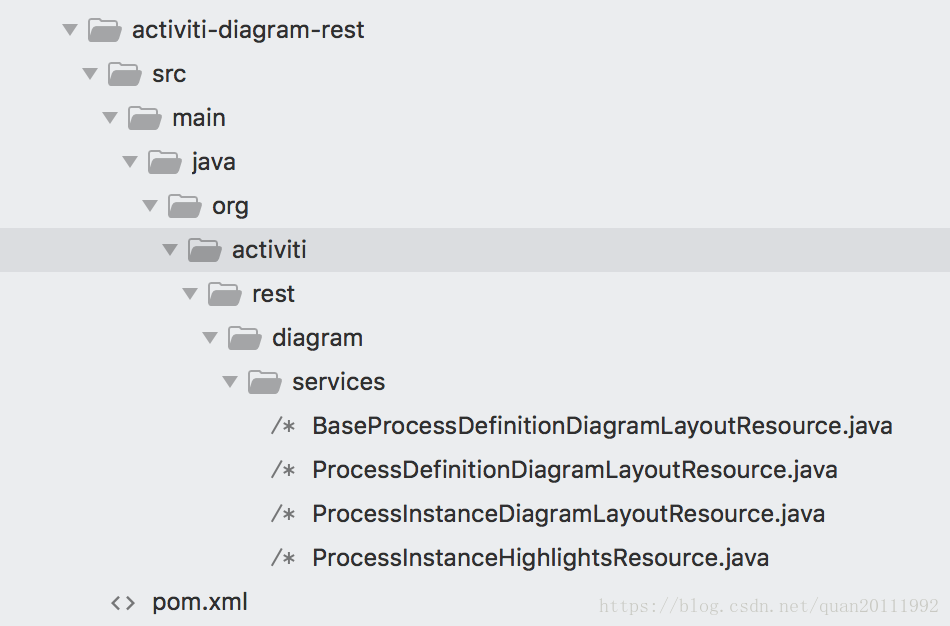
@ComponentScan({"org.activiti.rest.editor", "org.activiti.rest.diagram"})
@EnableAsync
public class DispatcherServletConfiguration extends WebMvcConfigurationSupport {
    //...
}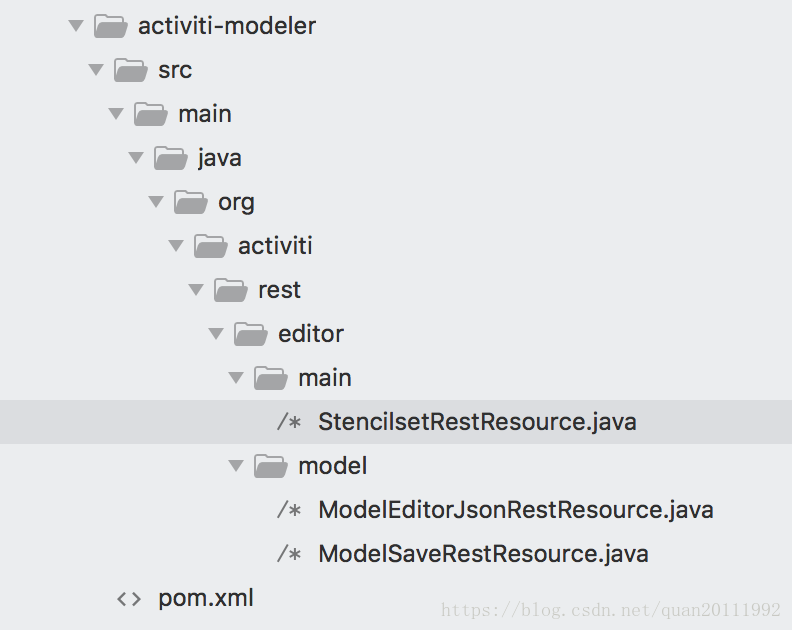
StencilsetRestResource.java
@RestController
public class StencilsetRestResource {

  @RequestMapping(value="/editor/stencilset", method = RequestMethod.GET, produces = "application/json;charset=utf-8")
  public @ResponseBody String getStencilset() {
    InputStream stencilsetStream = this.getClass().getClassLoader().getResourceAsStream("stencilset.json");
    try {
      return IOUtils.toString(stencilsetStream, "utf-8");
    } catch (Exception e) {
      throw new ActivitiException("Error while loading stencil set", e);
    }
  }
}StencilsetRestResource类读取stencilset.json用于modeler.html初始化
ModelEditorJsonRestResource.java
@RequestMapping(value="/model/{modelId}/json", method = RequestMethod.GET, produces = "application/json")
  public ObjectNode getEditorJson(@PathVariable String modelId) {
    ObjectNode modelNode = null;

    Model model = repositoryService.getModel(modelId);
        //...
        if (StringUtils.isNotEmpty(model.getMetaInfo())) {
          modelNode = (ObjectNode) objectMapper.readTree(model.getMetaInfo());
        } else {
          modelNode = objectMapper.createObjectNode();
          modelNode.put(MODEL_NAME, model.getName());
        }
        modelNode.put(MODEL_ID, model.getId());
        ObjectNode editorJsonNode = (ObjectNode) objectMapper.readTree(
            new String(repositoryService.getModelEditorSource(model.getId()), "utf-8"));
        modelNode.put("model", editorJsonNode);
        //...
    return modelNode;
}ModelEditorJsonRestResource类获取模型数据用于在modeler.html中编辑模型
ModelSaveRestResource.java
@RequestMapping(value="/model/{modelId}/save", method = RequestMethod.PUT)
  @ResponseStatus(value = HttpStatus.OK)
  public void saveModel(@PathVariable String modelId, @RequestBody MultiValueMap<String, String> values) {
      //...
      Model model = repositoryService.getModel(modelId);

      ObjectNode modelJson = (ObjectNode) objectMapper.readTree(model.getMetaInfo());

      modelJson.put(MODEL_NAME, values.getFirst("name"));
      modelJson.put(MODEL_DESCRIPTION, values.getFirst("description"));
      model.setMetaInfo(modelJson.toString());
      model.setName(values.getFirst("name"));

      repositoryService.saveModel(model);

      repositoryService.addModelEditorSource(model.getId(), values.getFirst("json_xml").getBytes("utf-8"));

      InputStream svgStream = new ByteArrayInputStream(values.getFirst("svg_xml").getBytes("utf-8"));
      TranscoderInput input = new TranscoderInput(svgStream);

      PNGTranscoder transcoder = new PNGTranscoder();
      // Setup output
      ByteArrayOutputStream outStream = new ByteArrayOutputStream();
      TranscoderOutput output = new TranscoderOutput(outStream);

      // Do the transformation
      transcoder.transcode(input, output);
      final byte[] result = outStream.toByteArray();
      repositoryService.addModelEditorSourceExtra(model.getId(), result);
      outStream.close();
      //...

}ModelSaveRestResource类用于modeler.html保存
新建模型

创建按钮对应的后台逻辑

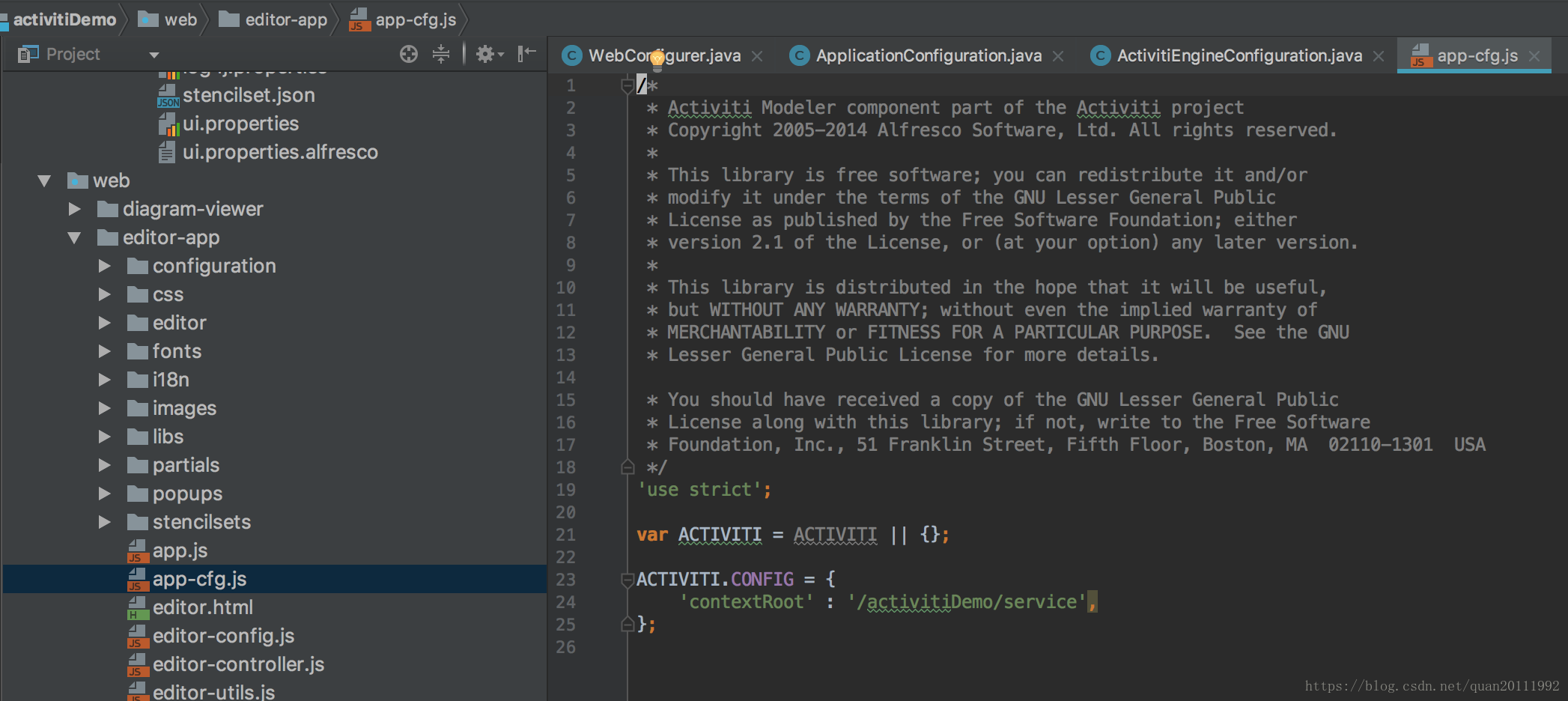
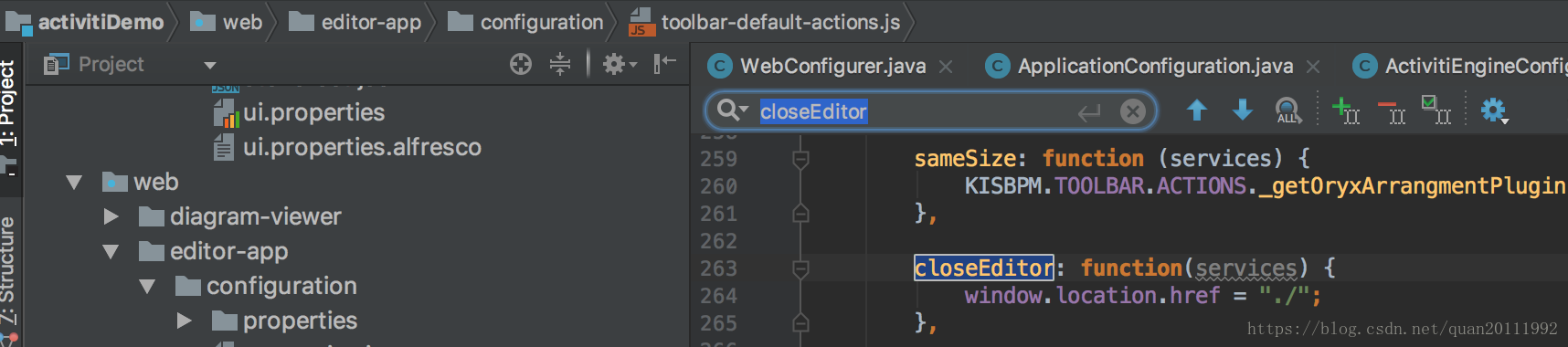
modeler.html 关闭按钮/保存退出按钮跳转路径设置
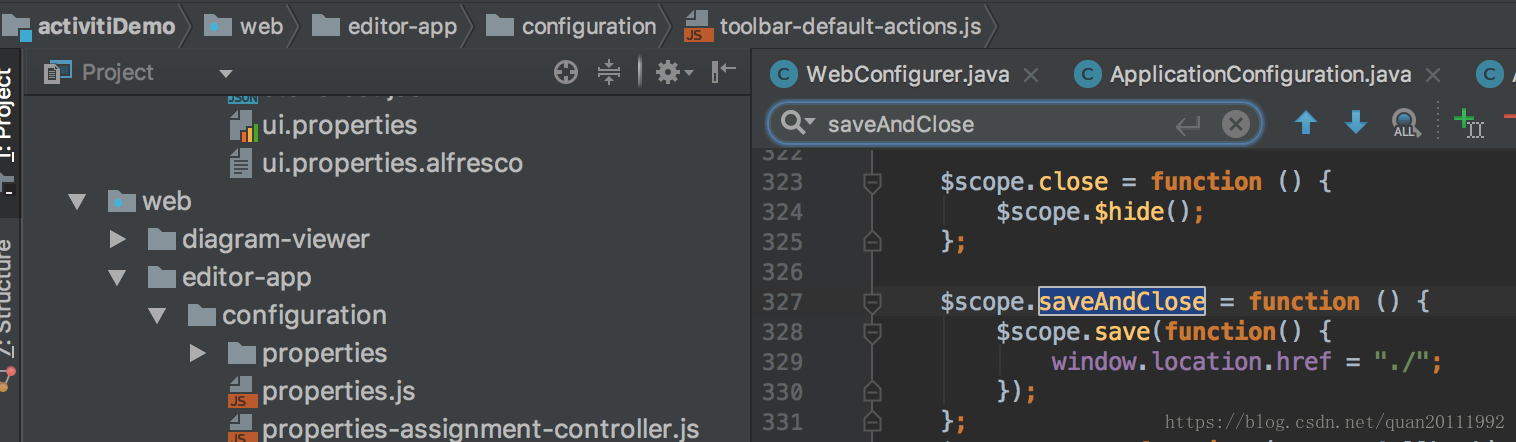
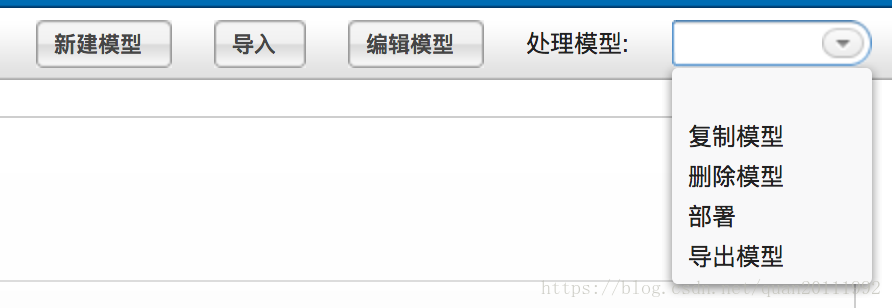
EditorProcessDefinitionDetailPanel.java
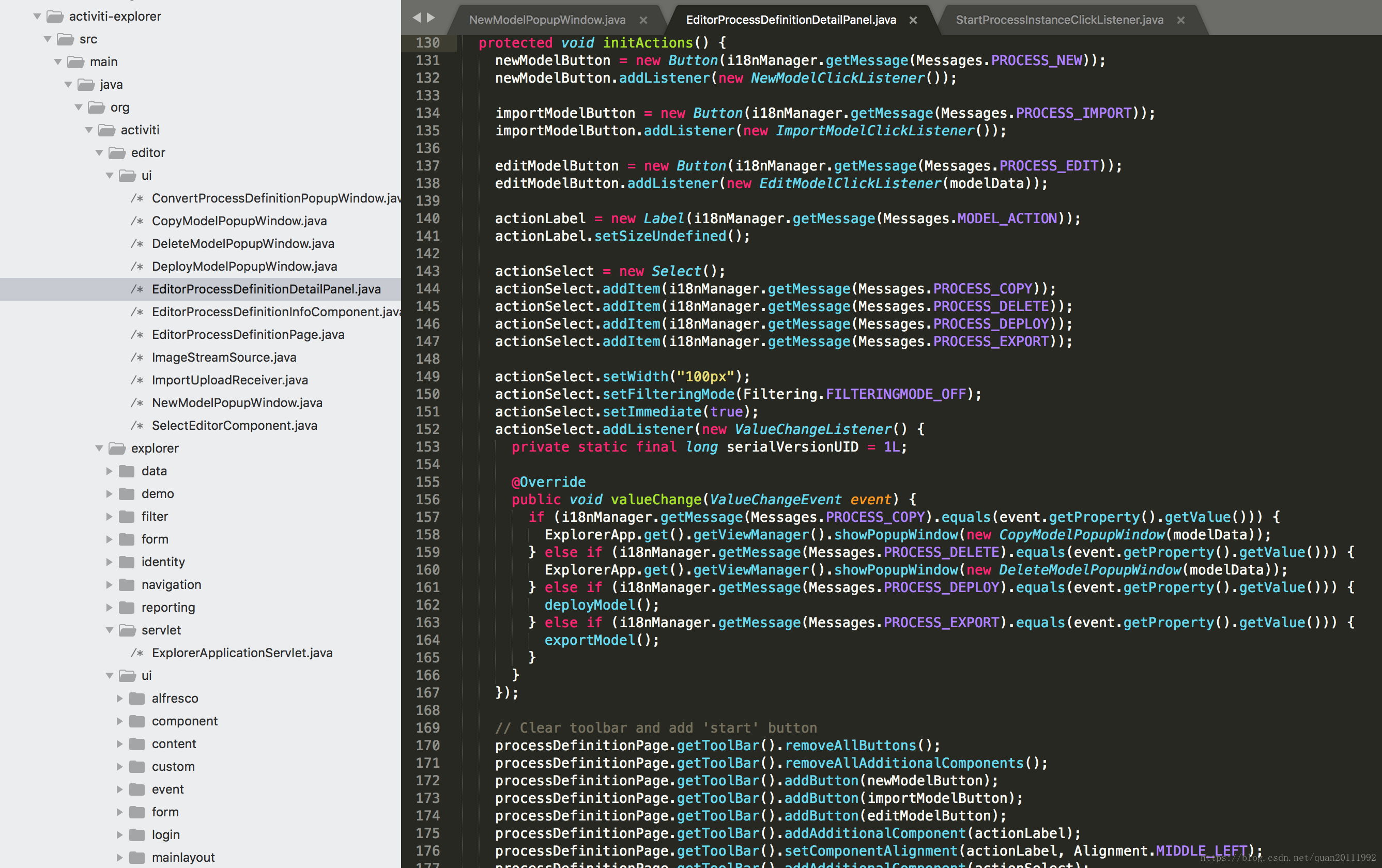
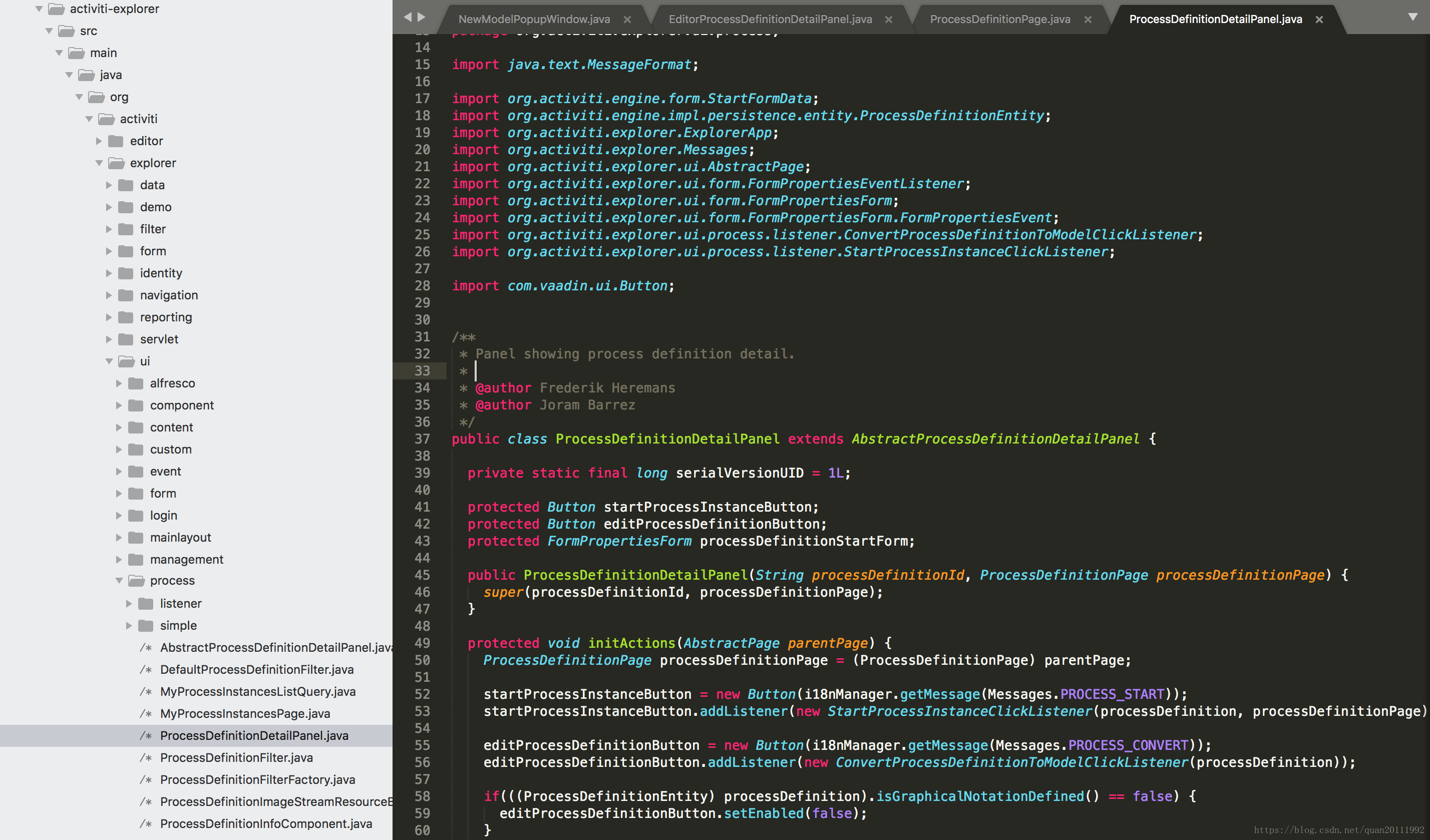
新建模型、导入、编辑模型、复制模型、删除模型、部署、导出模型 按钮(下拉列表)添加事件监听






 扫一扫
扫一扫


 1万+
1万+

 被折叠的 条评论
为什么被折叠?
被折叠的 条评论
为什么被折叠?
 到【灌水乐园】发言





