


链接: GLIGEN项目Github地址
项目提供的Dockerfile如下:
(文件路径):GLIGEN-master/env_docker/Dockerfile
(文件内容):
FROM pytorch/pytorch:1.13.0-cuda11.6-cudnn8-devel

RUN pip install albumentations==0.4.3 opencv-python pudb==2019.2 imageio==2.9.0 imageio-ffmpeg==0.4.2 pytorch-lightning==1.4.2 omegaconf==2.1.1 test-tube>=0.7.5 streamlit>=0.73.1 einops==0.3.0 torch-fidelity==0.3.0 git+https://github.com/openai/CLIP.git protobuf~=3.20.1 torchmetrics==0.6.0 transformers==4.19.2 kornia==0.5.8 && pip uninstall -y torchtext
正文——如何使用Dockerfile文件构建镜像和容器
- 进入包含 Dockerfile 的目录;
- 在该目录下使用 docker build 命令构建 Docker 镜像。具体命令如下
docker build -t <image_name> .
参数释义:
<image_name> 是你为生成的镜像起的名字;
. 表示 Dockerfile 所在的目录。
该命令将会使用 Dockerfile 中的指令来构建镜像,并生成一个名为 <image_name> 的镜像。
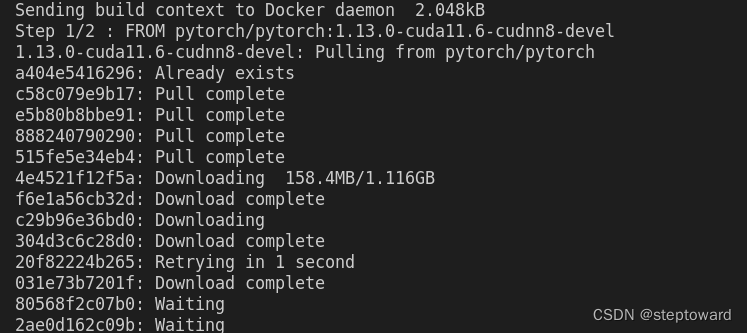
- 过程中你可能会看到如下输出,此时请等待 Docker 构建镜像的过程完成。
- 如果构建成功,你将会看到类似于以下的输出:
Successfully built <image_id>
- 构建完成后, 可以使用 docker run 命令运行镜像。该命令的格式如下:
docker run -it <image_name>
参数释义:
<image_name> 是你在第二步中构建的镜像的名字 。





 扫一扫
扫一扫


 3794
3794

 被折叠的 条评论
为什么被折叠?
被折叠的 条评论
为什么被折叠?
 到【灌水乐园】发言





