



 在尝试使用npm安装vue-router时遇到ERESOLVE错误,原因是项目依赖的vue版本与vue-router最新版不兼容。解决方案是卸载不匹配的依赖,如vuex,然后安装兼容的3.x版本,并在安装命令后添加'--legacy-peer-deps'选项。
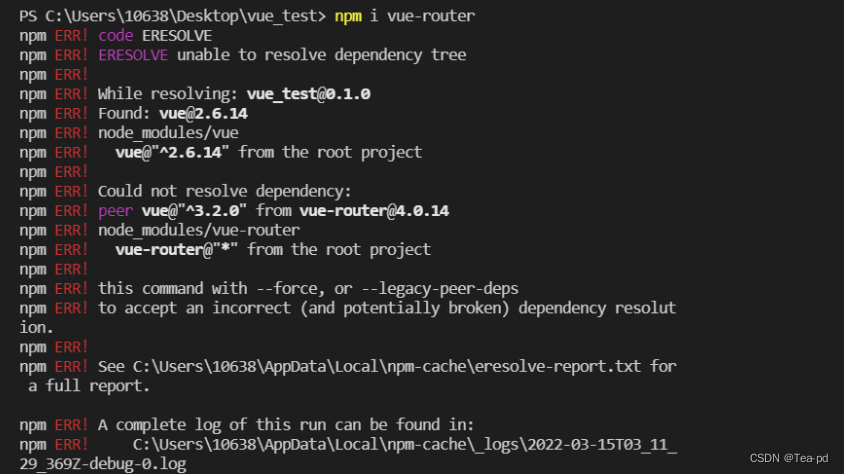
在安装npm i vue-router (路由)时出现了这个错误。
npm ERR! code ERESOLVE
npm ERR! ERESOLVE unable to resolve dependency tree
npm ERR!
npm ERR! While resolving: vue_test@0.1.0
npm ERR! Found: vue@2.6.14
npm ERR! node_modules/vue
npm ERR! vue@"^2.6.14" from the root project
npm ERR!
npm ERR! Could not resolve dependency:
npm ERR! peer vue@"^3.2.0" from vue-router@4.0.14
npm ERR! node_modules/vue-router
npm ERR! vue-router@"*" from the root project
npm ERR!
npm ERR! this command with --force, or --legacy-peer-deps
npm ERR! to accept an incorrect (and potentially broken) dependency resolution.
npm ERR!
npm ERR! See C:\Users\10638\AppData\Local\npm-cache\eresolve-report.txt for a full report.
npm ERR! A complete log of this run can be found in:
npm ERR! C:\Users\10638\AppData\Local\npm-cache\_logs\2022-03-15T03_08_43_595Z-debug-0.log
翻译后大意是代码无法解析依赖关系树。
发生问题原因 :
vue-router安装未指定版本,自动安装最新 ,如果是vue2项目就不行,vuex以及vue-router自动安装最新4x版本,而4x版本对应的是vue3
解决方法:
卸载当前出错的依赖,安装其3x版本
以vuex为例
命令如下
- npm uninstall vuex
- npm i vuex@3
如果此时又出现此类错误
npm ERR! code ERESOLVE
npm ERR! ERESOLVE could not resolve
npm ERR!
npm ERR! While resolving: @testing-library/react@13.4.0
npm ERR! Found: react@17.0.2
npm ERR! node_modules/react
npm ERR!   peer react@"17.0.2" from react-dom@17.0.2
npm ERR!   node_modules/react-dom
npm ERR!     react-dom@"^17.0.2" from the root project
npm ERR!   peer react@">= 16" from react-scripts@5.0.1
npm ERR!   node_modules/react-scripts
npm ERR!     react-scripts@"5.0.1" from the root project
npm ERR!   1 more (the root project)
npm ERR! this command with --force, or --legacy-peer-deps
npm ERR! to accept an incorrect (and potentially broken) dependency resolution.
npm ERR!
npm ERR! See C:\Users\admin\AppData\Local\npm-cache\eresolve-report.txt for a full report.

npm ERR! A complete log of this run can be found in:
执行此命令
在你所要安装的命令行后加上‘--legacy-peer-deps’





 扫一扫
扫一扫


 1万+
1万+

 被折叠的 条评论
为什么被折叠?
被折叠的 条评论
为什么被折叠?
 到【灌水乐园】发言





