


 本文档详细介绍了如何配置Apache Ignite Web控制台以连接到Ignite集群,包括下载Web Agent,编辑配置文件,拷贝必要的库和JDBC驱动,以及启动Web Agent。同时,注意到Web Agent默认使用的端口8080可能与其他服务冲突,但未提供更改端口的方法。
前提: 假设已安装ignite,并且安装路径为:/usr/apache-ignite-fabric-2.1.0-bin
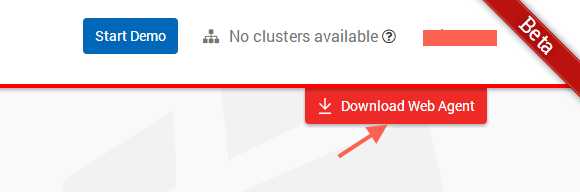
1.下载Web Agent
打开链接:https://console.gridgain.com/configuration/advanced/clusters
2.部署Web Agent
解压1中下载的Web Agent,部署到安装Ignite的一个节点,比如:/usr/ignite-web-agent-2.1.3/
3.编辑default.properties
编辑/usr/ignite-web-agent-2.1.3/default.properties
tokens=从官网获得
server-uri=https://console.gridgain.com
#Uncomment following options ifneeded:
node-uri=http://安装ignote的节点IP:8080
driver-folder=./jdbc-drivers
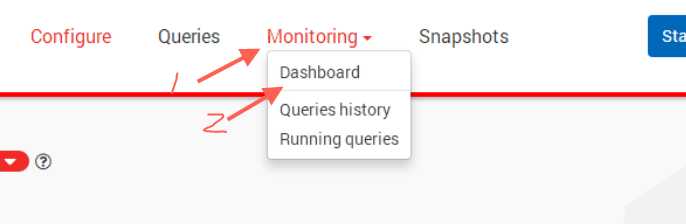
其中tokens获得方式如下:







 扫一扫
扫一扫


&spm=1001.2101.3001.5002&articleId=113568482&d=1&t=3&u=d1d3e3164de2454e9fed410e05f2aa14)
 2307
2307

 被折叠的 条评论
为什么被折叠?
被折叠的 条评论
为什么被折叠?
 到【灌水乐园】发言





