



 本文详细介绍六种常用CSS技巧,使元素在页面上实现垂直居中,包括使用line-height、定位、flex布局、绝对定位+margin:auto、vertical-align:middle及伪元素等方法。
常用的css将元素垂直居中的方法
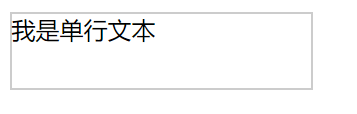
1. 使用line-height将单行文本垂直居中
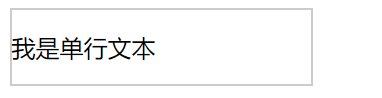
设置line-height等于height,可使单行文本垂直居中
例:
 div {
            height: 50px;
            width: 200px;
            border: 1px solid #ccc;
        }
效果如下:
加入line-height属性后
 div {
            height: 50px;
            width: 200px;
            border: 1px solid #ccc;
            line-height: 50px;
        }
效果
2.用定位的方法实现垂直居中
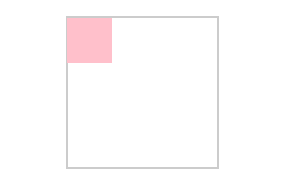
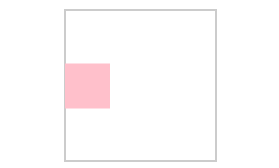
使用position: absolute;和position: relative;利用定位的“子绝父相”来使子元素相对于父元素垂直居中。原理是使子元素先向下移动父元素的50%,再向上移动自己大小的50%。
例:
       .father {
            height: 100px;
            width: 100px;
            border: 1px solid #ccc;
            margin: 100px auto;
        }
        .son {
            height: 30px;
            width: 30px;
            background-color: pink;
        }
效果如下:
加入position: absolute;和position: relative;属性后
.father {
            position: relative;
            height: 100px;
            width: 100px;
            border: 1px solid #ccc;
            margin: 100px auto;
        }
        .son {
            position: absolute;
            top: 50%;
            transform: translateY(-50%);
            height: 30px;
            width: 30px;
            background-color: pink;
        }
效果
3.利用flex布局实现垂直居中
原理是通过设置flex的主轴方向和在主轴方向还是副轴方向上居中的方法来实现(flex默认的主轴方向是row)
.father {
            height: 100px;
            width: 100px;
            border: 1px solid #ccc;
            margin: 100px auto;
        }
        .son {
            height: 30px;
            width: 30px;
            background-color: chartreuse;
        }
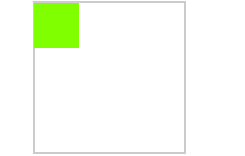
方法1:给父元素设置display: flex;和align-items: center; 主轴默认横向,副轴竖向,使子元素在副轴方向上居中。
.father {
            display: flex;
            align-items: center;
            height: 100px;
            width: 100px;
            border: 1px solid #ccc;
            margin: 100px auto;
        }
        .son {
            height: 30px;
            width: 30px;
            background-color: chartreuse;
        }
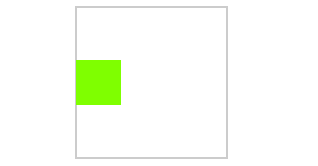
方法2:给父元素设置display: flex;和 flex-direction: column;主轴设置为竖向,副轴横向,justify-content: center;使子元素在主轴方向上居中。
.father {
            display: flex;
            flex-direction: column;
            justify-content: center;
            height: 100px;
            width: 100px;
            border: 1px solid #ccc;
            margin: 100px auto;
        }
        .son {
            height: 30px;
            width: 30px;
            background-color: chartreuse;
        }
方法3:给子元素设置align-self: center;属性,使子元素在副轴方向上居中。
.father {
            display: flex;
            height: 100px;
            width: 100px;
            border: 1px solid #ccc;
            margin: 100px auto;
        }
        .son {
            align-self: center;
            height: 30px;
            width: 30px;
            background-color: chartreuse;
        }
三种方法得到的效果均为:
4.利用绝对定位+margin: auto;
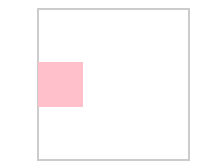
“子绝父相”后,给子元素设置margin: auto;bottom: 0;top: 0;即可实现垂直居中。
.father {
            height: 100px;
            width: 100px;
            border: 1px solid #ccc;
            margin: 100px auto;
        }
        .son {
            height: 30px;
            width: 30px;
            background-color: pink;
        }
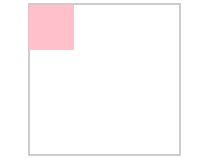
加入属性后:
.father {
            position: relative;
            height: 100px;
            width: 100px;
            border: 1px solid #ccc;
            margin: 100px auto;
        }
        .son {
            position: absolute;
            margin: auto;
            bottom: 0;
            top: 0;
            height: 30px;
            width: 30px;
            background-color: pink;
        }
效果:
5.利用vertical-align: middle;使文字相对于图片垂直居中
.father {
            height: 68px;
            width: 300px;
            border: 1px solid #ccc;
            margin: 100px auto;
        }
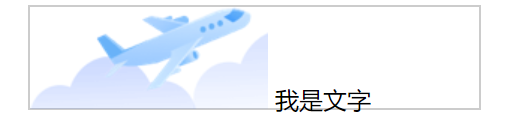
通过给图片设置vertical-align: middle;属性:
.father {
            height: 68px;
            width: 300px;
            border: 1px solid #ccc;
            margin: 100px auto;
        }
        img {
            vertical-align: middle;
        }
效果:
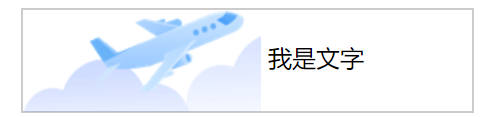
这种方法涉及到文字的底线,基线,中线和顶线的知识,不懂的小伙伴可以先去了解一下。
6.通过添加伪元素的方法使内容达到垂直居中
此方法的原理和第五条的原理类似,就是通过设置一个伪元素达到方法5中图片的作用,但是利用伪元素不会占取空间。
.father {
            height: 50px;
            width: 200px;
            border: 1px solid #ccc;
            margin: 100px auto;
        }
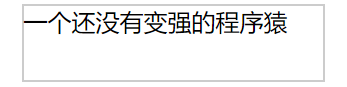
添加伪元素后:
.father {
            height: 50px;
            width: 200px;
            border: 1px solid #ccc;
            margin: 100px auto;
        }
        .father::after {
            content: '';
            display: inline-block;
            height: 100%;
            vertical-align: middle;
        }
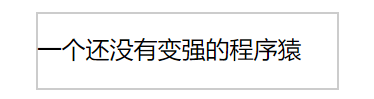
总结
以上就是本次介绍的6种常用的使内容垂直的居中的方法,大家可以根据实际遇到的情况灵活使用。





 扫一扫
扫一扫


 1209
1209

 被折叠的 条评论
为什么被折叠?
被折叠的 条评论
为什么被折叠?
 到【灌水乐园】发言





