


 文章介绍了如何在Android中自定义Switch组件的样式,包括创建不同的轨道(track)和滑块(thumb)状态,使用selector实现开/关效果,并通过调整scaleX和scaleY属性来改变显示大小。
系统自定义Switch样式经常无法满足需求,通过图片的方式没有滑动的动效,所以需要根据Switch自带的属性自定义样式,下面通过例子说明如何自定义
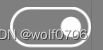
track
track是Switch的滑道,就是外面那圈跟跑道一样,定义开关两种状态
switch_custom_track_off.xml
<?xml version="1.0" encoding="utf-8"?>
<shape xmlns:android="http://schemas.android.com/apk/res/android"
    android:shape="rectangle">
    <solid android:color="@android:color/transparent" />
    <stroke
        android:width="2dp"
        android:color="@color/switch_normal" />
    <corners android:radius="60dp" />
</shape>
switch_custom_track_on.xml
<?xml version="1.0" encoding="utf-8"?>
<shape xmlns:android="http://schemas.android.com/apk/res/android"
    android:shape="rectangle">
    <solid android:color="@android:color/transparent" />
    <stroke
        android:width="2dp"
        android:color="@color/switch_select" />
    <corners android:radius="60dp" />
</shape>
switch_custom_track_selector.xml
<?xml version="1.0" encoding="utf-8"?>
<selector xmlns:android="http://schemas.android.com/apk/res/android">
    <item android:drawable="@drawable/switch_custom_track_on" android:state_checked="true" />
    <item android:drawable="@drawable/switch_custom_track_off" android:state_checked="false" />
</selector>
thumb
thumb是Switch的滑块,就是那个小圆,一样定义开关两种状态
switch_custom_thumb_on.xml
<?xml version="1.0" encoding="utf-8"?>
<shape xmlns:android="http://schemas.android.com/apk/res/android"
    android:shape="oval">
    <stroke android:width="15dp"
        android:color="@android:color/transparent"/>
    <solid android:color="@color/switch_select" />
    <size
        android:width="30dp"
        android:height="30dp" />
</shape>
switch_custom_thumb_off
<?xml version="1.0" encoding="utf-8"?>
<shape xmlns:android="http://schemas.android.com/apk/res/android"
    android:shape="oval">
    <stroke android:width="15dp"
        android:color="@android:color/transparent"/>
    <solid android:color="@color/switch_normal" />
    <size
        android:width="30dp"
        android:height="30dp" />
</shape>
switch_custom_thumb_selector.xml
<?xml version="1.0" encoding="utf-8"?>
<selector xmlns:android="http://schemas.android.com/apk/res/android">
    <item android:drawable="@drawable/switch_custom_thumb_on" android:state_checked="true" />
    <item android:drawable="@drawable/switch_custom_thumb_off" android:state_checked="false" />
</selector>
Switch
通过定义thumb和track属性自定义样式,scaleX和scaleY修改显示大小
<Switch
                android:track="@drawable/switch_custom_track_selector"
                android:thumb="@drawable/switch_custom_thumb_selector"
                android:layout_width="wrap_content"
                android:layout_height="wrap_content"
                android:scaleX="1.5"
                android:scaleY="1.5"/>






 扫一扫
扫一扫


 1563
1563

 被折叠的 条评论
为什么被折叠?
被折叠的 条评论
为什么被折叠?
 到【灌水乐园】发言





