

一、设置主机名称
1.文件的方式
]# vim /etc/hostname
timinglee.easylee.org
注意:修改完毕后在当前shell中是不生效的
如果需要看到效果,关闭当前shell后重新开启新的shell
2.通过命令更改
]# hostnamectl hostname timinglee.easylee.org
注意:即改即生效,无需重新启动shell
二、打印字符
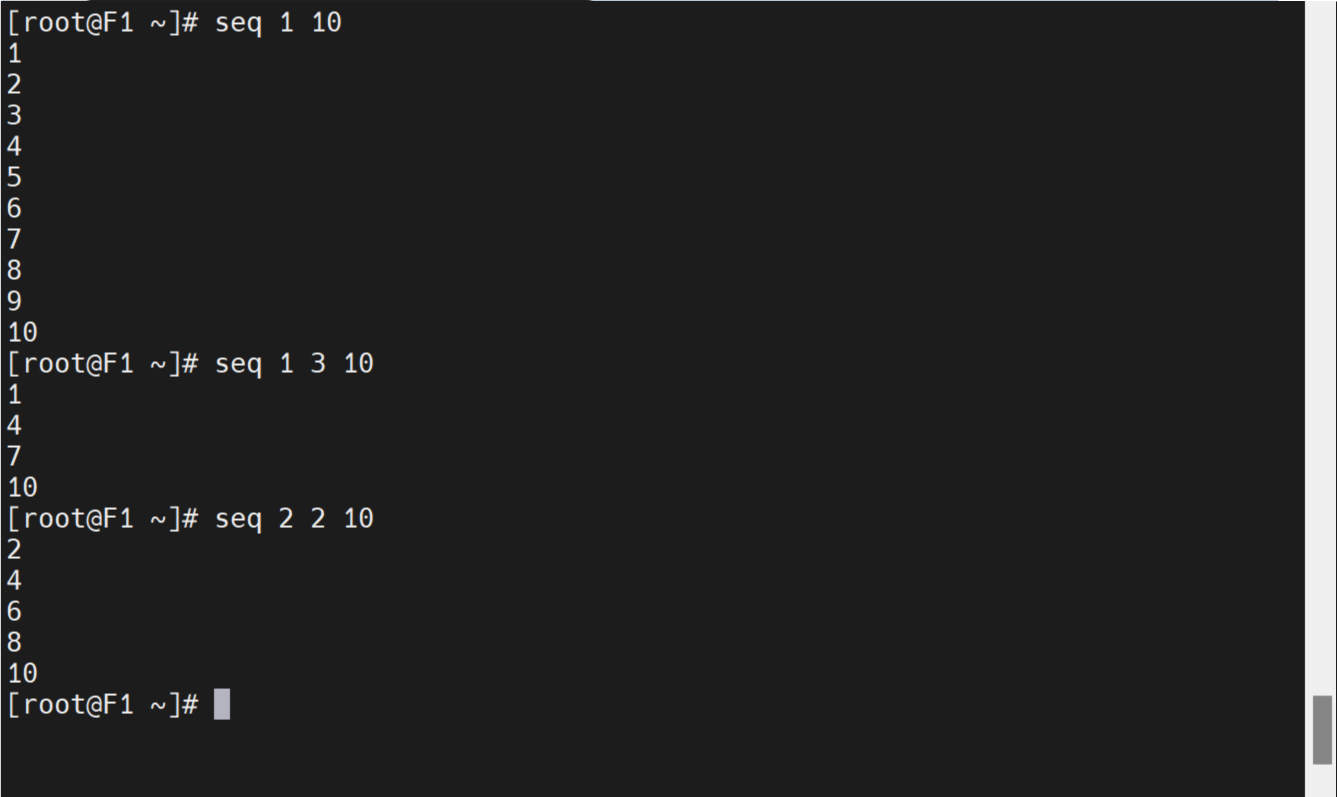
1.打印连续数字
连续打印3个数字
[root@timinglee ~]# seq 1 3
1
2
3
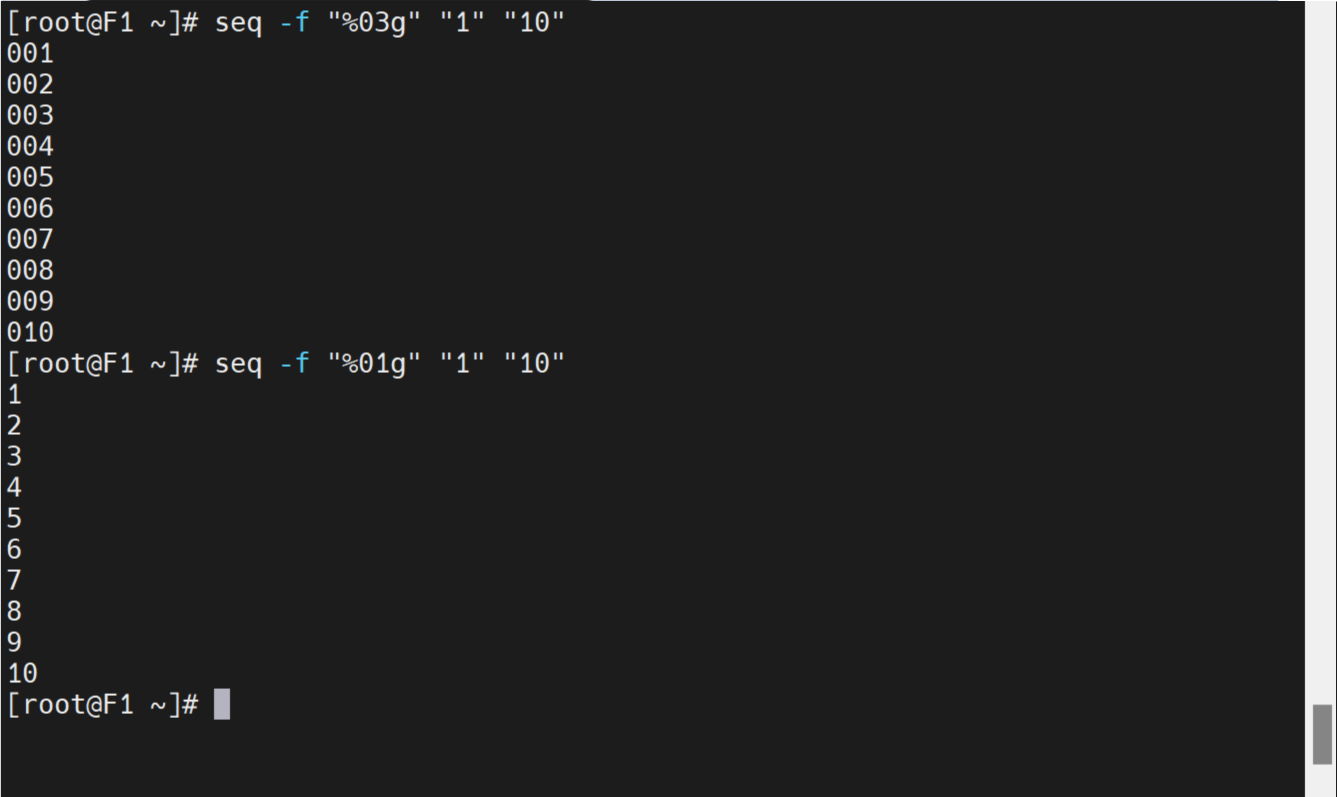
指定打印格式
[root@timinglee ~]# seq -f "%03g" 1 3
001
002
003
设定打印步长
[root@timinglee ~]# seq 1 2 10
1
3
5
7
9
2.反向打印文件内容
[root@timinglee ~]# seq 1 9 > test
[root@timinglee ~]# tac test
9
8
7
6
5
4
3
2
1
3.打印字符
a)printf
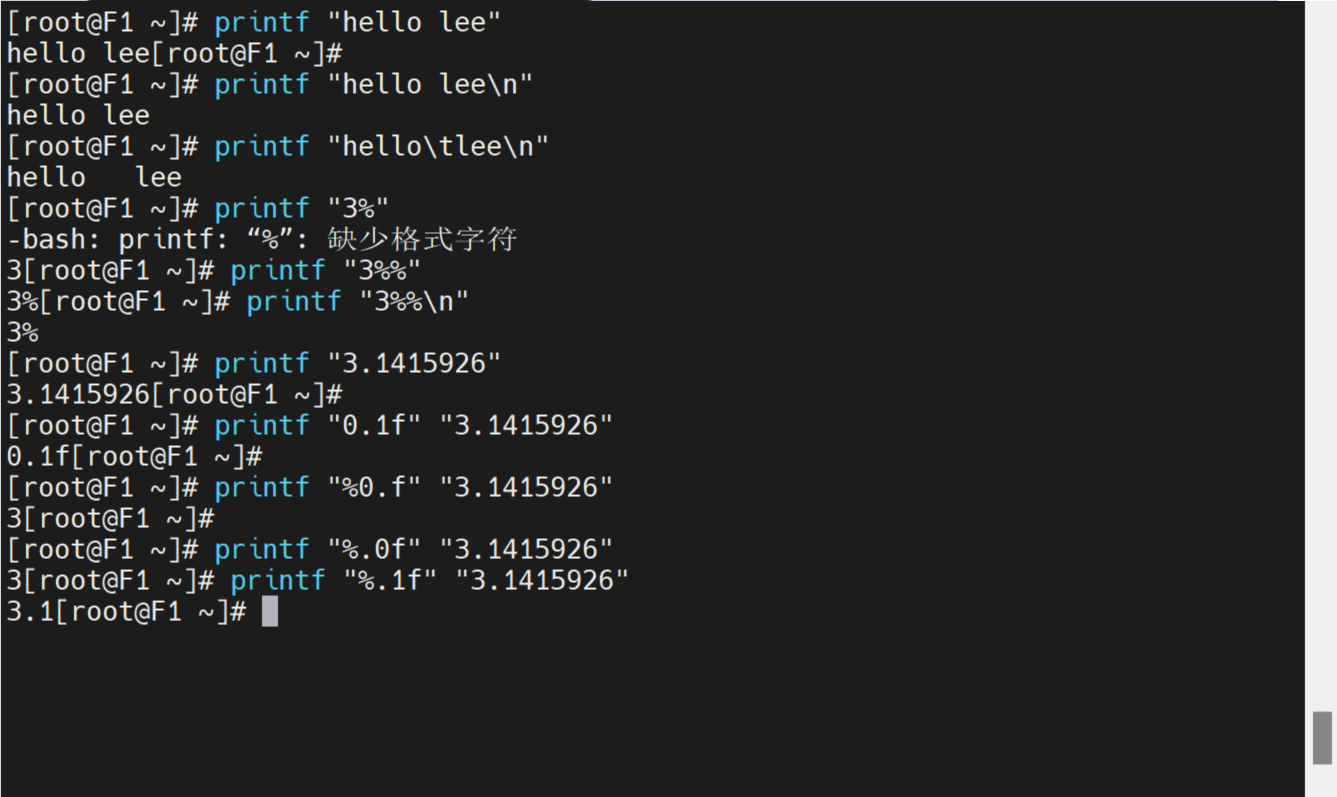
打印字符
[root@timinglee ~]# printf "hello world"
hello world[root@timinglee ~]#
打印字符指定格式
[root@timinglee ~]# printf "hello world\n"
hello world
[root@timinglee ~]# printf "hello\tworld\n"
hello  world
打印百分号
[root@timinglee ~]# printf "3%%\n"
3%
打印整数,浮点数
[root@timinglee ~]# printf "%.0f" "3.1415926"
3
[root@timinglee ~]# printf "%.1f \n" "3.1415926"
3.1
b)echo
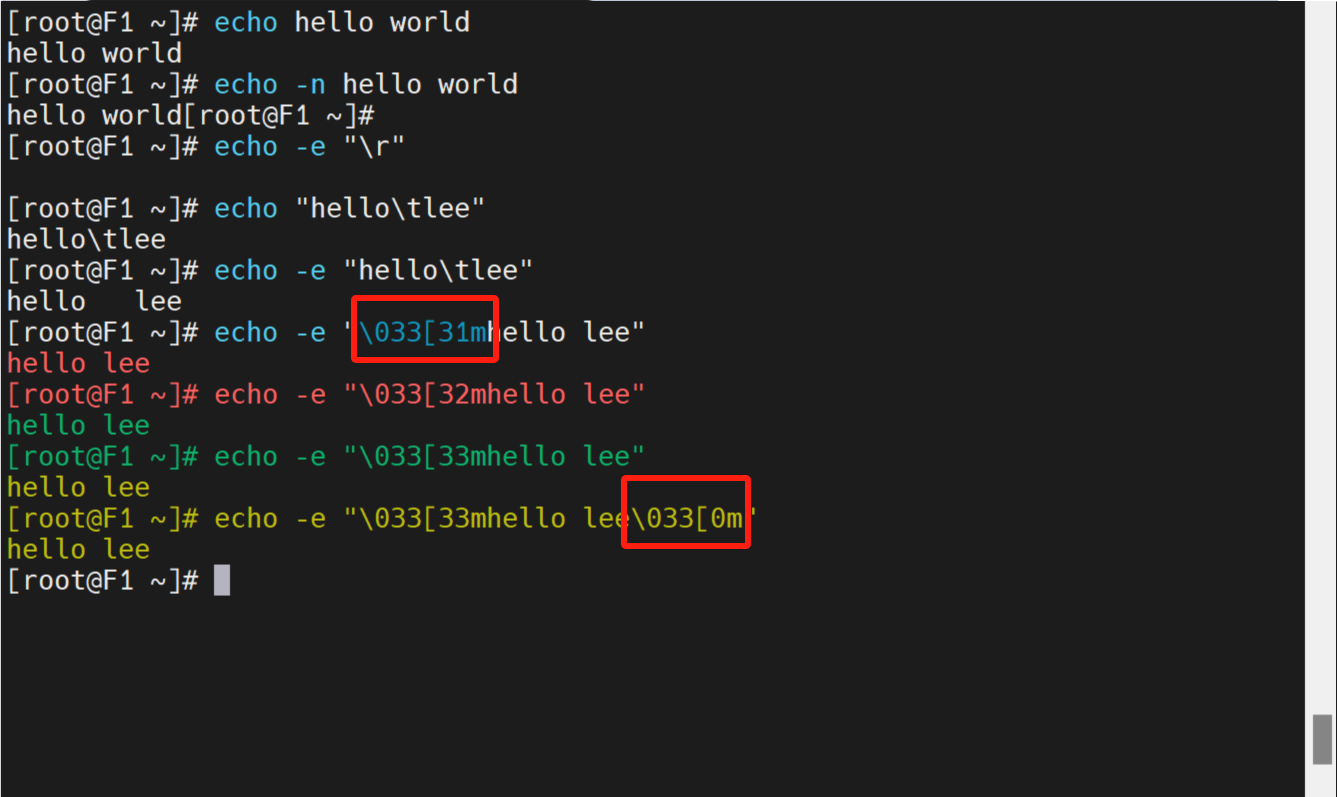
打印字符
[root@timinglee ~]# echo "hello world"
hello world
不换行打印
[root@timinglee ~]# echo -n "hello world"
hello world[root@timinglee ~]#
解析转义字符
[root@timinglee ~]# echo -e "hello\tworld"
三、wget
作用是从指定的URL下载文件。wget命令非常稳定,一般即便网络波动也不会导致下载失败,而是不断尝试重连,直到整个文件下载完毕。wget命令支持如HTTP、HTTPS、FTP等常见协议,可以在命令行中直接下载网络文件。
1.查看wget版本
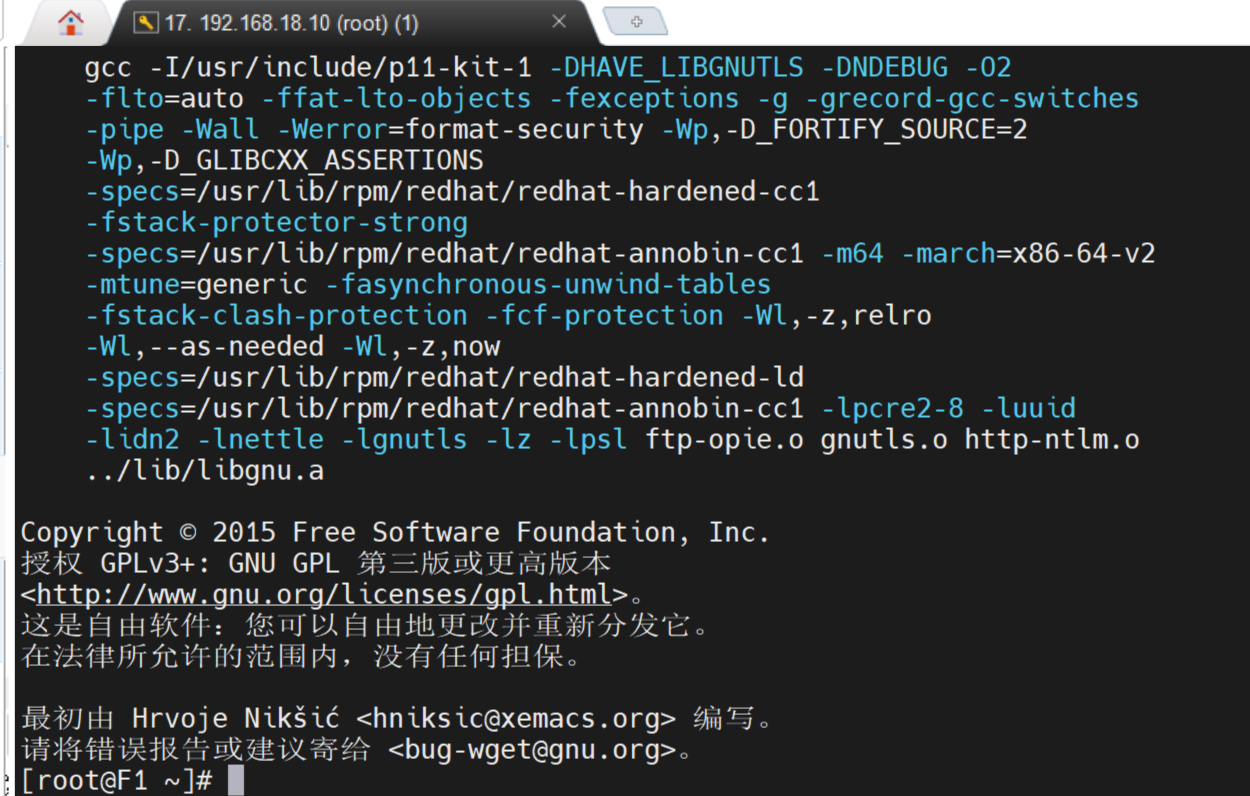
[root@timinglee ~]# wget -V
2.下载文件
[root@timinglee ~]# wget https://dldir1.qq.com/qqfile/qq/QQNT/Linux/QQ_3.2.7_240403_x86_64_01.rpm
[root@timinglee ~]# wget https://dldir1.qq.com/qqfile/qq/QQNT/Linux/QQ_3.2.7_240403_x86_64_01.rpm -o /mnt/qq.rpm
3.限速下载
[root@timinglee ~]# wget https://dldir1.qq.com/qqfile/qq/QQNT/Linux/QQ_3.2.7_240403_x86_64_01.rpm -o /mnt/qq.rpm --limit-rate 1k
4.断点续传
[root@timinglee ~]# wget https://dldir1.qq.com/qqfile/qq/QQNT/Linux/QQ_3.2.7_240403_x86_64_01.rpm -o /mnt/qq.rpm --limit-rate 1k -c
5.后台下载
[root@timinglee ~]# wget https://dldir1.qq.com/qqfile/qq/QQNT/Linux/QQ_3.2.7_240403_x86_64_01.rpm -o /mnt/qq.rpm --limit-rate 1k -b
[root@timinglee ~]# tail -f wget-log
6.下载整个站点
[root@timinglee ~]# wget -r -o /mnt/baidu http://www.baidu.com
7.检测站点是否存活
[root@timinglee ~]# wget -q -T 3 -t 2 --spider http://www.baidu.com
注:
-V 查看wget版本
-O|--output-document=FILE 将下载的内容写入文件中
-c,--continue 支持断点续传
-b 后台下载
--limit-rate=RATE 限制下载速度
-q 静默下载,即无信息输出
-T,--timeout=SECONDS 下载的超时时间
-t,--tries=NUMBER 设置重试次数(0 代表无限制)
--spider 不下载任何文件
四、watch
linux命令watch是周期性的用来执行某命令,并把某命令执行结果输出到屏幕上。使用watch命令,可以周期性的监测并输出某命令的执行结果到屏幕上,省得手动一遍一遍运行某命令,提高工作效率。
1.设置被监控的命令执行间隔
[root@timinglee ~]# watch -n2 1s /mnt
2.高亮显示变化区域
[root@timinglee ~]# watch -d 1s /mnt
3.屏蔽顶部时间信息
[root@timinglee ~]# watch -t 1s /mnt
注:
-n 指定时间间隔
-d 高亮显示变化区域
-t 屏蔽顶部时间
如果要停止 watch 按键 +
五、xargs
xargs命令作用是将标准输入数据转换成命令行参数,能够处理管道或者标准输入将其转换成特定命令的命令参数
1.xargs作用命令
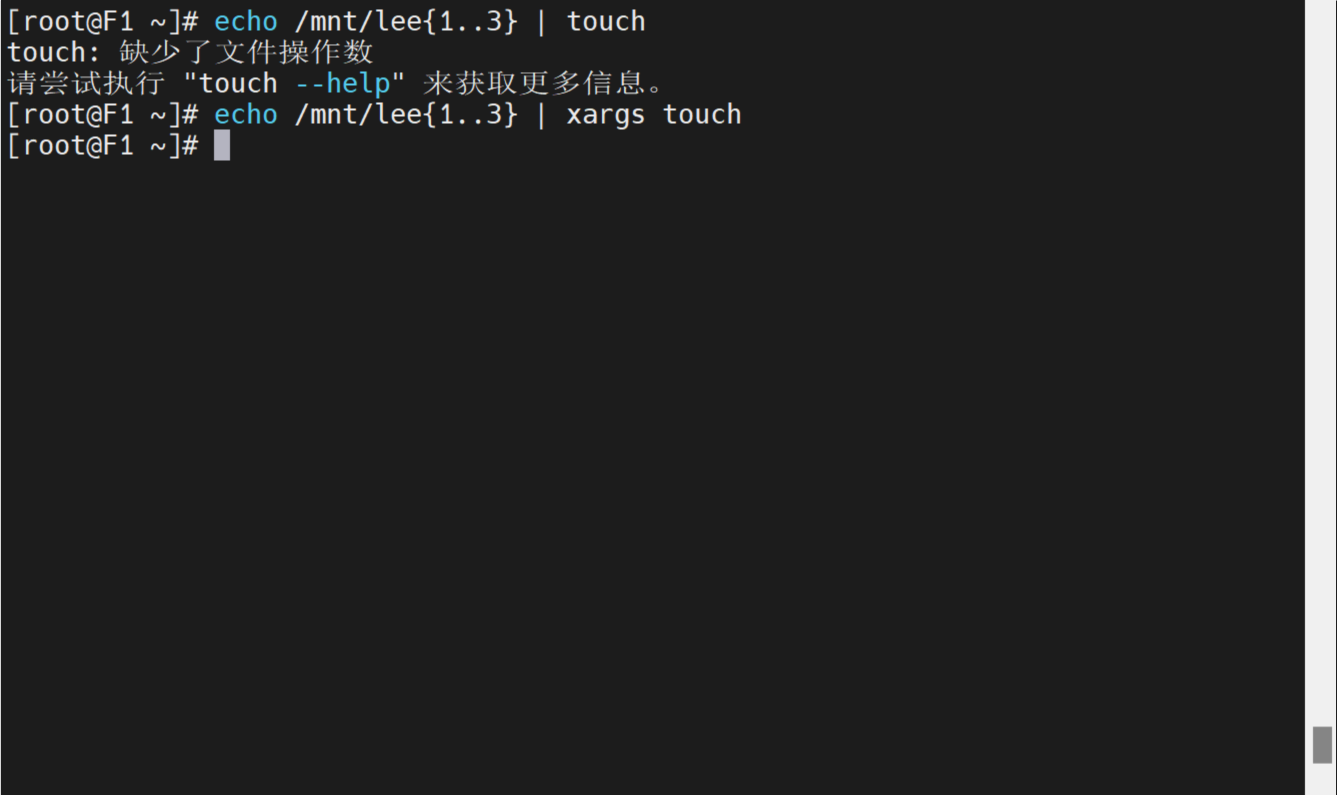
[root@timinglee ~]# echo /mnt/lee{1..3} | touch
touch:missing file operand
Try 'touch --help' for more information.

[root@timinglee ~]# echo /mnt/lee{1..3} | xargs touch
2.多行输入单行输出
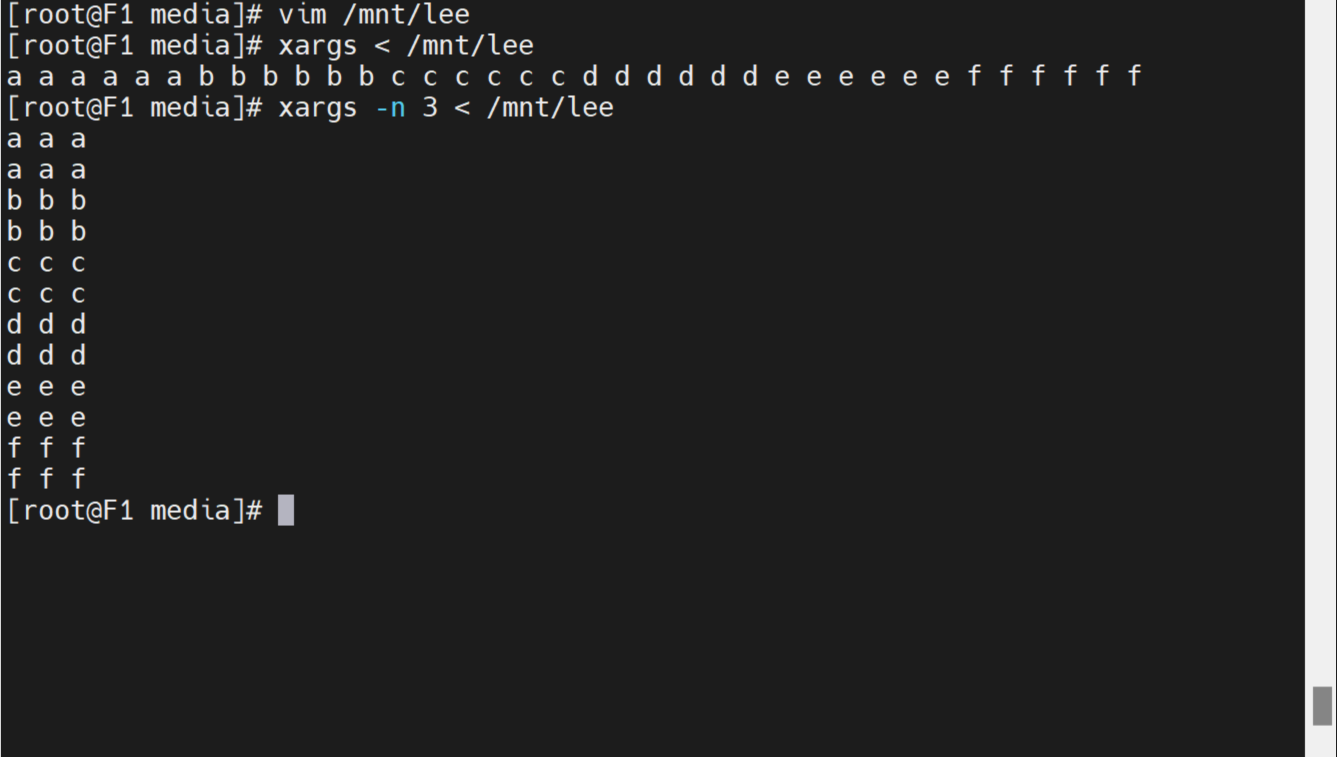
[root@timinglee ~]# vim /mnt/lee
a a a a a a
b b b b b b
c c c c c c
d d d d d d
e e e e e e
f f f f f f
[root@timinglee ~]# xargs < /mnt/lee
a a a a a a b b b b b b c c c c c c d d d d d d e e e e e e f f f f f f
3.指定每行输出个数
[root@timinglee ~]# xargs -n 3 < /mnt/lee
a a a
a a a
b b b
b b b
c c c
c c c
d d d
d d d
e e e
e e e
f f f
f f f
4.指定分隔符
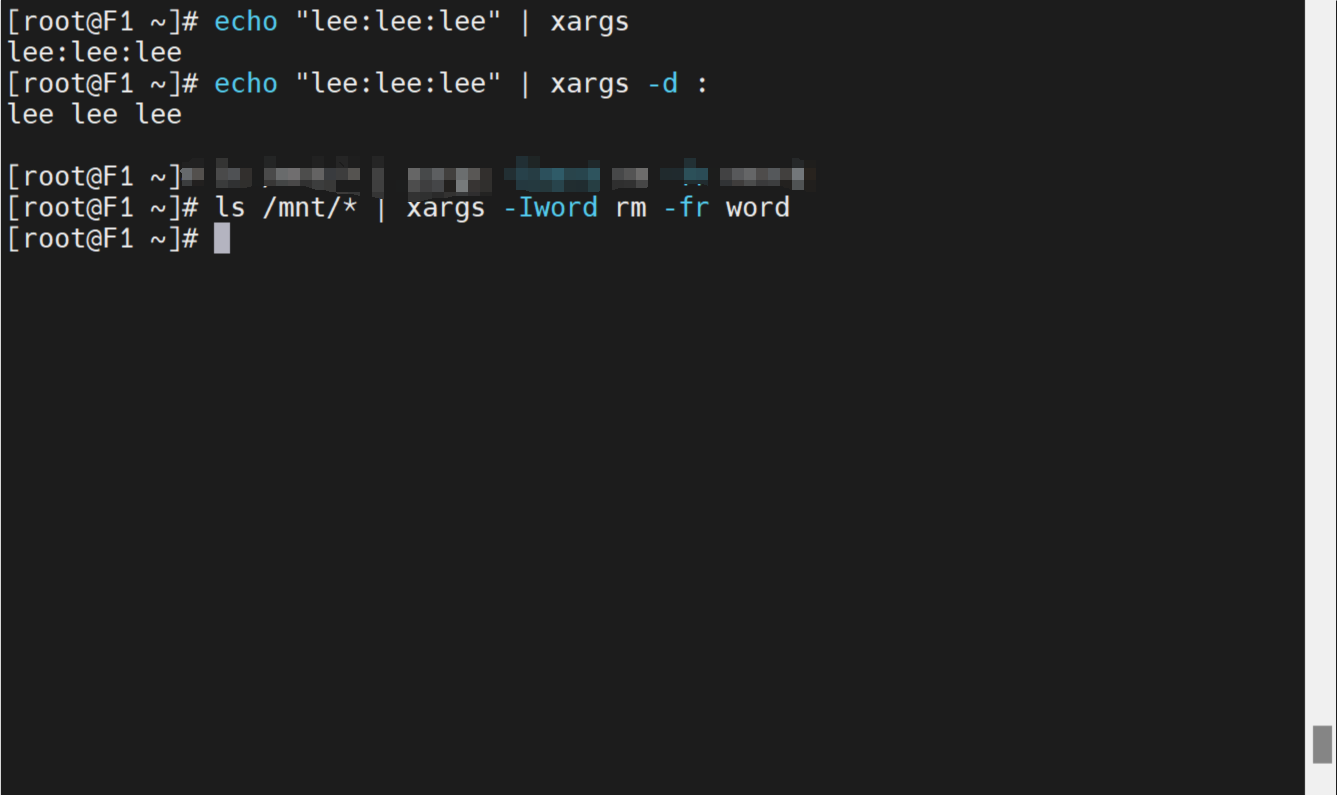
[root@timinglee ~]# echo "lee:lee:lee" | xargs
lee:lee:lee
[root@timinglee ~]# echo "lee:lee:lee" | xargs -d:
lee lee lee
5.用字符代替接收值
[root@timinglee ~]# ls /mnt/* | xargs -Iword rm -fr word
注:
-l 用于指定替换字符串,将输入数据中的特定字符串替换为命令行参数
-n 用于指定每次执行命令的参数个数
-t 用于打印执行的命令
-p 用于提示用户确认是否执行命令
-r 当标准输入为空时,不执行命令


 扫一扫
扫一扫


 5040
5040

 被折叠的 条评论
为什么被折叠?
被折叠的 条评论
为什么被折叠?
 到【灌水乐园】发言





