A local AI workstation is a desktop built around one number: how much GPU memory it carries. Get the VRAM right and the rest is plumbing. Get it wrong and you spend the afternoon fighting out-of-memory errors instead of running models. This guide is three complete, parts-verified builds for running LLMs locally, each anchored to a graphics card whose speed we measured ourselves: a single used RTX 3090 for models up to 32B, two 3090s for a 70B at home, and an RTX 5090 for the fastest single-card box you can buy.
Every part below is a real, currently buyable component, checked for compatibility as a working machine rather than a spec-sheet wishlist. Prices are bands, not fixed numbers, because the 2026 GDDR7 and DRAM shortage has pushed graphics cards and memory well above list. The token-rate figures are measured on rented hardware, not copied off a spec sheet, so they map directly onto what each build does. If you would rather not assemble anything, a mini PC for local AI is the no-build alternative, and the trade-offs there are covered separately.
Measured June 2026 with Ollama at Q4_K_M (RTX 3090, RTX 5090, and an L40S).
The three builds at a glance
Pick the tier by the largest model you intend to run, then read the detailed build for it below. Each total is the approximate parts cost in June 2026; the graphics card dominates every one of them and is the most volatile line.
- Starter, up to 32B: a single used RTX 3090 (24GB) on an AM5 board. The cheapest way into 24GB of VRAM, fast enough for everyday local inference. Approx $2,150 to $2,870.
- 70B at home: two used RTX 3090s (48GB pooled) on a board that runs them x8/x8. The only build here that holds a 70B model in VRAM. Approx $3,860 to $5,170.
- Fastest single card: an RTX 5090 (32GB). The highest token rate of any single card, with 32GB for 32B models and long context. Approx $4,230 to $6,030.
How we picked, and what the cards actually do
Spec sheets say what fits, not how fast it runs. We rented an RTX 3090, an RTX 5090, and an L40S (48GB) by the hour and measured generation speed with Ollama, every model at Q4_K_M with a fixed 4096-token context, warm with the model already loaded. These are the cards in the builds below, so the numbers map onto each tier directly.
| GPU (VRAM) | Llama 3.1 8B | Qwen2.5 32B | Llama 3.3 70B |
|---|---|---|---|
| RTX 3090 (24GB) | 119 tok/s | 37 tok/s | does not fit |
| RTX 5090 (32GB) | 250 tok/s | 71 tok/s | does not fit |
| L40S (48GB) | 113 tok/s | 33 tok/s | 16 tok/s |
Two results drove the tier design. The 5090 generated 71 tokens per second on the 32B model, nearly double the L40S, because token generation is bound by memory bandwidth and the 5090’s GDDR7 is far faster than the L40S’s GDDR6. More VRAM did not mean more speed. And the 70B ran only on the 48GB card. The 24GB and 32GB cards could not hold it at all, which is the entire reason the 70B build uses two 24GB cards to reach 48GB. For the full card-by-card ranking, the GPU roundup for LLM work covers eight options; the 3090-versus-5090 breakdown goes deep on the two cards these builds lean on.
One trap is worth flagging up front, because it bites people daily. Those 32B numbers used a 4096-token context. Let Ollama fall back to a large context window and the 32B’s KV cache pushes past 24GB, the 3090 spills layers onto the CPU, and generation collapses from 37 tokens per second to under 4. On a 24GB card, keep the context window in check. A 32GB card sidesteps it.
VRAM decides which machine you build
Every other choice follows from one number: how much VRAM the card holds. The model weights have to sit in GPU memory, and the size depends on the parameter count and the quantization level. Most local work runs at Q4_K_M (about 4.5 bits per weight), which is the column to read first.
| Model size | Q4_K_M weights | Fits comfortably on |
|---|---|---|
| 7B / 8B | ~5 GB | any 8GB+ card |
| 13B / 14B | ~8 GB | a 12GB card |
| 32B / 34B | ~20 GB | a 24GB card |
| 70B | ~40 GB | a 48GB card, or two 24GB cards |
Those are weights only. Real usage adds the KV cache and activation buffers, roughly 15 to 20 percent at short context, and the KV cache grows with context length. Size for the weights, then leave headroom. That ladder is why this guide splits into three tiers: 24GB reaches 32B, 48GB across two cards reaches a 70B, and 32GB of the fastest memory available runs 32B with long context at the highest token rate of any single card. The full memory math, including long-context KV growth, is in the VRAM sizing guide.
Build comparison: which tier fits your models
| Starter (1× 3090) | 70B at home (2× 3090) | Fastest single (5090) | |
|---|---|---|---|
| VRAM | 24GB | 48GB pooled | 32GB |
| Largest model (Q4) | 32B | 70B | 32B, long context |
| System RAM | 64GB | 128GB | 64GB |
| PSU | 850W | 1500W | 1200W |
| CPU | Ryzen 9 7900X | Ryzen 9 9950X | Ryzen 9 7900X |
| Approx total (Jun 2026) | $2,150-$2,870 | $3,860-$5,170 | $4,230-$6,030 |
Starter build: one RTX 3090 for models up to 32B
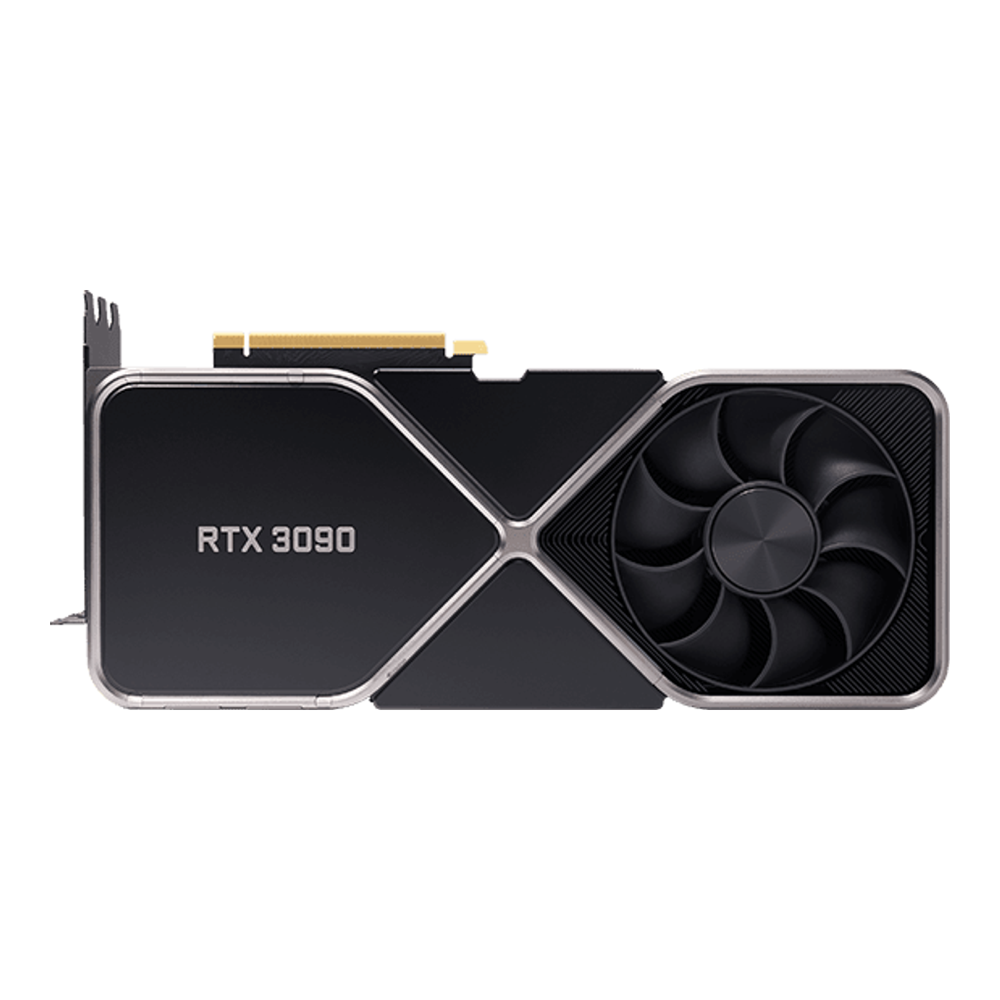
This is the entry point into serious local inference. A used RTX 3090 is still the cheapest path to 24GB of VRAM by a wide margin, and for LLM work, where memory capacity matters more than the last few percent of speed, that makes it the value pick. It generated 37 tokens per second on a 32B model in our test and chews through 8B models at 119. Build this if your ceiling is a 32B model and you want the most VRAM per dollar.
Skip it if you need a 70B (go to the dual-card build) or you want a warranty and brand-new parts (the 3090 is end-of-life and sold secondhand). The card is power-hungry and carries no used-market warranty.
| Component | Pick | Approx price (Jun 2026) |
|---|---|---|
| GPU | RTX 3090 24GB Founders (used) | $900-$1,250 |
| CPU | AMD Ryzen 9 7900X | $300-$360 |
| Motherboard | MSI MAG X670E Tomahawk WiFi | $250-$300 |
| RAM | Corsair Vengeance 64GB (2×32) DDR5-6000 | $190-$260 |
| NVMe | Samsung 990 Pro 2TB | $150-$200 |
| PSU | Corsair RM850x (2024) 850W ATX 3.1 | $120-$170 |
| Case | Fractal Design Torrent | $150-$200 |
| Cooler | Arctic Liquid Freezer III 360 | $90-$130 |
The whole build is uncomplicated. The 3090 takes the top PCIe 5.0 slot at full x16, and 64GB of system RAM (twice the VRAM) gives the host room to stage models and offload a layer or two if you push context. Because that is a two-stick kit, it runs at its full DDR5-6000 rating with no penalty. The Torrent’s dual 180mm intakes feed cool air straight at the 350W card, which matters more than it sounds on an end-of-life part with aging thermal paste. An 850W supply sits comfortably above the roughly 680W this machine draws at peak. Prices on the 3090 bounce around since stock is entirely secondhand, so check the live listing before you commit.
70B build: two RTX 3090s for 48GB of pooled VRAM
A 70B model needs about 40GB of VRAM at Q4, which no single consumer card holds. Two 3090s pool to 48GB and clear it, and Ollama splits the model across both cards automatically. This is the home build for the 70B class, and it is the most rewarding and the most finicky of the three. Build this if a 70B is the point and you would rather assemble than buy a workstation card that costs more than this entire machine.
Skip it if you are not prepared for the physical-fit problem below, or you only ever run 32B and smaller (one card is simpler and cheaper). Expect roughly 15 to 20 tokens per second on a 70B from a dual-3090 setup; that figure is community-reported, not one we measured, but our L40S (also 48GB) landed at 16 tokens per second on the same 70B, which corroborates the range.
| Component | Pick | Approx price (Jun 2026) |
|---|---|---|
| GPU ×2 | RTX 3090 24GB Founders (used), two of them | $1,800-$2,500 |
| CPU | AMD Ryzen 9 9950X | $430-$500 |
| Motherboard | ASUS ProArt X670E-Creator WiFi | $400-$460 |
| RAM | G.Skill Flare X5 128GB (2×64) DDR5-6000 | $450-$650 |
| NVMe | Samsung 990 Pro 2TB | $150-$200 |
| PSU | Corsair HX1500i 1500W ATX 3.1 | $300-$400 |
| Case | Lian Li O11 Dynamic EVO XL (+ PCIe riser) | $200-$260 |
| Cooler | Arctic Liquid Freezer III 360 | $90-$130 |
Three details make or break this build, and all three trip people up.
The two cards do not fit side by side. A Founders Edition 3090 is a three-slot card, and the ProArt’s two PCIe x16 slots are not spaced far enough apart for two of them mounted directly. The top card overhangs the second slot. The fix is to vertical-mount the second GPU on a PCIe riser, which the Lian Li O11 Dynamic EVO XL is built for thanks to its dual-chamber layout. The alternative is sourcing two-slot blower or water-cooled 3090 variants instead of Founders cards. Either way, do not assume two triple-slot cards drop into adjacent slots, because they will not.
The board has to run both slots off the CPU. Most AM5 boards wire the second x16 slot to the chipset at x4, which throttles a second GPU. The ProArt X670E-Creator is one of the few that splits the CPU lanes x8/x8 to two slots. PCIe 5.0 at x8 carries roughly the same bandwidth as PCIe 4.0 at x16, which is plenty for inference, where the cards barely touch the bus once the model is loaded.
128GB has to be two sticks, not four. Fill all four DIMM slots with a 4×32GB kit and the AM5 memory controller drops to around DDR5-3600. A 2×64GB kit holds the same 128GB at the full DDR5-6000 rating because only two slots are populated. If you would rather save money, 96GB as a 2×48GB kit also stays at full speed and is fine here, since the 48GB of VRAM does the inference and system memory is mostly staging and OS. A 1500W supply covers the roughly 1,000W this machine pulls with both cards loaded, and it ships with the native connectors each card needs. DDR5 pricing is brutal in 2026, so the DDR5 buying guide is worth a look before you order the memory.
Fastest single card: RTX 5090 for the highest token rate
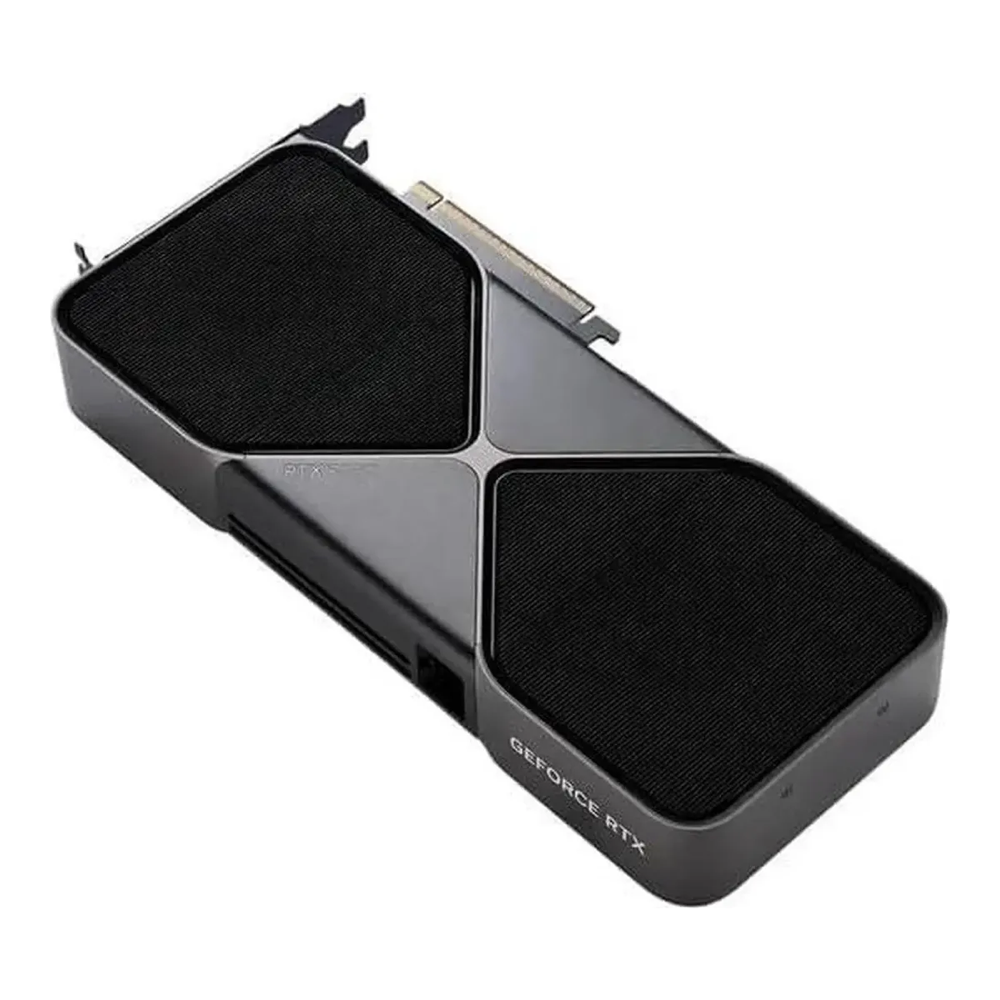
If you want the most speed from one card and a 70B is not on the menu, the RTX 5090 is the build. Blackwell brings 32GB of GDDR7 and nearly 1.8 TB/s of bandwidth, and in our testing it generated tokens faster than anything short of a data-center part: 250 tokens per second on an 8B and 71 on a 32B. The extra 8GB over the 24GB crowd also buys real context headroom, so the KV-cache cliff that hits a 3090 does not hit this card. Build this if you run 32B and smaller, want long context, and value speed over raw capacity.
Skip it if a 70B is the goal (32GB still cannot hold one, so the dual-3090 build is the answer) or the price pushes the build past what a used-3090 machine costs for the same model ceiling. The 5090’s price has been driven well above its list by a GDDR7 shortage.
| Component | Pick | Approx price (Jun 2026) |
|---|---|---|
| GPU | RTX 5090 32GB Founders Edition | $2,900-$4,300 |
| CPU | AMD Ryzen 9 7900X | $300-$360 |
| Motherboard | MSI MAG X670E Tomahawk WiFi | $250-$300 |
| RAM | Corsair Vengeance 64GB (2×32) DDR5-6000 | $190-$260 |
| NVMe | Samsung 990 Pro 2TB | $150-$200 |
| PSU | Corsair RM1200x Shift 1200W ATX 3.1 | $200-$280 |
| Case | Fractal Design Torrent | $150-$200 |
| Cooler | Arctic Liquid Freezer III 360 | $90-$130 |
The one rule that is not optional: the 5090 draws 575W and demands an ATX 3.x supply with a native 12V-2×6 connector. Do not run it off daisy-chained eight-pin adapters. The RM1200x Shift ships the right cable and its 1200W rating absorbs Blackwell’s large transient spikes on top of the roughly 900W system load. Everything else mirrors the starter build: the same AM5 platform, the same 64GB at full speed, the same high-airflow Torrent, which swallows the 304mm two-slot card with room to spare. Step the RAM up to a 2×48GB kit for 96GB if you also do heavy CPU-side data work.
Install the OS, the NVIDIA driver, and Ollama
Ubuntu LTS is the path of least resistance for an NVIDIA AI box: the driver and CUDA repos are first-class, and every inference backend ships packages for it. Install the proprietary driver from the graphics-drivers PPA, then reboot:
sudo add-apt-repository ppa:graphics-drivers/ppa
sudo apt update
sudo ubuntu-drivers install
sudo reboot
After the reboot, confirm the driver loaded and the card is visible. On the dual-card build, both cards must appear here before anything else is worth trying:
nvidia-smiYou should see each card with its memory and driver version. Install Ollama with the official script, which detects the GPU and pulls the CUDA runtime it needs:
curl -fsSL https://ollama.com/install.sh | shPull a model sized to the card and run it with the verbose flag, which prints the generation rate after each response. On a 24GB build a 32B at Q4 is the ceiling; on the dual-card build a 70B fits across both cards:
ollama pull qwen2.5:32b
ollama run qwen2.5:32b --verbose
On the dual-3090 build, watch the split land across both cards while a 70B is loaded:
nvidia-smi --query-gpu=index,memory.used,utilization.gpu --format=csvMemory used should be roughly balanced across index 0 and index 1. If one card sits idle, the model fit on a single card and Ollama never needed the second one. The same models run on CPU if you want to test before buying a card, covered in the guide on running local LLMs on CPU, and when one box is no longer enough you scale out with vLLM on Kubernetes.
What actually matters when you pick the parts
The GPU is the build. Everything else exists to feed it, power it, and cool it. Five things decide whether a parts list is a working machine or a pile of incompatibilities.
System RAM: at least double the VRAM
For GPU inference, a safe rule is system RAM equal to VRAM at minimum, doubled if you ever offload layers to the CPU or load large models from disk. A single 24GB card pairs with 64GB. A dual-card 48GB build wants 128GB so the host can stage a 70B without thrashing. On AM5, getting 128GB at full speed means a two-stick kit, not four, as covered in the 70B build above.
PSU: size it for the peak, not the average
Add the GPU power draw, the CPU package power, and about 100W for the rest, then leave headroom for transient spikes. A single 3090 (350W) lands near 850W. Two 3090s plus a CPU need 1500W. A 5090 draws 575W and spikes hard, so it wants 1000 to 1200W, and an ATX 3.x supply with the native 12V-2×6 connector rather than an adapter chain. Undersizing the PSU is the most common cause of an AI box that reboots under load.
PCIe lanes and slot spacing
Inference barely touches the PCIe bus once a model is loaded, so a board that runs two slots at x8/x8 is fine for two cards and you do not need a workstation platform for the lanes. What you do need is physical spacing. Two triple-slot cards crammed together cook each other, so either space them three slots apart, vertical-mount the second one, or use two-slot variants.
NVMe sized for the model library
Models are large and you will collect them. A 70B at Q4 is about 40GB on disk, and a working library of a few sizes plus quantization variants fills a 1TB drive quickly. A 2TB NVMe is the right starting point. Read speed only affects load time, not generation, so a mainstream Gen4 drive is plenty; the logic behind picking server-grade drives is in the SSD and NVMe guide if this box doubles as a homelab host.
Cooling and case airflow
A single high-wattage card needs front-to-back airflow and clearance for its length. Two cards need more intake than a typical mid-tower provides, and the top card runs hottest because it pulls the bottom card’s exhaust. A full-tower or a high-airflow case with three or more intake fans is not optional on the dual-card build.
Match the build to the models you run
Work down the same ladder the VRAM table set out and the right machine picks itself:
- Ceiling is a 32B model, tight budget: the single used 3090. Maximum VRAM per dollar, 37 tokens per second on a 32B, simple to assemble.
- You want a 70B at home: two 3090s for 48GB. Accept the riser mount and the x8/x8 board, and a 70B runs in VRAM at home for less than one workstation card.
- You want the fastest single card and run 32B and smaller: the 5090. Highest token rate here, 32GB for long context, one ATX 3.x supply with the right cable.
Spend on VRAM first, token rate second, and everything else last. That order is what separates a machine that runs the models you actually want from one that fights you on every long prompt.