Both firewalls run the same FreeBSD packet filter, so on a mini-PC the raw speed numbers come out nearly identical and the real decision lives somewhere else. That surprises people who arrive expecting one to be twice as fast as the other. On an N100 or an N305 box, OPNsense vs pfSense is not a throughput contest. It is a contest over how each one behaves on day two: how it handles inline IDS, how it upgrades, what it costs to keep on your own hardware, and how much friction the interface puts between you and the change you came to make.
We installed OPNsense 26.1 and pfSense CE side by side in a lab in June 2026 and put both through the same install, upgrade, interface, and UI checks, so the day-two behavior here is what we actually saw. The throughput figures further down come from independent tests on real N100 and N305 hardware, which we cite, because a virtualized lab cannot stand in for a real box’s NIC and CPU. This guide covers the parts that actually move the decision: the NAT, Suricata IDS, and WireGuard throughput you can expect, the update and install model, the licensing reality in 2026, and a clear “pick this one if” at the end.
The short version
If you are building on your own mini-PC and want everything for free with a modern interface, native WireGuard, and clean in-place upgrades, reach for OPNsense. If you want a turnkey appliance with vendor support, or you already have years of pfSense muscle memory and lean on Snort, pfSense is the safer call. Neither is a wrong answer, and on the same box they route at the same speed.
The one thing that decides more than the software is the hardware underneath it: an Intel i226-V or i350 NIC and enough CPU cores to absorb inline inspection. Get that right and either firewall flies. Get it wrong and both crawl. Here is how the two stack up before we get into the why.
| OPNsense | pfSense | |
|---|---|---|
| Cost on your own mini-PC | Free, all features | CE free; Plus is paid on non-Netgate hardware |
| Interface | Modern sidebar, fast | Functional, dated layout |
| WireGuard | Native, in the base system | Optional add-on package |
| IDS/IPS engines | Suricata (inline) | Suricata and Snort |
| Built-in reporting | Insight and NetFlow included | Needs ntopng |
| Offline installer | Standard ISO | Net installer (no offline 2.8 ISO) |
| Commercial option | Business Edition | pfSense Plus and Netgate support |
Same FreeBSD core, so routing speed is a tie
OPNsense and pfSense are both FreeBSD systems built around the pf packet filter. They share the same kernel network stack, the same drivers, and most of the same tuning knobs. When two independent testers put them on identical hardware, the routing numbers land within a rounding error of each other. One 2026 head-to-head on an Intel i5-8500 with i350 NICs measured plain WAN-to-LAN at 940 Mbps on OPNsense and 938 Mbps on pfSense. WireGuard came in at 720 against 710, OpenVPN at 380 against 375, and Suricata-on throughput at 680 against 670. Those gaps are noise.
The practical takeaway is that you should not pick between them on a benchmark, because the benchmark is a tie. What actually caps your throughput is the NIC and the CPU, in that order. A Realtek 2.5G chip underperforms on FreeBSD regardless of which firewall you load; an Intel i226-V or i350 hits line rate on both. If you are still choosing a box, the tested mini-PC firewall hardware guide walks through which chips and NICs hold up.
Real-world throughput: NAT, IDS, and WireGuard
Because the two firewalls perform the same, the numbers below describe the class of hardware, not the OS. They are drawn from independent tests on real N100, N305, and comparable boxes, and they tell the same story on either firewall. The headline is that plain routing is free, inline inspection is expensive, and VPN sits in between and is bound by a single CPU core.
| Workload | N100 (4-core) | N305 (8-core) | What limits it |
|---|---|---|---|
| Plain NAT / routing | Saturates 2.5GbE (~2.3 Gbps) | 2.5GbE with room for multi-gig | NIC, then a little CPU |
| Suricata/Snort inline IDS/IPS | ~300 to 600 Mbps | ~600 Mbps to 1 Gbps | Single netmap thread, ruleset size |
| WireGuard VPN | ~600 Mbps to 1 Gbps | Comfortably over 1 Gbps | One CPU core (ChaCha20) |
| OpenVPN (AES-GCM) | ~300 to 700 Mbps | ~1.1 Gbps | One CPU core, helped by AES-NI |
| IPsec (AES-NI) | ~1 Gbps and up | Link-capped on 2.5G | AES-NI, scales across cores |
Plain NAT is the easy part. An N100 saturates a 2.5GbE link for straight routing without breaking a sweat; a measured iperf3 run on an N100 box hit 2.37 Gbps down and 2.34 Gbps up, which is line rate on that port. Even older Atom-class chips route a gigabit. If your WAN is 1 Gbps and you only need NAT, almost any current mini-PC is overkill.
Inline IDS/IPS is where the mini-PC hurts, and the reason is architectural rather than raw CPU. Suricata’s inline mode runs on netmap, and the classic implementation pinned packet re-injection to a single thread, so inline inspection was effectively single-core no matter how many cores you bought. One Protectli box on a Celeron measured 1 Gbps of routing collapse to 300 Mbps with Suricata inline, recovering to about 500 Mbps after tuning, while the CPU sat far from saturated. That is the single-thread bottleneck, not a lack of horsepower. Newer Suricata releases add multi-queue netmap that can spread across cores, but it needs hardware offloading disabled and “workers” mode, and traffic on VLANs falls back to a slow emulated path. The honest ceiling for inline IPS on a mini-PC is roughly 600 Mbps to 1 Gbps depending on the chip and how heavy your ruleset is. Claims of multi-gig IPS on these boxes do not hold up under scrutiny.
WireGuard is bound by a single CPU core because its ChaCha20 cipher does not lean on the AES-NI instructions the way IPsec does. An N100 will not reliably saturate a 1 Gbps WireGuard tunnel; expect somewhere between 600 Mbps and a gigabit on a single tunnel, with an N305 pushing comfortably past that. The good news is that both firewalls now use the in-kernel WireGuard implementation, which is roughly three times faster than a userspace one. Netgate measured 909 Mbps against 329 Mbps on the same gateway for kernel versus userspace. The very high WireGuard numbers you see in vendor labs (over 2 Gbps on an N305) are capped by the 2.5GbE test link, not by the crypto, so read them as “fast enough to fill the port” rather than as a true ceiling.
OpenVPN is the heaviest VPN of the three and scales with single-core clock speed: an N305 manages around 1.1 Gbps with AES-256-GCM, while weaker chips drop to the 300 to 700 Mbps range. IPsec with AES-NI is the fastest encrypted option and stays close to line rate on these boxes, which is exactly why AES-NI support matters when you shop. Every N100, N150, and N305 has it.
The update and install model is the real day-two difference
This is where the two genuinely diverge, and it is the part we verified ourselves. OPNsense upgrades in place from the web UI. You open System then Firmware, click check for updates, and it pulls the new release over the existing install. Major versions land twice a year, in January and July, with smaller point releases every couple of weeks in between. Minor updates apply live in the browser; a major jump still starts from the GUI but installs during a reboot, so for a box you cannot physically reach, console or serial access is worth having to watch it through.
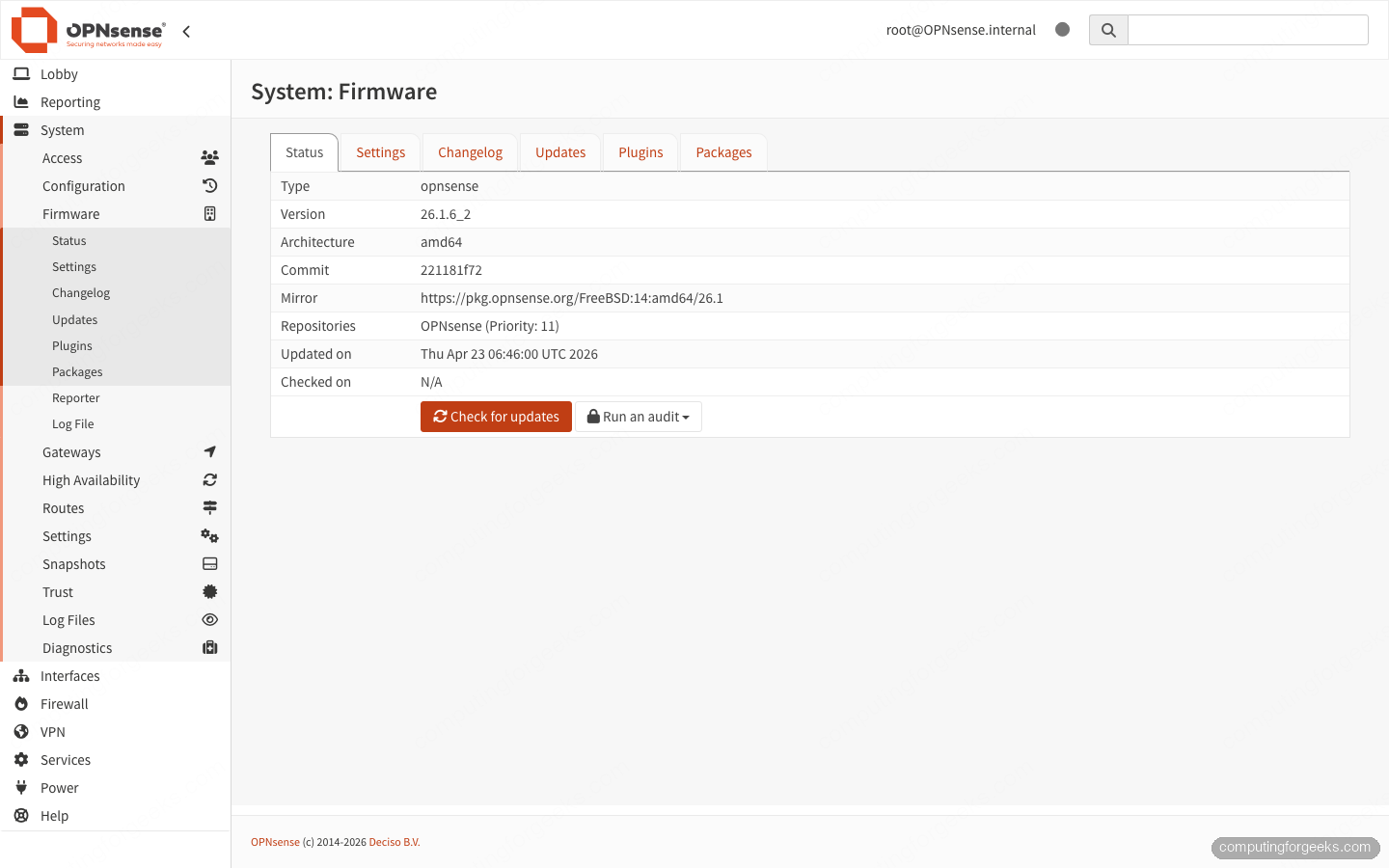
That in-place flow is the same one covered in the guide to updating OPNsense from the web UI or console, and it works whether the box sits on your desk or in a rack across town.
pfSense CE changed its install story, and it catches people out. The current CE line no longer ships an offline ISO. A fresh install of pfSense CE 2.8 runs through the Net Installer, which configures your WAN first and then downloads the operating system during setup, so the box needs internet to install at all. The last release with a standalone offline image is 2.7.2. The supported offline path is to install 2.7.2 from that legacy image and then upgrade in the GUI, but there is a trap: the updater tracks whatever branch is selected, and if it is pinned to the previous-stable branch it will sit on the older release and report “up to date” even though a newer one exists.
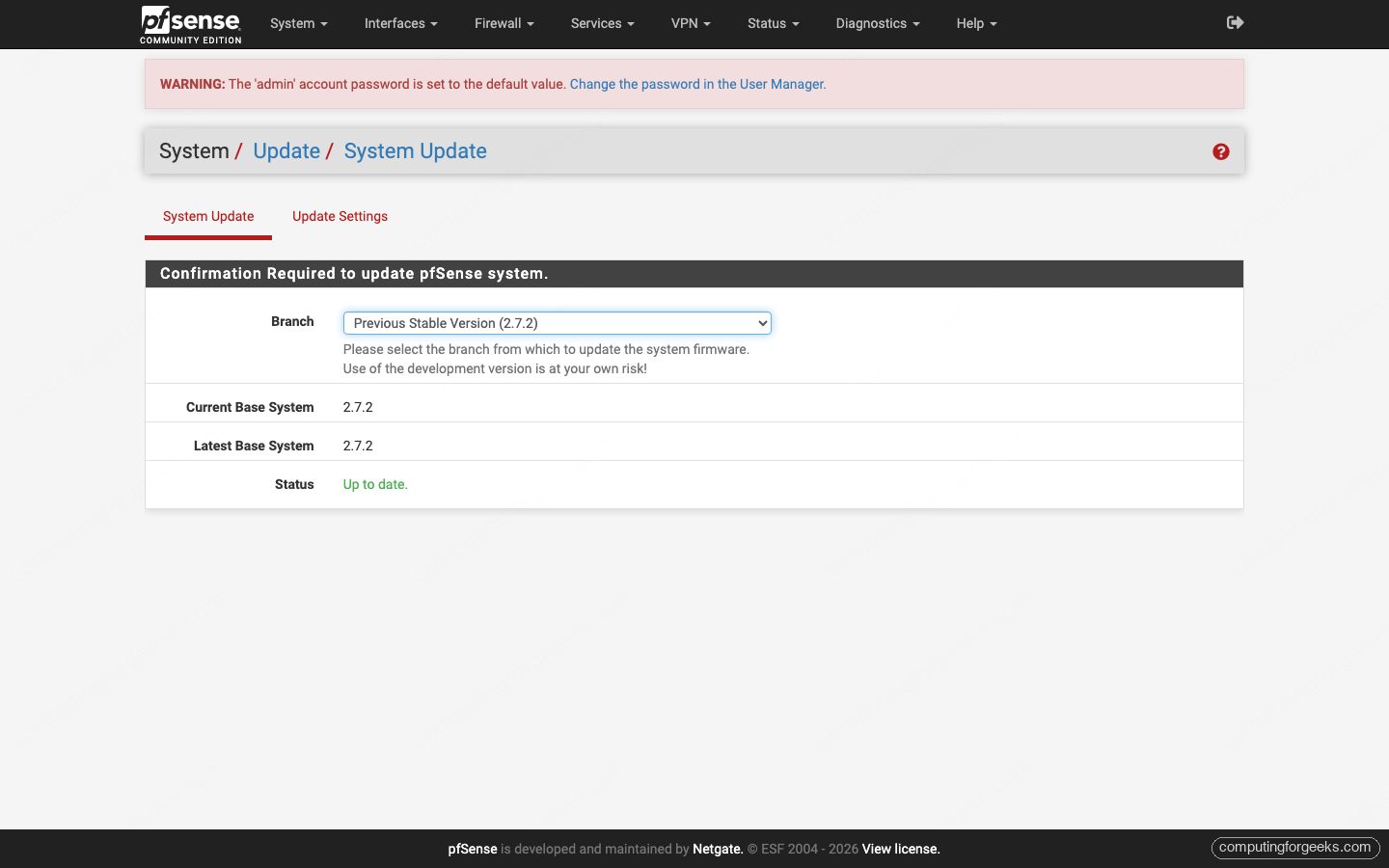
You switch the branch in the dropdown to bring the upgrade forward. None of this is a dealbreaker, but it is more ceremony than OPNsense asks for, and it matters most when you are imaging a remote or air-gapped box where pulling the OS over a half-configured WAN is awkward. For a mini-PC you plan to ship somewhere and forget, OPNsense’s offline ISO and one-click upgrade are a real convenience.
Two firewalls, two default wirings
A small but genuine gotcha when you reimage a box: the two assign interfaces in opposite directions by default. OPNsense treats the first NIC as the LAN, while pfSense treats the first NIC as the WAN. Plug your uplink into the same physical port after switching firewalls and you will lock yourself out until you reassign. It is a thirty-second fix once you know, and a frustrating ten minutes when you do not.
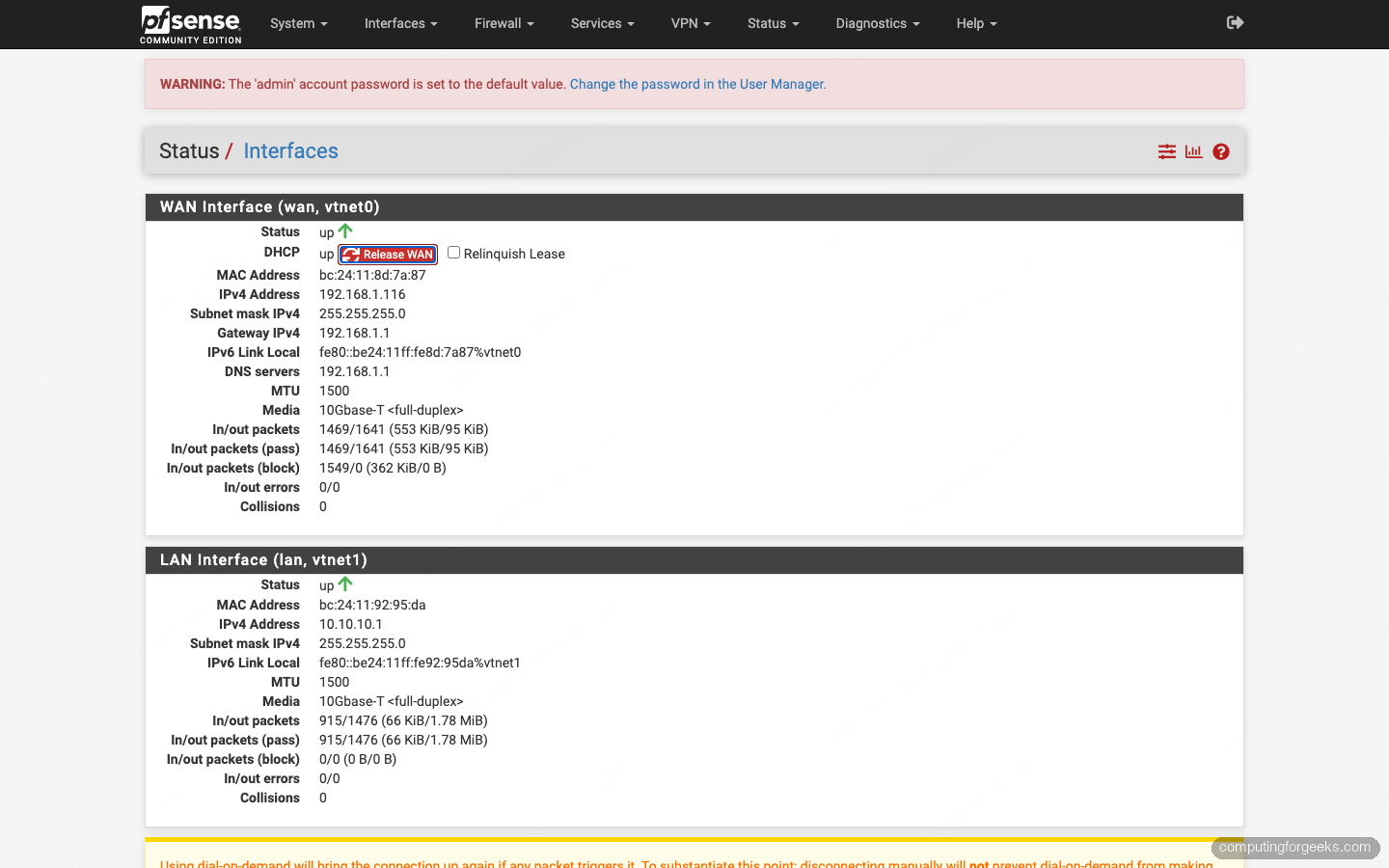
Both firewalls support CARP for high availability, traffic shaping, and a captive portal, so the day-two feature floor is similar. OPNsense also ships Monit by default to auto-restart failed services, which is a nice touch you would otherwise wire up by hand. If your i226-V ports flap after the install settles, that is a known hardware quirk rather than anything either firewall did wrong, and the i226-V link-drop fix applies to both.
The interface and feature gap
The interface is the most-cited reason people switch, and it is fair. OPNsense rebuilt its UI on a modern framework with a sidebar, search, and dashboards that load quickly. Everything is a click or two away, and the design has aged well.
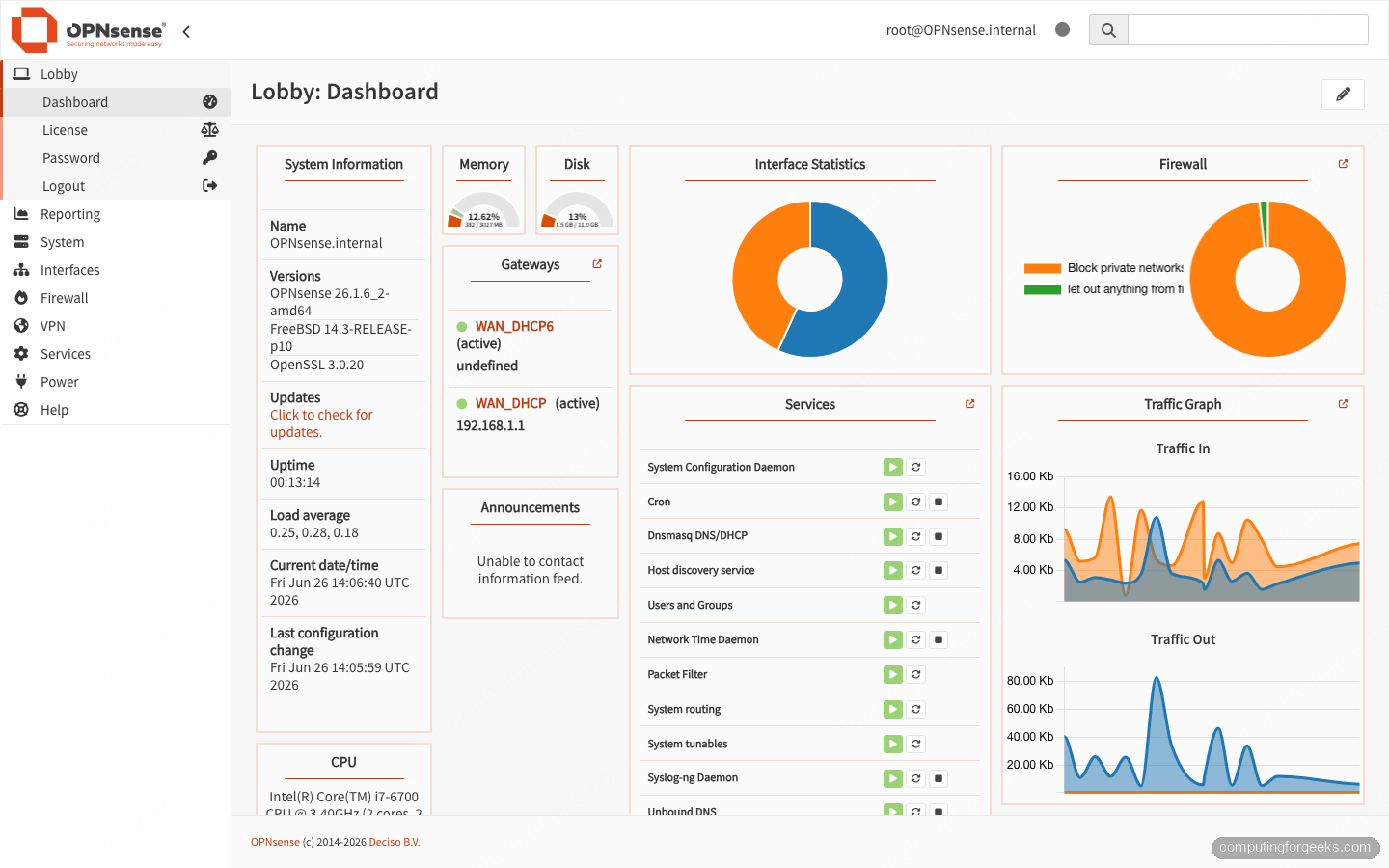
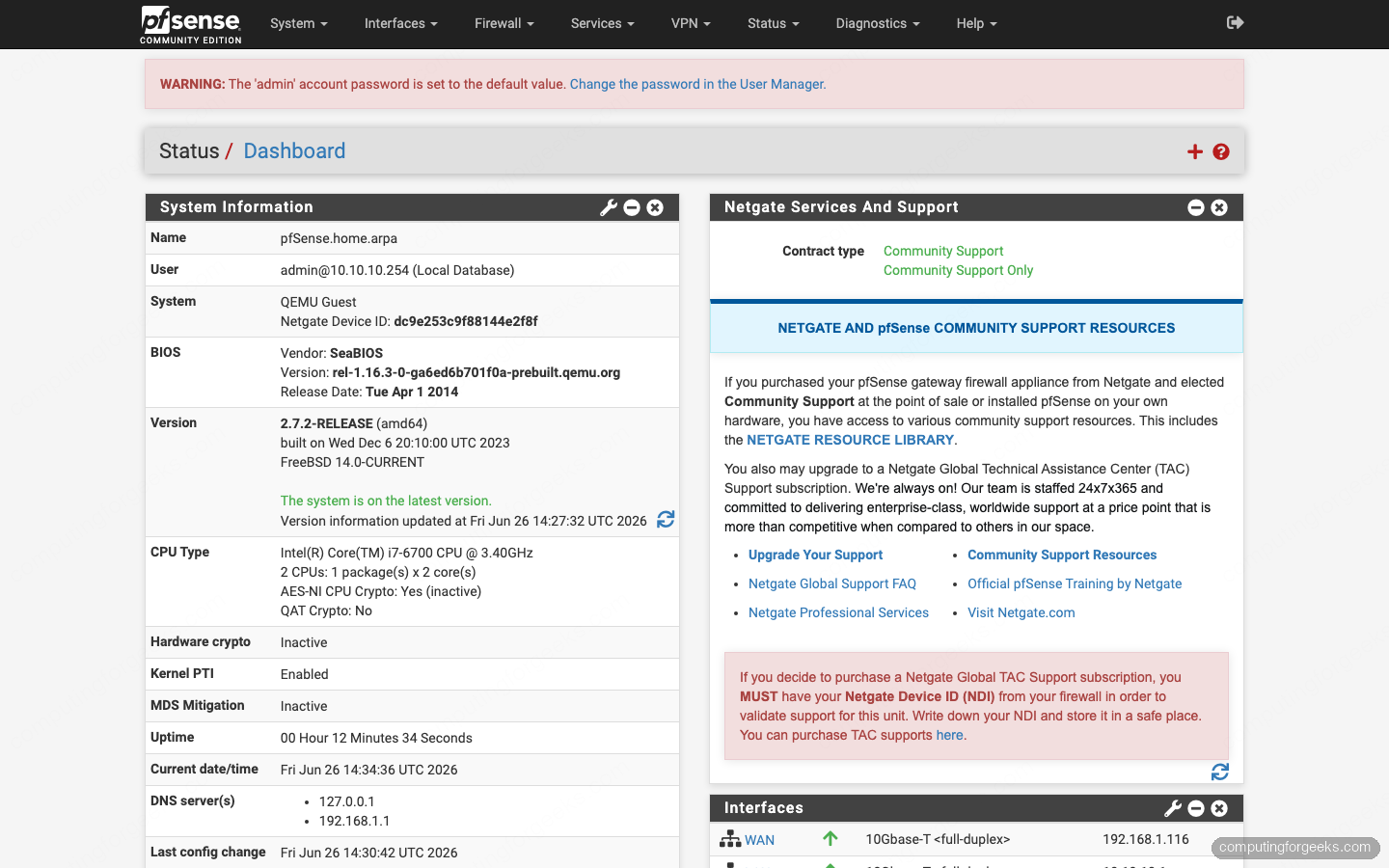
pfSense is functional and stable, but its top-menu layout has barely changed since the mid-2010s. Long-time users navigate it on reflex and never think about it; newcomers tend to find it dated next to OPNsense. Compare the two dashboards and the difference is immediate.
Past the UI, the feature differences are about where things live rather than whether they exist. OPNsense includes Insight and NetFlow reporting, so you get traffic dashboards without installing anything; pfSense leans on the ntopng package for the same view. Both ship Suricata for inline IDS/IPS, and the current OPNsense release moved Suricata to a newer inline mode; pfSense keeps Suricata and still offers Snort as a second engine for those who prefer it. The L7 application-aware option, Zenarmor, runs on both, with a free tier that allows a single catch-all policy and paid tiers for multiple policies and app control.
WireGuard is the clearest split. OPNsense ships it natively in the base system, with QR-code peer setup and handshake monitoring in the GUI. pfSense offers WireGuard as an optional package; it was added to the core in 2021, pulled weeks later when FreeBSD backed out the kernel code, and returned as a package. It works well today, but it is a bolt-on rather than a built-in. If a self-hosted VPN is central to your plan, OPNsense gives you the smoother path, and the walkthrough for running a VPN server on either firewall covers the OpenVPN route on both.
Licensing: free on your box, or pay for the polish
OPNsense is open source under a BSD license, and the free version is the complete product. There is no crippled tier and nothing held back behind a paywall. The optional Business Edition adds a more conservative, tested update repository, central management, an official virtual appliance, and vendor support, aimed at companies that want a curated release train.
pfSense splits into two editions, and the split changed in a way many older guides miss. Community Edition is free and open source. pfSense Plus is the closed edition, and it is free only on Netgate’s own appliances; the free Home and Lab download tier for Plus on your own hardware was discontinued in late 2023. On a self-built N100 or N305 box today, that means your free choices are pfSense CE or OPNsense, while pfSense Plus on that same hardware is a paid subscription. If you would rather buy a finished appliance than build one, a Netgate unit bundles Plus and support, which is a legitimate reason to go that route.
What to run either firewall on
Match the box to the heaviest job you measured above. Plain routing wants almost nothing; inline IDS and a busy WireGuard hub want cores and an Intel NIC. These three cover the common cases, and the full lineup with the trade-offs lives in the tested firewall hardware guide.
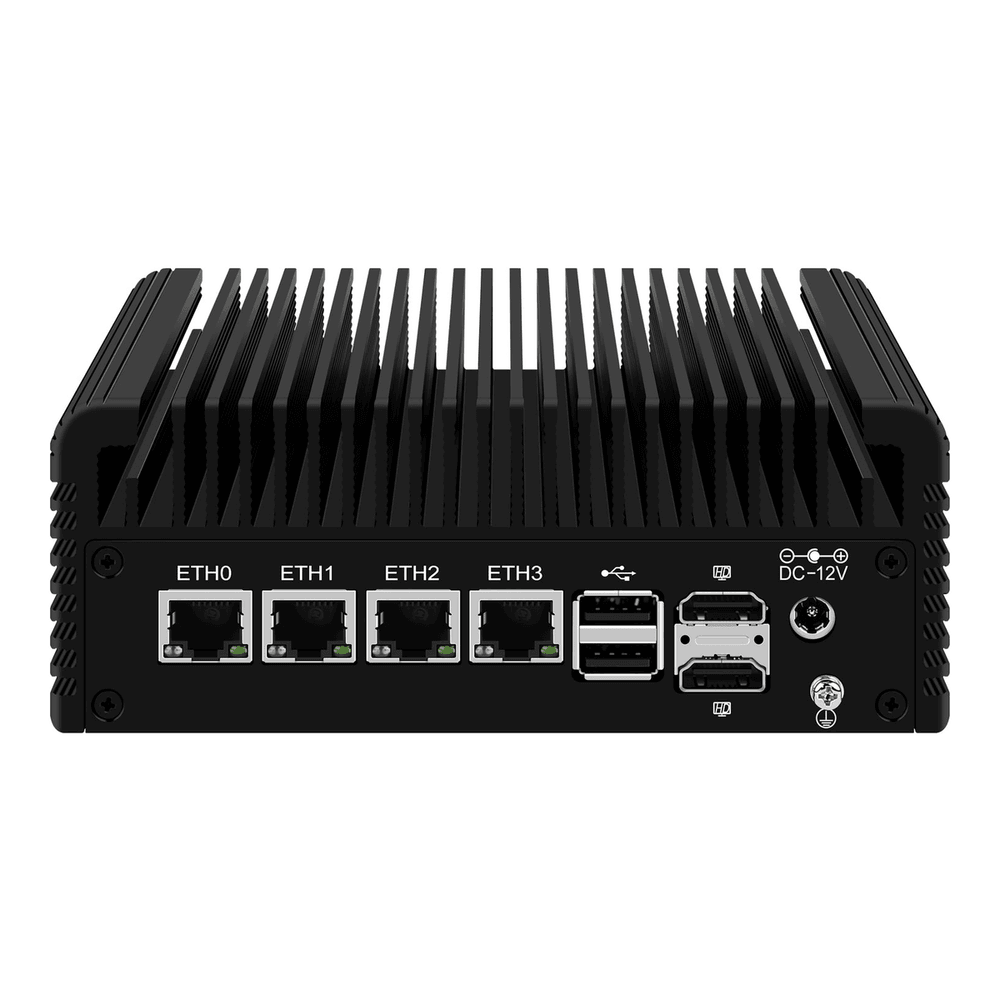
For a 2.5-gig home connection that mostly needs fast NAT and light inspection, the four-port CWWK N100 is the value pick. It routes 2.5GbE at line rate and handles a modest Suricata ruleset, and it ships barebones so you add your own RAM and SSD.
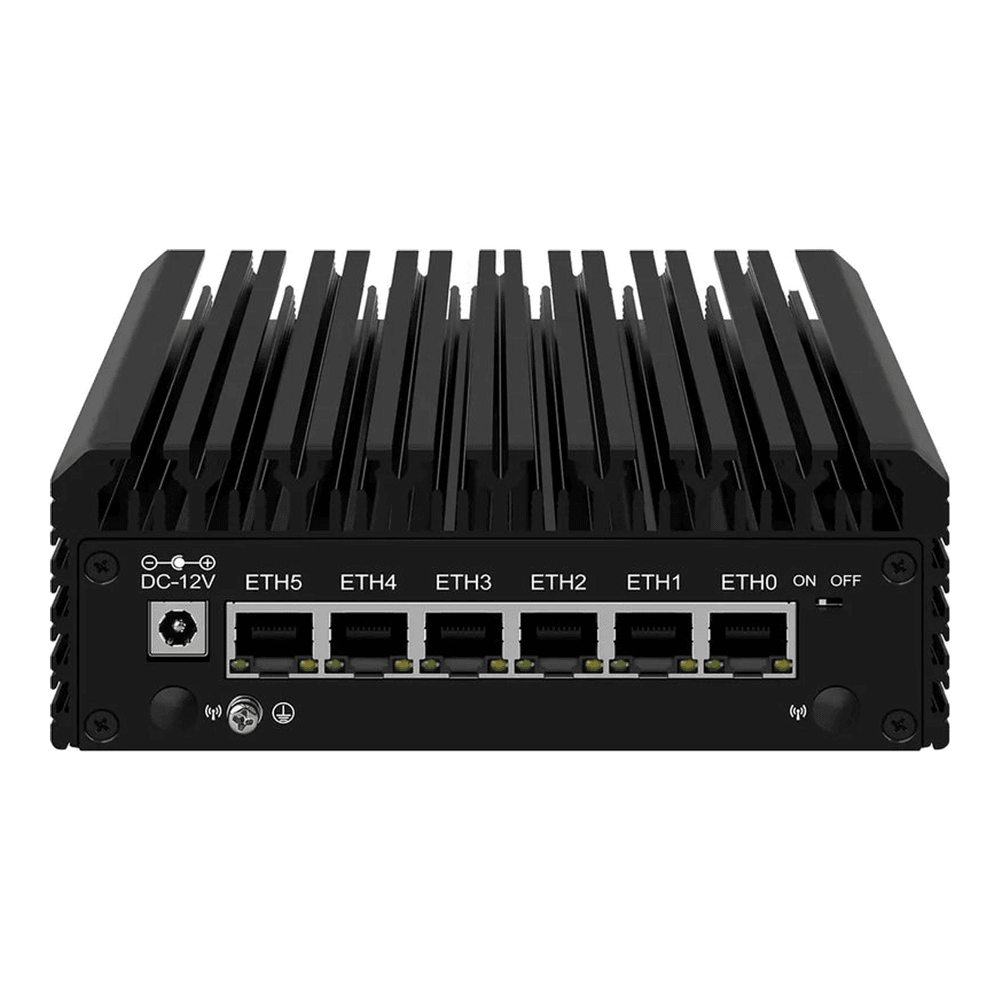
If you run inline IDS/IPS across several VLANs, step up to the eight-core i3-N305. The extra cores are exactly what inline inspection and a busy VPN hub need, and the six-port model leaves room to segment your network properly.
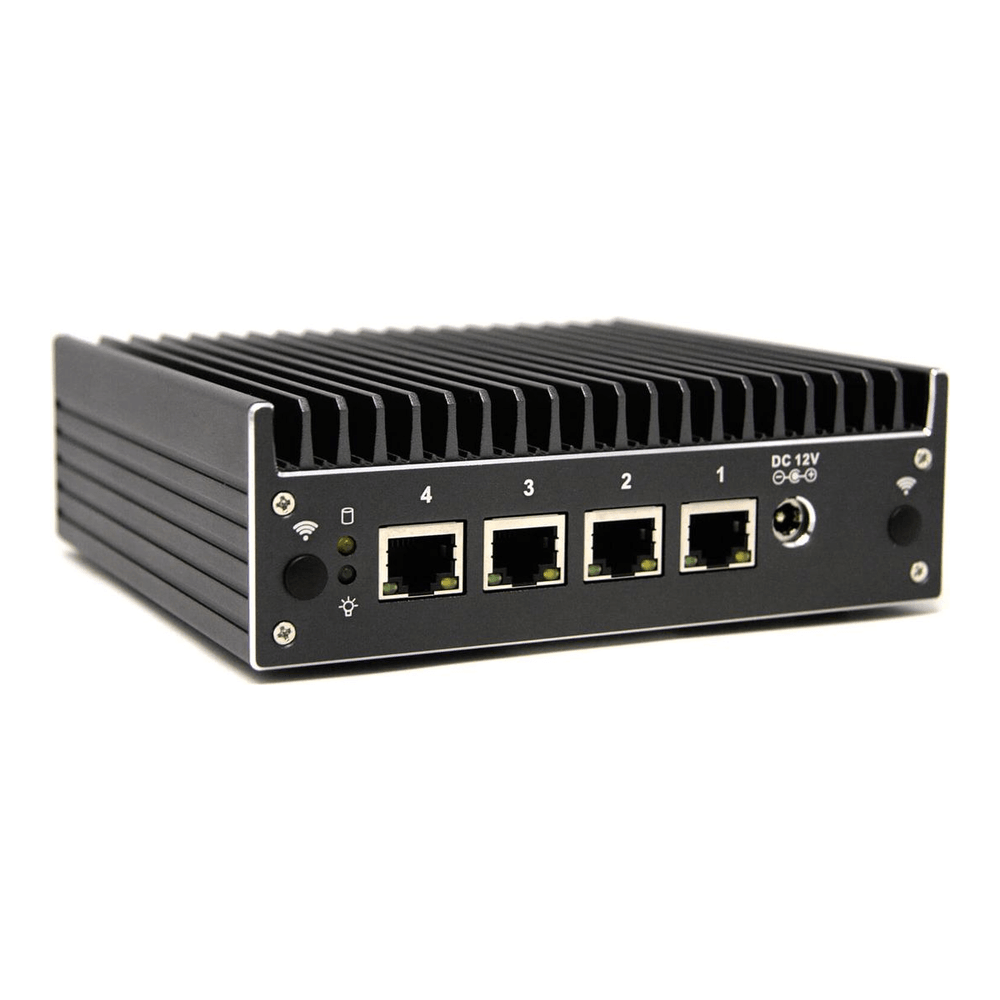
If you want a box built specifically for firewall duty with coreboot and a vendor that maintains its NIC firmware, the Protectli VP2420 is the steady choice. You pay more than a generic CWWK unit, and in return you get US support and validated i226 firmware, which is part of what keeps those ports from flapping.
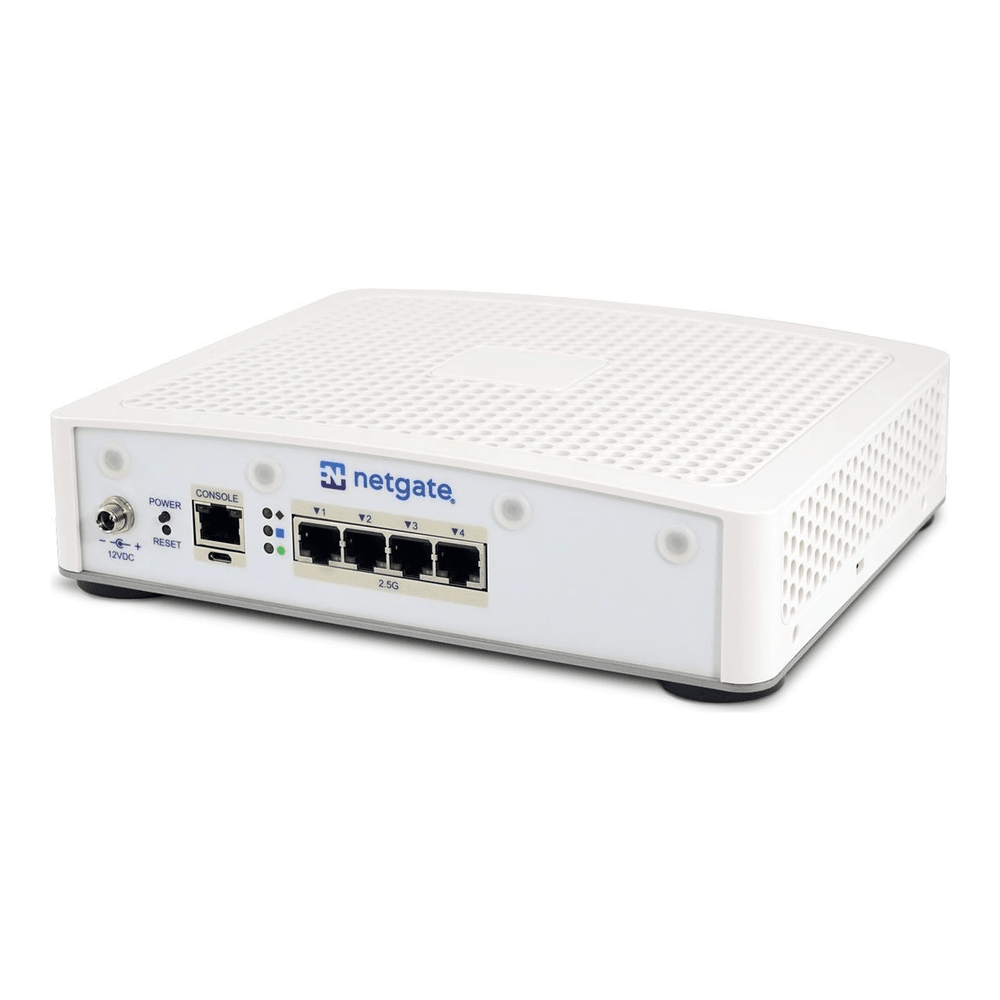
And if you would rather not build at all, a Netgate appliance ships pfSense Plus with support already on it, which is the turnkey end of this spectrum.
Whichever box you land on, spend the budget on the NIC and the core count rather than chasing the cheapest unit, then load whichever firewall suits how you work.
Where each one wins
Choose OPNsense when you are building on your own mini-PC and want the whole product for free, a modern interface, native WireGuard, built-in reporting, and an offline installer with one-click upgrades. For a self-built N100 or N305 router that you want to set up once and leave alone, it is the lower-friction option, and it costs nothing.
Choose pfSense when you want a turnkey Netgate appliance with vendor support, when you rely on Snort specifically, or when years of pfSense habit make it the firewall you can troubleshoot at 2am without thinking. Community Edition on your own box is still excellent and free; just plan for the net installer and the branch quirk.
What does not decide it is throughput, because on the same hardware they are even. Put your attention into the NIC and the core count instead. An Intel-NIC box with enough cores to absorb inline inspection will serve you well on either firewall for years, and the logo on the dashboard ends up being a matter of taste.