


Sponsored
Enjoy fast, free delivery, exclusive deals, and award-winning movies & TV shows.
Buy New
$29.99
FREE delivery Wednesday, April 22 on orders shipped by Amazon over $35
Ships from: Amazon.com
Sold by: Amazon.com
Get Fast, Free Shipping with Amazon Prime
FREE delivery Wednesday, April 22 on orders shipped by Amazon over $35
Or Prime members get FREE delivery Tomorrow, April 18. Order within 12 hrs 49 mins. Join Prime
In Stock
$$29.99 () Includes selected options. Includes initial monthly payment and selected options. Details
Price
Subtotal
$$29.99
Subtotal
Initial payment breakdown
Shipping cost, delivery date, and order total (including tax) shown at checkout.
Shipper / Seller
Amazon.com
Amazon.com
Shipper / Seller
Amazon.com
Returns
FREE 30-day refund/replacement
Quick refund
Usually issued within 24 hours. See exceptions
FREE return
At least one free return option available.
Convenient dropoff
At any of our 50,000 US locations.
See return policy
Packaging
Ships in product packaging
black leaf Ships in product packaging

This item has been tested to certify it can ship safely in its original box or bag to avoid unnecessary packaging. Since 2015, we have reduced the weight of outbound packaging per shipment by 41% on average, that’s over 2 million tons of packaging material.

If you still require Amazon packaging for this item, choose "Ship in Amazon packaging" at checkout. Learn more
Payment
Secure transaction
Your transaction is secure
We work hard to protect your security and privacy. Our payment security system encrypts your information during transmission. We don’t share your credit card details with third-party sellers, and we don’t sell your information to others. Learn more
Gift options
Available at checkout
Available at checkout This item is a gift. Change
At checkout, you can add a custom message, a gift receipt for easy returns and have the item gift-wrapped
Get Fast, Free Shipping with Amazon Prime FREE Returns
Looks and functions as if it were new. Item will come in original packaging.
FREE delivery Wednesday, April 22 on orders shipped by Amazon over $35
Or Prime members get FREE delivery Tomorrow, April 18. Order within 6 hrs 34 mins. Join Prime
In Stock
$$29.99 () Includes selected options. Includes initial monthly payment and selected options. Details
Price
Subtotal
$$29.99
Subtotal
Initial payment breakdown
Shipping cost, delivery date, and order total (including tax) shown at checkout.
Added to

Sorry, there was a problem.

There was an error retrieving your Wish Lists. Please try again.

Sorry, there was a problem.

List unavailable.
Sponsored
  • 6 VIDEOS
  • Logitech K400 Plus Wireless Touch TV Keyboard with Easy Media Control and Built-in Touchpad, HTPC Keyboard for PC-Connected TV, Windows, Android, ChromeOS, Laptop, Tablet - Black
  • Logitech K400 Plus Wireless Touch TV Keyboard with Easy Media Control and Built-In TouchpadMerchant Video

Logitech K400 Plus Wireless Touch TV Keyboard with Easy Media Control and Built-in Touchpad, HTPC Keyboard for PC-Connected TV, Windows, Android, ChromeOS, Laptop, Tablet - Black

4.4 out of 5 stars (39,899)
Amazon's Choice highlights highly rated, well-priced products available to ship immediately.
Amazon's Choice

$29.99 with 14 percent savings
List Price: $34.99
Get Fast, Free Shipping with Amazon Prime
FREE Returns
Thank you for being an Amazon customer. Get a $50 Amazon Gift Card upon approval for Amazon Visa.
Available at a lower price from other sellers that may not offer free Prime shipping.
Brief content visible, double tap to read full content.
Full content visible, double tap to read brief content.
Style: PLUS
Pattern: Floral
{"desktop_buybox_group_1":[{"displayPrice":"$29.99","priceAmount":29.99,"currencySymbol":"$","integerValue":"29","decimalSeparator":".","fractionalValue":"99","symbolPosition":"left","hasSpace":false,"showFractionalPartIfEmpty":true,"offerListingId":"gDCdTxcZxm7ir2Z38tEaf%2FI3P8S49vBFSlEEgUSa4aa8ng4u3EkMrB7IdQQuLLiooXN0VjxrtrEI%2FhbhG5vkta%2FBO8pe1v4RwmN1yXe%2BP0GopF1QSHlmkzXsVT2TjqMvGECNjskP%2BRmHDO7Yoy3flQ%3D%3D","locale":"en-US","buyingOptionType":"NEW","aapiBuyingOptionIndex":0}, {"displayPrice":"$25.40","priceAmount":25.40,"currencySymbol":"$","integerValue":"25","decimalSeparator":".","fractionalValue":"40","symbolPosition":"left","hasSpace":false,"showFractionalPartIfEmpty":true,"offerListingId":"gDCdTxcZxm7ir2Z38tEaf%2FI3P8S49vBFHoyBAZR5ryhH0f0XaeMfKAND0LGJ%2Bkp%2F%2BKgjaBo%2BSstTCE0ohNDYoU3GM7BtTZ7l6eD3FEwe1NfxYE87YzDGWO1e8z22wEH2ol7NhsaK7bUv5ko1tPXAhHiC9T%2FzxgoWbuVDdH1YglqNHpByzaunMFokhcHqUBDy","locale":"en-US","buyingOptionType":"USED","aapiBuyingOptionIndex":1}]}

Purchase options and add-ons

About this item

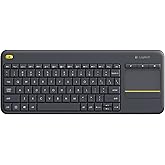
  • Media-Friendly: The K400 Plus wireless touch TV keyboard gives you integrated, comfortable control of your PC-to-TV entertainment, eliminating the clutter of a separate keyboard and mouse
  • Plug-and-Play: Simply plug the Unifying receiver into a USB port and the wireless touchpad keyboard is ready to go; adjust controls using the Logitech Options Software to save preferred settings
  • Power-Packed: Built with laid-back control in mind, this wireless TV keyboard has a reliable and long battery life of up to 18 months (2), including an on/off button to help it go even longer
  • Wireless Freedom: Designed for seamless comfort and control, this HTPC keyboard boasts a range of up to 33 ft (1) wireless connectivity, with quiet keys and a large touchpad for easy navigation
  • Broad Compatibility: Designed for use with Windows 7, Windows 8, Windows 10 and later, Android 7 or later, and Chrome OS
  • Durable and Reliable: The spill-resistant design (4) and long-lasting keys keep you on-track despite any mishaps
  • Upgrade to Logitech K830 Keyboard: For increased comfort, illuminated keys, USB/Bluetooth connectivity and a rechargeable battery try the K830 wireless keyboard. Touchpad Height: 2.99 in (76 mm), Width: 1.85 in (47 mm)

Check Compatibility

Choose your brand
Sponsored

Frequently bought together

This item: Logitech K400 Plus Wireless Touch TV Keyboard with Easy Media Control and Built-in Touchpad, HTPC Keyboard for PC-Connected TV, Windows, Android, ChromeOS, Laptop, Tablet - Black
$29.99
Get it as soon as Wednesday, Apr 22
In Stock
Ships from and sold by Amazon.com.
Total price: $00
To see our price, add these items to your cart.
Details
Added to Cart
Choose items to buy together.

Product information

Warranty & Support

Amazon.com Return Policy:You may return any new computer purchased from Amazon.com that is "dead on arrival," arrives in damaged condition, or is still in unopened boxes, for a full refund within 30 days of purchase. Amazon.com reserves the right to test "dead on arrival" returns and impose a customer fee equal to 15 percent of the product sales price if the customer misrepresents the condition of the product. Any returned computer that is damaged through customer misuse, is missing parts, or is in unsellable condition due to customer tampering will result in the customer being charged a higher restocking fee based on the condition of the product. Amazon.com will not accept returns of any desktop or notebook computer more than 30 days after you receive the shipment. New, used, and refurbished products purchased from Marketplace vendors are subject to the returns policy of the individual vendor.
For warranty information about this product, please click here [PDF ]

Feedback

Logitech K400 Plus Wireless Touch TV Keyboard with Easy Media Control and Built-in Touchpad, HTPC Keyboard for PC-Connected TV, Windows, Android, ChromeOS, Laptop, Tablet - Black


Found a lower price? Let us know. Although we can't match every price reported, we'll use your feedback to ensure that our prices remain competitive.

Where did you see a lower price?

Price Availability
/
/
/
/
Please sign in to provide feedback.

From the manufacturer

The video showcases the product in use.The video guides you through product setup.The video compares multiple products.The video shows the product being unpacked.
K400 Plus Wireless Keyboard with Touchpad

K400 Plus

Laid-back control of your PC connected TV

Navigate your TV-connected computer more easily from the comfort of your couch. With Logitech’s all-in-one TV keyboard/touchpad, simply type, click and scroll to watch videos, browse the web and check Facebook on your PC-connected TV.

k400

Integrated wireless keyboard with touchpad

Enjoy seamless control of your PC-to-TV entertainment, without the hassle and clutter of a separate keyboard and mouse. Comfortable, quiet keys and a large (3.5-inch) touchpad make navigation effortless.

k400 plus wireless keyboard with touchpad

System Requirements

  • USB port required. Works with Windows 7, Windows 8, Windows 10 or later, Android 7.0 or later, ChromeOS
  • Internet Connection (for optional software download)

Product Description

The Logitech Wireless Touch Keyboard K400 Plus lets you experience PC-to-TV entertainment the way you Watch video, browse the web, chat with friends and much more. The all-in-one keyboard with touchpad ends the hassle—and clutter—of multiple devices. And a 10-meter (33-foot) wireless range ensures your fun won’t be interrupted. Comfortable, quiet keys and a large (3.5-inch) touchpad make navigating entertainment effortless. Even setup is a snap thanks to the tiny, plug-and-play Unifying receiver. The 18-month battery life means you might even forget the keyboard needs batteries. 1 Wireless range may vary depending on operating environment and computer setup. Assumes up to two hours typing per day. Actual battery life will vary with use, settings and environmental conditions.

Safety and product resources

Safety documents

What's in the box

  • Wireless Touch Keyboard
  • USB range extender
  • Unifying receiver
  • User documentation
  • 2 AA batteries (pre-installed)
  • Top Brand: Logitech

    Highly Rated
    100K+ customers rate items from this brand highly
    Trending
    100K+ orders for this brand in past 3 months
    Low Returns
    Customers usually keep items from this brand

    Important information

    Legal Disclaimer

    Open Box. Perfect condition

    Sponsored

    Customer reviews

    4.4 out of 5 stars
    39,899 global ratings
    Sponsored

    Customers say

    Customers find the keyboard works well, is easy to set up and use, and appreciate its compatibility with various devices including Samsung smart TVs, Linux, Mac, and Raspberry Pi. They consider it good value for money, with one customer noting it works effectively from 15 feet away. The keyboard receives positive feedback for its build quality and wireless functionality, though opinions are mixed regarding its size and responsiveness.
    AI Generated from the text of customer reviews

    Select to learn more

    2538 customers mention functionality, 2138 positive, 400 negative
    Customers find that the keyboard works well, with the trackpad performing particularly well, and one customer noting it functions effectively from 15 feet away.
    ...I hate touch pads, but this one works great and allows me to cover the 55" screen in a single swipe. Would definitely buy again. Price was great too.Read more
    ...Only replacement with same form factor is this cheapo. Works well, but keys are noisy and not smooth, housing has sharp edges along the parting lines...Read more
    Works perfectly .. I have waited as I do with all reviews until I have had time to try a product and make sure all is well and this keyboard works...Read more
    ...besides that, its reliable, non mushy touch-pad/track-pad, and good clicky mouse buttons, I also appreciate the yellow left click on...Read more
    2346 customers mention build quality, 1694 positive, 652 negative
    Customers find the keyboard's build quality to be good.
    This is a great keyboard - I primarily use it in my IT "go bag" when I have to go to a client site or when I'm working on a headless system....Read more
    Great product if you use for your main entertainment center. Wouldn't recommend for gaming, but it's much better than using a mouse AND keyboard.Read more
    ...keys are awful and cheap, doesn't work from another room, key pad is difficult to use. i should have sprung for a higher quality one. do your researchRead more
    Good keyboard, I use it for my HTPC, it is pretty convenient. Arrow buttons are smaller than in older K400 (non-Plus) which makes it less convenient....Read more
    978 customers mention compatibility, 718 positive, 260 negative
    Customers find the keyboard compatible with various devices, including Samsung smart TVs, Linux, Mac, Raspberry Pi, and Android systems.
    Works great with my Samsung smart TV! Folks need to realize that if the keyboard doesn't work with a TV app, it is not the keyboard's fault....Read more
    Great product. Volume works with Linux but not windows.Read more
    ...However, this keyboard doesn't work with youtube app, which I use the most when searching.Read more
    Use with included USB receiver, works great with Samsung smart TV.Read more
    815 customers mention value for money, 711 positive, 104 negative
    Customers find the keyboard to be good value for money, describing it as an inexpensive wireless keyboard that works well for its price.
    Exactly what I wanted, great price, compared at one of our National Office suppliers and Amazon knocked it out the park with price, being a Prime...Read more
    This was a great purchase. Great value for what you’re getting. Long battery life and durable. Works just as well as some of the more expensive ones.Read more
    It’s a good keyboard at a good price, does almost everything I need. I just wish it was Bluetooth capable so that I could use it with my Apple TV.Read more
    Overall this keyboard is great for the price if you are just doing simple tasks with it, but if you are using it for gaming I would suggest finding...Read more
    680 customers mention wireless compatibility, 667 positive, 13 negative
    Customers find the keyboard's wireless compatibility excellent, particularly for home theater PCs and smart TVs.
    ...or misleading in some way, this should sum it up.. This is a great wireless keyboard that works with the logitech unify usb adapter...Read more
    best wireless keyboard I have used so far. long battery life and very accurate. recommend to everyone looking for wireless keyboard.Read more
    ...Buy it's only served me well thus far, if you're looking for a good wireless keyboard at a reasonable price then you can buy this with confidence!Read more
    Works great out of box. Perfect for HTPC. I set this up to be used for 4K TV gaming....Read more
    613 customers mention ease of use, 493 positive, 120 negative
    Customers find the keyboard easy to use, particularly praising the touchpad and setup process.
    ...The Logitech K400 Plus is easy to use, has an exceptionally long battery life and range of operation, and performs its duty as well as one could hope.Read more
    This keyboard is fantastic and very easy to use it’s going to make my life so much easier as I have my computer plugged in to my smart TV in my...Read more
    ...Other than that the trackpad is reliable and easy, taps and two-finger scroll work okay, no adjustments needed (or possible?) for Linux....Read more
    ...-less keyboard, but having the touch pad built into it makes it VERY convenient when you don't want to have to operate a separate mouse....Read more
    959 customers mention size, 612 positive, 347 negative
    Customers have mixed opinions about the keyboard's size, with some appreciating the full-size keys while others find it too small.
    ...It's fantastic for this use. It's compact, much smaller size than a full keyboard, but do not buy if you're looking for a "wireless keyboard"...Read more
    If you are considering buying this keyboard for work, don't.. It is too small and keys are uncomfortably close as to make me have a LOT more typos...Read more
    ...it’s the perfect size. It’s small and not easy to lose between the seats. Came with batteries too. I prefer this than those small handheld keyboards....Read more
    ...I find it to be the perfect size and easy to hold while using. The only negative is no LED light showing that the keyboard is powered up....Read more
    795 customers mention responsiveness, 375 positive, 420 negative
    Customers have mixed experiences with the keyboard's responsiveness, with some finding the trackpad and keyboard very responsive, while others report that it is not very responsive and the touchpad is slow.
    ...It is impressively bad and unresponsive and the cheap plastic material they use causes your finger to get stuck when trying to move the mouse around...Read more
    Amazing. Great product. Responsive and accurate. The left click button on the top left of the board is a good addition over other keyboardsRead more
    ...mine feel mushy and not very responsive. For casual use sitting on the couch using on a computer hooked up to the tv I could reccomend this....Read more
    ...despite being 42 feet away from it most of the time, it is very responsive, works well in gaming, very good trackpad that holds up regardless of how...Read more
    Logitech once again delivers a fantastic product!
    5 out of 5 stars
    Logitech once again delivers a fantastic product!
    So I’ve had my Xbox Series X since it launched November 2020, and have been considering purchasing a wireless keyboard to solely use with it. Here recently more and more developers are including native keyboard and mouse support in their games, so the benefit of having a keyboard to use is growing. Since I did not plan to actually “play” the games with the keyboard, but instead use it for “QOL” enhancements, I didn’t want to spend a substantial amount of money on a wireless keyboard. After doing some research on gaming forums, and multiple Reddit /Subreddits, I continually kept seeing a specific Brand/Model of keyboard a lot of posters were suggesting. The keyboard being suggested was the “Logitech K400 Plus”, so I decided to pull the trigger and give it a shot…. I’m glad I did. The Keyboard arrived my house and I instantly noticed how insanely light weight it was. It’s weight was what shocked me initially, but the bigger shock was how well built and durable it felt, especially considering it’s budget friendly price point. So I removed the included USB-A dongle, and inserted it into my 4-port USB 3.0 hub plugged into my Xbox Series X. I flipped the keyboard switch to “ON” and it instantly connected to my Series X and was flawlessly responsive, and had no sign of lag whatsoever. What I didn’t pay much attention to when I researched and decided to purchase the “K400 Plus” was the functionality it possesses pertaining to “Multimedia”. Logitech designed this keyboard to be the perfect “couch” companion for use with smart tv’s, especially tv’s with native web browser applications. So this keyboard became that much better of an addition to my Series X. All of the playback multimedia buttons work perfectly with my Series X, and since Microsoft manufactures the Xbox systems and this keyboard is geared towards “Windows” based computing, the two handshake together in perfect harmony. Another neat features of this keyboard is the “Left Click (Mouse)” button that is situated in the very top right corner of the keyboard. When I first looked at the Left Click button location I was somewhat confused as to why it would be beneficial in that location. It didn’t take long for me to realize it’s genius though, and I can confirm that it is brilliantly placed in the perfect location. I launched the “Microsoft Edge” browser on my Series X, and instantly realized how perfect it was while scrolling the webpages with my right hand on the touchpad, and being able to use the button to click everything I needed to seamlessly. All in all I love this wireless keyboard, and IMO it’s the hands down best budget wireless keyboard on the market. I’ve attached some photos (they didn’t turn out that great due to room darkness) that will hopefully give you an idea of its size. - PROS: • It’s size is perfect for sitting in your lap, and honestly it’s so light you will forget it is even there. • Logitech designed this keyboard for media consumption, so it excels in it’s functionality with media. • Even though it’s price is very budget friendly, you will be surprised by just how well built it feels. • Button clicks feel very tactile and solid, and IMO have the perfect “Spacing” for ease of use. • It’s manufactured by Logitech, and Logitech has world class customer service if something doesn’t function correctly after your keyboard purchase. • All in all a rock solid wireless keyboard that is rich in features without breaking the bank. - CONS: • In all reality I honestly can’t list anything that I feel is a con, but I will list some things that potentially could of placed multiple cherries on top. • This keyboard used AA batteries (2) for it power source, and I imagine some people would of preferred a rechargeable Li-Po battery, but quite frankly I could care less. I personally like being able to simply change batteries when it dies and instantly go back to using it, versus being unable to use it while it has to charge, but to each his own. • If this keyboard had backlit keys it would be pretty awesome, but I wouldn’t expect it to considering it’s price point. Nonetheless it would enhance it’s appeal that much more. • It would be nice to have bluetooth functionality but at this price point it would be shocking if Logitech had designed it with bluetooth support. In my individual case, the Xbox Series X can only use keyboards via USB-A connection (Wired or Wireless w/ Dongle), so bluetooth wouldn’t benefit my application at all but having the ability to use it with other devices would never hurt.
    Thank you for your feedback
    Sorry, there was an error
    Sorry we couldn't load the review

    Top reviews from the United States

    • Reviewed in the United States on March 30, 2019
      Style: PLUSPattern: FloralVerified Purchase
      I have two 6 Series (MU6290) 40" Samsung 4K Smart TVs that I purchased at Costco, one in my office and the other in my master bedroom. For about $19 I purchased a wireless keyboard and mouse combo on Amazon to use with the TV in my office. They use a single unifying USB reciever and work great, just plug and play. The only thing I found I didn't like was having two devices to keep track of and having to switch between them to point and input data. I saw this keyboard as an Amazon Deal of the Day two days ago and just received it, in fact I'm writing this review with it while sitting on the bed and using my bedroom TV. It turns out to have been a very good purchase because it works great! I merely plugged the unifying USB receiver into the first USB input on the back of the TV, turned the keyboard on and started using it, true plug and play. And boy do I love using the touchpad to cursor around instead of having to switch between the keyboard and mouse like I do in my office. In fact, even though the keyboard and mouse work fine on the TV in the office, I may end up buying another K400+ to use in the office, it's "that nice" not having to use two devices. I know the K400+ is advertised as a device for using with a computer connected to a TV but I read other reviews where it was being used directly with a smart TV without a computer and, even though it works great with my Samsung, I can't speak to whether it works with all smart TVs, though I expect it should work with any of the later Samsung Smart TVs which use Samsung's Tizen OS. I don't know if it works with the other two major Smart TV operating systems, WebOS & Android. It's light, seems well made, has a QWERTY keboard with nice key response and feel and is spaced fine for touch typing. It's great for basic input and I'm finding out more about how it functions with my TV. For instance, I found out holding down the CTRL key while cursoring moves the cursor one word at a time, holding down the SHIFT key while cursoring highlights one letter at a time, holding down the SHIFT + CTRL keys while cursoring highlights one word at a time, etc. These are familiar, however I've discovered by playing around that other keys and key combinations do things but the result may not necessarily be what I expected, but I'm the type who likes to play and learn and will thus get even more use from this keyboard as I learn. For example, just discovered esc key is equivalent to the "back" function when used in your browser. I can mention the media keys, previous chapter, next chapter, pause/play, volume up & down don't work with my TV. I'm sure they do if the keyboard is connected to a computer that's connected to a TV, as advertised. However this keyboard is perfect for anyone who only simply wants to point and input, especially if you only want to use one device! Overall I'm "extremely pleased" with the K400+ and am so glad I decided to give it a try. Of course the only thing I can't comment on is it's longevity but I hope it lasts a good long time because I love this thing!
      13 people found this helpful
      Report
    • Reviewed in the United States on September 5, 2025
      Style: PLUSPattern: FloralVerified Purchase
      I really like this keyboard. I have a Walmart branded Chromecast device on my TV. With that brand, you can buy a USB adapter that allows you to connect ethernet and a USB A device. I plugged in this keyboard (wireless) and it worked straight away. I didn't configure anything. Watching Prime TV? Wanting to search for your favorite show? Use a keyboard instead of your remote. Much faster, more comfortable and with the track pad, you get the bonus of a mouse pointer. It's big enough to type with reasonable comfort but small enough to stow away while watching your show(s). I've had this unit for more than a few months and I'm on the same set of batteries. I expect that it has a long battery life. While made of plastic, it does not feel flimsy to me in any way. It's a great little keyboard for this application in a media room.
      8 people found this helpful
      Report
    • Reviewed in the United States on February 6, 2026
      Style: PLUSPattern: FloralVerified Purchase
      If you need a compact, sturdy, inexpensive keyboard for occasional typing on a media TV or something of the sort, then this is the thing. It has a serviceable touchpad to the right so a mouse isn't needed. It does what I need it to do. The complaints I have are that it has no num lock or caps lock indicators and no backlighting. The touchpad is also pretty imprecise and would be annoying if it is used too frequently. The keyboard is compact which is good, and compact which is bad if you want to type a lot. Just buy it for its intended purpose and you'll be fine.
      4 people found this helpful
      Report
    • Reviewed in the United States on March 13, 2024
      Style: PLUSPattern: FloralVerified Purchase
      I already owned a small bluetooth keyboard I had bought for use with my Kindle tablets. I have a few 10in tablets that I sometimes use to connect remotely to my main desktop PC. The setup works incredibly well when you pair the tablets with a wireless keyboard and mouse.

      I bought this additional bluetooth keyboard because there are times I'd like a keyboard, but don't want to have to deal with a separate mouse. Plus there are other times where I need to access a headless PC, or my Raspberry PI, or where I'd love a wireless keyboard for playing Steam games, etc. So I was looking at this keyboard as being great for multi-use.

      The one thing I hadn't realized was that the small USB dongle (which is in the front flap of the box) is REQUIRED. Since the product description said this keyboard worked with Android, I just assumed it was like my other bluetooth keyboard and didn't need anything additional to plug in. As it turns out, yes, you DO need to use the usb dongle with a tablet or your phone -- and that kinda sucks because obviously those devices don't have a USB-A port.

      Luckily I had a USB-A to USB-C converter from something else I bought and I tried it out in the Kindle Fire HD10. The keyboard and touchpad worked immediately! Yay!

      I've ordered a right-angle USB-A to USB-C adapter, so that it's less likely to break if I bump it into something versus the straight USB-A to USB-C adapter that I have now. Then I'll be in-business, regardless if I want to use this keyboard with my tablet, a home theater PC, phone or whatever.

      The quality seems decent. I haven't had a chance to fully test it out just yet, but if I have any issues I'll update the review.

      The only other slight gripe is that there's a power switch, so it looks like it has to be powered on or off with the switch versus automatically powering off like my other compact bluetooth keyboard. I tend to forget to shut things off that I normally wouldn't have to (like a wireless mouse). I'd hope that the battery wouldn't drain when the keyboard is not in-use, or it would at least be minimal drain -- but time will tell! It's nice that it uses AA batteries so they're easily replaced.

      All in all, this keyboard looks like it'll work out well for being a multi-purpose keyboard. It lacks the convenience of a dongle-less keyboard, but having the touch pad built into it makes it VERY convenient when you don't want to have to operate a separate mouse. There have been many times I've worked with a headless PC in the last few years and it's annoying to try to navigate with just the keyboard, or have to setup a mouse on the floor. So this keyboard will solve that problem. And, I'm actually looking forward to trying it out with Steam games to see how it holds up with some games being played while on the couch.
      61 people found this helpful
      Report

    Top reviews from other countries

    Translate all reviews to English
    • Mohamed Ahmed El Sharnouby
      5.0 out of 5 stars جيد جدا
      Reviewed in Egypt on August 29, 2024
      Style: PLUSPattern: FloralVerified Purchase
      جيد جدا
      Report
    • R E
      5.0 out of 5 stars Excellent product. Lightweight and small, without compromising too much on key size.
      Reviewed in India on November 7, 2016
      Style: PLUSPattern: FloralVerified Purchase
      Just had it delivered a few hours ago. Tried it with my mobile (had to get a small OTG adaptor to get started). I also own the K480, and got this one because it has a touchpad. Comparing the two, both have unique features that I would not call positive or negative, because how one views a feature, or the lack thereof, depends on one's requirements. The plus-point of the K480 is that it connects through bluetooth, leaving the port free to charge the mobile (if you want to use it with your mobile/tab) or connect a pendrive to it. The keys are larger and better spaced out (important if typing comfort is a major priority). The K400 plus, on the other hand, requires the OTG adaptor, plus, the unifying receiver used to connect the keyboard to devices like the mobile, tab, or the LCD TV. The plus point of this feature is that connection is immediate. The minus point is that one must be careful not to lose the 'unifying receiver'. Also, if you forget the OTG connector, there is no way you can connect the keyboard to anything. The 'K400 Plus' is also lighter and slightly tinier: But comfortable enough for normal to large sized fingers to type without any obstacles. Unlike the K480, this piece has the touch pad. One main advantage of going for these keyboards ( be it the K480 and K400) is the amount of money saved...in my case, I saved 28K approx., the amount I would have to invest for getting a new laptop. And just didn't have the money to invest in one. Now, with this, I can complete most college assigments. And a couple of years later when my phone conks off, I can simply get a new smartphone for about 8-10K. If one calculates the interest accumulated, one has way more in one's hand than one thinks.
    • Ryan B
      5.0 out of 5 stars Good keyboard but a bit overpriced.
      Reviewed in Australia on November 30, 2025
      Style: PLUSPattern: FloralVerified Purchase
      Very useful keyboard for a media centre PC. Very handy having both the keyboard and trackpad in one unit rather than trying to find a surface to use a mouse on. Keyboard is good to type on. The unit as a whole feels solid but the plastic it is made out of seem quite cheap - which the product definitely was not! So the prices Logitech charge are a bit high but its the only media centre keyboard on the market so you just have to deal with it.
    • T. Sim
      5.0 out of 5 stars The dongle is on the flap of the box.
      Reviewed in Singapore on April 17, 2023
      Style: PLUSPattern: FloralVerified Purchase
      Very important detail. You would expect the dongle to be in the battery compartment, but it is actually on a flap on the box. Seller was very polite and helpful when I enquired about it. On an unrelated note, this keyboard works with the Logitech Options software, but Logitech Options, the program to configure the keyboard does not seem to work with Window 11. Just something to be aware of. The keyboard and trackpad will still work, only there won't be a way to reverse two finger scrolling direction. That is a Logitech issue.
    • sPuTnik
      5.0 out of 5 stars Excellent Compact Wireless Keyboard with Integrated Mouse Pad.
      Reviewed in Canada on July 13, 2022
      Style: PLUSPattern: FloralVerified Purchase
      This review evaluates the “K400 Plus Wireless Touch TV Keyboard” made by LOGITECH.

      The product was shipped with no excessive or wasteful packaging and all components were contained snugly in the box. What’s in the box: one (1) Wireless Touch TV keyboard, one (1) Logi “Thunderbolt” wireless USB-A transmitter, two (2) AA alkaline batteries, and user instructions. This keyboard took almost a month to be shipped to me however; it was well worth the wait.

      First impressions: Solid, compact, and lightweight. This keyboard is well made and nicely laid out with an integrated mouse touchpad on your right-hand side. It has minimal flex and a nice rigid feel. The keyboard connects to your PC via a USB-A transmitter key. It is powered by two (2) AA alkaline batteries (provided) which can last for up to 18 months of use (based on 2 hours per day). There is an ON/OFF switch on the front of the keyboard to preserve battery life when not in use.

      Keyboards are a very “personal” piece of sensory input equipment; you will never please everyone with how the keys “feel” and perform in the hands of the operator. This keyboard has a nice soft yet responsive input and is comfortable to type on. The integrated mouse pad feels identical to that of a laptop. The keyboard has decent range, I tested it at multiple distances up to 15 feet with no loss of connection.

      Cost-effectiveness and value: Overall I am very impressed with the product, it is well made, compact, and does a good job. I was looking for a compact keyboard with an integrated mouse pad that utilized a small footprint on my shop workbench… This fits the bill to a tee. At a current price of $39.99, I feel it is fairly priced for the functionality and convenience delivered.

      In summary: the “K400 Plus Wireless Touch TV Keyboard” made by LOGITECH is well made, compact, and does the job it should. I would recommend this product without reservation.

      Pros 👍:
      ✔ Well-made using quality materials.
      ✔ Solid, compact, and lightweight.
      ✔ Nice responsive soft-touch keys.
      ✔ Integrated mouse pad.
      ✔ Wireless connectivity via RF USB-A transmitter key.
      ✔ Good connectivity distance – up to 33 feet.
      ✔ Long battery life – up to 18 months based on 2 hours use per day.
      ✔ Fairly priced and good value.

      Cons👎:
      ✘ None!
      Customer image
      sPuTnik
      5.0 out of 5 stars
      Excellent Compact Wireless Keyboard with Integrated Mouse Pad.

      Reviewed in Canada on July 13, 2022
      This review evaluates the “K400 Plus Wireless Touch TV Keyboard” made by LOGITECH.

      The product was shipped with no excessive or wasteful packaging and all components were contained snugly in the box. What’s in the box: one (1) Wireless Touch TV keyboard, one (1) Logi “Thunderbolt” wireless USB-A transmitter, two (2) AA alkaline batteries, and user instructions. This keyboard took almost a month to be shipped to me however; it was well worth the wait.

      First impressions: Solid, compact, and lightweight. This keyboard is well made and nicely laid out with an integrated mouse touchpad on your right-hand side. It has minimal flex and a nice rigid feel. The keyboard connects to your PC via a USB-A transmitter key. It is powered by two (2) AA alkaline batteries (provided) which can last for up to 18 months of use (based on 2 hours per day). There is an ON/OFF switch on the front of the keyboard to preserve battery life when not in use.

      Keyboards are a very “personal” piece of sensory input equipment; you will never please everyone with how the keys “feel” and perform in the hands of the operator. This keyboard has a nice soft yet responsive input and is comfortable to type on. The integrated mouse pad feels identical to that of a laptop. The keyboard has decent range, I tested it at multiple distances up to 15 feet with no loss of connection.

      Cost-effectiveness and value: Overall I am very impressed with the product, it is well made, compact, and does a good job. I was looking for a compact keyboard with an integrated mouse pad that utilized a small footprint on my shop workbench… This fits the bill to a tee. At a current price of $39.99, I feel it is fairly priced for the functionality and convenience delivered.

      In summary: the “K400 Plus Wireless Touch TV Keyboard” made by LOGITECH is well made, compact, and does the job it should. I would recommend this product without reservation.

      Pros 👍:
      ✔ Well-made using quality materials.
      ✔ Solid, compact, and lightweight.
      ✔ Nice responsive soft-touch keys.
      ✔ Integrated mouse pad.
      ✔ Wireless connectivity via RF USB-A transmitter key.
      ✔ Good connectivity distance – up to 33 feet.
      ✔ Long battery life – up to 18 months based on 2 hours use per day.
      ✔ Fairly priced and good value.

      Cons👎:
      ✘ None!
      Images in this review
      Customer image Customer image Customer image Customer image Customer image
    Sponsored
