





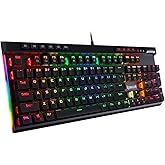
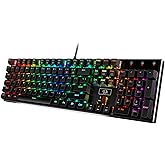
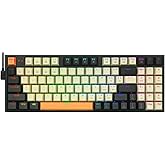


I'm a software engineer and can type anywhere from 85 - 110 WPM and those who code know the challenge of hitting special characters frequently; I should never miss a ; end line now :). I use to use an apple wireless keyboard with the chiclet style keys extensively the past several years and didn't realize that was slowing down my typing. I actually purchased this keyboard for gaming at home but then bought another for work since I noticed a huge improvement in my typing speed. The reason I didn't purchase a mechanical keyboard is due to the windows vs command key. The only mechanical keyboard I've found that has the command key is a das keyboard that is > $100 which is way over budget; can get 3 of these awesome keyboards for the price of one das. I've gotten use to using the windows key as the command with my pinky rather than the left thumb on command. I use both windows and mac so the switch has been great and it took a couple days to get use to replacing the thumb for command and using pinky for it but it has also made my windows typing much better since I use my pinky for windows anyway. For those who can't give up their mac specific keyboard should look into buying one of these since you will make it work due to how awesome the keys feel. It's identical to the more expensive cherry ones. I won't feel bad if this keyboard breaks a year later since it's only $30 and the ones that have the common cherry switches cost > $50. The apple wireless keyboard is double the price of this...
# Pros
- Identical to cherry switch that other more expensive keyboards use such as Das.
- Increased my typing speed by at least 15 WPM.
- Tactile feedback you do not get with chiclet style keyboards.
- Solid and quality made. It's heavy so it won't move around the desk. Has nice grippy rubber pads too.
- Don't have to switch between the apple wireless keyboard and the windows keyboard since I use the same one off the KVM now.
- I don't have to recharge and replace the batteries in the wireless apple keyboard since this is corded. Got so sick of replacing batteries just to have wireless when it's going to sit on the desk anyway so it was pointless. The apple keyboard would lose connection with the bluetooth too so again, it was pointless.
- Compact size is better than a full size keyboard. Removing the number pad provides a better ergonomic experience which prevent strains due to widening the arms with the mouse. Research this if you don't believe me. Some ergonomic keyboards put the number pad on the left side of the keyboard.
- Best bang for the buck. Amazing value so I purchased 2 of them. Perhaps all the big brands such as Das will lower their price since this one seems to own the Amazon market right now. It's 2018, people who are sane know that a mechanical keyboard shouldn't cost > $100. C'mon, the IBM Model M in the 1980's original price was around $250 but that's some dated technology! It's like paying the same price for an OLED TV for a tube tv. Who they trying to fool and that is why Redragon is here. They know the other manufacturers are price gouging.
# Cons
- None so far.
# Neutral
- My coworkers find it distracting since it's loud but they can put headphones on. A mechanical keyboard is... loud.
- Noticed some sound interference with my Logitech speaker setup at home. It sounds kind of cool because the breathing effect will also output in the speaker. Breathing will make it sound like a badass intro to a sci-fi action scene (think star wars lightsaber) and the solid light will make an ongoing high pitch noise. This is probably an issue with the KVM I use to switch between mac and pc. I don't have this issue with the pc but when I switch it over to the mac the interference occurs.
Add to your order
-
 Coverage for accidental damage including drops, spills, and broken parts, as well as breakdowns (plans vary)
 -
 24/7 support when you need it
 -
 Quick, easy, and frustration-free claims
Cover this product:
4-Year Protection Plan $7.99
3-Year Protection Plan $5.99
Cover all of your eligible devices:
Complete Protect: One plan covers all eligible past and future purchases (Best Value) $16.99/month
Select a plan
Add to your order
- Coverage for accidental damage including drops, spills, and broken parts, as well as breakdowns (plans vary)
- 24/7 support when you need it
- Quick, easy, and frustration-free claims
Cover this product:
Select a plan
Product Protection by Asurion, LLC
- No Additional Cost: You pay nothing for repairs – parts, labor, and shipping included.
- Coverage: Plan starts on the date of purchase. Malfunctions covered after the manufacturer's warranty. Power surges covered from day one. Real experts are available 24/7 to help with set-up, connectivity issues, troubleshooting and much more.
- Easy Claims Process: File a claim anytime online or by phone. Most claims approved within minutes. We will send you an e-gift card for the purchase price of your covered product. In some instances, we will replace or repair it.
- Product Eligibility: Plan must be purchased with a product or within 30 days of the product purchase. Pre-existing conditions are not covered.
- Terms & Details: More information about this protection plan is available within the “Product guides and documents” section. Simply click “User Guide” for more info. Terms & Conditions will be available in Your Orders on Amazon. Asurion will also email your plan confirmation with Terms & Conditions to the address associated with your Amazon account within 24 hours of purchase.
Product Protection by Asurion, LLC
- No Additional Cost: You pay nothing for repairs – parts, labor, and shipping included.
- Coverage: Plan starts on the date of purchase. Malfunctions covered after the manufacturer's warranty. Power surges covered from day one. Real experts are available 24/7 to help with set-up, connectivity issues, troubleshooting and much more.
- Easy Claims Process: File a claim anytime online or by phone. Most claims approved within minutes. We will send you an e-gift card for the purchase price of your covered product. In some instances, we will replace or repair it.
- Product Eligibility: Plan must be purchased with a product or within 30 days of the product purchase. Pre-existing conditions are not covered.
- Terms & Details: More information about this protection plan is available within the “Product guides and documents” section. Simply click “User Guide” for more info. Terms & Conditions will be available in Your Orders on Amazon. Asurion will also email your plan confirmation with Terms & Conditions to the address associated with your Amazon account within 24 hours of purchase.
Product Protection by Asurion, LLC
- ONE SIMPLE PROTECTION PLAN: Simplify protection for your eligible Amazon purchases. Coverage begins immediately for eligible purchases from the past 90 days, plus all eligible future purchases (products used commercially are excluded).
- NORTON 360 DELUXE INCLUDED: Trusted digital security that keeps your devices and data safer. Includes scam detection for emails and texts ($89.99 in annual savings).
- INSTANT COVERAGE: Covers malfunctions and failures for eligible Amazon purchases, plus drops or spills for portable items. File claims right away — no waiting period.
- QUICK AND EASY CLAIMS: File in minutes at Asurion.com/amazon for fast repair or reimbursement — up to the purchase price.
- NO HIDDEN FEES. You’re covered for up to $5,000 in total claims per 12-month period. Cancel anytime – your plan renews monthly until canceled (coupons applied at checkout do not renew monthly)
Product Protection by Asurion, LLC
Please ensure you are not covered by existing insurance
- No Additional Cost: You pay nothing for repairs – parts, labor, and shipping included.
- Coverage: Plan starts on the date of purchase. Malfunctions covered after the manufacturer's warranty. Power surges covered from day one. Real experts are available 24/7 to help with set-up, connectivity issues, troubleshooting and much more.
- Easy Claims Process: File a claim anytime online or by phone. Most claims approved within minutes. We will send you an e-gift card for the purchase price of your covered product. In some instances, we will replace or repair it.
- Product Eligibility: Plan must be purchased with a product or within 30 days of the product purchase. Pre-existing conditions are not covered.
- Terms & Details: More information about this protection plan is available within the “Product guides and documents” section. Simply click “User Guide” for more info. Terms & Conditions will be available in Your Orders on Amazon. Asurion will also email your plan confirmation with Terms & Conditions to the address associated with your Amazon account within 24 hours of purchase.
More details: 4-Year Protection Plan
Cover this product:
4-Year Protection Plan
$7.99
3-Year Protection Plan
$5.99
Complete Protect: One plan covers all eligible past and future purchases (Best Value)
$16.99/month
Select a plan
$36.99 with 5 percent savings
List Price: $38.89 
The List Price is the suggested retail price of a new product as provided by a manufacturer, supplier, or seller. Except for books, Amazon will display a List Price if the product was purchased by customers on Amazon or offered by other retailers at or above the List Price in at least the past 90 days. List prices may not necessarily reflect the product's prevailing market price.
Learn more
Learn more
Consider a similar item
Amazon's Choice
Frequently bought together
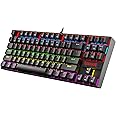
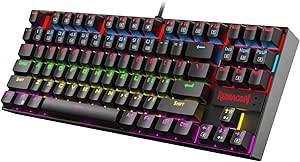
This item: Redragon K552 Mechanical Gaming Keyboard, 87-Key Compact, LED Gaming Keyboard with Red Switches, Anti-Ghosting, Metal Frame for PC Gaming & Typing, Beginner-Friendly (Black)
$36.99
Get it as soon as Wednesday, Apr 22
In Stock
+
$26.99
Get it as soon as Wednesday, Apr 22
In Stock
Total price: $00
To see our price, add these items to your cart.
Choose items to buy together.
Similar items that may deliver to you quickly
Page 1 of 1 Start over
- Redragon Mechanical Gaming Keyboard Wired, 11 Programmable Backlit Modes, Hot-Swappable Red Switch, Anti-Ghosting, Double-Shot PBT Keycaps, Light Up Keyboard for PC MacAmazon's Choice15% offLimited time dealFREE Shipping on orders over $35 shipped by AmazonGet it as soon as Wednesday, Apr 22
- Redragon K673 PRO 75% Wireless Gasket RGB Gaming Keyboard, 3-Modes 81 Keys Compact Mechanical Keyboard Hot-Swap Socket, Dedicated Knob Control and 5-Layer Noise Dampening, Linear Red SwitchFREE Shipping by AmazonGet it as soon as Wednesday, Apr 22
- Redragon K580 VATA RGB LED Backlit Mechanical Gaming Keyboard with Macro Keys & Dedicated Media Controls, Hot-Swappable Socket, Onboard Macro Recording (Blue Switches)24% offLimited time dealFREE Shipping by AmazonGet it as soon as Wednesday, Apr 22
- Redragon K556 RGB LED Backlit Wired Mechanical Gaming Keyboard, 104 Keys Hot-Swap Mechanical Keyboard w/Aluminum Base, Upgraded Socket and Noise Absorbing Foams, Soft Tactile Brown SwitchFREE Shipping by AmazonGet it as soon as Wednesday, Apr 22
- Redragon Wired Mechanical Gaming Keyboard with RGB Backlit, 94 Keys, Programmable Macro Editing, Numeric Pad, Red Switches, Compact Keyboard Mechanical for Pc Mac Ipad, K636CLOFREE Shipping by AmazonGet it as soon as Wednesday, Apr 22
Product description


Double Injection Molded Keycap
Provides you with a smooth and delicate feel, not easy to scratch, and the keycaps are wear-resistant.

Splash Resistant
The spill-resistant design of the keyboard extends the life of the keyboard, improves safety and facilitates cleaning.

Ergonomic Design
It enables you to maintain a more natural posture, effectively reduces wrist and hand fatigue, and improves typing efficiency and comfort.

Fifty - Million Hits
Each key can last 50 million clicks, keeping it stable and reliable for a long time.
Redragon 75% Layout Keyboard
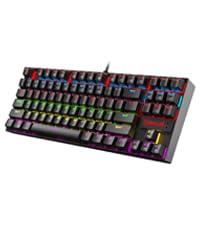 Mechanical Keyboard K552 | 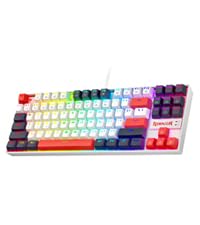 RGB Mechanical Keyboard | 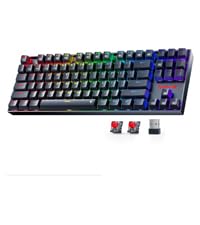 Wireless Mechanical |  Redragon K738 Wireless |  Redragon K636 Wired |  Redragon K552P | |
|---|---|---|---|---|---|---|
|
Customer Reviews
|
49,573
|
17
|
59
|
2,651
|
1,934
|
49,573
|
|
Price
| $36.99 | — | — | $39.99 | $44.99 | $40.99 |
|
Backlit
| LED Backlit | RGB Backlit | LED Rainbow | Customizable RGB | RGB | — |
|
Switch
| Hot-swap Red Switches | Hot-swap Red Switches | Hot-swap Red Switches | Thick-lubed Linear Switches | Hot-swap Red Switches | — |
|
Connection Method
| Wired | Wired | Wireless & Bluetooth & 2.4G | Wireless & Bluetooth & 2.4G | Wired | Wired |
|
75% Layout
| √ | √ | √ | √ | - | √ |
|
Gasket
| - | - | - | Gasket Structure | - | - |
Product information
Warranty & Support
Product Warranty: For warranty information about this product, please click here
Feedback
Product Videos

Similar brands on Amazon
Page 1 of 1Start Over
Sponsored
Customers say
Customers find this mechanical keyboard to be a great entry-level option that offers good value for money, with smooth keys and a solid build that feels like a more expensive model. They appreciate the customizable RGB lighting, and one customer notes it has an expensive feel. The keyboard's reliability and sound quality receive mixed feedback - while some say it works great and is quiet, others report certain keys stopping working and find it super loud. Durability is also mixed, with some saying it holds up well while others report it breaking after two months of use.
AI Generated from the text of customer reviews
Select to learn more
2727 customers mention quality, 2462 positive, 265 negative
...All in all, it's a great keyboard, and I only give it 4 stars because I'm very critical of my purchases. Any standard user/gamer would give 5 stars.Read more
...It's a good keyboard IF you don't spam any of your keys. There are other keyboards that offer ACTUAL Cherry MX switches out there for the same price....Read more
...It is my first mechanical keyboard which is the crowd it is aimed at. Cheap, reliable, backlit, 10-keyless, and sounds nearly indistinguishable from...Read more
...of mechanical keyboard and color of the backlit (red) this is a great product. Will purchase from seller again when need arises.Read more
2016 customers mention value for money, 1897 positive, 119 negative
Overall a well done mechanical keyboard at a great price, if you don't care about all the little extras like a volume wheel, multi bios, wrist rest...Read more
Great keyboard for the price. The red lighting is best of the lowest brightness setting. The keystrokes are very loud, as expected, but feel great....Read more
Great value. I've had this keyboard for 8 months or more, only issue I've had is a random disconnect always happening at the worst time....Read more
This keyboard was great for the price for the first month or so, then the D started to only register about 90% of the time I pressed it and it just...Read more
886 customers mention tactile feel, 824 positive, 62 negative
Great keyboard. Very substantial and feels well made. Feels great. Night and day difference over any rubber membrane yet costs a similar amount....Read more
...It can be brightly back lit in a number of different colors, has a great feel (once I got used to its mechanical key switches), and a simple...Read more
...When it finally arrived, it was perfect. It was tactile, it was clicky, typing on it felt great and it was so much better than typing on my laptop...Read more
...The keycaps are just ABS plastic and double shot. They feel amazong, the one issue is that when you are typing, the keys can sometimes tilt and have...Read more
759 customers mention build quality, 691 positive, 68 negative
...for the rgb version this is rainbow color one you wont regret it solid keyboard but the switches are a little too soft or its because im coming from...Read more
...But 100% it’s a great keyboard for the price point. It’s solid it’s lasted me a really long time and it’s still going strong its built well, and if...Read more
Its a inexpensive tanker less mechanical keyboard well made but for me could use some O-rings which I plan to put on vary soon, I do not type much...Read more
...But it’s still deffinetly worth all 5 stars for the price and the build quality. 10/10 recommend if your looking for a cheep mechanical keyboard.Read more
711 customers mention color, 528 positive, 183 negative
I love this Keyboard it is amazing. It has RGB lighting but you can't set it to one color. It also has a lot of different settings for the lights....Read more
...The lights, brightness and features are fun and colorful. It gives him alot of variety to change the look up whenever he wants something different....Read more
...and i saw this i was reales happy then it arrive and i really ITS IS NOT RGB, each road of keys has a set color and u can not change them, there is...Read more
...thing as far as typing on it goes.and using it while playing games, the red lighting looks nice and you can adjust the brightness of the lights, you...Read more
1510 customers mention reliability, 697 positive, 813 negative
...The first keyboard lasted all of 2 weeks before one of the keys stopped working. MFGR made us pay to ship the board back for a replacement....Read more
It works great especially for my son who’s in college it lights up when the room is dim so he can see all of the numbers and letters on the keyboard....Read more
I had this for a month and it stopped working once I unplugged it from my PC, when I plugged it back in, it wouldn't turn back on no matter what I...Read more
...Works well and it's good all around for the price but really be aware-- I get regular complaints from online players when my mike picks up the...Read more
1159 customers mention sound quality, 526 positive, 633 negative
...It is extremely well built and functions as it should. It is LOUD you need to be aware of that, but I'm sure that most mechanical keyboards are....Read more
This is my first mechanical keyboard, love the sound and feeling of the keys as you press them, the led lights are a nice touch, love the different...Read more
...Very loud so recording while typing can come out distorted. Nice metal switches and it feels nearly identical to a much pricier keyboard....Read more
...Very responsive it has the fantastic mechanical feel and sound. This is actually a mechanical keyboard and for the price you definitely can't beat it!Read more
706 customers mention durability, 368 positive, 338 negative
...I want to testify that this keyboard is sturdy, short, lights are very bright and we love it! If you are buying it as a gift, the kids will love it!Read more
...Its just not durable. wouldn't recommend buying.Read more
...both love video games so I bought one I don't have a complaint it is durable its a nice weight and size and the clicks are so satisfying it has even...Read more
It broke after 3 months the keys didn’t register anymore bruh and now I can’t return itRead more

I really enjoy typing on this keyboard so I ordered another for work.
I'm a software engineer and can type anywhere from 85 - 110 WPM and those who code know the challenge of hitting special characters frequently; I should never miss a ; end line now :). I use to use an apple wireless keyboard with the chiclet style keys extensively the past several years and didn't realize that was slowing down my typing. I actually purchased this keyboard for gaming at home but then bought another for work since I noticed a huge improvement in my typing speed. The reason I didn't purchase a mechanical keyboard is due to the windows vs command key. The only mechanical keyboard I've found that has the command key is a das keyboard that is > $100 which is way over budget; can get 3 of these awesome keyboards for the price of one das. I've gotten use to using the windows key as the command with my pinky rather than the left thumb on command. I use both windows and mac so the switch has been great and it took a couple days to get use to replacing the thumb for command and using pinky for it but it has also made my windows typing much better since I use my pinky for windows anyway. For those who can't give up their mac specific keyboard should look into buying one of these since you will make it work due to how awesome the keys feel. It's identical to the more expensive cherry ones. I won't feel bad if this keyboard breaks a year later since it's only $30 and the ones that have the common cherry switches cost > $50. The apple wireless keyboard is double the price of this... # Pros - Identical to cherry switch that other more expensive keyboards use such as Das. - Increased my typing speed by at least 15 WPM. - Tactile feedback you do not get with chiclet style keyboards. - Solid and quality made. It's heavy so it won't move around the desk. Has nice grippy rubber pads too. - Don't have to switch between the apple wireless keyboard and the windows keyboard since I use the same one off the KVM now. - I don't have to recharge and replace the batteries in the wireless apple keyboard since this is corded. Got so sick of replacing batteries just to have wireless when it's going to sit on the desk anyway so it was pointless. The apple keyboard would lose connection with the bluetooth too so again, it was pointless. - Compact size is better than a full size keyboard. Removing the number pad provides a better ergonomic experience which prevent strains due to widening the arms with the mouse. Research this if you don't believe me. Some ergonomic keyboards put the number pad on the left side of the keyboard. - Best bang for the buck. Amazing value so I purchased 2 of them. Perhaps all the big brands such as Das will lower their price since this one seems to own the Amazon market right now. It's 2018, people who are sane know that a mechanical keyboard shouldn't cost > $100. C'mon, the IBM Model M in the 1980's original price was around $250 but that's some dated technology! It's like paying the same price for an OLED TV for a tube tv. Who they trying to fool and that is why Redragon is here. They know the other manufacturers are price gouging. # Cons - None so far. # Neutral - My coworkers find it distracting since it's loud but they can put headphones on. A mechanical keyboard is... loud. - Noticed some sound interference with my Logitech speaker setup at home. It sounds kind of cool because the breathing effect will also output in the speaker. Breathing will make it sound like a badass intro to a sci-fi action scene (think star wars lightsaber) and the solid light will make an ongoing high pitch noise. This is probably an issue with the KVM I use to switch between mac and pc. I don't have this issue with the pc but when I switch it over to the mac the interference occurs.
Top reviews from the United States
There was a problem filtering reviews. Please reload the page.
- Reviewed in the United States on September 24, 2018Color: BlackVerified Purchase
I'm a software engineer and can type anywhere from 85 - 110 WPM and those who code know the challenge of hitting special characters frequently; I should never miss a ; end line now :). I use to use an apple wireless keyboard with the chiclet style keys extensively the past several years and didn't realize that was slowing down my typing. I actually purchased this keyboard for gaming at home but then bought another for work since I noticed a huge improvement in my typing speed. The reason I didn't purchase a mechanical keyboard is due to the windows vs command key. The only mechanical keyboard I've found that has the command key is a das keyboard that is > $100 which is way over budget; can get 3 of these awesome keyboards for the price of one das. I've gotten use to using the windows key as the command with my pinky rather than the left thumb on command. I use both windows and mac so the switch has been great and it took a couple days to get use to replacing the thumb for command and using pinky for it but it has also made my windows typing much better since I use my pinky for windows anyway. For those who can't give up their mac specific keyboard should look into buying one of these since you will make it work due to how awesome the keys feel. It's identical to the more expensive cherry ones. I won't feel bad if this keyboard breaks a year later since it's only $30 and the ones that have the common cherry switches cost > $50. The apple wireless keyboard is double the price of this...
I really enjoy typing on this keyboard so I ordered another for work.
Reviewed in the United States on September 24, 2018
# Pros
- Identical to cherry switch that other more expensive keyboards use such as Das.
- Increased my typing speed by at least 15 WPM.
- Tactile feedback you do not get with chiclet style keyboards.
- Solid and quality made. It's heavy so it won't move around the desk. Has nice grippy rubber pads too.
- Don't have to switch between the apple wireless keyboard and the windows keyboard since I use the same one off the KVM now.
- I don't have to recharge and replace the batteries in the wireless apple keyboard since this is corded. Got so sick of replacing batteries just to have wireless when it's going to sit on the desk anyway so it was pointless. The apple keyboard would lose connection with the bluetooth too so again, it was pointless.
- Compact size is better than a full size keyboard. Removing the number pad provides a better ergonomic experience which prevent strains due to widening the arms with the mouse. Research this if you don't believe me. Some ergonomic keyboards put the number pad on the left side of the keyboard.
- Best bang for the buck. Amazing value so I purchased 2 of them. Perhaps all the big brands such as Das will lower their price since this one seems to own the Amazon market right now. It's 2018, people who are sane know that a mechanical keyboard shouldn't cost > $100. C'mon, the IBM Model M in the 1980's original price was around $250 but that's some dated technology! It's like paying the same price for an OLED TV for a tube tv. Who they trying to fool and that is why Redragon is here. They know the other manufacturers are price gouging.
# Cons
- None so far.
# Neutral
- My coworkers find it distracting since it's loud but they can put headphones on. A mechanical keyboard is... loud.
- Noticed some sound interference with my Logitech speaker setup at home. It sounds kind of cool because the breathing effect will also output in the speaker. Breathing will make it sound like a badass intro to a sci-fi action scene (think star wars lightsaber) and the solid light will make an ongoing high pitch noise. This is probably an issue with the KVM I use to switch between mac and pc. I don't have this issue with the pc but when I switch it over to the mac the interference occurs.
Images in this review


Top reviews from other countries
-
-
-
JMLReviewed in Mexico on January 17, 2021
Buena calidad, precisión, muy buen funcionamiento
Color: White RGBVerified Purchase - Freddy_ZAReviewed in South Africa on July 2, 2025
Exceeded my expectations
Color: White RGBVerified Purchase - DarcyReviewed in Australia on October 3, 2022
Great Budget Keyboard
Color: BlackVerified Purchase
Had it for a year or 2 now and I'm using it right now to write this. if you look online and look at some of the good mechanical keyboards you can definitely tell the difference by sound. it is quite loud but I like it and definitely recommend if your looking for a good budget keyboard for gaming. It is a little bit of false advertising it terms of the fact that it isn't RGB but instead only red. Its my fault for not reading it properly but its a bit misleading if you look at the photo.DarcyGreat Budget Keyboard
Reviewed in Australia on October 3, 2022
Images in this review


