If you run into any bugs or technical issues please let us know by posting here! Posting in this thread helps us better manage bugs. Thank you!

A death-positive game where you play as a mortician tasked with running a funeral home · By
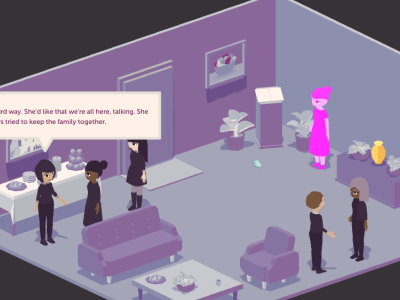
I came across a minor bug with text/NPC highlighting: when you click on NPCs to hear their dialogue, Charlotte makes her way to them. If, during this transit time, the curser hovers over another NPC group when the dialogue begins, the 2nd group will remain highlighted during the 1st group's dialogue. I was able to replicate it (see screens below.) Nothing major, but thought I would report it since it may be an easy fix.
P.s. - Thanks for the thought-provoking and unique game! I've been excited to try it since seeing it at the CGSA conference earlier this year. (possible spoilers) I also enjoyed capitalism as an antagonist (and Chad - of course his name was Chad haha. We get a bad wrap!) Did not expect that angle and how it may impact the way we deal with death.
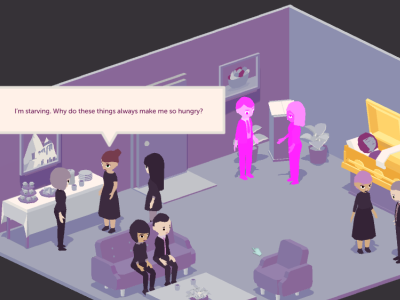
Thanks for letting us know about this bug! We'll look into it ASAP.
And thank you for the kind words about the game <3
Hey Rpermenter112! Thanks for letting us know about this issue. Would it be alright if you give us a bit of information to help us debug the issue?
1) Which store did you purchase the game from (Steam/Humble or itch.io)?
2) Are you playing on Windows or Mac?
3) If you're playing on Windows, is your operating system 32 bit or 64 bit? This will be shown in System Settings which you can find by searching in the start menu.
4) Does the game ever crash or does it just stay frozen?
3) If the game does crash (and sometimes if it doesn't) could you post your crash log? This link will show you where you can find your Player log files
4) Could you send me your savedata and options files? You can find your save data at: C:\Users\<username>\AppData\LocalLow\Laundry Bear Games\A Mortician's Tale and send it to us via support@laundrybear.com
Hopefully we can get this sorted quickly!
Hey astrolingus! Thanks for letting us know about this issue. Would it be alright if you give us a bit of information to help us debug the issue?
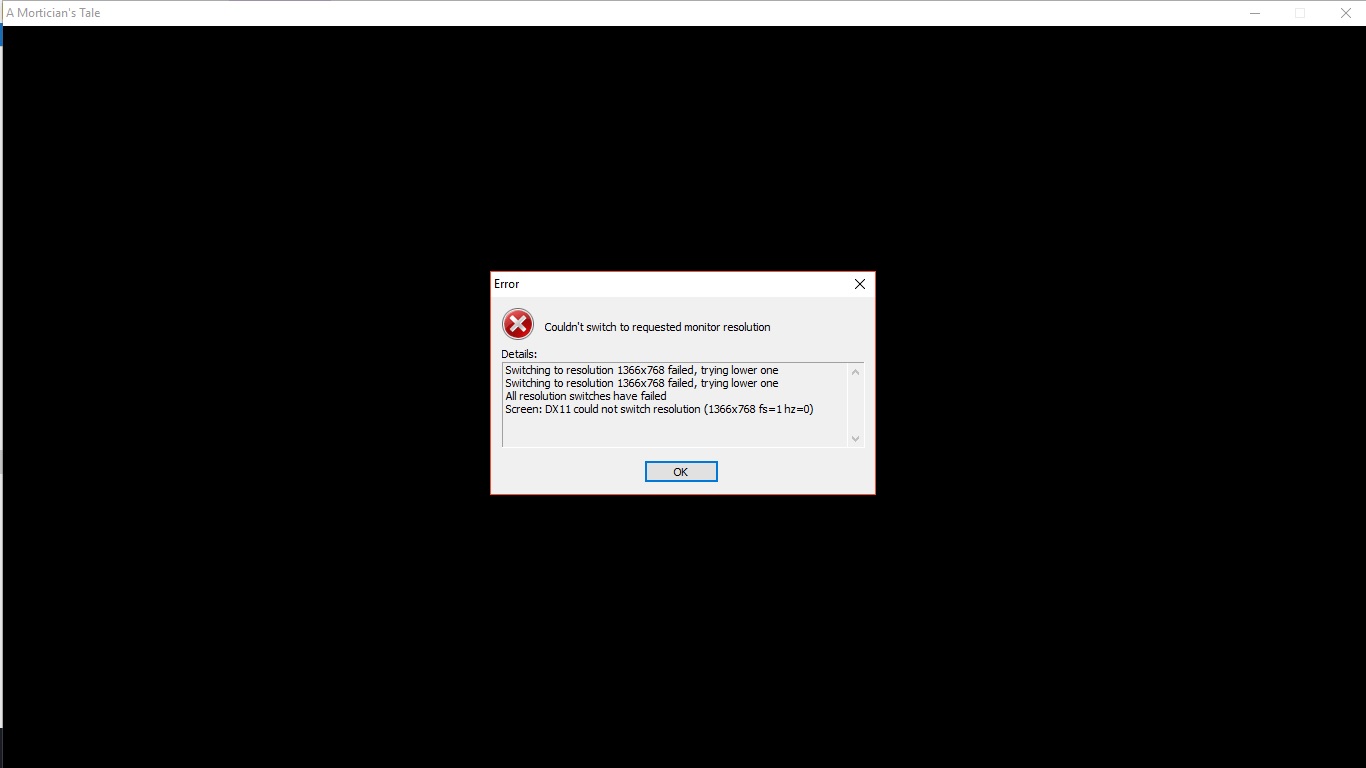
1) What resolution is your monitor?
2) Is your operating system 32 bit or 64 bit? This will be shown in System Settings which you can find by searching in the start menu.
3) Could you send me your savedata and options files? You can find your save data at: C:\Users\<username>\AppData\LocalLow\Laundry Bear Games\A Mortician's Tale and send it to us via support@laundrybear.com
Hopefully we can get this sorted quickly!
Gonna post this here for anyone else who might be experiencing the same issue!
Try right clicking on the executable > Properties > Compatibility > Check ON "Disable fullscreen optimizations"
Gonna post this here for anyone having the same issue!:
It turns out this bug is a result of there being an additional device plugged into the computer (a controller, tablet, or otherwise) while playing. The game isn't designed to work with a controller and bugs out with the additional input.
We're going to release a fix for this ASAP, but in the meantime if you're experiencing this issue you can try unplugging any controllers that may be attached to your computer before playing!
Hi hydnellum! Sorry you're having this issue. We've had it reported before but it's been fairly rare and for most people seems to go away by itself, which makes debugging it pretty difficult. Hopefully you can give us a hand in finding a permanent fix!
Could you let us know a few things to help us track it down?
Thanks for the help and hope you are having a wonderful end of the year!
Hi, I'm also getting this issue! I'm on Windows 10, I've tried both versions of the game. I'm not getting a log or save data, I don't have an audio device hooked up (I even unplugged all of my USB ports, just in case my external fan or mouse were messing with something) and I made sure Steam wasn't running in the background.
I hope you and your team are staying safe and doing well!
Hi,
1) I am running on 64-bit windows.
2) I might have find it, not sure, I'll paste it bellow here.
Initialize engine version: 2017.4.8f1 (5ab7f4878ef1)
GfxDevice: creating device client; threaded=1
Direct3D:
Version: Direct3D 11.0 [level 11.1]
Renderer: NVIDIA GeForce GTX 1070 Ti (ID=0x1b82)
Vendor: NVIDIA
VRAM: 8079 MB
Driver: 26.21.14.4575
FMOD failed to initialize the output device, attempting to initialize the null output.
(Filename: Line: 1245)
Begin MonoManager ReloadAssembly
- Completed reload, in 0.026 seconds
<RI> Initializing input.
<RI> Input initialized.
<RI> Initialized touch support.
UnloadTime: 0.554300 ms
Singleton of type LaundryBear.ManagerLocator is being created
(Filename: C:\buildslave\unity\build\artifacts/generated/common/runtime/DebugBindings.gen.cpp Line: 51)
[Steamworks.NET] SteamAPI_Init() failed. Refer to Valve's documentation or the comment above this line for more information.
(Filename: C:\buildslave\unity\build\artifacts/generated/common/runtime/DebugBindings.gen.cpp Line: 51)
SceneManager: True
SaveManager: False
Music: False
DemoManager: False
OverlayManager: False
DateManager: False
AnalyticsManager: False
PlatformManager: False
OrientationManager: False
SteamManager: False
(Filename: C:\buildslave\unity\build\artifacts/generated/common/runtime/DebugBindings.gen.cpp Line: 51)
FMOD Studio: Creating runtime system instance
(Filename: C:\buildslave\unity\build\artifacts/generated/common/runtime/DebugBindings.gen.cpp Line: 51)
SystemNotInitializedException: FMOD Studio initialization failed : Calling initialize : ERR_OUTPUT_INIT : Error initializing output device.
at FMODUnity.RuntimeManager.CheckInitResult (RESULT result, System.String cause) [0x00000] in <filename unknown>:0
at FMODUnity.RuntimeManager.Initialiase (Boolean forceNoNetwork) [0x00000] in <filename unknown>:0
at FMODUnity.RuntimeManager.get_Instance () [0x00000] in <filename unknown>:0
(Filename: Line: -1)
SceneManager: True
SaveManager: True
Music: False
DemoManager: False
OverlayManager: False
DateManager: False
AnalyticsManager: False
PlatformManager: False
OrientationManager: False
SteamManager: False
(Filename: C:\buildslave\unity\build\artifacts/generated/common/runtime/DebugBindings.gen.cpp Line: 51)
Setting up 6 worker threads for Enlighten.
Thread -> id: 39a4 -> priority: 1
Thread -> id: 17ac -> priority: 1
Thread -> id: 2d74 -> priority: 1
Thread -> id: 2988 -> priority: 1
Thread -> id: b1c -> priority: 1
Thread -> id: 13c4 -> priority: 1
3) Yes I have both a speaker and a USB mic, I tried the game with both unplugged and received the same problem.
4) I've tried it with and without steam running and same result both times.
5) I could not find any save data.
Woah! That's a strange one.
If you don't mind helping us investigate, we can get that sorted for you! I'm going to assume you are on Windows but if not, please correct me.
First, do you by chance have anti-virus installed? We've had some rare cases where important files get shuffled/deleted/quarantined which prevent the game from starting.
If not, could you go to where the game is installed and let us know what is in the root folder (the one with moriticianstale.exe)? There should be the executable, a UnityPlayer.dll, and a folder called morticianstale_Data (which is where that app.info would be).
Could you let us know how big the game is? It's possible that some files didn't make it, and that the game is smaller than expected. This could be related to the anti-virus I mentioned above.
Of course, as a last resort, have you tried deleting it and reinstalling? Are you downloading the zip or using the itch.io app?
Thanks for your patience!
Andrew
Hi Kandade,
Does the game hang forever or does it eventually crash? Would you be able to copy any log files (I've posted links in previous messages in this thread on how to get the files) and send them to us?
I will have to look into the resolution issue. Would you be able to tell me what aspect ratio and resolution your monitor is?
Andrew
Hi Calcifer,
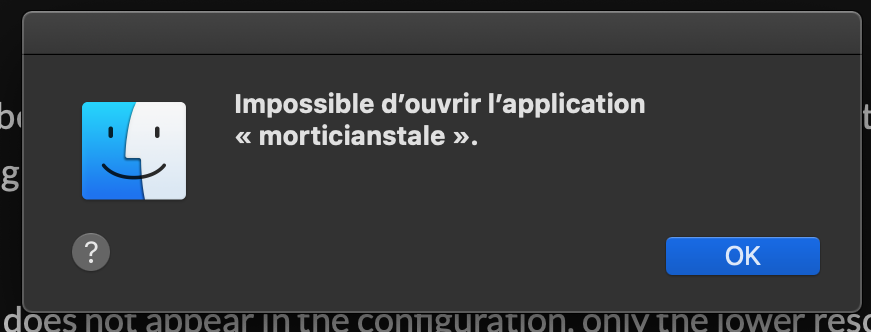
Catalina has added a lot of extra security, including the requirement that all applications be notarized through Apple's Gatekeeper service. This is unfortunately not something that we've done. My best guess is OSX is blocking the app.
The easiest option to play right now is to bypass Gatekeeper, though I would recommend turning it back on before running any applications you download from the internet unless you are confident of their source.
We are also going to be spending some time looking into starting the notarization process in the next week, which will also fix this issue. I'll post here when we get it re-uploaded!
- Andrew
Hi Calcifer!
I wanted to let you know that we have updated the OSX version of the game. It has been updated to use the Metal rendering API, be 64bit compliant, and it is notarized by Apple. This means it should run correctly now, even with Gatekeeper enabled.
If you have any more issues or the latest version doesn't seem to make a difference, please let us know so we can look into it further!
Hi Mojo!
We are looking into more causes for issues on Catalina. The latest OS has dropped support for both 32bit binaries as well as rendering using OpenGL, both of which could cause this issue (in addition to Gatekeeper). In order to address all these changes to the latest OSX version, we're going to be spending some time updating the game in the coming weeks, after which we hope the issues will be resolved.
Thanks for reporting the issue and for your patience!
- Andrew
Hey, Mojo!
I wanted to let you know that we have updated the OSX version of the game. It has been updated to use the Metal rendering API, be 64bit compliant, and it is notarized by Apple. This means it should run correctly now, even with Gatekeeper enabled.
If you have any more issues or the latest version doesn't seem to make a difference, please let us know so we can look into it further!
Hi LaunghingMan19,
It looks like our fix for Catalina wasn't effective and we are looking into it again.
Since you are on 10.14, there is an easier solution if you are comfortable allowing your computer run all programs (as opposed to just ones from the mac store). You can find this option in the security of your mac. By allowing programs downloaded form the internet, it should allow you to launch the game from a warning that pops up after attempting to run the app.
-Andrew
Hi ebrood!
Looks like the issue was unrelated to Gatekeeper! We pushed an update that should fix the problem, though!
- Andrew
We received your email! Thank you for taking the time to send those our way.
I'm not exactly sure yet what the cause for this may be but we are planning on looking into it as soon. Our current priority is addressing some OSX issues with the latest operating system update. As soon as they have been solved and an update released, this will be our next priority!
It is alright if, once we start a deeper investigation, that we follow up with you?
- Andrew
Hi Kayla!
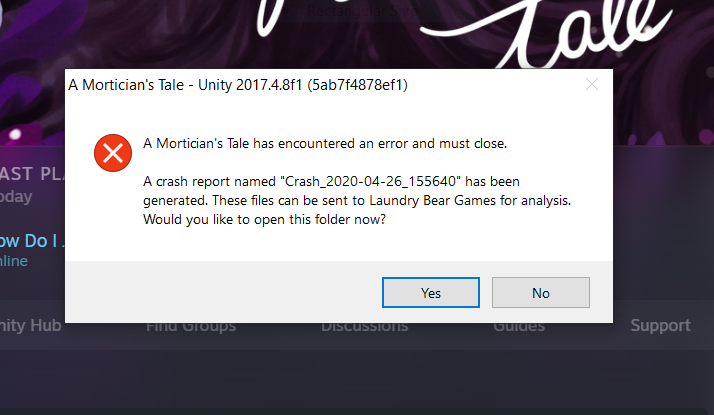
We just pushed an update to itch! This was primarily to address OSX issues people have been having with Catalina. However, in doing so we updated our engine from Unity 2017.4.8f1 (as you can see in the title bar of the image you posted) to 2017.4.37f1 and made new builds for Windows with the hope it might address the issue you are facing.
If you could try the updated version and let us know if it makes a difference for you, that would be greatly appreciated!
- Andrew
Hello! Just wanted to reply in case anyone else was having the same issue. I believe I was having an issue with Unity in general as it was causing issues with another game on Steam. I uninstalled Citrix workspace from my laptop and now both games open! Not sure if this helps, but I look forward to playing. Thanks!
Hi! We are currently working on a fix for all the Catalina issues and are hoping to put it on in one update. As of right now there is now work around as some of the libraries we used are no longer supported on Catalina. I'm hoping to push it out within the next week if our internal testing goes well. We will push out an update when it's been addressed so that everyone knows that there is a new version to download.
Thank your for your patience!
- Andrew
Hey, MayNeedsAGoodDay! Maybe today is that day!
I wanted to let you know that we have updated the OSX version of the game. It has been updated to use the Metal rendering API, be 64bit compliant, and it is notarized by Apple. This means it should run correctly now, even with Gatekeeper enabled.
If you have any more issues or the latest version doesn't seem to make a difference, please let us know so we can look into it further!
That's unfortunate! We had though we'd made all the necessary updates to the game for it to work with Catalina but clearly made a mistake!
I'll need a bit more time to look into why the process doesn't seem to be working but I'll update here when we believe it should be fixed.
Thanks for your patience!
-Andrew
Hi fewderpewders!
The game is currently having some problems with the latest mac operating system. While we thought we had already addressed the issues, clearly I made a mistake! I'll be looking into this but will need some time to figure it out. I'll update you when we have a fix.
Thank you for your patience!
- Andrew