
Fixed Resolution Master to repair some errors

Mayday五月天[入陣曲]MV現場LIVE版-中視[蘭陵王]片頭曲
JiaJia家家[命運]MV官方完整版-中視[蘭陵王]插曲
ResolutionMaster Node latent_type Error Fix - Complete Explanation
Error Details
Value not in list: latent_type: '1024' not in ['latent_4x8', 'latent_128x16']The ResolutionMaster node receives `'1024'` for `latent_type`, but only `'latent_4x8'` and `'latent_128x16'` are valid, causing validation to fail.
Root Cause
Old workflows have `'1024'` saved in the workflow file
ComfyUI validation runs before `main`, so conversion inside `main` cannot handle it
Possible type mismatch (string `'1024'` vs numeric `1024`)
Fixed File
```ComfyUI/custom_nodes/Comfyui-Resolution-Master/aztoolkit.py```
Fix 1: Add '1024' to INPUT_TYPES and Add Conversion in main
Fix Location 1: INPUT_TYPES Method (Lines 32-35)
"latent_type": (
    ["latent_4x8", "latent_128x16", "1024"],
    {"default": "latent_4x8"}
),Explanation: Added `'1024'` to the `latent_type` list in `INPUT_TYPES` so old workflows pass validation.
Fix Location 2: main Method (Lines 64-67)
def main(self, mode, latent_type, width, height, auto_detect, rescale_mode, rescale_value, batch_size=1, input_image=None, unique_id=None):
    # Convert legacy '1024' value to 'latent_4x8' for backward compatibility
    if latent_type == "1024":
latent_type = "latent_4x8"Explanation: Convert `'1024'` to `'latent_4x8'` at the start of `main` for backward compatibility.
Fix 2: Add VALIDATE_INPUTS Method
Fix Location: VALIDATE_INPUTS Method (Lines 56-62)
@classmethod
def VALIDATE_INPUTS(cls, latent_type, **kwargs):
    # Accept both string '1024' and numeric 1024 for backward compatibility
    valid_values = ["latent_4x8", "latent_128x16", "1024"]
    if isinstance(latent_type, (int, float)):
        latent_type = str(latent_type)
return latent_type in valid_valuesExplanation: Added custom validation. If numeric `1024` is passed, convert it to string and check against the valid list. This handles type mismatches.
Fix Flow
Validation stage: `VALIDATE_INPUTS` converts numeric `1024` to string `'1024'` and checks if it's in the valid values list
Execution stage: `main` converts `'1024'` to `'latent_4x8'` for processing
Important Notes
ComfyUI caches `INPUT_TYPES` at startup, so a full ComfyUI restart is required for changes to take effect. A browser reload may not be sufficient.
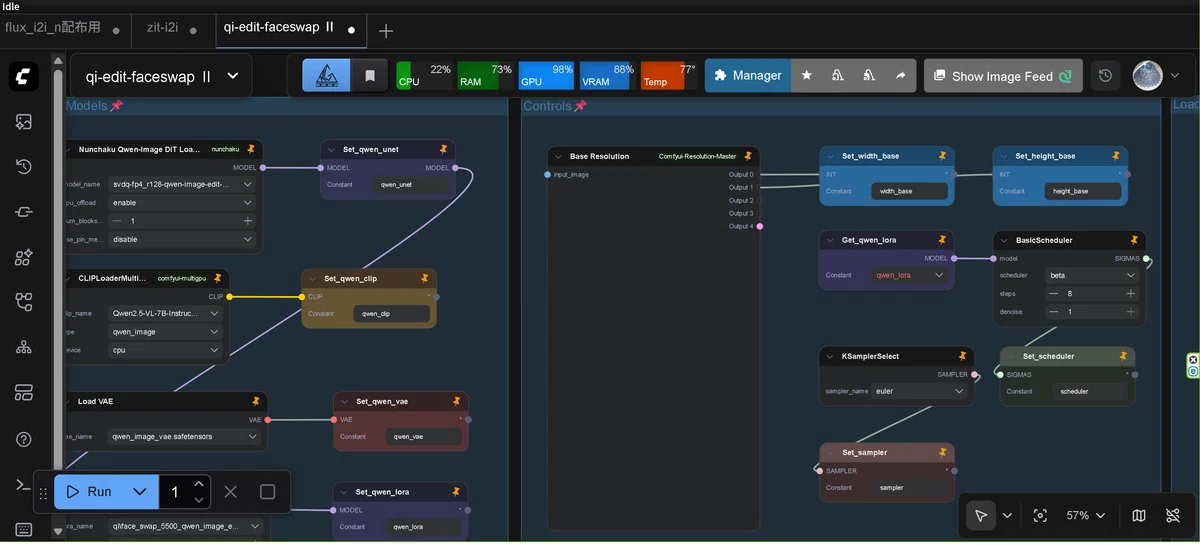
It looks that a node isn't loaded formally on ComfyUI Nodes2.0…however it works correctly.
