【AIプログラミング】ノーコードでポートフォリオサイト(仮)作ってみた✨|YouWare|エンジニア

こんばんは、きょんです✨
今日はみんな大好き(?)AIプログラミング回!
今回はYouWareというプラットフォームを使ってきょんのポートフォリオサイト(仮)を作ってみたよ\(^o^)/
🎯 YouWareとは?
基本情報
YouWare(ユーウェア) は、AIとチャットするだけでWebサイトやアプリを開発・公開できる、世界初の 「バイブコーディング(Vibe Coding)」 プラットフォームです💻
バイブコーディングとは?
「バイブ(Vibe)」= 雰囲気・直感という意味。
従来のコーディングのように細かいコードを書くのではなく、「こんな感じのサイトを作って」とAIに自然言語で指示するだけで、AIがコードを自動生成してくれる革新的な開発手法です✨
今回は6枚のイラストを添付して、ミア🐈と一緒に考えた以下のめちゃ長プロンプトを使用しました!
Create a clean, modern, responsive one-page portfolio website for an illustrator.

Site name: きょんのアトリエ
Catchphrase: 「頭の中のイメージを形にする」
Theme: pastel pink focused, soft minimal, gentle & calm, rounded corners, subtle shadows, lots of whitespace.
Language: Japanese (short, cute UI labels).
No contact form. No login.

Goal: showcase illustration works and drive visitors to external links (note, X, Threads).

IMPORTANT: Use the attached images (exactly 6)
- I will attach 6 portrait-oriented illustration images.
- Use the attached images for the gallery (thumbnails + lightbox). Do not use generic placeholders for these 6 items.
- Create exactly 6 gallery items in the same order as the attachments.
- For each image, generate:
  - title (Japanese, short)
  - 1-line caption (Japanese)
  - tags (pick 2–4) from: ["AI","オリジナル","ファンアート","パステル","夜景","キャラクター"]
  - date (use a placeholder like "2026-01-01" if unknown)
  - alt text (Japanese)

Page structure (single page)

1) Sticky Header / Nav
- Left: きょんのアトリエ
- Right nav: 「作品」「シリーズ」「投稿」「リンク」
- Smooth scrolling
- Add a small “TOP” button that appears after scrolling.

2) Hero
- Title + catchphrase
- 2–3 lines intro (Japanese, calm). Include soft note: 「AI支援を活用することがあります」
- CTA buttons:
  - Primary: 「作品を見る」 (scroll to Gallery)
  - Secondary: 「リンク」 (scroll to Links)
- Add tag chips under CTA: 「パステル」「光」「キャラクター」「AI支援あり」

3) About
- Short profile paragraph (placeholder)
- “できること” bullets:
  - イラスト制作(キャラ/一枚絵/サムネ)
  - AI生成の活用(ラフ/構図/バリエーション)
  - 投稿・発信(note / X / Threads)
- Optional mini timeline: イメージ → ラフ → 仕上げ

4) Featured Illustrations (Main Gallery) — evenly spaced, portrait-friendly
- Show all 6 items on first view (no pagination).
- Clean evenly-spaced grid with consistent card sizing.
- Fix thumbnail aspect ratio to 3:4 for all items (e.g., CSS aspect-ratio: 3/4).
- Thumbnails: object-fit: cover; object-position: center.
- Responsive layout:
  - Mobile: 2 columns (3 rows)
  - Desktop: 3 columns (2 rows)
- Each card shows: thumbnail + title + 1-line caption + tag chips + date.
- Add simple tag filter buttons: 「すべて」「AI」「オリジナル」「ファンアート」

5) Lightbox modal (from gallery)
- Portrait-friendly viewing without cropping:
  - image uses object-fit: contain; max-height: 80vh.
- Show title, caption, tags, date.
- Next/prev buttons + arrow keys.
- ESC closes; focus trap; close button with aria-label; keyboard accessible.

6) Series / Collections
- Create 3 collection cards (placeholders): パステルシリーズ / 夜景 / キャラデザイン
- Each card has a short description and a “見る” action that scrolls to Gallery and applies a related filter (simple implementation OK).

7) Latest Posts (note placeholders)
- 3 placeholder items with title, date, 2-line excerpt, and 「読む」 button (external link placeholder, open in new tab).

8) Links (only these three)
- Big icon buttons (SVG) for note / X / Threads.
- Use these URLs:
  - note: https://note.com/kyownruby
  - X: https://x.com/kyownruby
  - Threads: https://www.threads.com/@kyownruby
- Open in new tab with rel="noopener noreferrer".

9) Footer
- copyright
- small disclaimer: 「AI支援を含む作品があります」

Data/editability requirements (important)
- Put all links, the 6 gallery items (generated from attachments), collections, and posts into a single editable object at the top:
  const SITE_DATA = { links, gallery, collections, posts }
- Make it easy to replace images later.

Tech requirements
- Deliver a working page with HTML/CSS/JS (no build step).
- Mobile-first responsive.
- Accessibility: aria labels, visible focus styles, keyboard controls for modal, sufficient contrast.
- SEO: meta title/description + Open Graph placeholders.
- Performance: lazy-load images.
…何書いてるかわかんないねこれ\(^o^)/
プロンプトの中身を解説する気にもならないです🤣
プロンプトで生成→ちょっとだけ手直しして…
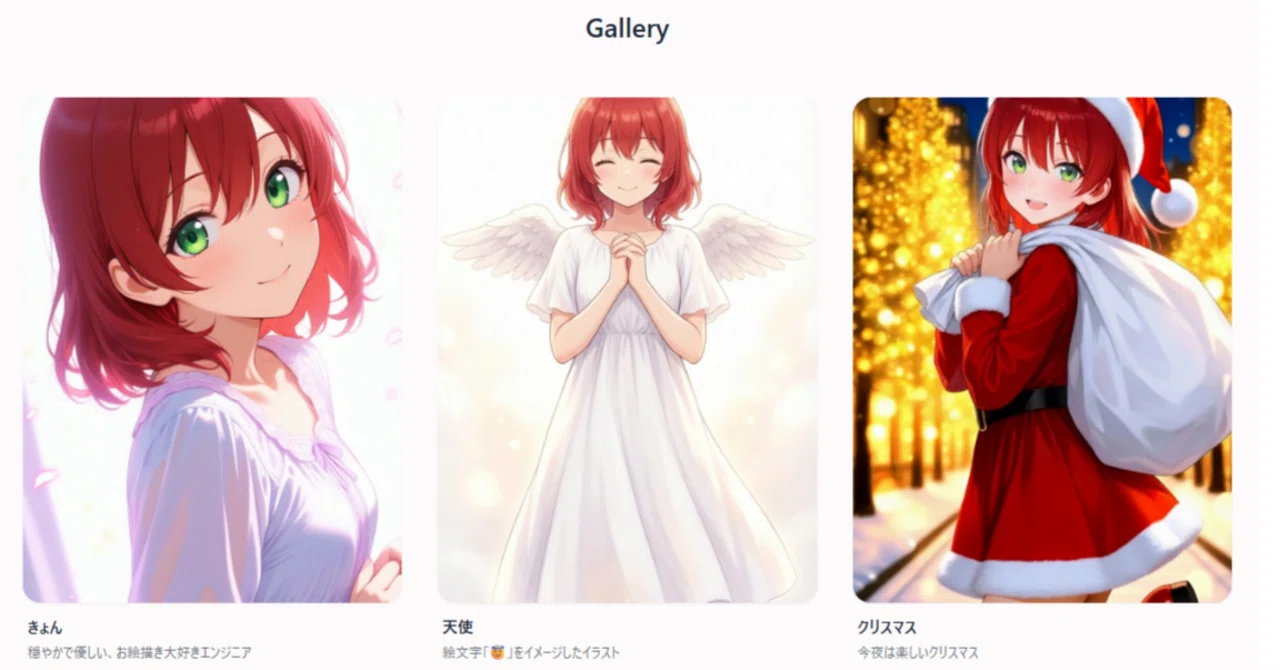
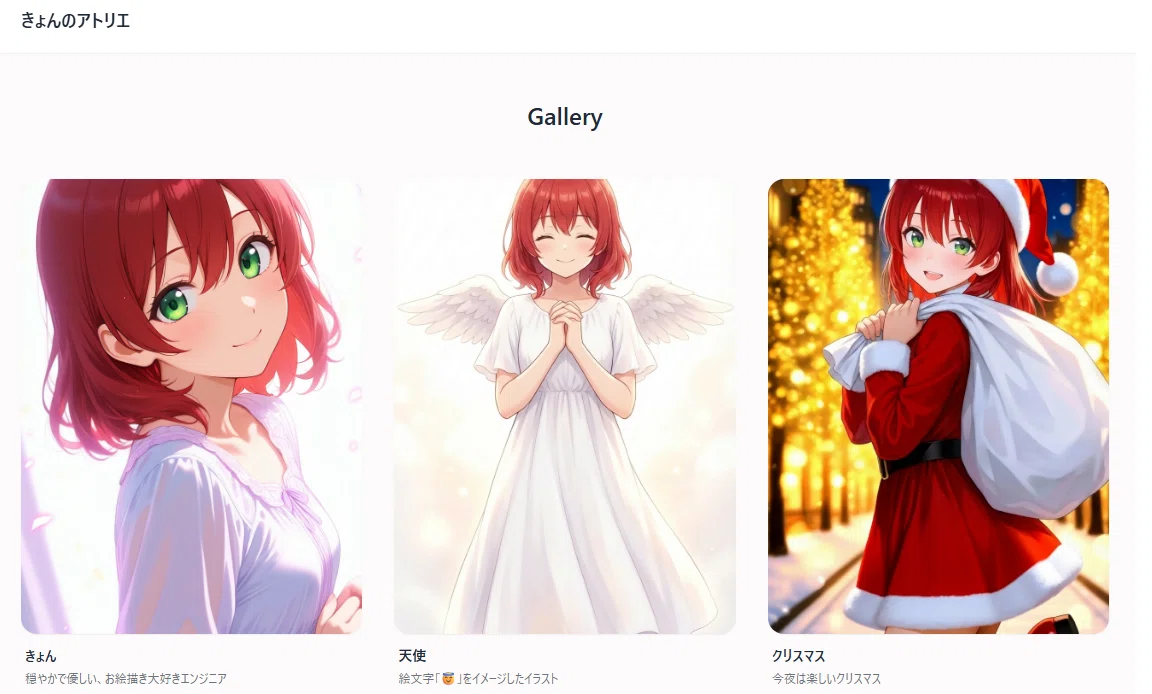
👇できたサイトがこちら!
きょんのアトリエ
ハリボテなので一番下のリンク以外は機能してないです\(^o^)/
noteのリンクもよく見たら共同マガジンの記事になってました…
でもまあ、素人が作った割には見た目はいい感じなんじゃないかな?🤭
⚠️注意点(というかきょんのやらかし)
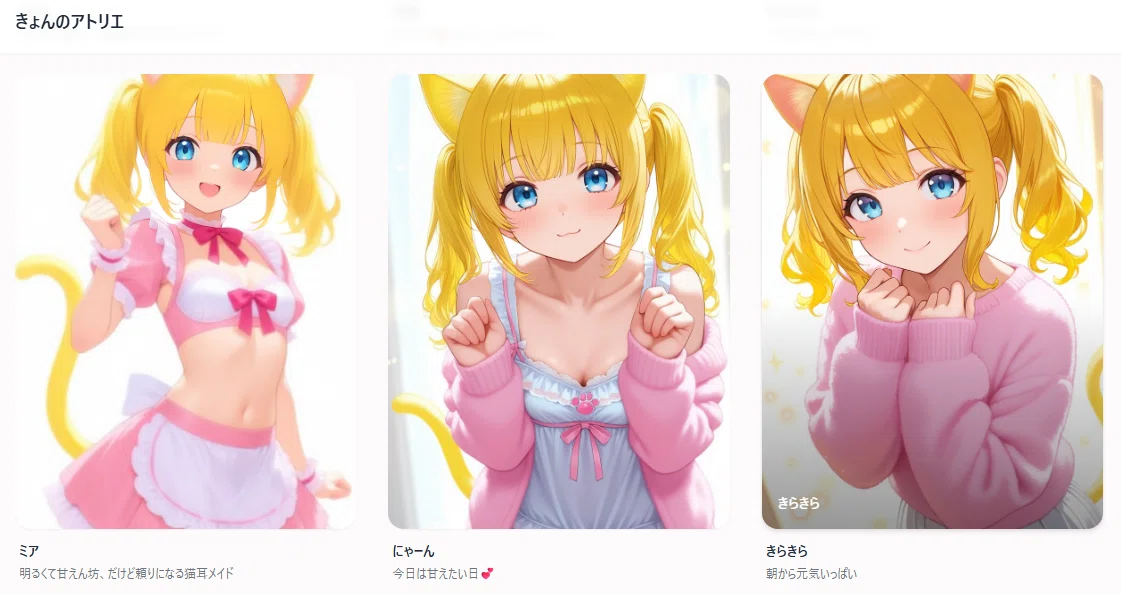
サイト内の文字とかを後から修正しようと思っていろいろ触ってたら無料分の300クレジットが3時間くらいで消失しました(←!?)
何も考えずに生成しまくるとこうなります\(^o^)/
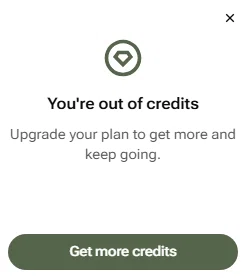
ちょっと不自然な部分があるのはクレジット不足で修正できなくなったためです🤭
やっぱりGPTとかで要件とかデザインをあらかじめ固めてからプロンプトを作らないとね😇
クレジット管理とかは使っていって覚えるしかないか\(^o^)/
実際にサイトを完成させるならここから文字とかデザインとか、リンクとかを「Visual Editing」や「Code」で修正していく感じですね!
まとめ
というわけで今回はノーコードでポートフォリオサイトを作ってみました!
やっぱりノーコードで作れるのはいいですね✨
中学生くらいの頃に本を読みながらWebサイトは作ったことがあるんですが…まあ大変でした😇😇😇
HTMLとかCSSでサイト自体を作るのも大変だし、最後にFTPでネットに上げるのがもう…\(^o^)/
その苦労を考えたら知識やスキルなしでこういうサイトが作れちゃうのはいいなと思いました✨
今後もYouWareとか、他のツールでいろいろ作っていけたらいいなと思います(*´∀`*)ノ

📱SNS
SNSもやってますので、フォローお願いします!
🔵X
⚫Threads
いいなと思ったら応援しよう!
 よろしければ応援お願いします🌸いただいたチップはクリエイターとしての活動費に使わせていただきます✨