Google Colab で Japanese Stable CLIP を試す

「Google Colab」で「Japanese Stable CLIP」を試したので、まとめました。
1. Japanese Stable CLIP
「Japanese Stable CLIP」は、「Stability AI」が開発した日本語画像言語特徴抽出モデルです。画像とテキストを同じ空間に埋め込むマルチモーダルモデルで、日本語が利用できます。ゼロショットの画像分類や、生成モデルの部品として利用できます。
2. Colabでの実行
Colabでの実行手順は、次のとおりです。
(1) パッケージのインストール。
# パッケージのインストール
!pip install ftfy pillow requests transformers sentencepiece protobuf
(2) モデルとトークナイザーとプロセッサーの準備
from transformers import AutoModel, AutoTokenizer, AutoImageProcessor

# モデルとトークナイザーとプロセッサーの準備
model = AutoModel.from_pretrained(
    "stabilityai/japanese-stable-clip-vit-l-16",
    trust_remote_code=True
).to("cuda")
tokenizer = AutoTokenizer.from_pretrained(
    "stabilityai/japanese-stable-clip-vit-l-16"
)
processor = AutoImageProcessor.from_pretrained(
    "stabilityai/japanese-stable-clip-vit-l-16"
)
(3) ラベルのトークナイザーの準備
これは、元のClipのコードが持つ関数になります。
import ftfy, html, re, torch
from typing import Union, List
from transformers import BatchFeature

def basic_clean(text):
    text = ftfy.fix_text(text)
    text = html.unescape(html.unescape(text))
    return text.strip()

def whitespace_clean(text):
    text = re.sub(r"\s+", " ", text)
    text = text.strip()
    return text

def tokenize(
    tokenizer,
    texts: Union[str, List[str]],
    max_seq_len: int = 77,
):
    if isinstance(texts, str):
        texts = [texts]
    texts = [whitespace_clean(basic_clean(text)) for text in texts]

    inputs = tokenizer(
        texts,
        max_length=max_seq_len - 1,
        padding="max_length",
        truncation=True,
        add_special_tokens=False,
    )
    input_ids = [[tokenizer.bos_token_id] + ids for ids in inputs["input_ids"]]
    attention_mask = [[1] + am for am in inputs["attention_mask"]]
    position_ids = [list(range(0, len(input_ids[0])))] * len(texts)
    return BatchFeature(
        {
            "input_ids": torch.tensor(input_ids, dtype=torch.long),
            "attention_mask": torch.tensor(attention_mask, dtype=torch.long),
            "position_ids": torch.tensor(position_ids, dtype=torch.long),
        }
    )
(4) 画像とラベルの準備。
import io
import requests
from PIL import Image

# 画像とラベルの準備
url = "https://i.ytimg.com/vi/nomJbjuQXAY/maxresdefault.jpg"
image = Image.open(io.BytesIO(requests.get(url).content))
image = processor(images=image, return_tensors="pt").to("cuda")
text = tokenize(
    tokenizer=tokenizer,
    texts=["パリピ", "クール", "陰キャ"],
).to("cuda")
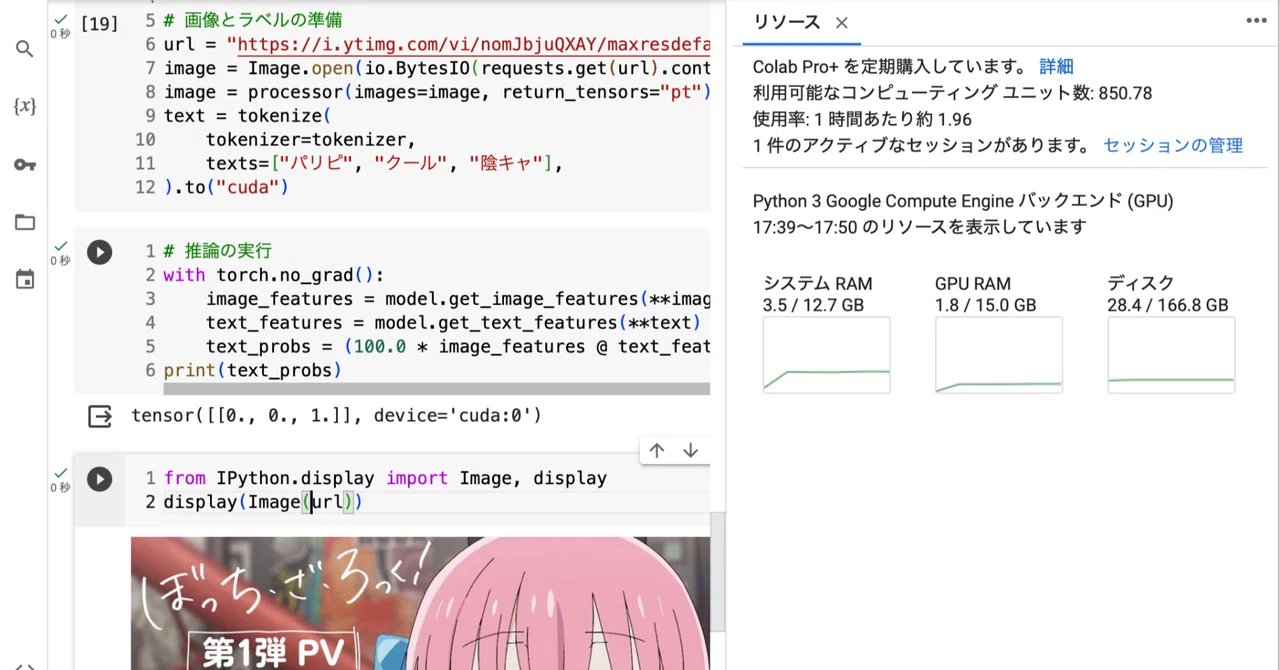
今回は、以下の画像と ["パリピ", "クール", "陰キャ"] というラベルを用意しました。

(5) 推論の実行。
[0., 0., 1.]は3番目が関連するの意味なので正解です。
# 推論の実行
with torch.no_grad():
    image_features = model.get_image_features(**image)
    text_features = model.get_text_features(**text)
    text_probs = (100.0 * image_features @ text_features.T).softmax(dim=-1)
print(text_probs)
tensor([[0., 0., 1.]], device='cuda:0')他のラベルも試して、高確率で正解になることを確認しました。
texts=["ピンク", "黄色", "青"]
tensor([[1., 0., 0.]], device='cuda:0')
texts=["笑顔", "普通", "悲しい"]
tensor([[0., 1., 0.]], device='cuda:0')texts=["女の子", "男の子"]
tensor([[1., 0.]], device='cuda:0')texts=["猫", "犬", "人間"]
tensor([[0., 0., 1.]], device='cuda:0')