
Google Colab で Llama 2 を試す

「Google Colab」で「Llama 2」を試したので、まとめました。
1. Llama 2
「Llama 2」は、Metaが開発した、7B・13B・70B パラメータのLLMです。
2. モデル一覧
「Llama 2」は、次の6個のモデルが提供されています。
(hfでないモデルも存在)
・meta-llama/Llama-2-70b-hf
・meta-llama/Llama-2-70b-chat-hf
・meta-llama/Llama-2-13b-hf
・meta-llama/Llama-2-13b-chat-hf
・meta-llama/Llama-2-7b-hf
・meta-llama/Llama-2-7b-chat-hf
3. 利用申請
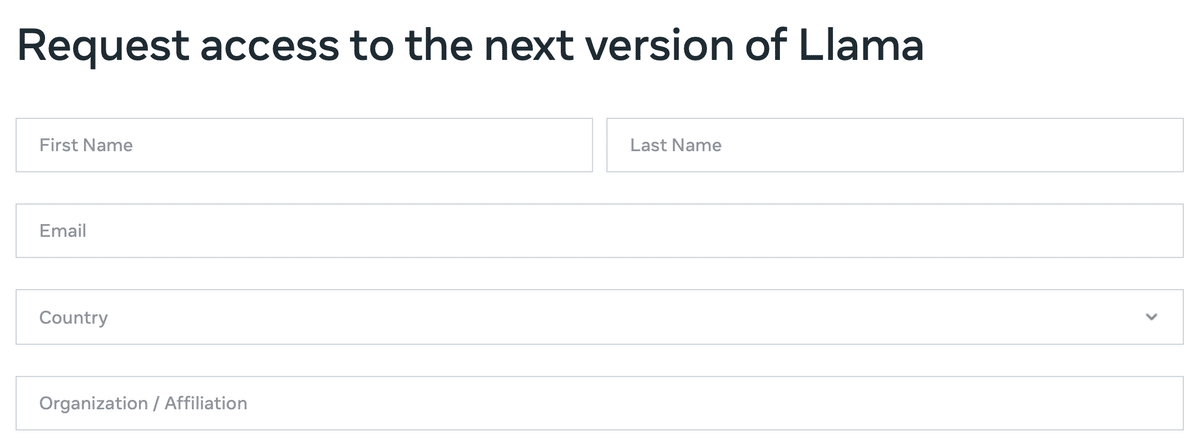
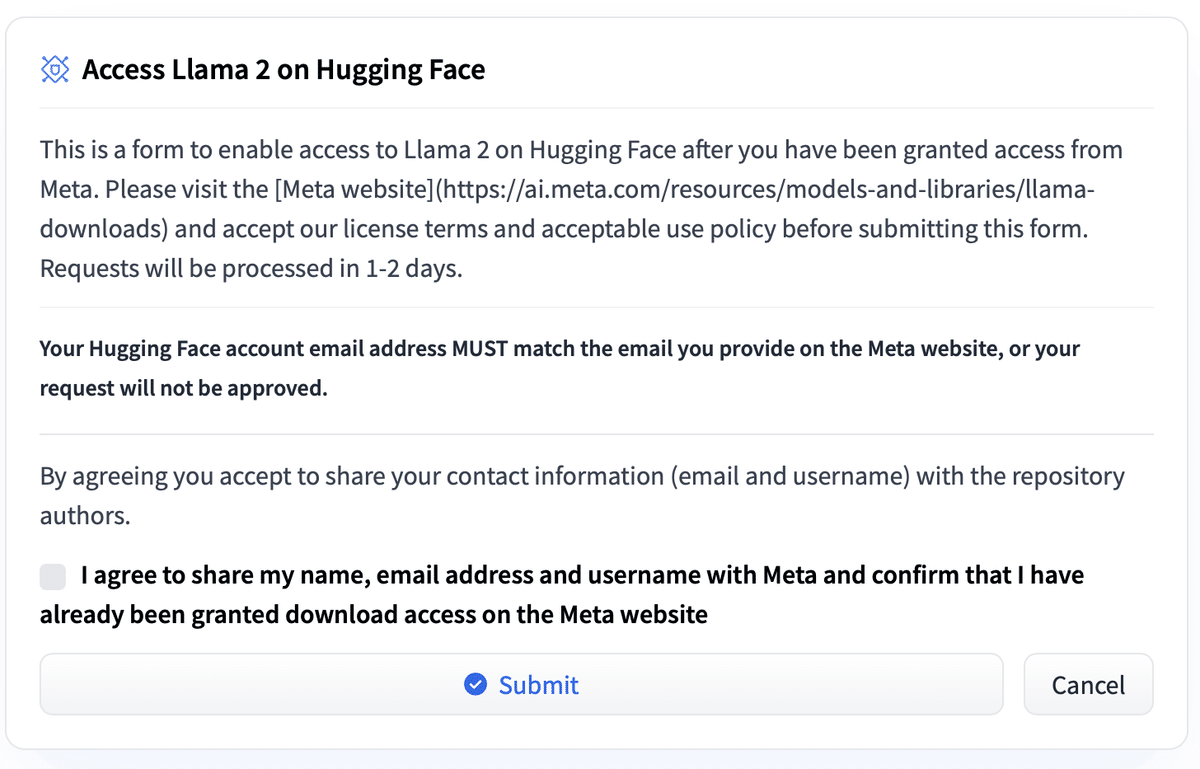
「Llama 2」を利用するには、利用申請が必要です。
(1) 公式のMetaのフォームから利用申請。
数時間後に利用許可のメールがきます。
(2) 「Meta Llama 2」リポジトリ内の使用するモデルカードから利用申請。
4. Colabでの実行
Colabでの実行手順は、次のとおりです。
(1) メニュー「編集→ノートブックの設定」で、「ハードウェアアクセラレータ」で「GPU」を選択。
(2) パッケージのインストール。
# パッケージのインストール
!pip install transformers sentencepiece accelerate
(3) HuggingFaceにログイン。
リンクからHuggingFace Hubのトークンを取得し、「Token:」に入力してください。
# HuggingFaceにログイン
!huggingface-cli login
    _|    _|  _|    _|    _|_|_|    _|_|_|  _|_|_|  _|      _|    _|_|_|      _|_|_|_|    _|_|      _|_|_|  _|_|_|_|
    _|    _|  _|    _|  _|        _|          _|    _|_|    _|  _|            _|        _|    _|  _|        _|
    _|_|_|_|  _|    _|  _|  _|_|  _|  _|_|    _|    _|  _|  _|  _|  _|_|      _|_|_|    _|_|_|_|  _|        _|_|_|
    _|    _|  _|    _|  _|    _|  _|    _|    _|    _|    _|_|  _|    _|      _|        _|    _|  _|        _|
    _|    _|    _|_|      _|_|_|    _|_|_|  _|_|_|  _|      _|    _|_|_|      _|        _|    _|    _|_|_|  _|_|_|_|

    To login, `huggingface_hub` requires a token generated from https://huggingface.co/settings/tokens .
Token:
Add token as git credential? (Y/n) n
Token is valid (permission: read).
Your token has been saved to /root/.cache/huggingface/token
Login successful
(4) トークナイザーとパイプラインの準備。
from transformers import AutoTokenizer, AutoModelForCausalLM
import torch

# トークナイザーとモデルの準備
tokenizer = AutoTokenizer.from_pretrained(
    "meta-llama/Llama-2-7b-chat-hf",
)
model = AutoModelForCausalLM.from_pretrained(
    "meta-llama/Llama-2-7b-chat-hf",
    torch_dtype=torch.float16,
    device_map="auto",
    trust_remote_code=False,
)
(4) 推論の実行。
英語の方が得意なので、英語で質問しています。
# プロンプトの準備
prompt = "[INST] Who is the cutest in Madoka Magica? [/INST]"

# 推論の実行
with torch.no_grad():
    token_ids = tokenizer.encode(prompt, return_tensors="pt")
    output_ids = model.generate(
        token_ids.to(model.device),
        temperature=0.1,
        do_sample=True,
        top_p=0.95,
        top_k=40,
        max_new_tokens=256,
    )
output = tokenizer.decode(output_ids[0][token_ids.size(1) :])
print(output)
Madoka Magica has a diverse cast of characters, and opinions on who is the cutest can vary depending on personal preferences. Here are some of the most popular and adorable characters in the series:
1. Madoka Kaname - The main protagonist of the series, Madoka is a kind-hearted and gentle girl who is loved by many fans for her innocence and purity.
2. Homura Akemi - Homura is a mysterious and powerful transfer student who is known for her stoic demeanor and her love for Madoka. Many fans find her to be an intriguing and adorable character.
3. Kyubey - Kyubey is a cute and fluffy creature who is a key character in the series. He is a magical creature who is tasked with granting wishes, but he has a complex and conflicted personality that makes him both adorable and unsettling at times.
4. Sayaka Miki - Sayaka is a kind and gentle girl who becomes a magical girl to help others. She is known for her bright smile and her love for her friends, and many fans find her to be an adorable and rel【翻訳】
まどか☆マギカには多様なキャラクターが登場し、誰が一番かわいいかという意見は個人の好みによって異なります。 シリーズの中で最も人気があり愛らしいキャラクターをいくつか紹介します。
1.鹿目まどか - シリーズの主人公であるまどかは、その無邪気さと純粋さで多くのファンに愛される心優しい女の子です。
2. 暁美ほむら - ほむらは、ストイックな態度とまどかへの愛で知られる、ミステリアスで強力な転校生です。 多くのファンは彼女が魅力的で愛らしいキャラクターであると感じています。
3. キュゥべえ - キュゥべえは、シリーズの重要なキャラクターであるふわふわしたかわいい生き物です。 願いを叶えるという使命を持った魔法の生き物ですが、複雑で矛盾した性格を持っており、それが愛らしくもあり、時には不安にもなります。
4. 美樹さやか - さやかは、人を助けるために魔法少女になった心優しい女の子です。 彼女は明るい笑顔と友達への愛で知られており、多くのファンが彼女を愛らしくて親しみやすいと感じています
