
【Midjourney】Seedを使ってみたい🌱

こんにちは~!アメリカ・シリコンバレー在住のSeikaです😊
本日はMidjourney(ミッドジャーニー)のチートコードSeedを使ってみたいと思います。
Seedを利用することで、気に入った生成画像と似たスタイルで別の画像を生成することができます✨
それではやっていきましょう!
(2023年3月30日公開)
チートコード " - - SEED"
The Midjourney bot uses a seed number to create a field of visual noise, like television static, as a starting point to generate the initial image grids. Seed numbers are generated randomly for each image but can be specified with the --seed or --sameseed parameter. Using the same seed number and prompt will produce similar ending images.
Midjourneyボットは、初期画像グリッドを生成するための出発点として、テレビの静止画のような視覚ノイズのフィールドを作成するためにシード番号を使用します。シード番号は画像ごとにランダムに生成されますが、--seedまたは--sameseedパラメータで指定することができます。同じシード番号とプロンプトを使用すると、同様のエンディング画像が生成されます。
📝手順
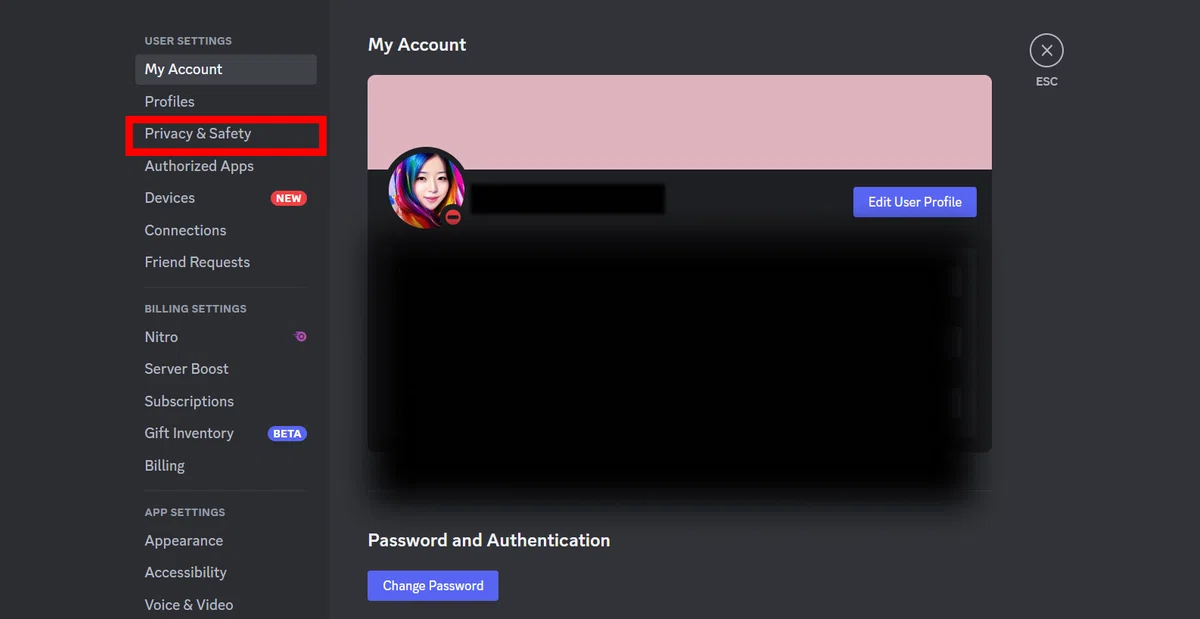
1、DiscordのMy account→Privacy & Safety
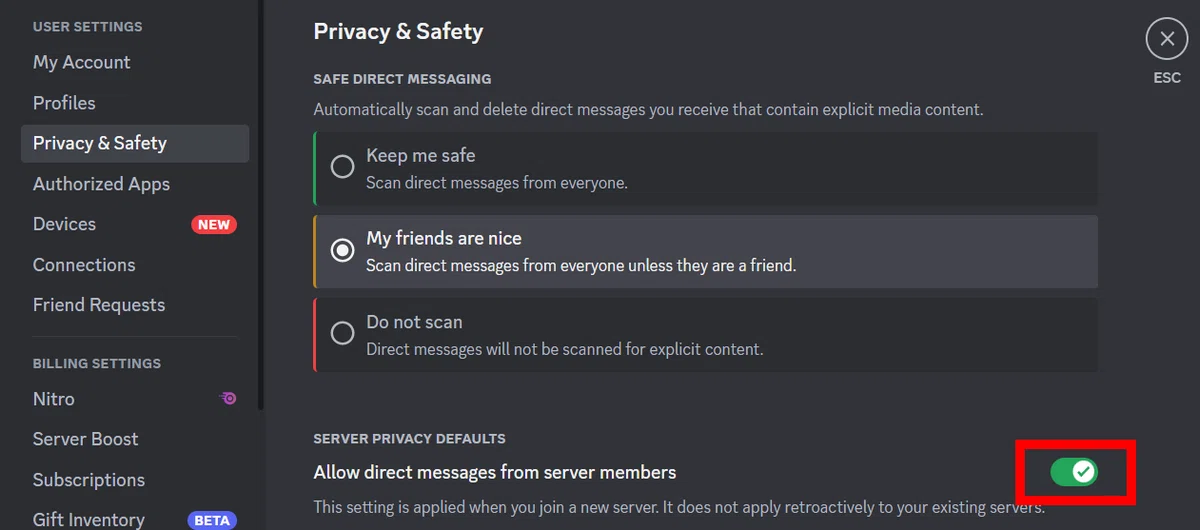
2、allows direct messages from server membersをチェック
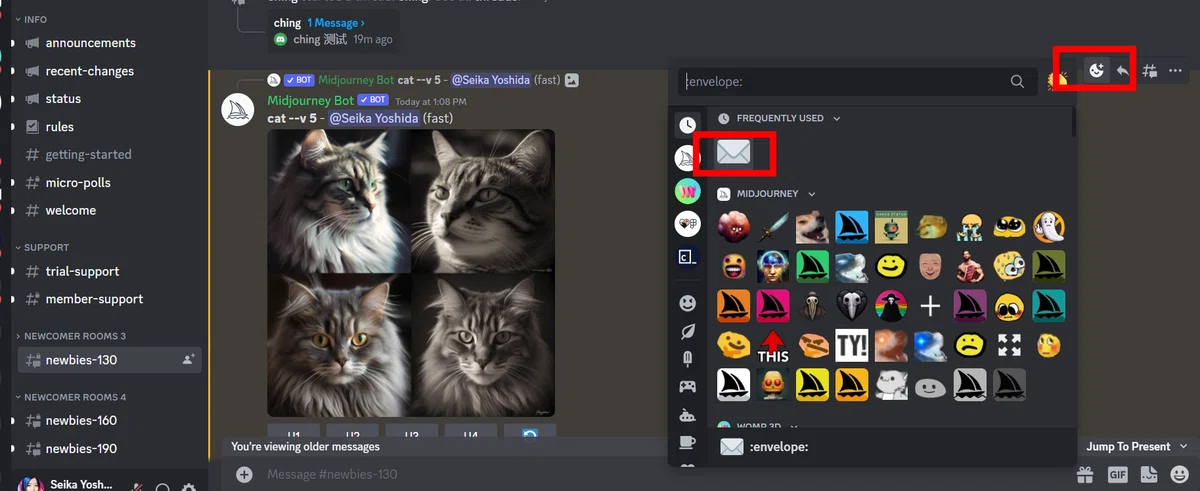
3、プロンプトを入力し画像生成。
→Add reaction
→Envelopの絵文字をクリック
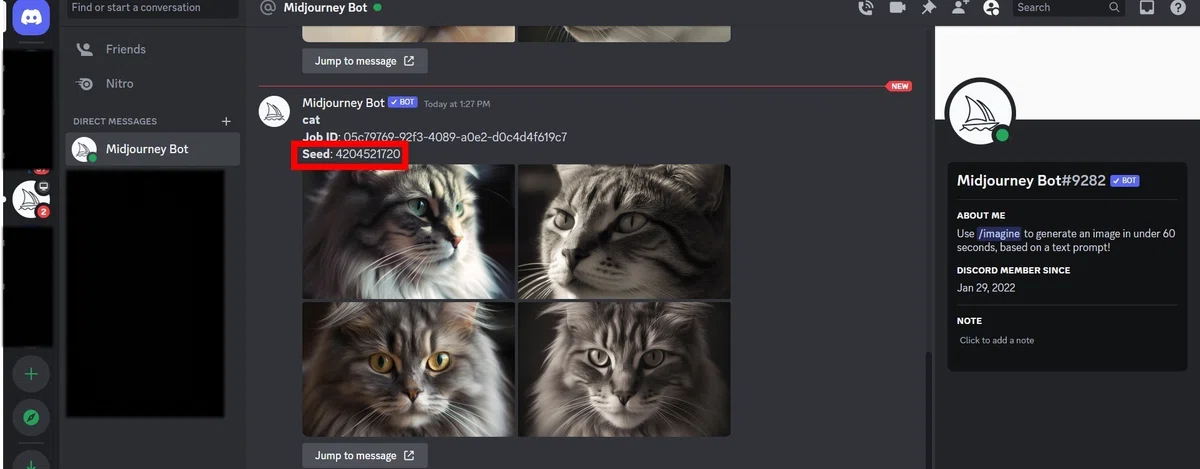
4、MidJourneyのボットに移動
ここでSeedが確認できます。
5、プロンプトに --seed と番号を入力します。
/imagine prompt:cat pink --seed 4204521720
今回はpinkも加えました。
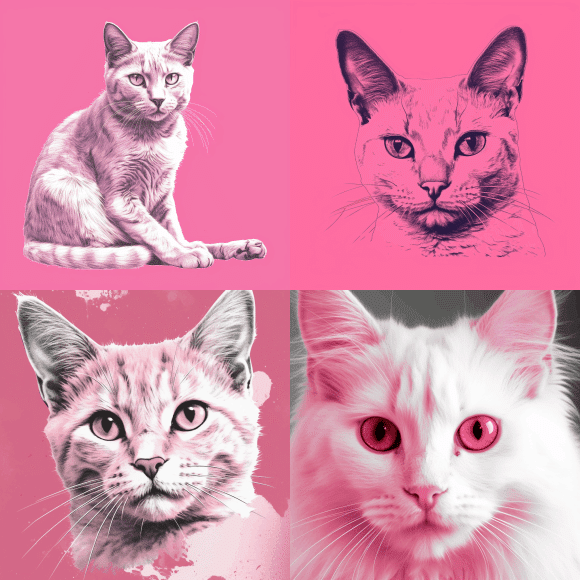
簡単にできました🌸😊🌸
Follow me here😊
Youtube│Instagram│Twitter│Dribbble│Linkedin│Behance│Notion│Portfolio│Figma │質問箱
いいなと思ったら応援しよう!
 よろしければサポートお願いいたします。いただいたサポートはクリエイターとしての活動費に使わせていただきます。