ブロードリスニングを使ってみた

ブロードリスニングがどのような技術で実現されているのか興味があったので、使ってみました。
概要
ブロードリスニングは、AI • Objectives • Instituteが行っているTalk to the City (T3C)プロジェクトをベースにしています。このプロジェクトをオードリータンさんが台湾の問題に適用したときに作った造語のようです。
NotebookLMによるサマリ
この資料は、Talk to the City (T3C)というオープンソースのAIツールを紹介しています。T3Cは、大規模な市民意見を分析し、個々の意見の多様性とニュアンスを維持しながら、民主的な意思決定を強化することを目的としています。従来の世論調査やフォーカスグループでは困難だった、大規模データからの詳細な質的分析を可能にする点が特徴です。台湾や日本の選挙、アメリカの労働組合など、様々な実例を通してその有効性が示されており、AIを活用した民主主義の促進に貢献する可能性が示唆されています。 開発チームは、LLMの精度向上やユーザーインターフェースの改善など、更なる研究開発を進めており、オープンソースであることから、研究者コミュニティとの協働も促進しています。
利用例
安野たかひろさんのサイトにいろいろな事例があります。
実行
以下のzennに記事に沿ってTalk to the Cityを使ってみます。
まず、githubのプロジェクトをcloneします。
対象のデータ(csv)がrawデータになっているので、lfsでクローンする必要があります。あるいは、githubから個別にcsvファイルをダウンロードしてもOKです。
$ git lfs clone https://github.com/AIObjectives/talk-to-the-city-reportspythonのバージョンは、3.10、3.11が良いようです。
cd ./talk-to-the-city-reports-main/scatter
python -m venv venv
source venv/bin/activate
pip install -r requirements.txt
python -c "import nltk; nltk.download('stopwords')"
export OPENAI_API_KEY=sk-proj-XXXXXXXXXX
cd ./pipeline
python main.py configs/example-polis.json
So, here is what I am planning to run:
{'step': 'extraction', 'run': True, 'reason': 'not trace of previous run'}
{'step': 'embedding', 'run': True, 'reason': 'not trace of previous run'}
{'step': 'clustering', 'run': True, 'reason': 'not trace of previous run'}
{'step': 'labelling', 'run': True, 'reason': 'not trace of previous run'}
{'step': 'takeaways', 'run': True, 'reason': 'not trace of previous run'}
{'step': 'overview', 'run': True, 'reason': 'not trace of previous run'}
{'step': 'translation', 'run': True, 'reason': 'not trace of previous run'}
{'step': 'aggregation', 'run': True, 'reason': 'not trace of previous run'}
{'step': 'visualization', 'run': True, 'reason': 'not trace of previous run'}
Looks good? Press enter to continue or Ctrl+C to abort.
Running step: extraction
100%|█████████████████████████████████████████████████████████████████████████| 4/4 [00:04<00:00, 1.04s/it]
Running step: embedding
100%|█████████████████████████████████████████████████████████████████████████| 1/1 [00:01<00:00, 1.41s/it]
Running step: clustering
File "../talk-to-the-city-reports/scatter/venv/lib/python3.10/site-packages/sentence_transformers/SentenceTransformer.py", line 12, in <module>
from huggingface_hub import HfApi, HfFolder, Repository, hf_hub_url, cached_download
ImportError: cannot import name 'cached_download' from 'huggingface_hub' (.../talk-to-the-city-reports/scatter/venv/lib/python3.10/site-packages/huggingface_hub/__init__.py)上記エラーが発生しましたが、異なるバージョンのhuggingface_hubをインストールすることでエラーを回避することができます。
$ pip uninstall -y huggingface_hub
$ pip install huggingface_hub==0.25.2
Running step: clustering
2025-01-17 10:01:15,333 - BERTopic - Reduced dimensionality
2025-01-17 10:01:15,336 - BERTopic - Clustered reduced embeddings
Running step: labelling
100%|█████████████████████████████████████████████████████████████████████████████████████| 3/3 [00:01<00:00, 2.20it/s]
Running step: takeaways
100%|█████████████████████████████████████████████████████████████████████████████████████| 3/3 [00:02<00:00, 1.02it/s]
Running step: overview
Running step: translation
Translating to Mandarin...
100%|█████████████████████████████████████████████████████████████████████████████████████| 7/7 [00:13<00:00, 2.00s/it]
Translating to French...
100%|█████████████████████████████████████████████████████████████████████████████████████| 7/7 [00:10<00:00, 1.54s/it]
Translating to Mandarin...
100%|█████████████████████████████████████████████████████████████████████████████████████| 5/5 [00:11<00:00, 2.26s/it]
Translating to French...
100%|█████████████████████████████████████████████████████████████████████████████████████| 5/5 [00:08<00:00, 1.67s/it]
i, id 0 AI should adhere to democratic principles worldwide.
i, id 1 Public awareness about AI and the environment needs improvement
...
Browserslist: caniuse-lite is outdated. Please run:
npx browserslist@latest --update-db
Why you should do it regularly: https://github.com/browserslist/browserslist#browsers-data-updating
Pipeline completed./talk-to-the-city-reports-main/scatter/pipeline/outputs/example-polis/report/index.html
このファイルが作成できれいればOK。
Webアプリで開きます。
$ cd ../next-app
$ npm install
$ npm run dev
http://localhost:3000/report/example-polis
以下が表示されれば成功です。
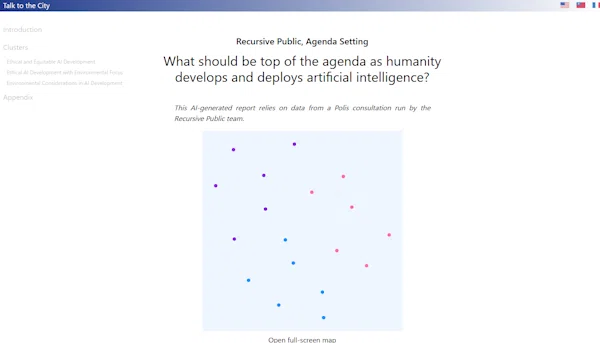
日本語テキスト
日本語データで試してみました。
2箇所修正する必要があります。
example-polis.json
{
"name": "Recursive Public, Agenda Setting",
"question": "賃上げは景気向上に役立つか?",
"input": "example-polis",
"model": "gpt-4o",
"extraction": {
"workers": 3,
"limit": 100
},
"clustering": {
"clusters": 6
},
"translation": {
"model": "gpt-4o",
"languages": ["Japanese"],
"flags": ["JP"]
},
"intro": "This AI-generated report relies on data from a Polis consultation run by the Recursive Public team."
}
example-polis.csv
解析対象の日本語テキストを準備する必要があります。
ここでは、Yahoo!ニュースのコメントを使いました。
手っ取り早く、コメントを取得したかったので、以下の記事を参考に、データを取得しました。
結果
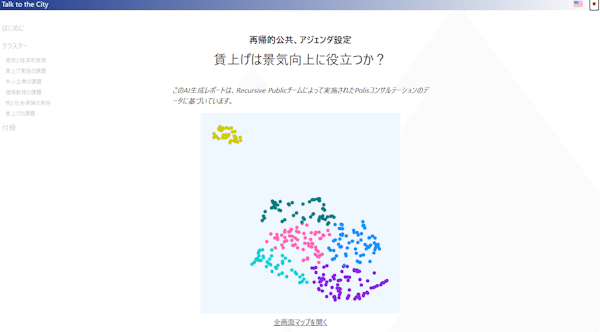
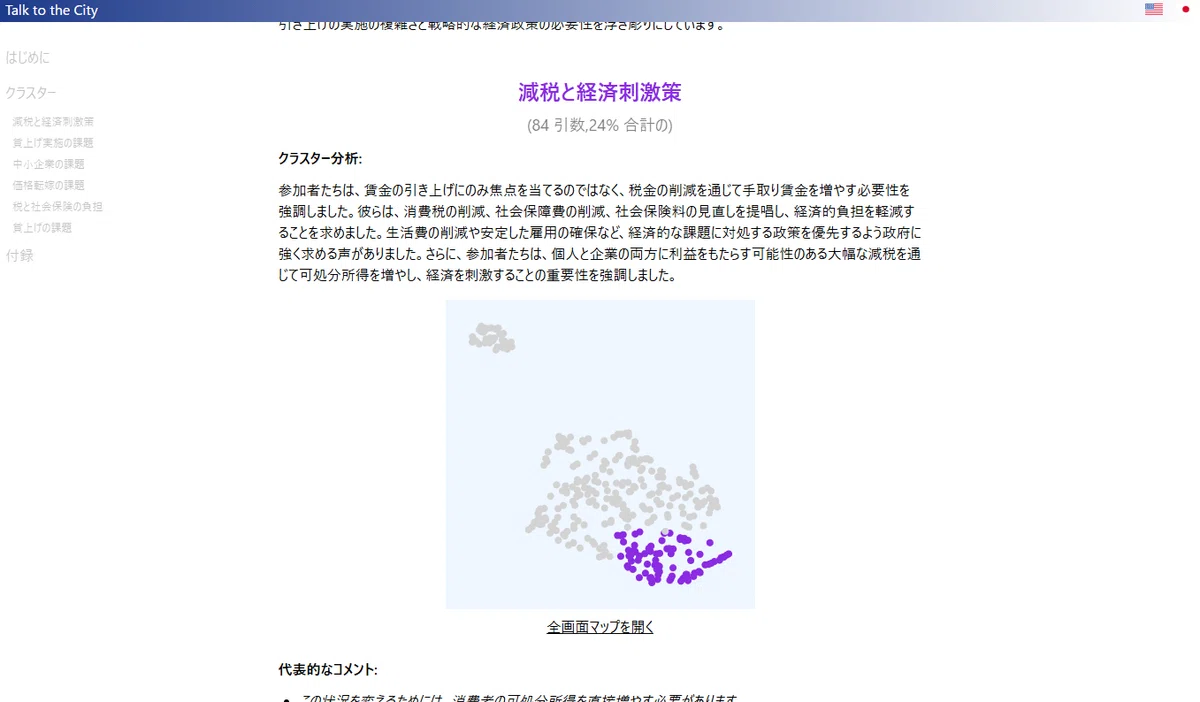
右上の日本語アイコンをクリックすると日本語で表示されます。
最後に
いい感じにラベリングしてくれるので、結果を見ていて楽しいです。
台湾では実際の社会課題に対する意志決定に使われているようなので、使い方によっていろいろな可能性があるように思います。
今後の展開が楽しみです。
質問文に対するインタラクティブにクラスタ表示
階層型クラスタ
