
In this article, we are going to see what is NgForm in Angular 10 and how to use it. NgForm is used to create a top-level form group Instance, and it binds the form to the given form value.
Syntax:
<form #FormName = "ngForm"> </form>
NgModule: Module used by NgForm is:
- FormsModule
Selectors:
- [ngForm]
Approach:
- Create the Angular app to be used
- In app.module.ts import FormsModule.
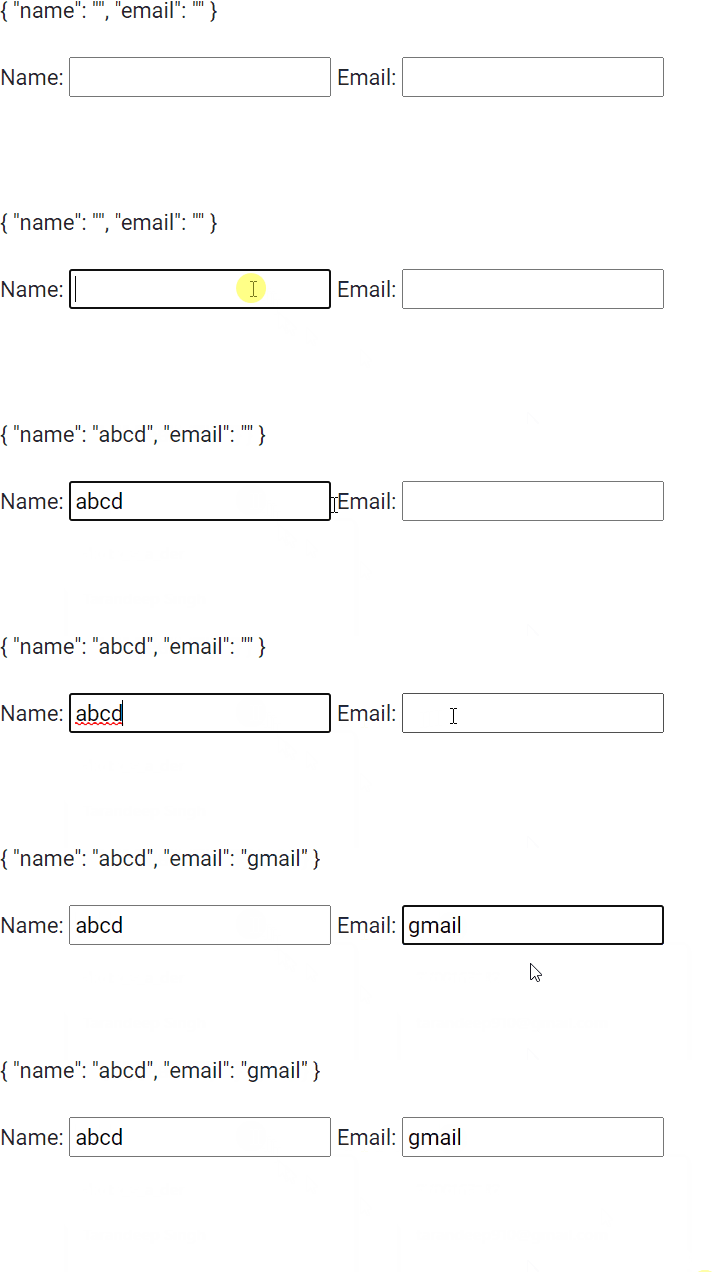
- In app.component.html make a form and store its value in ngForm variable and show its value in a JSON form.
- Serve the angular app using ng serve to see the output.
Example 1:
import { NgModule } from '@angular/core';
import { FormsModule } from '@angular/forms';
import { BrowserModule } from '@angular/platform-browser';
import { BrowserAnimationsModule } from '@angular/platform-browser/animations';


import { AppComponent }   from './app.component';

@NgModule({
  bootstrap: [
    AppComponent
  ],
  declarations: [
    AppComponent
  ],
  imports: [
    FormsModule,
    BrowserModule,
    BrowserAnimationsModule,

  ]
})
export class AppModule { }
<form #gfgform = "ngForm">
  {{ gfgform.value | json }}
  <br>
  <br>
  Name: <input type="text" name = 'name' ngModel>
  Email: <input type="email" name = 'email' ngModel>
</form>
Output:
Reference: https://v17.angular.io/api/forms/NgForm
