
LLMs often struggle to maintain context over long conversations, which can lead to repetitive, inconsistent or irrelevant responses. Conversation summary memory helps solve this problem by condensing past interactions into concise summaries that the model can reference in future turns.
This approach ensures that long conversations remain coherent, reduces token usage and allows applications to manage multi-turn interactions more efficiently.
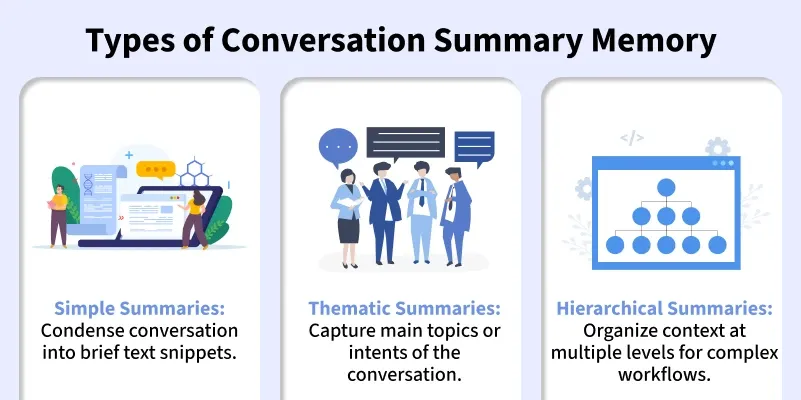
Components in LangChain
Some of the key components involved in conversation summary memory are:
- Memory Classes: Store conversation summaries and manage context for the LLM.
- Summarization Chains: Automatically process and condense conversations into meaningful summaries.
- LLM Integration: Provides context to the LLM during response generation and updates summaries dynamically.
- Configurable Parameters: Options like token limits, summary length and update frequency allow flexible memory management.
Working of Conversation Summary Memory
Workflow of Conversation Summary Memory:
- Summarization of Messages: The memory condenses ongoing conversations into concise summaries that capture essential details.
- Incremental Updates: As new messages arrive, the memory updates the summary to include the latest information.
- Context Reference: The model references these summaries during generation to provide coherent and contextually accurate responses.
- Seamless Integration: Works alongside LLMs and chains, so applications don’t need to manually manage conversation history.
Implementation
Step wise implementation of Conversation Summary Memory in LangChain:
Step 1: Install Required Libraries
Installing LangChain to access memory classes and OpenAI to use GPT models.
pip install langchain openai
Step 2: Import Modules
Importing required modules:
- Memory: ConversationSummaryMemory to manage summarized conversation context.
- Chat Models: ChatOpenAI to call GPT models.
- Chains: ConversationChain to connect memory with LLM.
- Prompts: PromptTemplate to define custom summarization instructions.
- OS: To handle environment variables like API keys.
from langchain.chat_models import ChatOpenAI
from langchain.memory import ConversationSummaryMemory
from langchain.chains import ConversationChain
from langchain.prompts import PromptTemplate
import os
Step 3: Setup Environment
Setting up the environment using OpenAI API Key or any other model access.
os.environ["OPENAI_API_KEY"] = "your_openai_api_key_here"
Refer to relevant documentation: Fetching OpenAI API Key.
Step 4: Initialize Conversation Summary Memory
Creating a ConversationSummaryMemory object linked to the LLM.
- Configure max_token_limit or summary length to control memory usage.
- Optionally, define a summary_prompt to customize how summaries are generated.
llm = ChatOpenAI(temperature=0, model_name="gpt-4")

summary_prompt = PromptTemplate(
    input_variables=["summary", "new_message"],
    template=(
        "You are maintaining a running summary of a conversation.\n"
        "Current summary: {summary}\n"
        "New message: {new_message}\n"
        "Update the summary with relevant points only, keep it concise."
    )
)

memory = ConversationSummaryMemory(
    llm=llm,
    max_token_limit=600,
    memory_key="chat_summary",
    input_key="input",
    summary_prompt=summary_prompt
)
Step 5: Build the Conversation Chain
Connecting the LLM and memory into a ConversationChain.
- This ensures each user input updates the memory and the model references it automatically.
conversation = ConversationChain(
    llm=llm,
    memory=memory,
    verbose=True
)
Step 6: Interact with the Model
Sending user queries to the chain:
- Each input is processed, memory is updated and the model generates context-aware responses.
user_messages = [
    "Hi, I want to plan a trip to Europe.",
    "I’m thinking of visiting France and Italy.",
    "Can you suggest a 10-day itinerary?",
    "Also, include budget-friendly options."
]

for msg in user_messages:
    response = conversation.predict(input=msg)
    print(f"User: {msg}\nAI: {response}\n{'-'*50}")
Step 7: Print or Use Responses
Displaying the generated output or using it in your application.
- The summary memory ensures context is maintained across multiple turns.
- We can also retrieve the final summary anytime using the memory object.
final_summary = memory.load_memory_variables({})["chat_summary"]
print("\nFinal Conversation Summary:")
print(final_summary)
Output:
Applications
Some of the real-world use cases of conversation summary memory are:
- Customer Support Chatbots: Maintain context across multiple sessions to provide consistent and personalized support.
- Virtual Assistants: Remember user preferences and past interactions to offer tailored recommendations.
- AI Agents and Workflows: Summarize ongoing workflows or multi-step tasks for improved decision-making and efficiency.
- Educational Tools: Track student progress and summarize learning conversations for personalized feedback.
- Healthcare Assistants: Maintain conversation history for patient queries while keeping data concise and relevant.
Benefits
Some of the benefits of conversation summary memory are:
- Reduced Token Usage: Summaries minimize the need to include the entire conversation, saving computational resources.
- Improved Context Retention: Helps the LLM remember important details over long interactions, improving answer relevance.
- Enhanced Performance: Supports smoother multi-turn conversations, reducing repetition and maintaining coherent dialogue.
- Automatic Updates: Continuously updates summaries as new messages are added.
- Multi-Turn Handling: Supports long conversations by keeping context coherent over multiple interactions.
- Scalability: Enables applications to manage multiple concurrent conversations efficiently.
Limitations
Some of the limitations of conversation summary memory are:
- Potential Information Loss: Important details may be omitted during summarization if not carefully managed.
- Dependence on LLM Quality: The accuracy of summaries relies on the LLM’s ability to condense information effectively.
- Token Constraints: Memory size must be managed to avoid exceeding model token limits, which could truncate context.
- Complex Conversations: Highly intricate or multi-topic conversations may require more sophisticated summarization strategies.
Comparison with Other Memory Types
Comparison table of different memory types:
Memory Type | Description | Pros | Cons |
|---|---|---|---|
Buffer Memory | Stores the full conversation history. | Complete context retention, easy to retrieve full dialogue. | High token usage, inefficient for long conversations. |
Summary Memory | Condenses conversation into concise summaries. | Reduces token usage, maintains key context, faster processing. | Slightly lossy, may omit minor details. |
Hybrid Memory | Combines buffer and summary memory selectively. | Balances full context and efficiency, flexible for complex flows. | More complex to implement, needs careful configuration. |
Embedding Memory | Stores semantic embeddings of conversation for similarity search. | Enables semantic search and context-aware responses. | Requires extra storage, may not capture exact sequential details. |
