
Pipeline abstraction in Hugging Face is an API that hides the complexities of model inference, allowing us to quick use of pretrained models with minimal setup.
- Provides a high-level interface for NLP tasks like text generation, translation, sentiment analysis and many more.
- Each pipeline is a configuration of a model, tokenizer and pre/post-processing steps.
- It lets you call pipeline() with a task name and handles all internal steps automatically.
- Without it, you would need to manually load models, tokenizers, preprocess input and post-process output.
Using Pipeline in Hugging Face
Using a Hugging Face pipeline is simple and straightforward. Let's walk through the steps to get started
1. Installing the Required Library
First, we need to install the Transformers and torch library. Run the following command in command prompt
pip install transformers
pip install torch
2. Importing the Pipeline Function
Next, we import the pipeline function which we’ll use to load and run models
from transformers import pipeline
3. Calling the pipeline() Function with the Task
- Now, we call the pipeline() function, specifying the task we want to perform.
- A default pre-trained model is automatically selected (e.g., distilbert-base-uncased-finetuned-sst-2-english)
- The selected model may change based on library updates
task_pipeline = pipeline('sentiment-analysis')
4. Providing the Text for Analysis
We can now provide the text we want to process. For example, to analyze sentiment
result = task_pipeline("I love using Hugging Face!")
5. Displaying the Result
Finally, we can print the result
print(result)
Available Pipeline Tasks
Hugging Face supports several popular NLP tasks through its pipeline API. Below are some of the most commonly used tasks
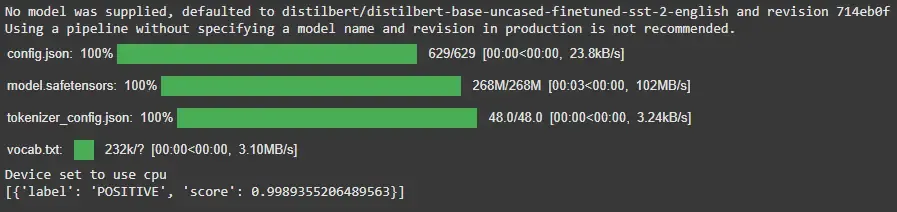
1. Text Classification (Sentiment Analysis)
Detects the sentiment of a given text like positive, negative, neutral, etc.
Example:
from transformers import pipeline
classifier = pipeline('sentiment-analysis')
result = classifier("I recently started reading a great book on data science.")
print(result)
Output:
2. Named Entity Recognition (NER)
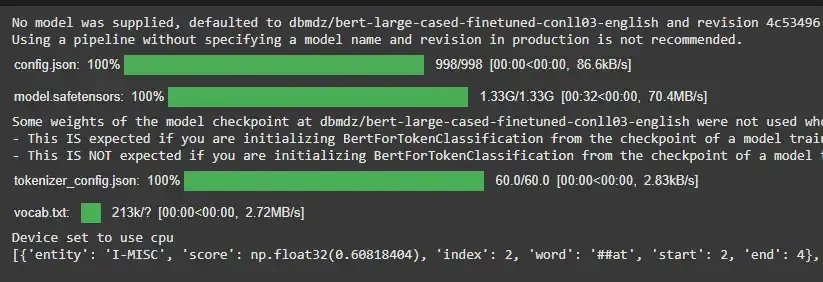
Identifies named entities in the text such as names of people, organizations, locations, dates, etc.
Example:
from transformers import pipeline
ner = pipeline('ner')
result = ner("Statue of Liberty is located in New York.")
print(result)
Output:
3. Text Generation
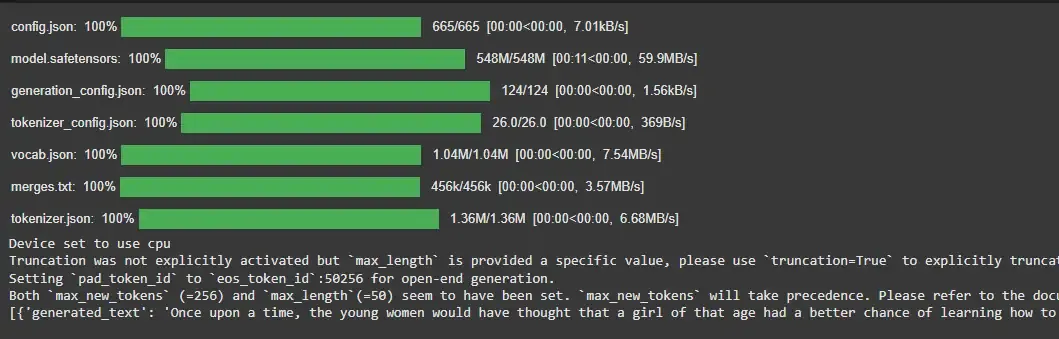
Text generation creates new content based on a given input and is widely used for tasks like storytelling, chatbots and content writing.
- Generates coherent and context-aware text
- Commonly used in conversational AI and creative applications
- Requires specifying a model for better control and consistency
Example:
from transformers import pipeline
generator = pipeline('text-generation', model='gpt2')
result = generator("Once upon a time", max_length=50)
print(result)
Output:
4. Question Answering
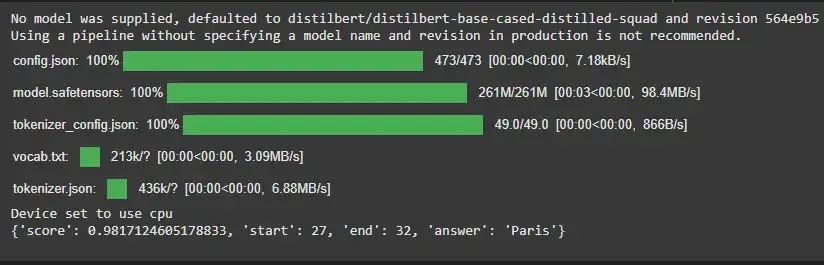
Extracts answers to questions based on a given context.
Example:
from transformers import pipeline
question_answerer = pipeline('question-answering')
context = "Eiffel tower is located in Paris."
result = question_answerer(question="Where is eiffel tower located?", context=context)
print(result)
Output:
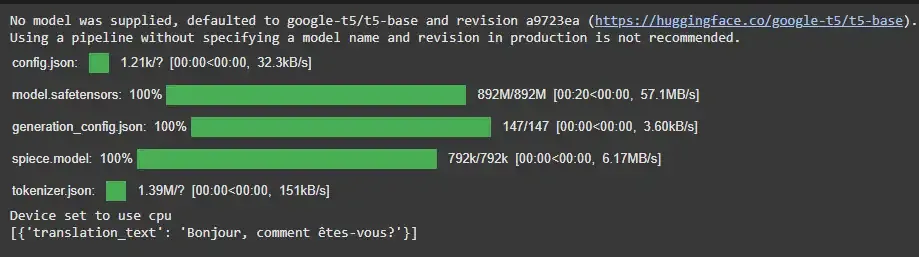
5. Translation
Translates text from one language to another. Here in task we mentioned convert english text to french.
Example:
from transformers import pipeline
translator = pipeline('translation_en_to_fr', model='Helsinki-NLP/opus-mt-en-fr')
result = translator("Hello, how are you?")
print(result)
Output:
6. Summarization
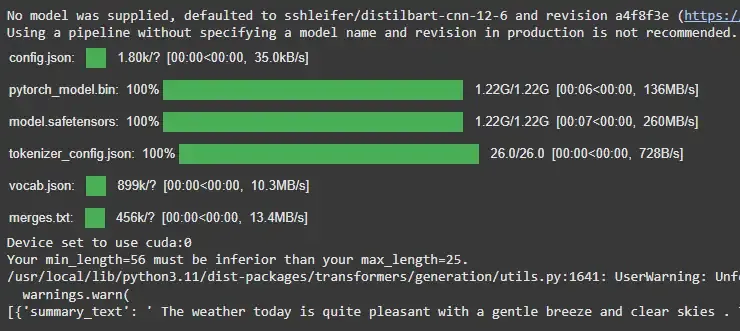
Summarizes long pieces of text into shorter versions while retaining the essential information.
Example:
from transformers import pipeline
summarizer = pipeline('summarization', model='facebook/bart-large-cnn')
result = summarizer("The weather today is quite pleasant with a gentle breeze and clear skies. The temperature is comfortably mild, hovering around 22°C, making it a perfect day to spend time outdoors. The sun is shining brightly, but the cool wind provides a refreshing break from the warmth. It's a great day for a walk in the park or enjoying a coffee on the patio. As the day progresses, the skies are expected to remain clear, and temperatures are likely to stay moderate throughout the afternoon.", max_length=25)
print(result)
Output:
7. Custom Pipelines
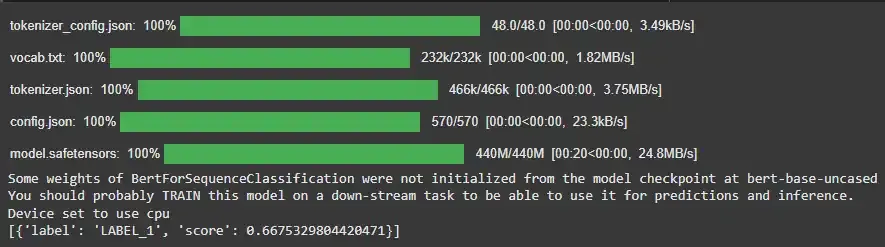
Custom pipelines allow you to use your own models and configurations instead of relying on default setups. This provides greater flexibility and control over how inference is performed.
- Use custom models and tokenizers for specific tasks
- Override default pipeline behavior for better performance
- Useful for fine tuned or domain specific models
- Enables advanced customization beyond predefined pipelines
Example:
from transformers import pipeline, BertTokenizer, BertForSequenceClassification

tokenizer = BertTokenizer.from_pretrained('bert-base-uncased')

model = BertForSequenceClassification.from_pretrained('bert-base-uncased')

custom_pipeline = pipeline('text-classification', model=model, tokenizer=tokenizer)

result = custom_pipeline("This is a custom classification model.")
print(result)
Output:
Advantages
- Enables quick setup and rapid prototyping with minimal code
- Handles tokenization, model loading and processing automatically
- Supports a wide range of tasks across NLP, vision and audio
- Integrates seamlessly with pre-trained models from the Model Hub
- Reduces complexity, making it beginner friendly while still useful for developers
Limitations
- Offers limited flexibility when deeper customization or fine control is required
- May not deliver optimal performance for large scale or latency-sensitive applications
- Can consume significant memory depending on the model being used
- Abstracts internal processes, which can limit understanding and debugging
